


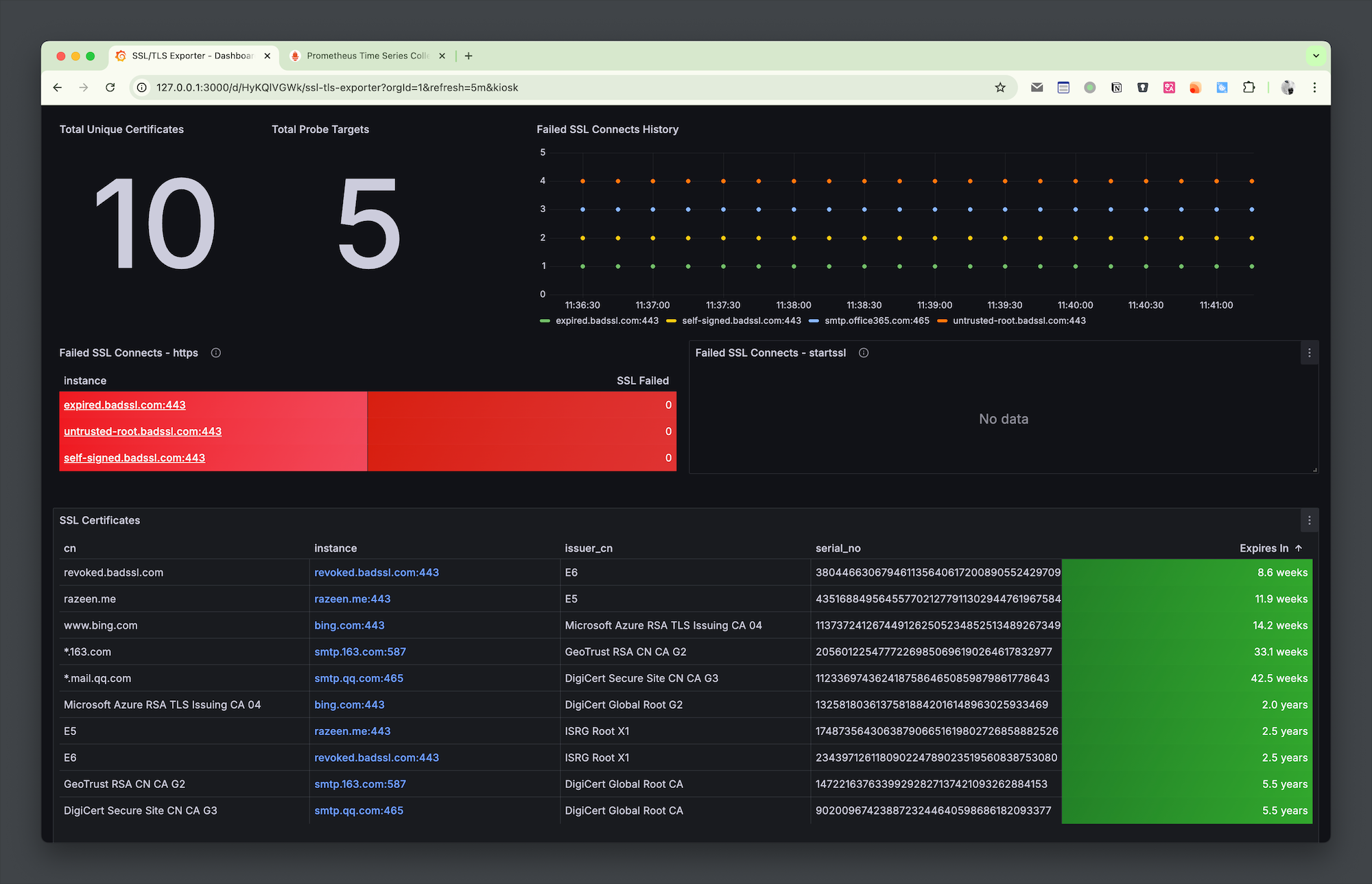
Recently, I discovered a Grafana Dashboard that can visualize certificate validity, and it works quite well. The configuration is simple, aggregating the validity period, serial number, issuer, and other information of multiple site certificates, making it clear at a glance. I am sharing this blog post with everyone.
As we all know, Prometheus and Grafana cannot directly obtain certificate information. We need to use some Exporters to convert the information into data metrics for Prometheus, and then query it through PromQL to display it in Grafana reports. Here, we need to use the ssl_exporter developed by a great developer.
ssl-exporter can obtain SSL certificates from multiple sources:
smtp, ftp, imap, postgres, pop3.ssl-exporter.secrets of the kubernetes.io/tls type in k8s.After obtaining the SSL certificate, it will be converted into specific metrics (see the official README for details).
The project also provides a dashboard configuration, which can be imported into Grafana for use.
Below is a detailed operation guide.
Use docker-compose to quickly start.
docker-compose.ymlservices:
ssl-exporter:
image: 'ribbybibby/ssl-exporter:latest'
container_name: ssl-exporter
restart: always
prometheus:
image: 'prom/prometheus:latest'
restart: always
container_name: prometheus
ports:
- '19090:9090'
volumes:
- './prometheus.yml:/etc/prometheus/prometheus.yml'
- './promwal:/prometheus'
grafana:
image: grafana/grafana:latest
container_name: grafana
volumes:
- './grafana/data:/var/lib/grafana'
ports:
- '3000:3000'
restart: always
File ./prometheus.yml
Here is an example of the https and tcp modes. Just change the domain:port in the targets, as shown below with some example sites.
If you need to obtain certificates from k8s or other services, you can refer to the example configuration in the official documentation.
scrape_configs:
  - job_name: "https"
  metrics_path: /probe
  params:
    module: ["https"] # <-----
  static_configs:
    - targets:
      - razeen.me:443
      - bing.com:443
      - expired.badssl.com:443
      - revoked.badssl.com:443
      - untrusted-root.badssl.com:443
      - self-signed.badssl.com:443
  relabel_configs:
    - source_labels: [__address__]
    target_label: __param_target
    - source_labels: [__param_target]
    target_label: instance
    - target_label: __address__
    replacement: ssl-exporter:9219

  - job_name: "startssl"
  metrics_path: /probe
  static_configs:
    - targets:
      - smtp.qq.com:587
      - smtp.office365.com:587
      - smtp.163.com:587
  relabel_configs:
    - source_labels: [__address__]
    target_label: __param_target
    - source_labels: [__param_target]
    target_label: instance
    - target_label: __address__
    replacement: ssl-exporter:9219 # SSL exporter.
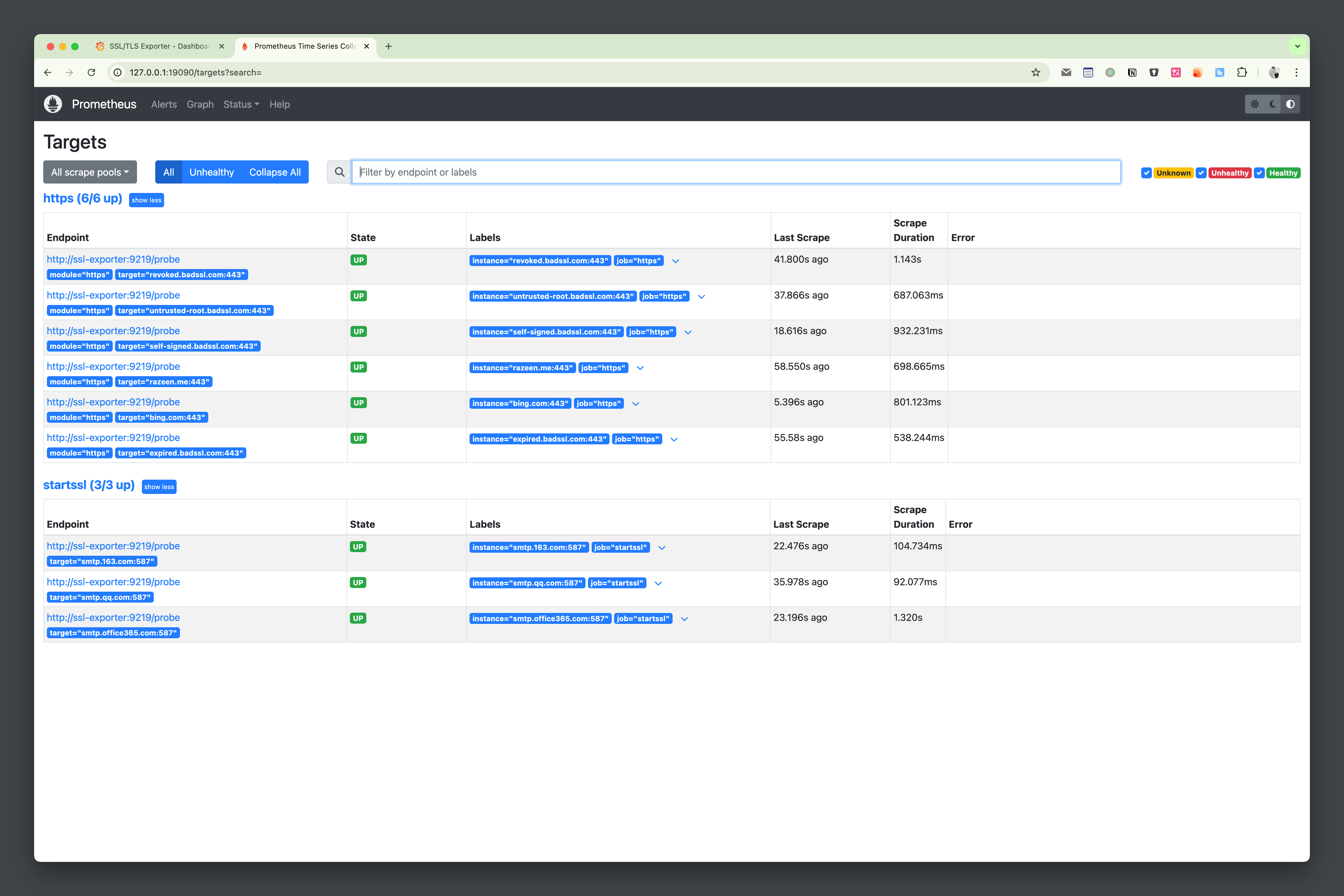
After starting with docker-compose up -d, wait a moment, and you will see all UP in prometheus Status > Targets.
Access Grafana, the initial username and password are both admin. The first login will prompt you to update the password.
Connections > Add new connection, search for prometheus and click to add;Name and URL. Since we are in the same docker network, we can connect directly using the label and port, i.e., http://prometheus:9090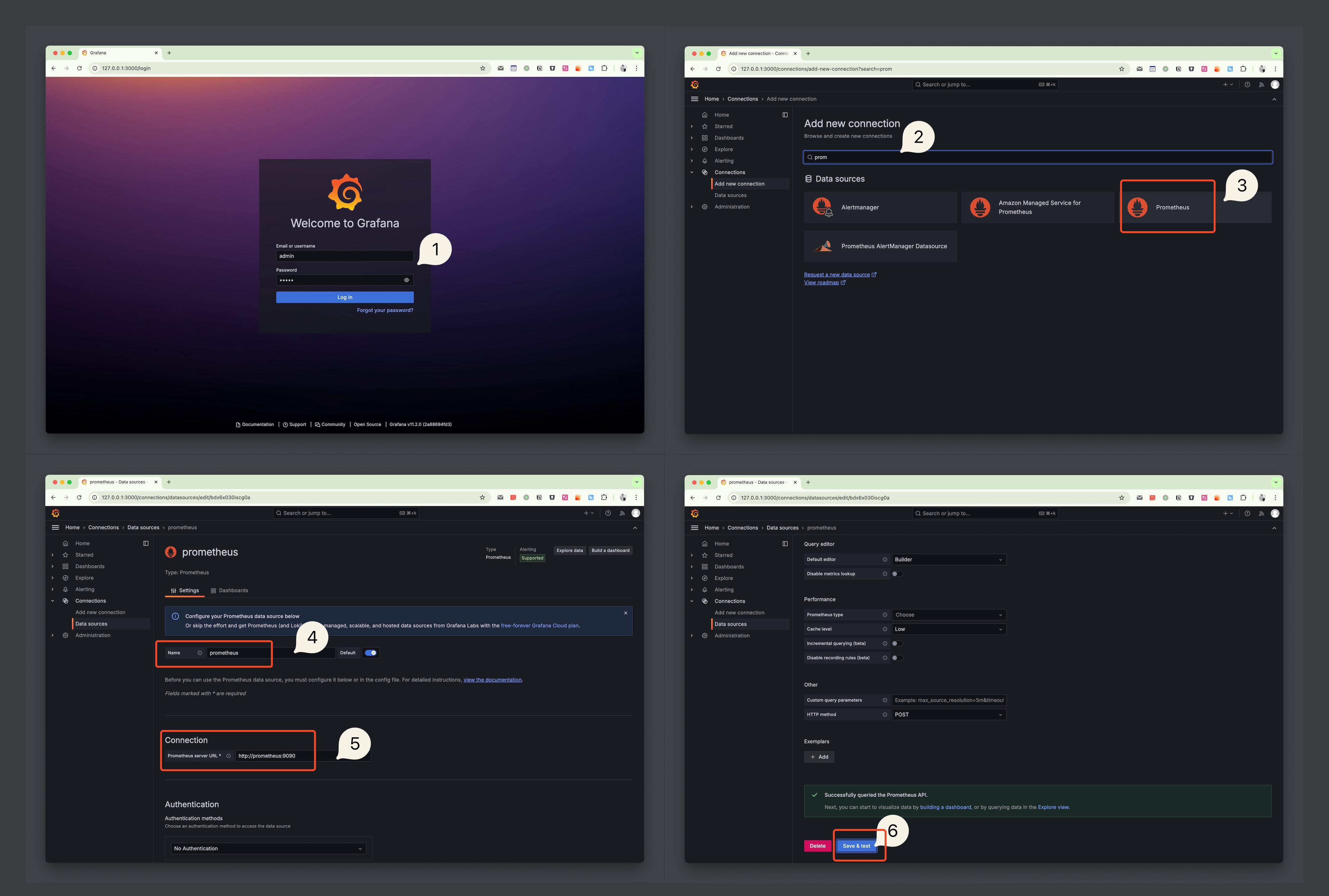
Next, import the dashboard.
Dashboards and import, select Import a dashboardLoad, then Import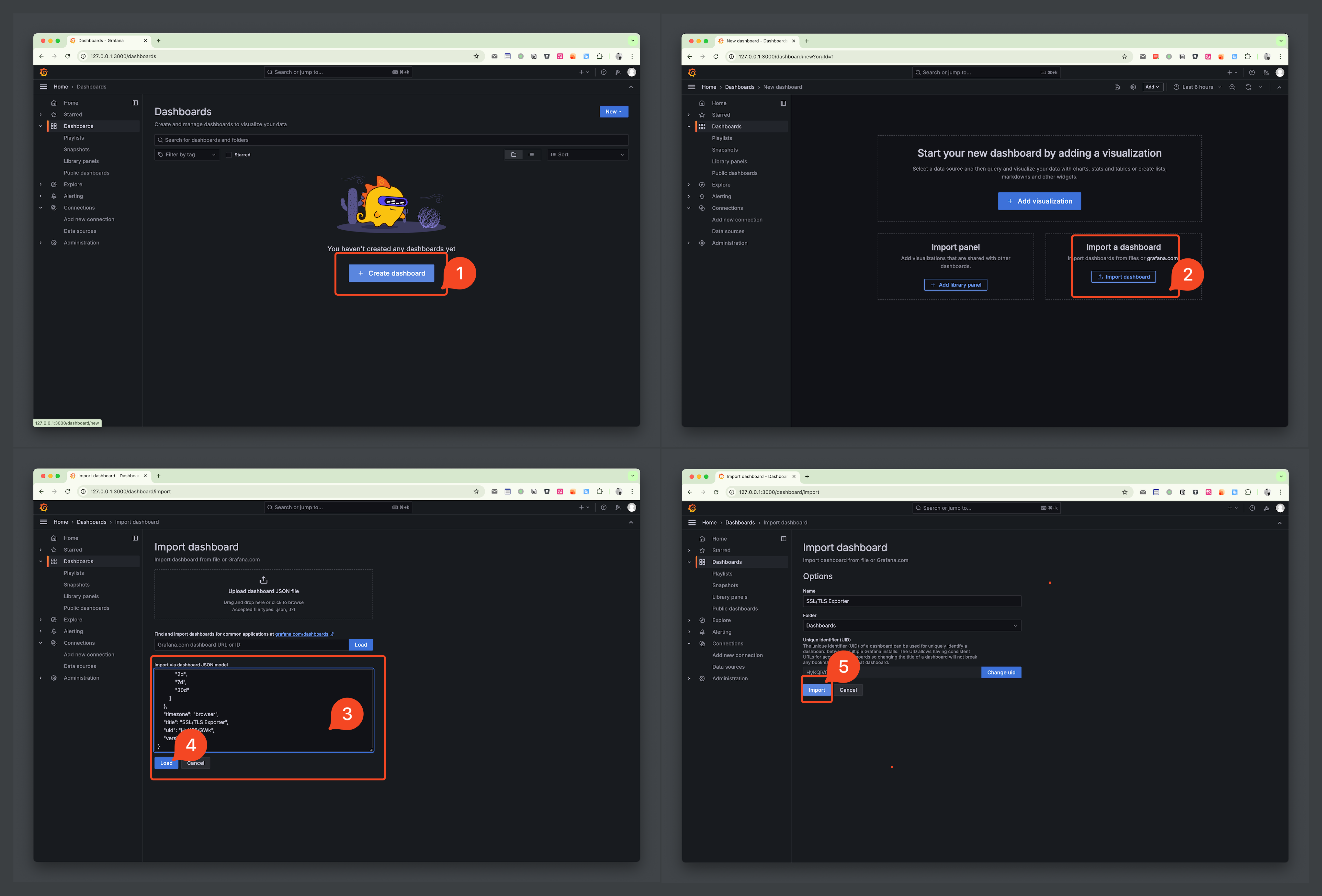
At this point, you can see the dashboard shown at the beginning of the blog.
Through this dashboard, the certificate information of the site can be conveniently aggregated and displayed. If it expires, it can be seen at a glance. At the same time, if needed, you can set alert rules based on the expiration time metric to achieve certificate expiration notifications.
However, there are some shortcomings. I added some revoked certificates and self-signed sites, which cannot be distinguished here, so it cannot be relied upon for very professional monitoring. For professional management and monitoring, you can try CertCloud.
此内容由惯性聚合(RSS阅读器)自动聚合整理,仅供阅读参考。 原文来自 — 版权归原作者所有。