惯性聚合 高效追踪和阅读你感兴趣的博客、新闻、科技资讯
阅读原文 在惯性聚合中打开

推荐订阅源

PCI Perspectives
PCI Perspectives
C
CERT Recently Published Vulnerability Notes
Project Zero
Project Zero
Threat Intelligence Blog | Flashpoint
T
Threatpost
NISL@THU
NISL@THU
H
Help Net Security
G
Google Developers Blog
S
Securelist
Recorded Future
Recorded Future
云风的 BLOG
云风的 BLOG
MyScale Blog
MyScale Blog
V
Vulnerabilities – Threatpost
C
Cyber Attacks, Cyber Crime and Cyber Security
P
Proofpoint News Feed
T
Tenable Blog
M
MIT News - Artificial intelligence
罗磊的独立博客
WordPress大学
WordPress大学
I
Intezer
V2EX - 技术
V2EX - 技术
Schneier on Security
OSCHINA 社区最新新闻
OSCHINA 社区最新新闻
博客园 - 叶小钗
Application and Cybersecurity Blog
S
Secure Thoughts
C
Cybersecurity and Infrastructure Security Agency CISA
Recent Announcements
S
SegmentFault 最新的问题
有赞技术团队
有赞技术团队
H
Hackread – Cybersecurity News, Data Breaches, AI and More
C
Cisco Blogs
大猫的无限游戏
大猫的无限游戏
D
Darknet – Hacking Tools, Hacker News & Cyber Security
L
Lohrmann on Cybersecurity
The GitHub Blog
The GitHub Blog
The Cloudflare Blog
宝玉的分享
宝玉的分享
腾讯CDC
V
Visual Studio Blog
Google DeepMind News
美团技术团队
H
Heimdal Security Blog
Hugging Face - Blog
Hugging Face - Blog
The Last Watchdog
The Last Watchdog
L
LINUX DO - 热门话题
Spread Privacy
Spread Privacy
博客园 - 司徒正美
博客园 - Franky
W
WeLiveSecurity

阁主学习小站

win11更新报错:net start wuauserv 发生系统错误 1290-电脑技术-阁主学习小站 Docker 常用命令大全,方便日常查阅-服务端兮-阁主学习小站 Linux系统磁盘挂载管理工具-服务端兮-阁主学习小站 Debian13 Linux系统无法关闭swap、无法完全禁用的问题和解决方案-服务端兮-阁主学习小站 minio服务器上文件访问不了-编程教程-阁主学习小站 MINIO 最新版无法通过页面的控制台配置accesskey-编程教程-阁主学习小站 关闭浏览器访问http时自动转https-编程教程-阁主学习小站 前端图片<img>、链接<a>等去除referer标记,绕过防盗链-前端开发-阁主学习小站 原生PHP实现单图、多图文件批量上传-PHP教程-阁主学习小站
centos9无法启用ssh服务-服务端兮-阁主学习小站
阁主 · 2026-02-16 · via 阁主学习小站
摘要:

好久没用centos9系统了,莫名其妙的装好宝塔后就出现SSH连不上的情况,没想到现在AI真牛逼,借助AI也解决了,文章记录一下。

情况

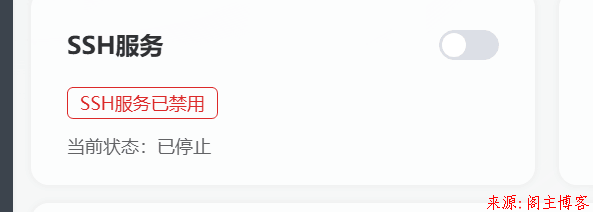
情况就如下图吧,点击启用也一直启动不起来。
解决

索性宝塔的终端还能进,直接利用这个进去查看SSH服务状态:

[root@sy10-10-100-204 ~]# systemctl status sshd
● sshd.service - OpenSSH server daemon
     Loaded: loaded (/usr/lib/systemd/system/sshd.service; enabled; preset: enabled)
     Active: activating (auto-restart) (Result: exit-code) since Mon 2026-02-16 16:57:37 CST; 37s ago
       Docs: man:sshd(8)
             man:sshd_config(5)
    Process: 3176 ExecStart=/usr/sbin/sshd -D $OPTIONS (code=exited, status=255/EXCEPTION)
   Main PID: 3176 (code=exited, status=255/EXCEPTION)
        CPU: 4ms

问题有了,直接复制问AI:

centos9无法启用ssh:[root@sy10-10-100-204 ~]# systemctl status sshd
● sshd.service - OpenSSH server daemon
     Loaded: loaded (/usr/lib/systemd/system/sshd.service; enabled; preset: enabled)
     Active: activating (auto-restart) (Result: exit-code) since Mon 2026-02-16 16:57:37 CST; 37s ago
       Docs: man:sshd(8)
             man:sshd_config(5)
    Process: 3176 ExecStart=/usr/sbin/sshd -D $OPTIONS (code=exited, status=255/EXCEPTION)
   Main PID: 3176 (code=exited, status=255/EXCEPTION)
        CPU: 4ms

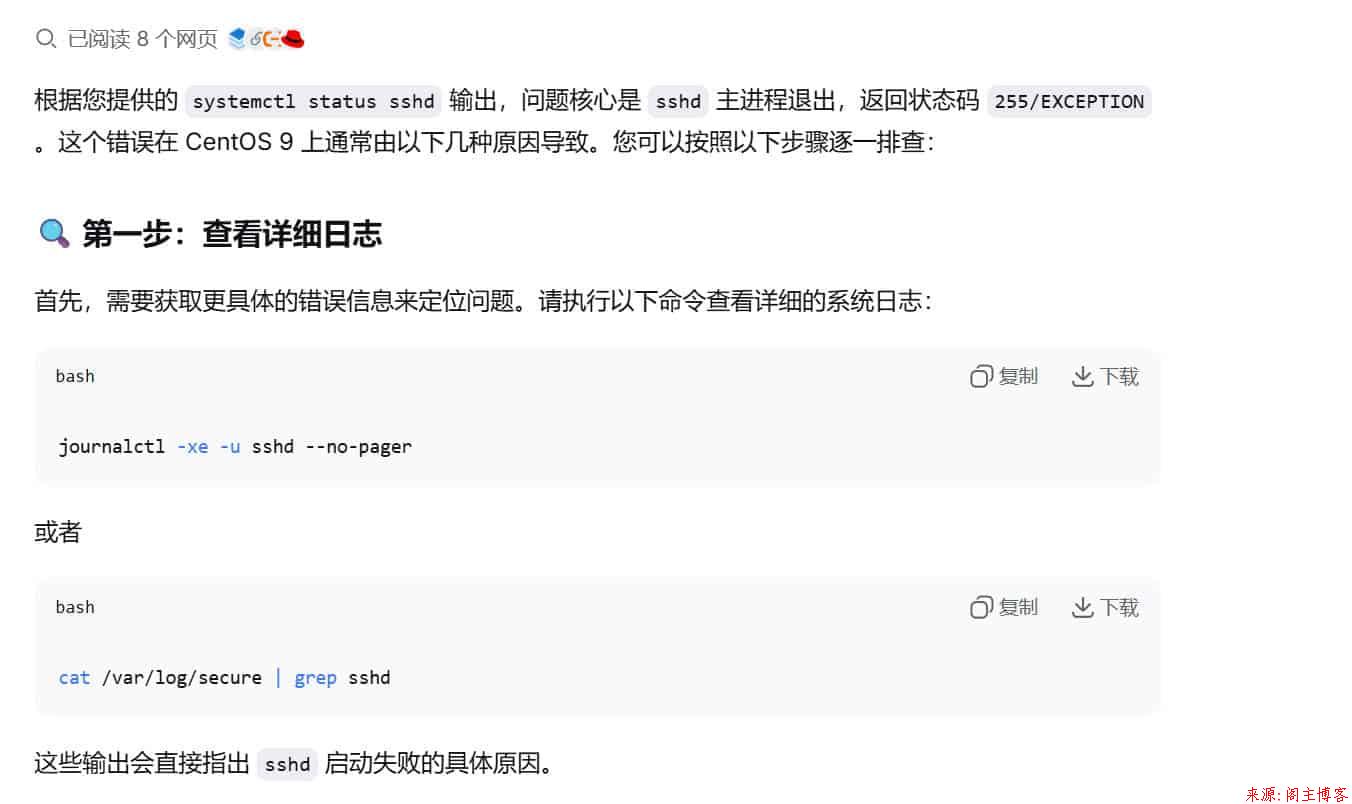
AI说使用下面的命令查看日志:

journalctl -xe -u sshd --no-pager
错误日志
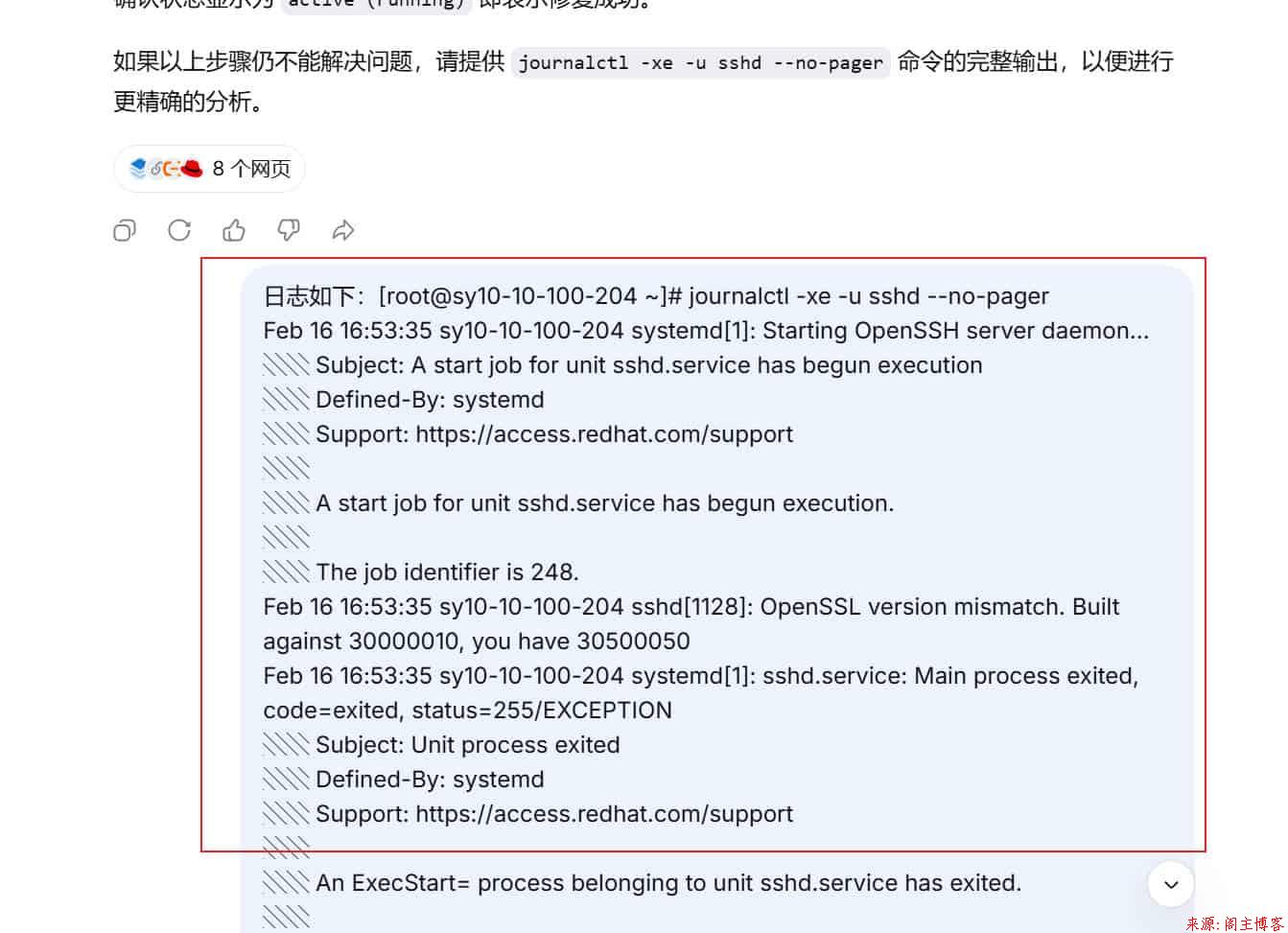
然后把终端拿到的错误日志直接交给AI去分析一下:

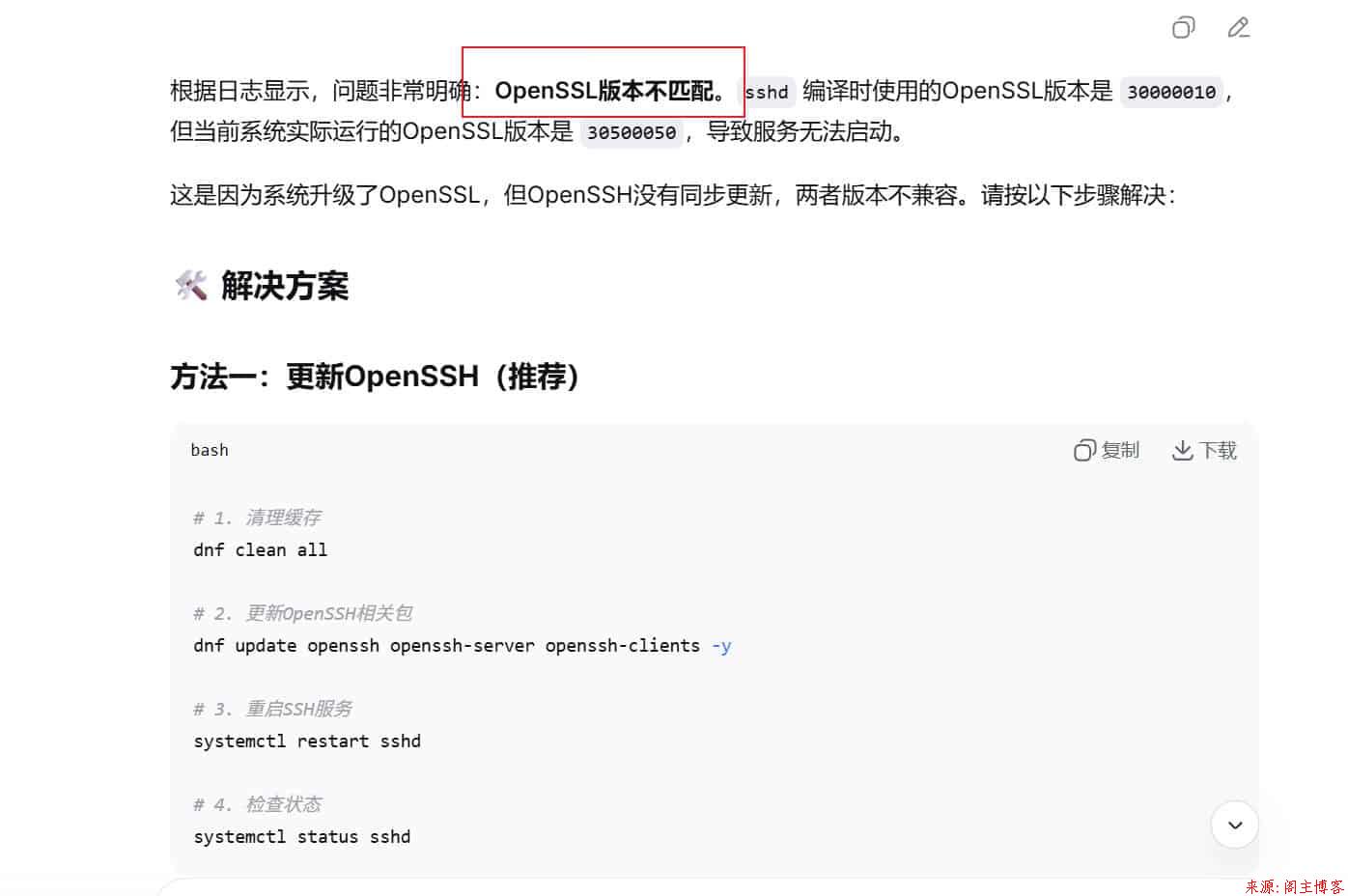
太搞笑了,简直和AI说的一模一样。也许安装宝塔的时候它会默认连带升级这个OpenSSL导致出问题的,所以后面就按照AI的修复步骤尝试修复一下。
修复步骤

# 1. 清理缓存
dnf clean all
# 2. 更新OpenSSH相关包
dnf update openssh openssh-server openssh-clients -y
# 3. 重启SSH服务
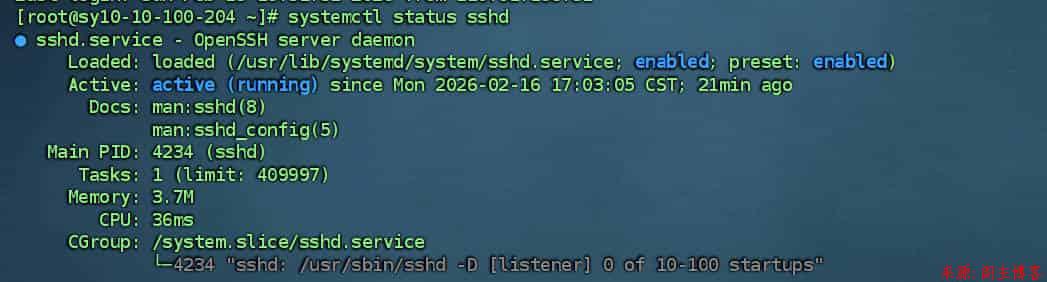
systemctl restart sshd
# 4. 检查状态
systemctl status sshd

结语

完美解决!如今AI真的方便很多,多尝试!