







Communication is hard 😖 (it’s ok, little buddy, we’re gonna talk about some tools to combat this). When it comes to conveying a message with other human beings you have to make sure to speak clearly, listen well, use unambiguous words, remember what the other person said, understand the context surrounding the conversation, read between the lines sometimes, pay attention to body language and intonation, comprehend cross-cultural differences, and so many more subtle intricacies. Now compound that problem with trying to communicate with someone over a digital medium. You have to do double the work in conveying and listening — you lose things like the benefit of body language, and intonation of voice. Was the other person angry when they told me “Ok”? Oh, I see that they added a period to “Ok.” — that definitely means that they’re angry! Does it?? If there was only some way that they could tell me how they felt… 🤔 (hmmmm)
If information is the stuff we’re trying to convey, then exformation is the stuff that accidentally gets left out along the way — it’s the details you have to fill in as a listener to try to understand what the other person meant to say 🙊 (monkey says: “you figure out what I’m trying to say”). Ze Frank does a great (and hilarious) job of explaining this:
So this is where emojis come in. Say what now? Oh yes, I totally mean it — emojis can help fill in the gaps in human communication where voice and facial expressions are missing. There’s still no substitute for true face-to-face or even just phone time but if you’re gonna be communicating over email, chat or
Four years ago when I joined the Paper team one of my (cupcake) things I did in my spare time was to add support for emojis to the editing surface. Try typing : in a Paper doc and you’ll see! I didn’t want our product to miss out on this sweeping new, disrupting technology 😜 (sarcasm / feeling chuffed with my cleverness). The problem was that back then browsers didn’t support emojis. You’d get this amazing little rectangle box instead:

To work around this we made the backing text in your Paper doc be something like :sunglasses:. Then, using Paper’s multi-layered rendering system, we rendered that text on-the-fly in the browser (much like how we auto-link url’s, hashtags, and do code highlighting) into something more interesting like 😎 (captures the feeling of awesomeness). Since the browser couldn’t render the emoji character natively, we would just insert a tag with a background-image corresponding to what the emoji would be.
That system worked well for a while but it did have its limitations. If you started to delete the emoji, what seemed like a single character would revert to something like :tada: and then you’d have to delete all of those backing characters. Plus, if you tried to copy that text out of Paper and paste it somewhere else you’d get :tada: which is pretty 😐 (meh). So, we got together in our “💩.txt” conference room (not making that up, btw) and decided to use our migration system to convert all existing docs to use the actual native character. We still would have to use the fallback images to render the emojis but at least the backing text would be something that would be ready for the native support that was being rapidly added to browsers. It also solved the problem of copying text out of Paper so that it would it be represented by the characters you intended.
Paper has a system to mass-migrate documents from one format to another. Because we continually make changes to our document format over the years, we have this system to allow us to make otherwise not-backwards-compatible changes with older documents. Paper documents use something we call a changeset to transform a doc from one state to another one. Our migration system simply acts as a robot that adds a changeset transforming the underlying structure of our doc into the latest format we want. In our case, we had to convert text that matched our legacy :levitating_business_man: or :nerd_face: to be 🕴️ and 🤓 characters (some of my favorite emojis). Seems straightforward enough until you remember the axiom that nothing is ever as simple as it seems.
Paper uses MySQL for its databases and it turns out that the default character encoding for MySQL is utf8. That sounds great — I mean, jeez, at least it isn’t latin1 anymore, right? Yeah, it’s great until you realize that utf8 in MySQL world doesn’t include emojis 😑 (wat). That’s right, if you want to store emojis in your database you’ll need to be using the newer utf8mb4 or otherwise you’ll have madness! (😺 and 🐶 living together, mass hysteria, you get the idea). Because of this, what should have been a simple document migration that can run in the background, required actually putting Paper into maintenance and read-only mode so that we could successfully migrate our databases over the course of a couple hours. 😤 (no, that emoji isn’t conveying anger, that’s triumph!)
Great, with that hurdle aside, another challenge in converting our characters to be a ‘single character’ was that emojis don’t consist necessarily of one single character! For example, take the Spock “live long and prosper” emoji and combine it with the Fitzpatrick skin tone emoji scale:
🖖 + 🏿 == 🖖🏿
What looks rendered as one character (🖖🏿) is actually two characters (🖖 + 🏿) behind the scenes!
Here’s another example where eight(!) separate characters get combined to end up as a single character of two people kissing:
👩 + U+200D + ❤ + U+FE0F + U+200D + 💋 + U+200D + 👩 == 👩❤️💋👩
It goes even further! Let’s take the example of the Spock emoji. Even just the original character (🖖 without an additional skin tone modifier) is actually two characters behind the scenes. In JavaScript:
"🖖".length = 2 // !!!
"🖖".charCodeAt(0).toString(16) == "d83d"
"🖖".charCodeAt(1).toString(16) == "dd96"
Regular expressions will start to fail in interesting ways as well:
/foo.bar/.test('foo🖖bar') == falseThis difference in the apparent rendered length of characters vs. the actual character length behind-the-scenes would have messed a lot with Paper’s logic, since Paper is entirely Typescript on the frontend and backend. Syncing multiple characters in Paper of course works as you would expect. However, if we were applying a changeset to a document, say, to remove four characters from the beginning of “foo🖖bar”, we have to be careful where that 4th character starts and ends. The intent is to remove the 🖖 character entirely. However, without an understanding of how long emojis actually are it would have deleted only half of the emoji (e.g. the "d83d" part of the Spock emoji) leaving us with a � character and effectively corrupting the text. So, with a lot of work put in by Travis Hance, one of our expert Paper engineers, we were able to detect the start and end of an emoji so that we could treat it as a single character even though it was really far from being a single character at all. For a more in-depth and fantastic write-up about this problem, please check out Mathias Bynens’ article “ JavaScript has a Unicode problem”.
The next big shift was that emojis took off! Newer versions of emojis were being added all the time by the Unicode Consortium and when multiplied with the new skin tone and other modifiers we were talking about 1,000 new emojis! We had decided initially back during our migration that we would let the browser render natively where it was supported. However, depending on the combination of your browser, operating system, or phone you were using you either had support for the new emojis or you didn’t. On top of that, even where operating systems did support emojis, sometimes they did a terrible, terrible job of displaying those emojis 😨 (the horror, the horror):
Along came EmojiOne to save the day. They do an absolutely fantastic job of unifying the grand mess that is supporting emojis across different OSes and browsers. We use EmojiOne to make our emoji experience the seamless one that it is today.
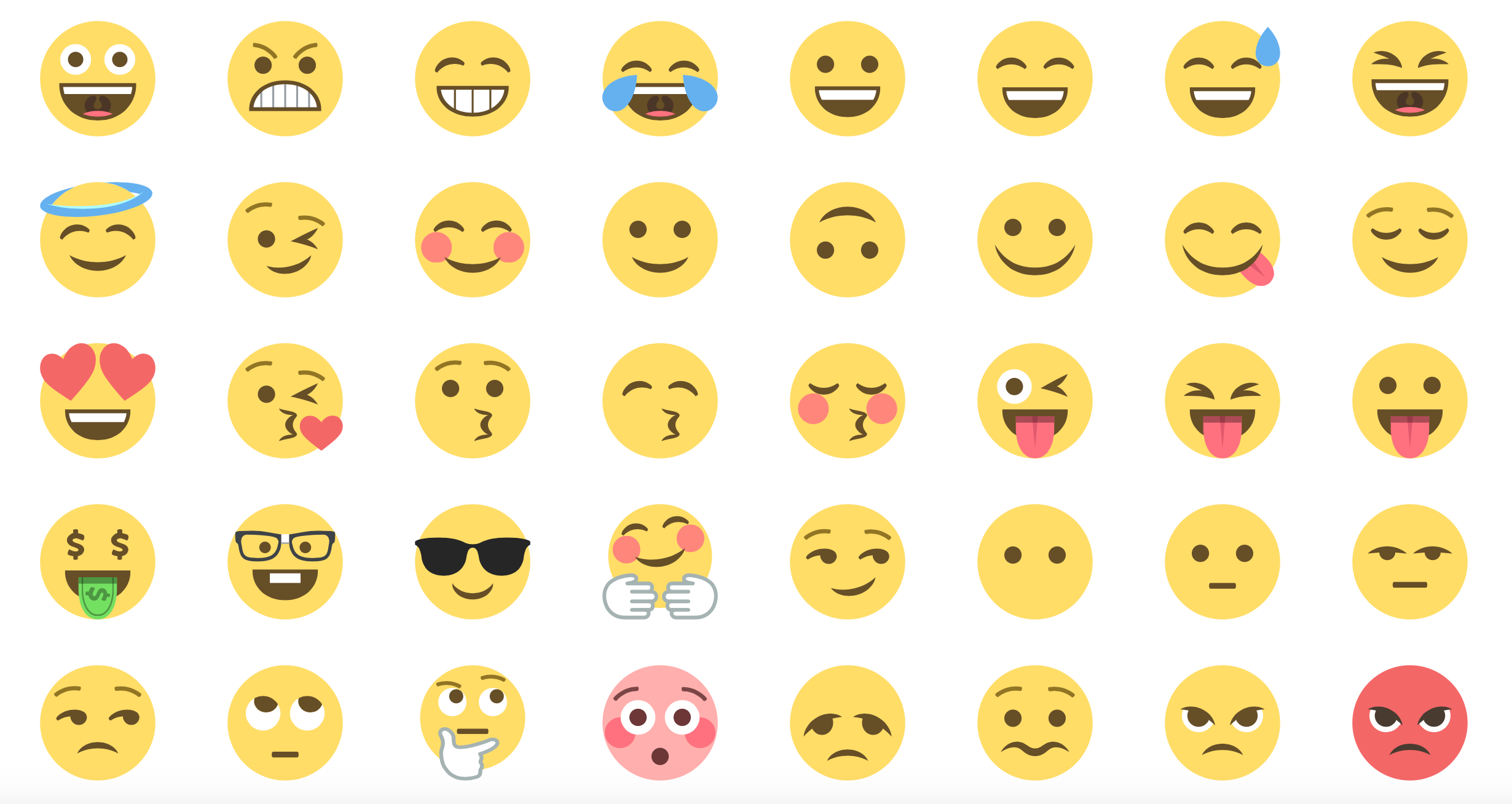
Along with switching to EmojiOne, we improved our design which had been originally just a short dropdown of emojis sorted alphabetically into a UI that currently lets you browse, jump by category, change skin tones, and add custom emojis. One interesting challenge was getting our browsable emoji UI to be performant — previously in our dropdown we would only display 20 or so emojis for you to search by keyword. But in the new UI we had 1500+ emojis to display which put a noticeable strain on React’s rendering system. Even despite the emoji UI and its components being pure rendered, it still manifested itself as a several second delay on page load. One of our engineers Sergio Almécija Rodríguez took on this challenge and was able to make a cache of our individual emoji components within our list UI to make sure we were rendering more efficiently. Now we were really 🤘 (rockin’)
Sometimes even the rich (and occasionally bizarre) existing set of emojis isn’t enough to convey what you mean. In Paper, during one of Dropbox’s twice-a-year Hack Weeks, we decided to add support for custom emojis for all the little in-jokes and memes your team might have. In our case we could have waited until the Unicode Consortium had accepted our requests for cupcake, roly-poly cat, dancing wizard, trollface, and red panda, but instead we decided to just roll our own. [Update: 🧁is now a thing!]
First, I’ll describe some basics on how Paper works. A Paper doc consists of attributed text (atext for short) and an attribute pool (apool). Although it may seem that way, we don’t save HTML to our backend because that would be an absolute nightmare; instead, we take regular text and use attributes to describe the position of regions that have certain characteristics (hence, why string length is so important in our Spock emoji discussion above). We use attributes, for example, to indicate sections as being bold or containing a link to a website. Let’s introspectively look at how a part of this very paragraph is constructed in Paper!
text: A Paper doc consists of attributed text (atext for short)...
attributes: *0+15*0*d+5*0|1+c
apool: {
  "0":["author","d.YHOvhpCS9BNxz1xJE78xjz4q7DRColaUpHFBqz"],
  "d":["inline-code","true"]
}
Let’s break down the operations of attributes above:
*0+15  // Apply the 'author' attribute to the first 41 characters ('15' is in base 36)
*0*d+5 // Next, apply the 'inline-code' & 'author' attributes to the next 5
       // characters, on the word 'atext'
*0|1+c // Finally, apply just the 'author' for the rest of the line
Ok, now you have a baseline of how Paper saves its underlying data. We use attributes for much more than bolding text though. We put attributes on our richer objects to indicate things like the start of a list, or having an image associated with them. In Paper, these richer objects are called “Magic Objects” and they include things like lists, headers, checkboxes, images,  , tables and at-mentions. We represent them by the * character (the text part of atext) and with an attribute pointing to the richer object that it represents. This lets us tell our renderer to take the * character and paint it instead using it the React class or component that defines its behavior.
Custom emojis are yet another example of a Magic Object in Paper’s ecosystem. In the case of custom emojis, we would add attributes saying:
[
  ["magicObject", "customEmoji"],
  ["customEmoji",
    "{
      'url': 'https://d2mxuefqeaa7sj.cloudfront.net/s_3E96F0DC82F6167C312B4C5D5168AA5B78613CFB37B684B23B628387E0E77CBC_1447989593464_87c2578fe0ce2023.png',
      'tags': 'cupcake'
    }"
  ]
]
The renderer looks at the * character and instead paints an image indicated by the url. In addition, we instruct the editor to treat it much like it would a regular character.
We actually had our original implementation creating custom emojis in the Private Use Area of Unicode. This worked ok but custom emojis are team-specific. This had the problem of not being able to be copy & paste the text across different teams without emojis turning out to be a � character. By converting the emoji to use Paper’s standard atext and Magic Object system (using our previously mentioned migration system) we were able to manipulate the data backing custom emojis much more easily.
The success of emojis in Paper influenced our other designs in-turn. We added stickers to our commenting area not too long afterwards. On top of that, we added emoji reactions (“reacji”) to tell your colleagues how you felt in the comments section. Again, all these things might seem a little silly, but they do help people feel more at ease in a world where one can easily feel misunderstood online. Besides, they plain just make the day more fun. Emojis help you more fluidly communicate with your team, so that you can get things done with aplomb. 🤜 🤛 (fist-bump of accomplishment)
In addition to stickers and emoji reactions, we recently launched a brand new feature! If you add an emoji to the start of your title of a Paper doc we’ll change the favicon in your browser’s tab for an easy-to-spot visual to your doc; in addition, we also set the emoji as the document icon on your list of docs on Paper’s homepage. Emojis everywhere!!!
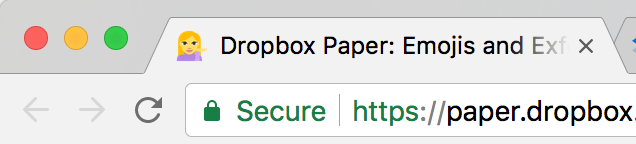
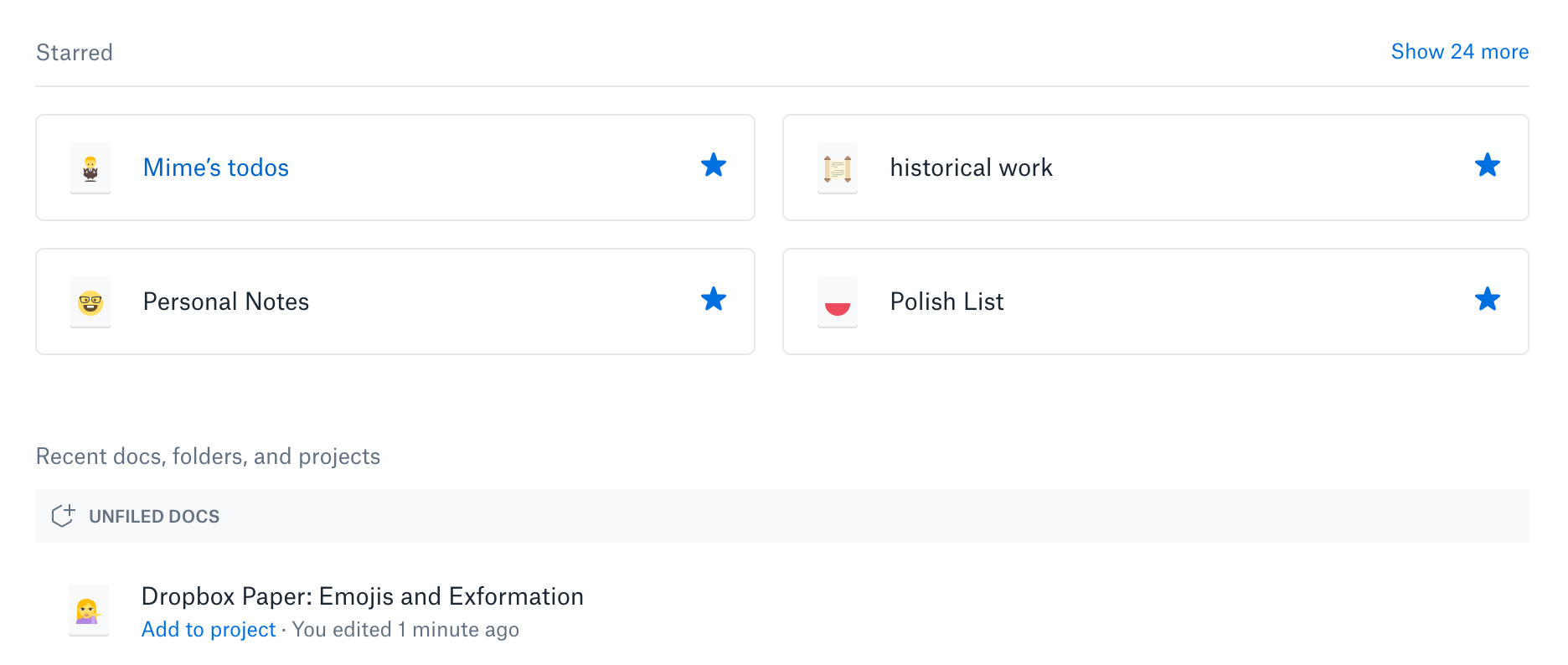
Now that we’re communicating clearly with each other and having fun while doing it, can we all get in a room and agree on what in the word (🙄, universal response to pun) some of these emojis mean? 💁 🙆 🙇 🙏
Mime Čuvalo🕴️
Staff Engineer on Paper 
此内容由惯性聚合(RSS阅读器)自动聚合整理,仅供阅读参考。 原文来自 — 版权归原作者所有。