








Minimal樣式主題是很多人使用的主題,它在4.4.0版時推出了卡片格式,將Dataview的table查詢轉換成卡片的顯示格式,再與Sortable外掛合用時則可做排序卡片的顯示。
卡片格式很適合用於蒐集資訊類型的多欄位形式,例如影片庫、書庫等。
在建立影片庫時,我們可以使用QuickAdd的movies.js搜尋IMDB,直接由IMDB讀取資料,將影片欄位與海報圖片建立成筆記,透過QuickAdd巨集可省去大量的資料輸入時間。
cards筆記需要下列外掛:
---
cover: {{VALUE:Poster}}
---
category:: {{VALUE:typeLink}}
director:: {{VALUE:directorLink}}
genre:: {{VALUE:genreLinks}}
imdbId:: {{VALUE:imdbID}}
ratingImdb:: {{VALUE:imdbRating}}
rating::
year:: {{VALUE:Year}}
cast:: {{VALUE:actorLinks}}
plot:: {{VALUE:Plot}}
到API Key網頁申請存取Open Movie Database的API Key。輸入EMail等資訊後,網站會寄出Key與啟用鏈接給你,複製API Key並點擊啟用鏈接。
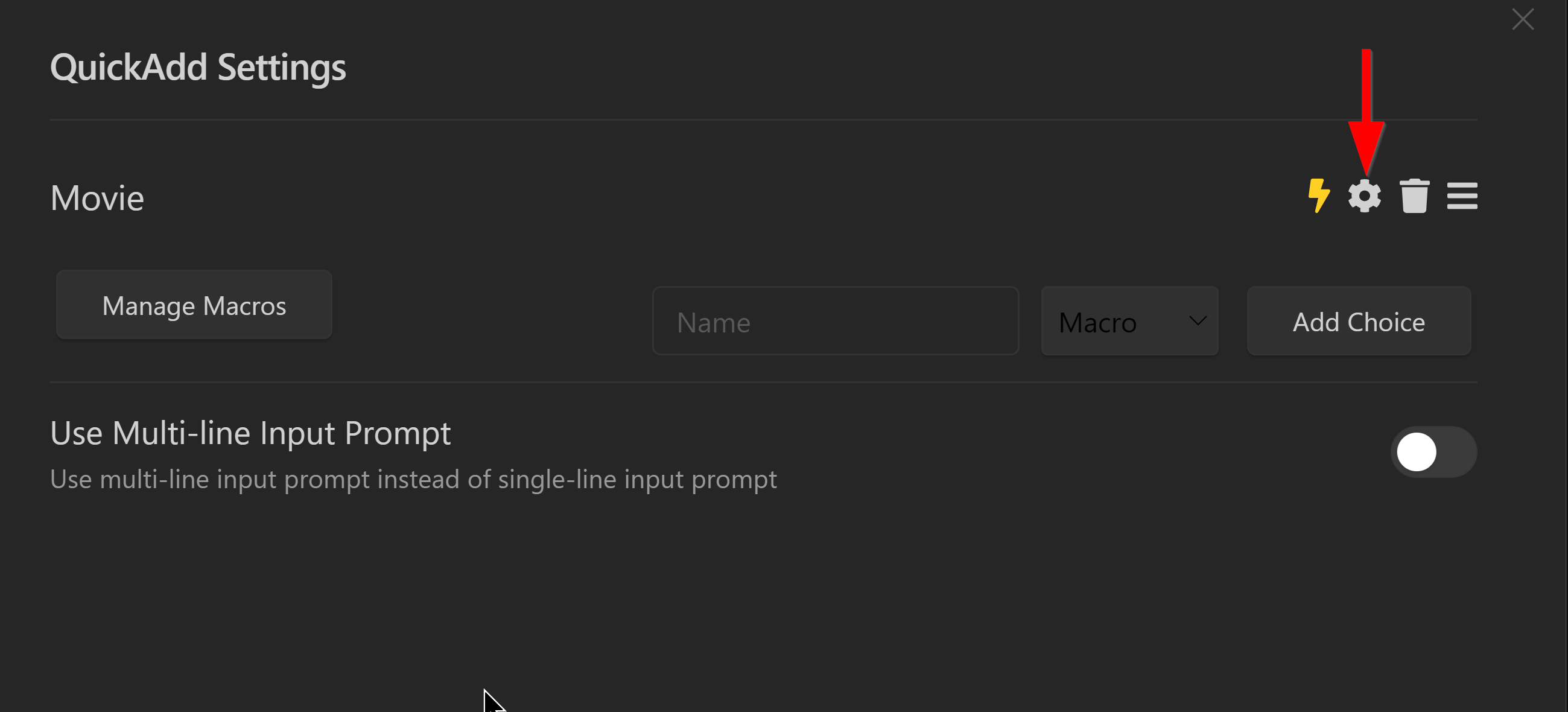
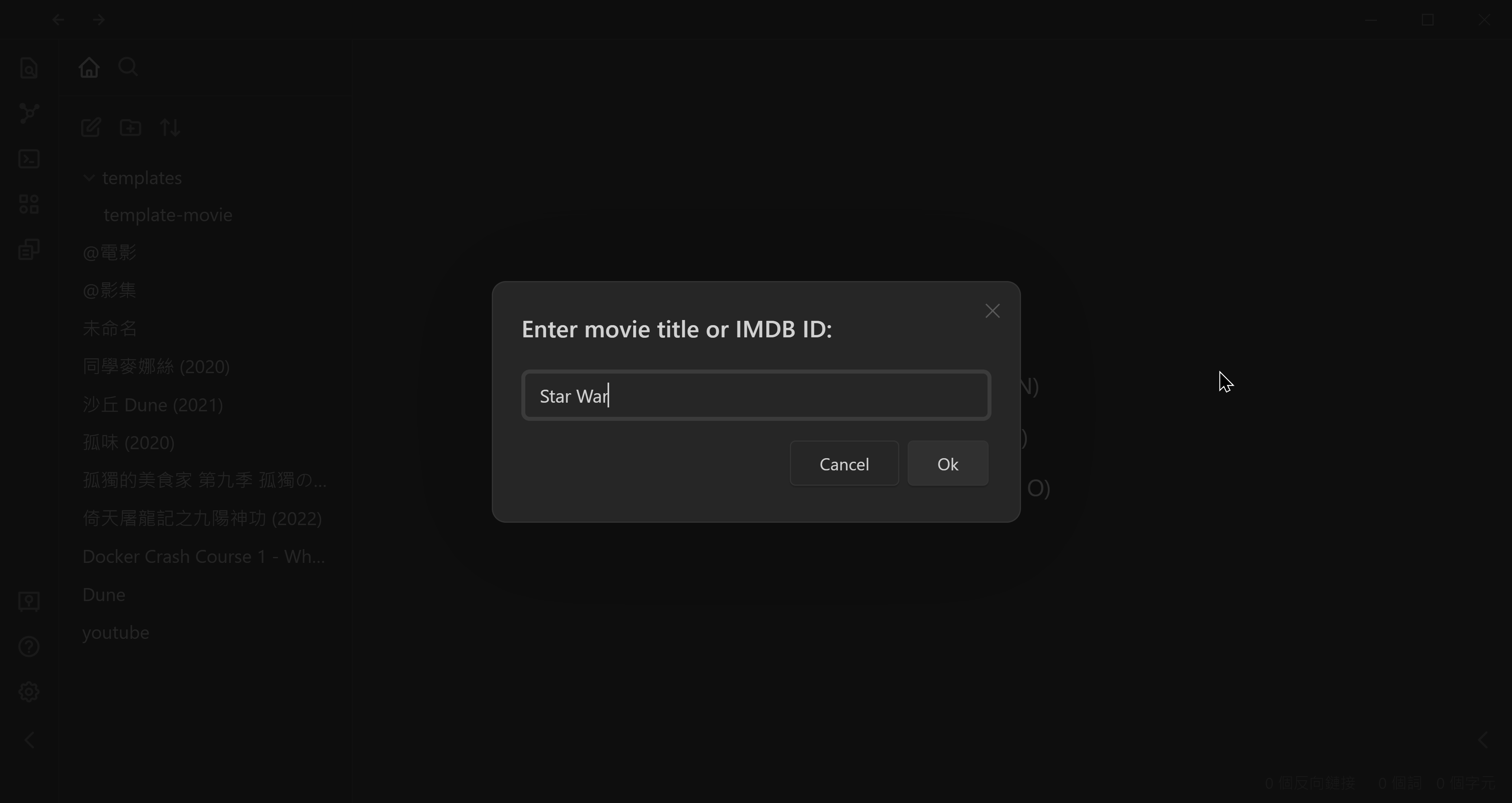
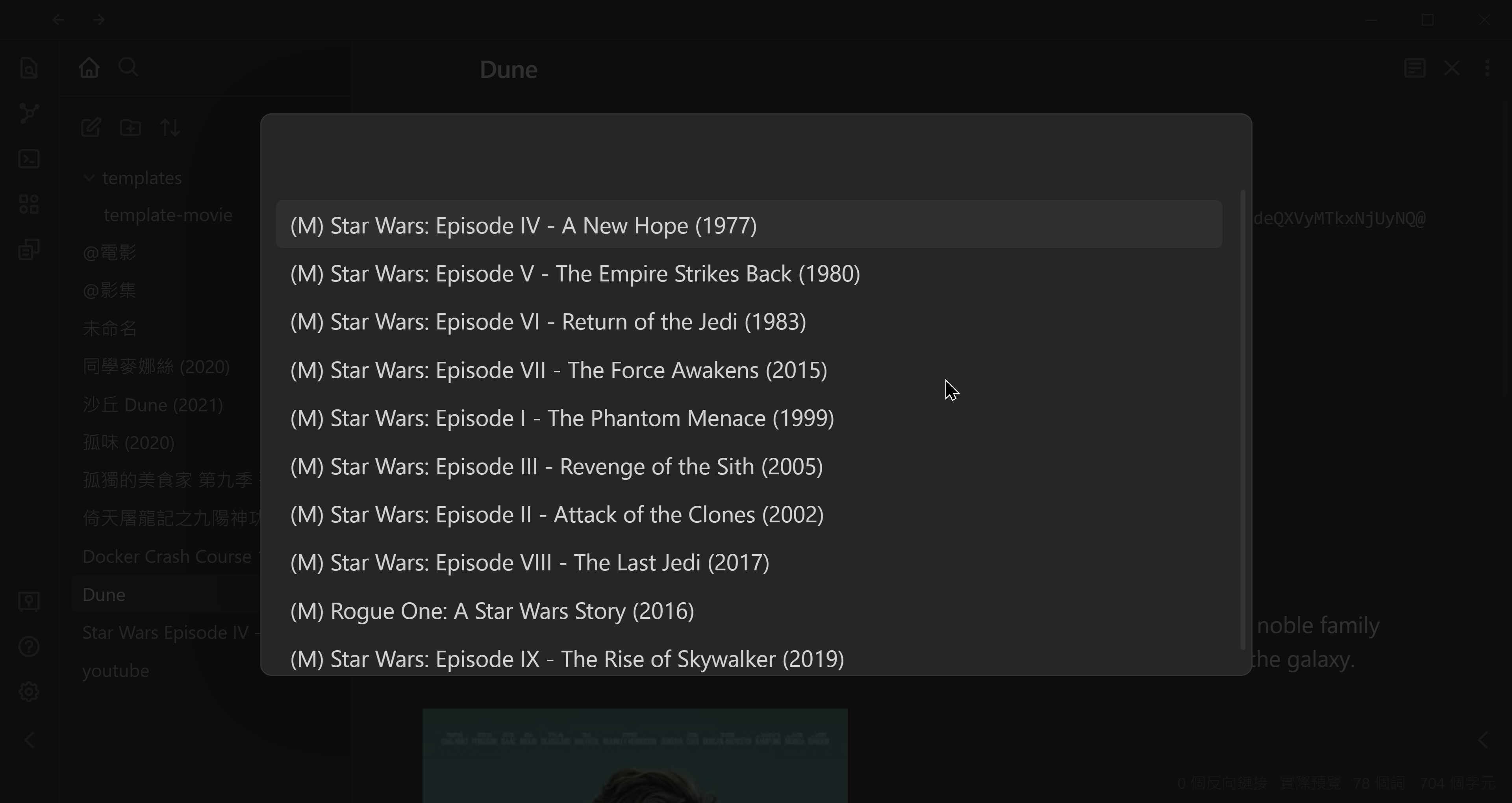
▼ 在選單裡找到要建立的影片後按〔Enter〕或〔Click〕
在筆記YAML區裡使用cssClasses: cards讓筆記套用卡片格式,額外能使用的CSS樣式如下:
---
cssClasses: cards, cards-align-bottom, cards-cover, cards-cols-3
---
# 電影 from IMDb
```dataview
table without id (" as Cover,
file.link as Name,
year as Year,
"by " + director as Director,
"Rating " + ratingImdb as Rating
from #movies-imdb
sort year, imdbId
```
## 動作片 (Action)
```dataview
table without id (" as Cover,
file.link as Name,
year as Year,
"by " + director as Director
from #movies-imdb
where contains(string(genre), "Action")
sort year, imdbId
```
## 喜劇片 (Comedy)
```dataview
table without id (" as Cover,
file.link as Name,
year as Year,
"by " + director as Director
from #movies-imdb
where contains(string(genre), "Comedy")
sort year, imdbId
```
## 喬治,盧卡斯作品
```dataview
table without id (" as Cover,
file.link as Name,
year as Year,
"by " + director as Director
from #movies-imdb
where contains(string(director), "George Lucas")
sort year, imdbId
```##
此内容由惯性聚合(RSS阅读器)自动聚合整理,仅供阅读参考。 原文来自 — 版权归原作者所有。