Update 2018-5: Now vim-mode-plus introduced new method to disable IME in the setting page. It's time for this post to retire.
As a vim-user and Chinese-speaker, I prefer vim-mode-plus for Atom editor, but always disrupted by the IME in normal mode, like this:
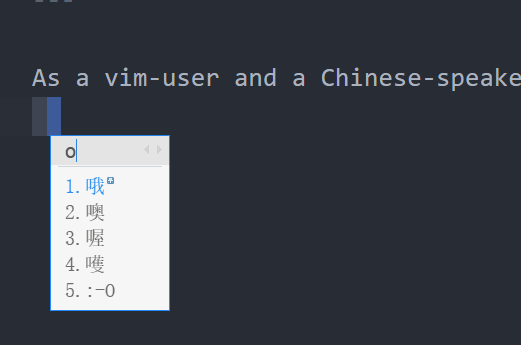
If we could disable IMEs in normal mode then everything will be fine again. However, due to the lack of the APIs, it is hardly possible to solve the problem in the editor.
Thus, we could solve it out of the box. There is a package named atom-vim-mode-plus-auto-ime, which could run a custom command when the mode changes. The goal now is to find some commands to control the IME:
- macOS users can use input-source-switcher to toogle the IME.
- For Linux, the IME
fcitxhas a commandfcitx-remoteto control itself. - And for Windows, I wrote a python script to switch the IME of the foreground window.
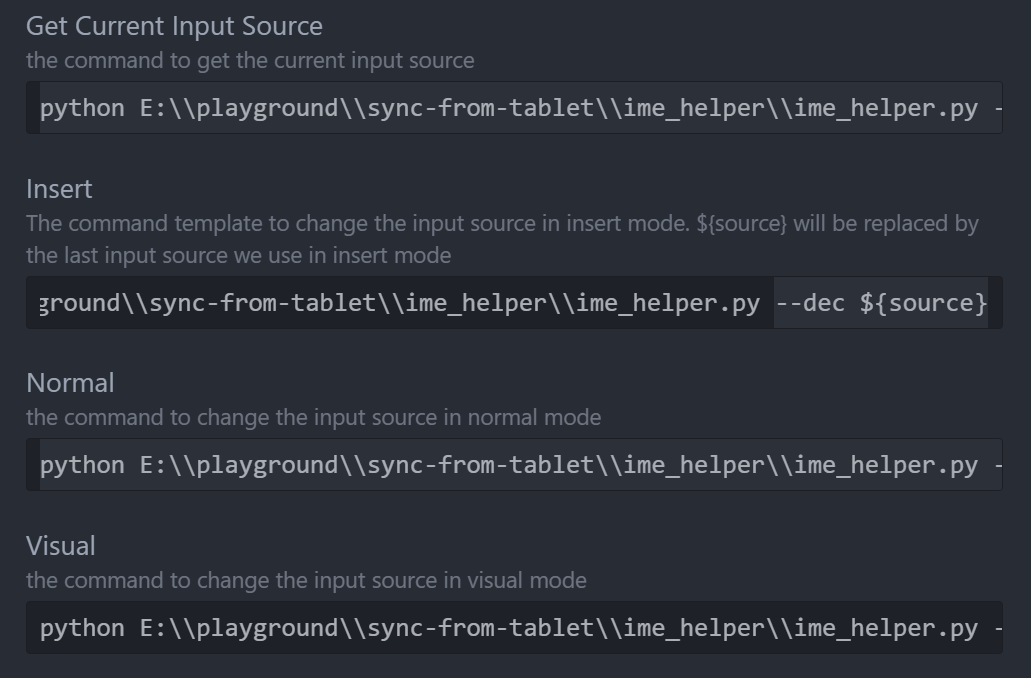
Then we could configure this package.
#windows:
python E:\\path\\to\\ime_helper.py --current #Get Current Input Source
python E:\\path\\to\\ime_helper.py --dec ${source} #insert
python E:\\path\\to\\ime_helper.py --locale en_US #normal
python E:\\path\\to\\ime_helper.py --locale en_US #visual
#linux:
/usr/bin/fcitx-remote #Get Current Input Source
if (( "${source}" <= "1" ));then /usr/bin/fcitx-remote -c; else /usr/bin/fcitx-remote -o ;fi #insert
/usr/bin/fcitx-remote -c #normal
/usr/bin/fcitx-remote -c #visual
#macOS: just use the default config