


最近 rocBLAS 和 AMD 新的 TheRock 构建项目都支持了 780M(gfx1103) 的显卡,详情见这个指南
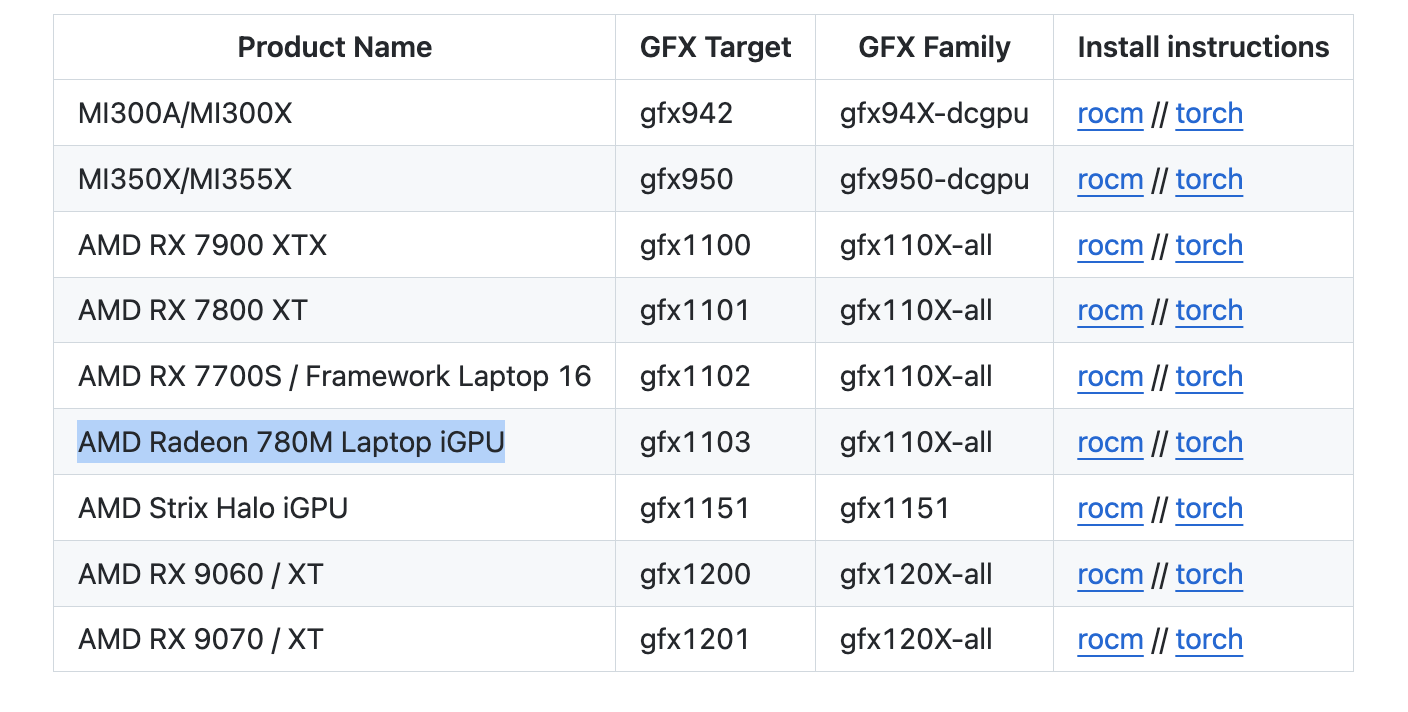
安装后我参考之前Intel XPU 体验测试了几个项目。
ROCm 7.1.1
Python 侧(需要注意这个对应关系,如果直接按照官方的命令安装可能出现不匹配的情况)
rocm==7.11.0a20260121
torch==2.11.0a0+rocm7.11.0a20260121
torchaudio==2.11.0a0+rocm7.11.0a20260121
torchvision==0.25.0a0+rocm7.11.0a20260121

uv pip install torch==2.11.0a0+rocm7.11.0a20260121 rocm==7.11.0a20260121 torchaudio==2.11.0a0+rocm7.11.0a20260121 torchvision==0.25.0a0+rocm7.11.0a20260121 --index-url https://rocm.nightlies.amd.com/v2/gfx110X-all/ --pre✅正常通过 CUDA 检测
import torch

print(torch.cuda.is_available())
print(torch.cuda.get_device_name(0))❌错误 RuntimeError: miopenStatusUnknownError
✅正常运行,可以使用 CUDA Provider
✅直接测试了原版,正常运行并启用 CUDA 加速
✅Ollama 方面暂未支持 gfx1103,需要像之前那样用 HSA_OVERRIDE_GFX_VERSION 绕一下
✅用了个 int8 的量化版本,成功
import torch
from diffusers import FluxPipeline

def main():
    pipe = FluxPipeline.from_pretrained(
        "diffusers/FLUX.1-dev-torchao-int8",
        torch_dtype=torch.bfloat16,
        use_safetensors=False,
        device_map="balanced"
    )
    prompt = "a lovely cat holding a sign says 'hello world'"

    out = pipe(
        prompt=prompt,
        height=512,
        width=512,
        num_inference_steps=9
    ).images[0]

    out.save("out.jpg")

if __name__ == "__main__":
    main()
100% 9/9 [01:08<00:00, 7.57s/it]
✅ 成功

import torch
from diffusers import ZImagePipeline

# 1. Load the pipeline
# Use bfloat16 for optimal performance on supported GPUs
pipe = ZImagePipeline.from_pretrained(
    "Tongyi-MAI/Z-Image-Turbo",
    torch_dtype=torch.bfloat16,
    low_cpu_mem_usage=False,
)
pipe.to("cuda")

prompt = "Young Chinese woman in red Hanfu, intricate embroidery. Impeccable makeup, red floral forehead pattern. Elaborate high bun, golden phoenix headdress, red flowers, beads. Holds round folding fan with lady, trees, bird. Neon lightning-bolt lamp (⚡️), bright yellow glow, above extended left palm. Soft-lit outdoor night background, silhouetted tiered pagoda (西安大雁塔), blurred colorful distant lights."

# 2. Generate Image
image = pipe(
    prompt=prompt,
    height=512  ,
    width=512,
    num_inference_steps=9,  # This actually results in 8 DiT forwards
    guidance_scale=0.0,     # Guidance should be 0 for the Turbo models
    generator=torch.Generator("cuda").manual_seed(42),
).images[0]

image.save("example.png")
100% 9/9 [00:35<00:00, 4.00s/it]prompt = "a lovely cat holding a sign says 'hello world'"
100% 9/9 [00:33<00:00, 3.70s/it]感觉再过些时间 780M 兼容性应该会变得更好,但从种种痕迹来看,iGPU 至少要从 Strix Halo (aka AI MAX) 开始,才算得上得到了 AMD 的重视,RuntimeError 应该是会大幅减少的
最近买了个 8845HS 的小主机,但因为 780M 的显卡并没有被 ROCm 列为官方支持的卡,所以目前需要很多 trick 来运行
最主要的就是通过 HSA_OVERRIDE_GFX_VERSION 来假装成受支持的显卡。虽然我用的都是 HSA_OVERRIDE_GFX_VERSION=11.0.2 但实际上因 ROCm 版本的不同,到底哪个能在你的显卡上工作需要自己测试下。
你可以通过 AMD 官网的 Supported GPUs 中的 Architecture 和 LLVM target 来查找,比如 gfx1101,那就是 HSA_OVERRIDE_GFX_VERSION=11.0.1
除此之外,ls /opt/rocm/lib/rocblas/library 命令也会列出一些没显示在官网上的支持,比如 11.0.2
ROCm 是 AMD 显卡玩机器学习的基础组件,现在安装起来很简单,amdgpu-install 这个包就可以很好的解决
sudo apt install amdgpu-install
amdgpu-install --usecase=rocm
Ollama 的运行可以参考下面的 PR Enable AMD iGPU 780M in Linux, Create amd-igpu-780m.md #5426
简而言之,直接通过这个命令就可以运行
HSA_OVERRIDE_GFX_VERSION=11.0.2 ollama serve目前 Ollama 对 igpu 的显存支持有些问题,不能够将所有共享内存计算在内,解决方案可以参考这里 AMD integrated graphic on linux kernel 6.9.9+, GTT memory, loading freeze fix #6282
我的主要场景并非用 8845HS 来跑 LLM,所以就跑个简单的测试下吧,gemma3:12b 这个量化模型的速度大概是 8.44 tokens/s 可以说堪用
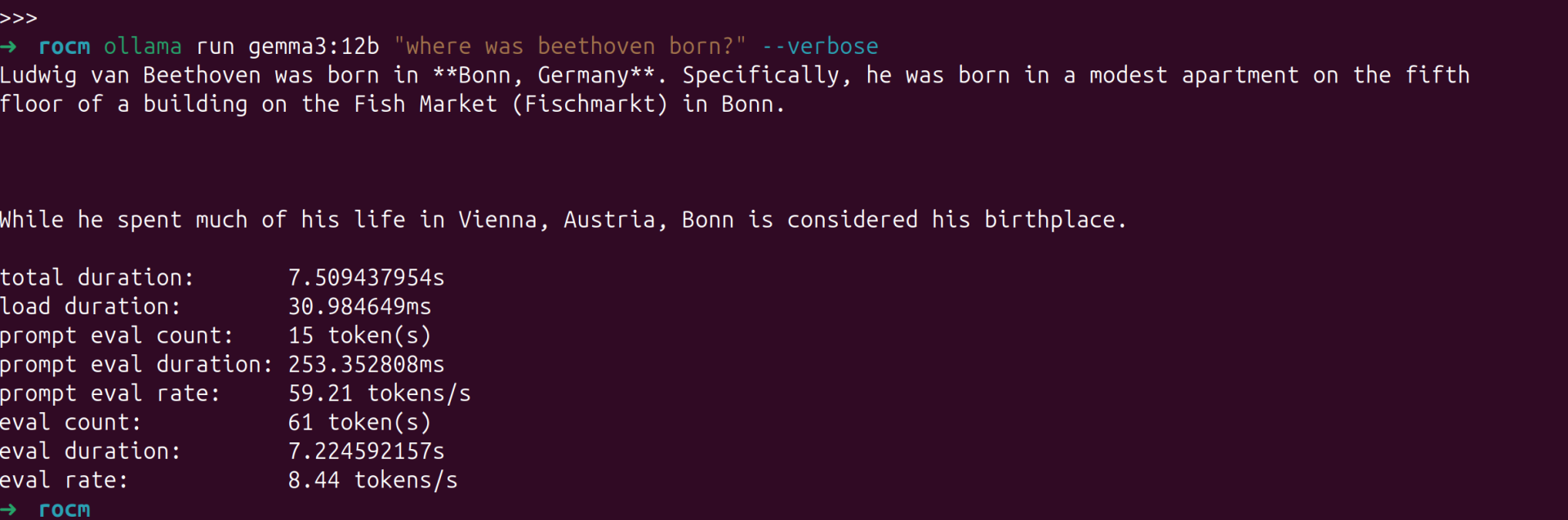
使用 ollama ps命令可以查看模型是分配在哪个设备上运行的。

PyTorch 直接通过AMD 官网提供的命令来安装即可,需要注意的是我使用 PyTorch 官网的命令安装稳定版并不能成功运行,AMD 官网给出的 nightly 版本可以。
pip3 install --pre torch torchvision torchaudio --index-url https://download.pytorch.org/whl/nightly/rocm6.2.4/同样,需要使用 HSA_OVERRIDE_GFX_VERSION=11.0.2 来运行,可以创建一个 .env 文件在 ipynb 里动态载入,如果是 vscode 的话,.env 文件会自动加载,不需要下述步骤
pip install python-dotenv在 ipynb 顶部加入一个 code block 每次运行一下即可
其它内容无需修改
配置完成后,如果有时候不确定有没有跑在 GPU 上,可以用 radeontop 来监控
sudo apt install radeontop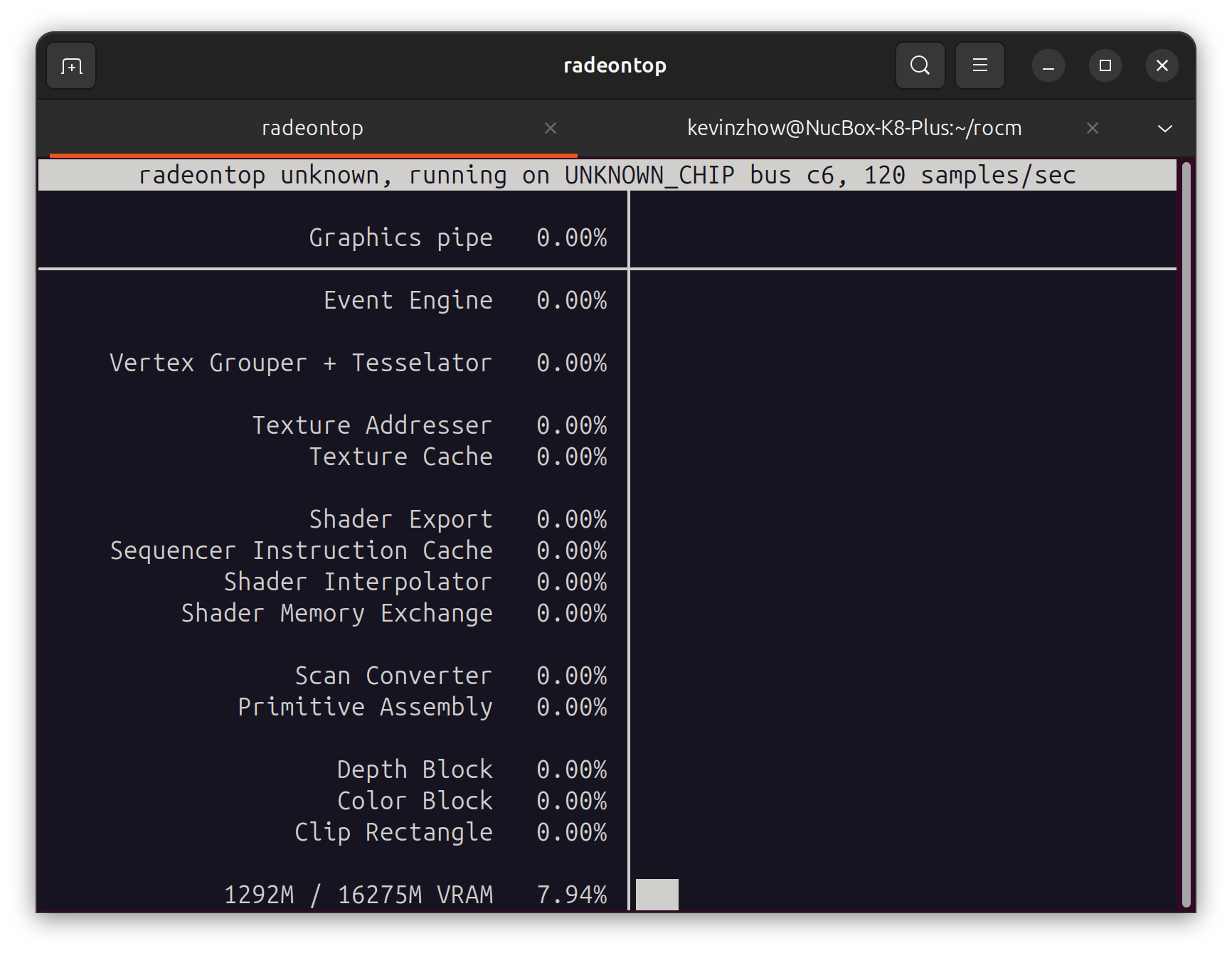
8845HS 还带了个 16 TOPS 的 NPU,不过要等到 Linux 6.14 才会合并进去。
届时 ONNX Runtime 的 VitisAIExecutionProvider 和 HuggingFace 的 RyzenAI 应该都能开箱即用。
唯一的问题是兼容性如何。
暂时还没折腾,等到时候也会测试一下再写一篇折腾的博客
Does ROCm 5.7 support Radeon 780M (gfx1103)? #2631
Feature: ROCm Support for AMD Ryzen 9 7940HS with Radeon 780M Graphics #3398
此内容由惯性聚合(RSS阅读器)自动聚合整理,仅供阅读参考。 原文来自 — 版权归原作者所有。