惯性聚合 高效追踪和阅读你感兴趣的博客、新闻、科技资讯
阅读原文 在惯性聚合中打开

推荐订阅源

F
Fortinet All Blogs
Attack and Defense Labs
V2EX - 技术
V2EX - 技术
O
OpenAI News
S
Secure Thoughts
H
Heimdal Security Blog
Application and Cybersecurity Blog
Schneier on Security
H
Hacker News: Front Page
S
Security Affairs
Exploit-DB.com RSS Feed
cs.CV updates on arXiv.org
Vercel News
Vercel News
Microsoft Security Blog
cs.CL updates on arXiv.org
P
Proofpoint News Feed
The Register - Security
GbyAI
GbyAI
Cloudbric
Cloudbric
MongoDB | Blog
MongoDB | Blog
D
Darknet – Hacking Tools, Hacker News & Cyber Security
K
Kaspersky official blog
Forbes - Security
Forbes - Security
Y
Y Combinator Blog
C
CXSECURITY Database RSS Feed - CXSecurity.com
Scott Helme
Scott Helme
Hacker News - Newest:
Hacker News - Newest: "LLM"
The Cloudflare Blog
Recorded Future
Recorded Future
人人都是产品经理
人人都是产品经理
Cyberwarzone
Cyberwarzone
C
CERT Recently Published Vulnerability Notes
Webroot Blog
Webroot Blog
C
Cyber Attacks, Cyber Crime and Cyber Security
L
LangChain Blog
T
Tor Project blog
Microsoft Azure Blog
博客园_首页
Hacker News: Ask HN
Hacker News: Ask HN
Blog — PlanetScale
Blog — PlanetScale
奇客Solidot–传递最新科技情报
奇客Solidot–传递最新科技情报
B
Blog RSS Feed
N
News and Events Feed by Topic
阮一峰的网络日志
阮一峰的网络日志
I
Intezer
V
V2EX
T
Tailwind CSS Blog
SecWiki News
SecWiki News
NISL@THU
NISL@THU
C
Check Point Blog

Mac Data Recovery

Disk Drill Licensing Gets a Fresh Look New Disk Drill 6.2 - Integrated Video Repair Service and Improved Video Recovery Disk Drill 6.2 - Video Repair Service Added to the App. Video Recovery Greatly Enhanced Disk Drill PRO Subscription & Lifetime License Disk Drill 6.1 is Fully Compatible With macOS Tahoe. Lots of Improvements in Advanced Camera Recovery Module Disk Drill 6.1 Recovers Even More File Types and Brings Lots of Improvements to Existing Functionality A Few Thoughts on Digital Archeology Disk Drill 6 Released – An Essential App for macOS & Windows Disk Drill 6.0 - New in Camera Recovery Alongside Anticipate Enhancements and Fixes
How to Grant Full Disk Access and Allow App Background Activity for Disk Drill on macOS (Sonoma or later)
CleverFiles Team · 2025-09-17 · via Mac Data Recovery

What is App Background Activity and Why It Matters

Starting with macOS Sonoma, Apple added a privacy control under System SettingsGeneralLogin Items & Extensions called App Background Activity. When you flip this on for an app, you’re telling macOS it’s OK for that app’s helper processes to run small tasks after you close the app—for example, checking for updates, posting alerts, or preparing services Disk Drill needs to work smoothly.

Why Disk Drill asks for it

  • Ensures Disk Drill’s lightweight background helpers can run when needed.
  • Improves reliability for device S.M.A.R.T. detection and notifications

How to Allow App Background Activity for Disk Drill

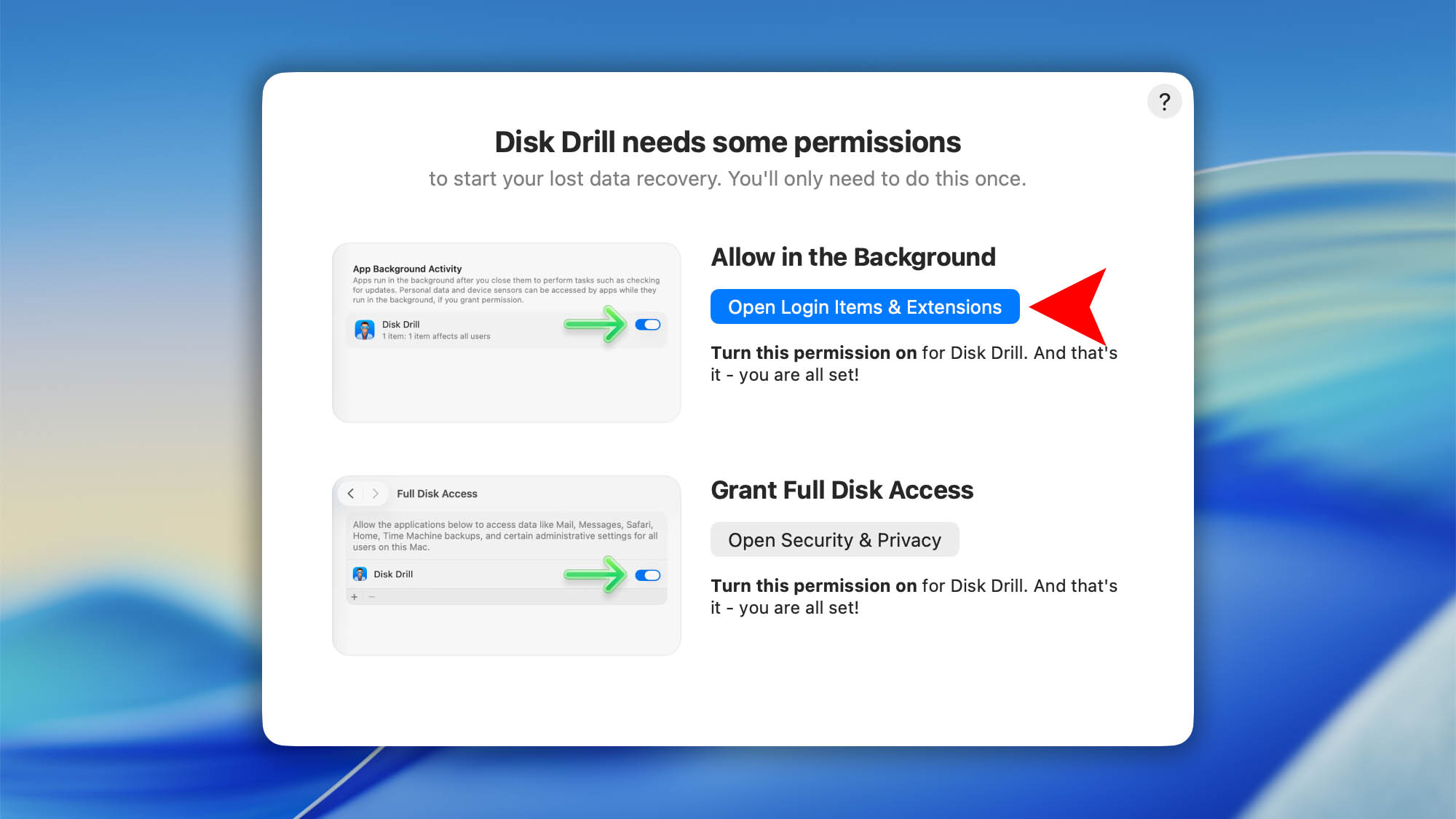
On your first launch of Disk Drill you’ll complete a one‑time permissions setup. Disk Drill includes a simple setup wizard to guide you. The first step is enabling App Background Activity:

  1. In the “Disk Drill needs some permissions” window click Open Login Items & Extensions.background full disk access mac step 01
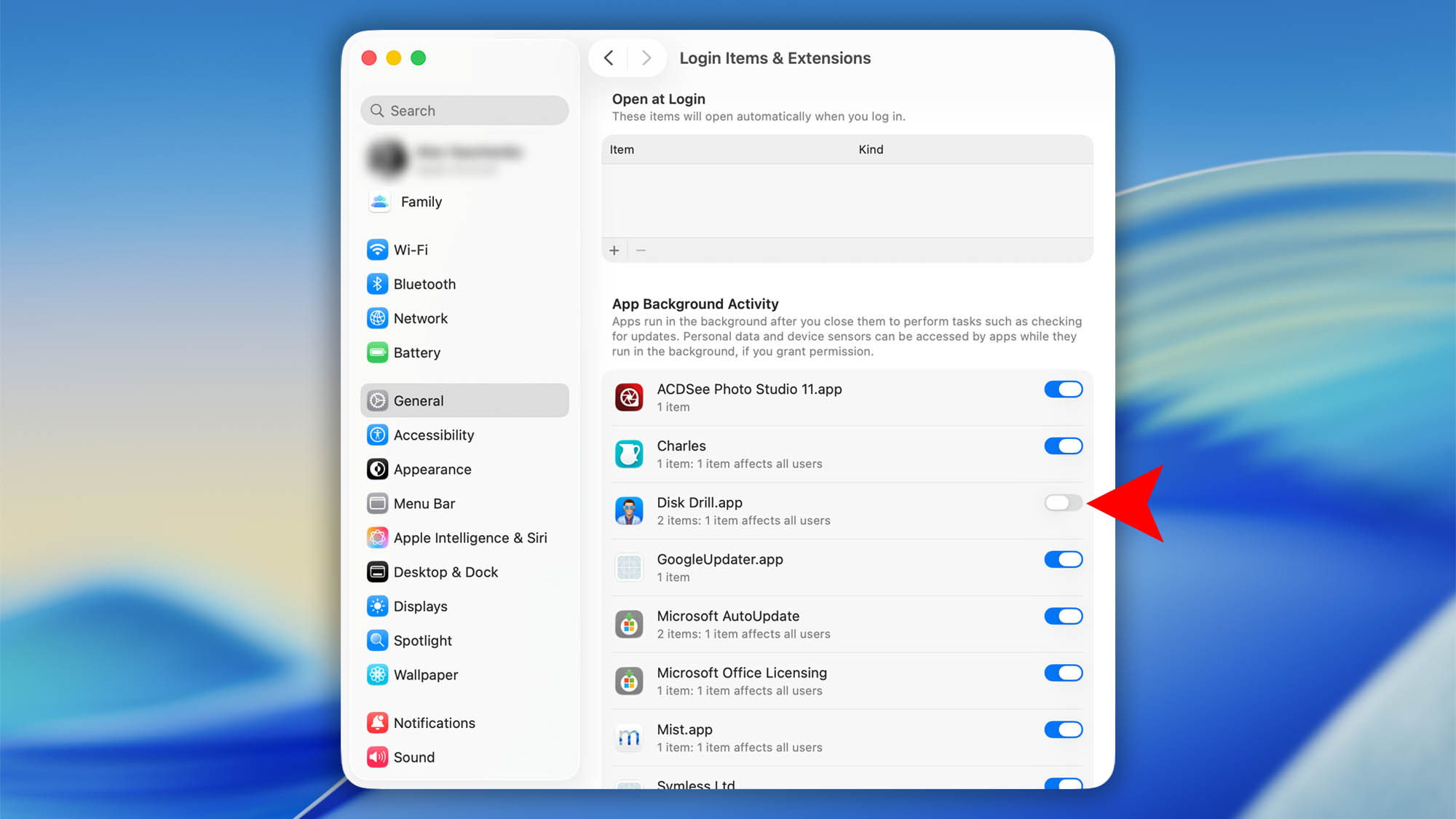
  2. Turn Disk Drill.app On (toggle to the right).background full disk access mac step 02
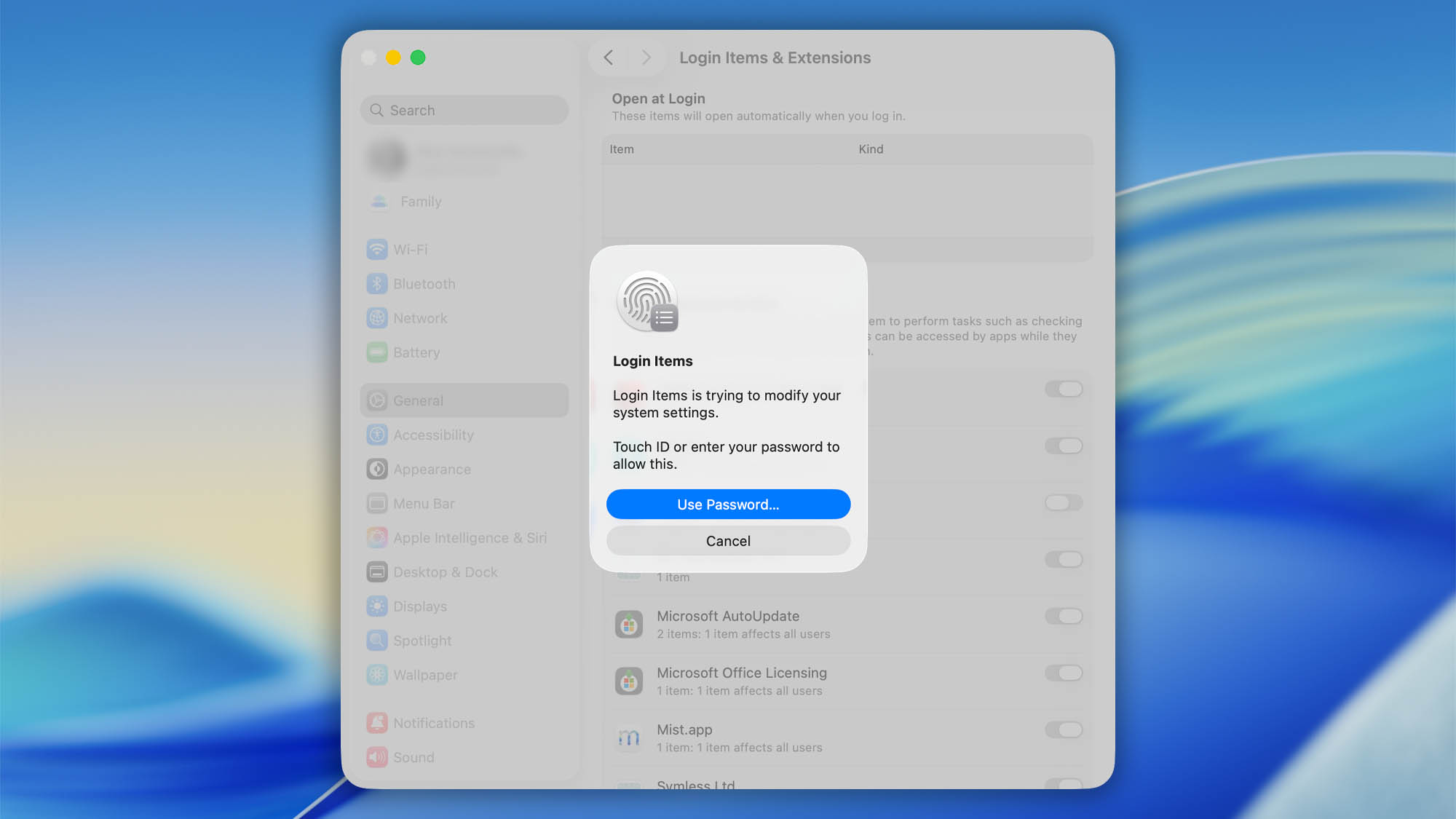
  3. Enter your Mac’s password. That’s it.background full disk access mac step 03

How to Grant Full Disk Access to Disk Drill

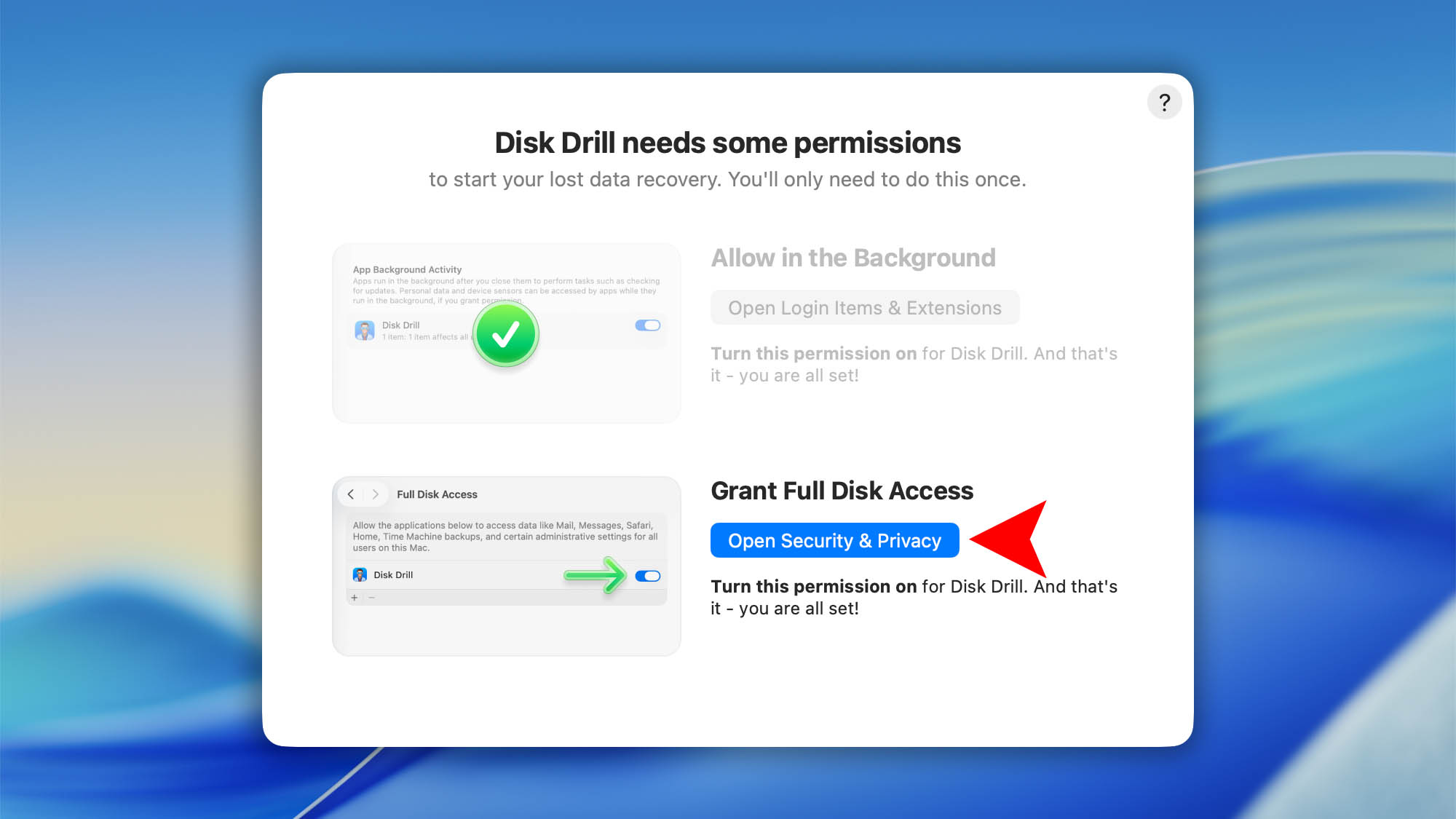
The final step is to grant Disk Drill Full Disk Access (FDA). macOS protects certain areas of your drive—like Mail, Messages, Time Machine backups, and some system folders—behind this permission. Data recovery apps need FDA to scan those protected locations and recover as much data as possible (see our deeper explanation in this article).

  1. In the “Disk Drill needs some permissions” window click Open Security & Privacybackground full disk access mac step 07
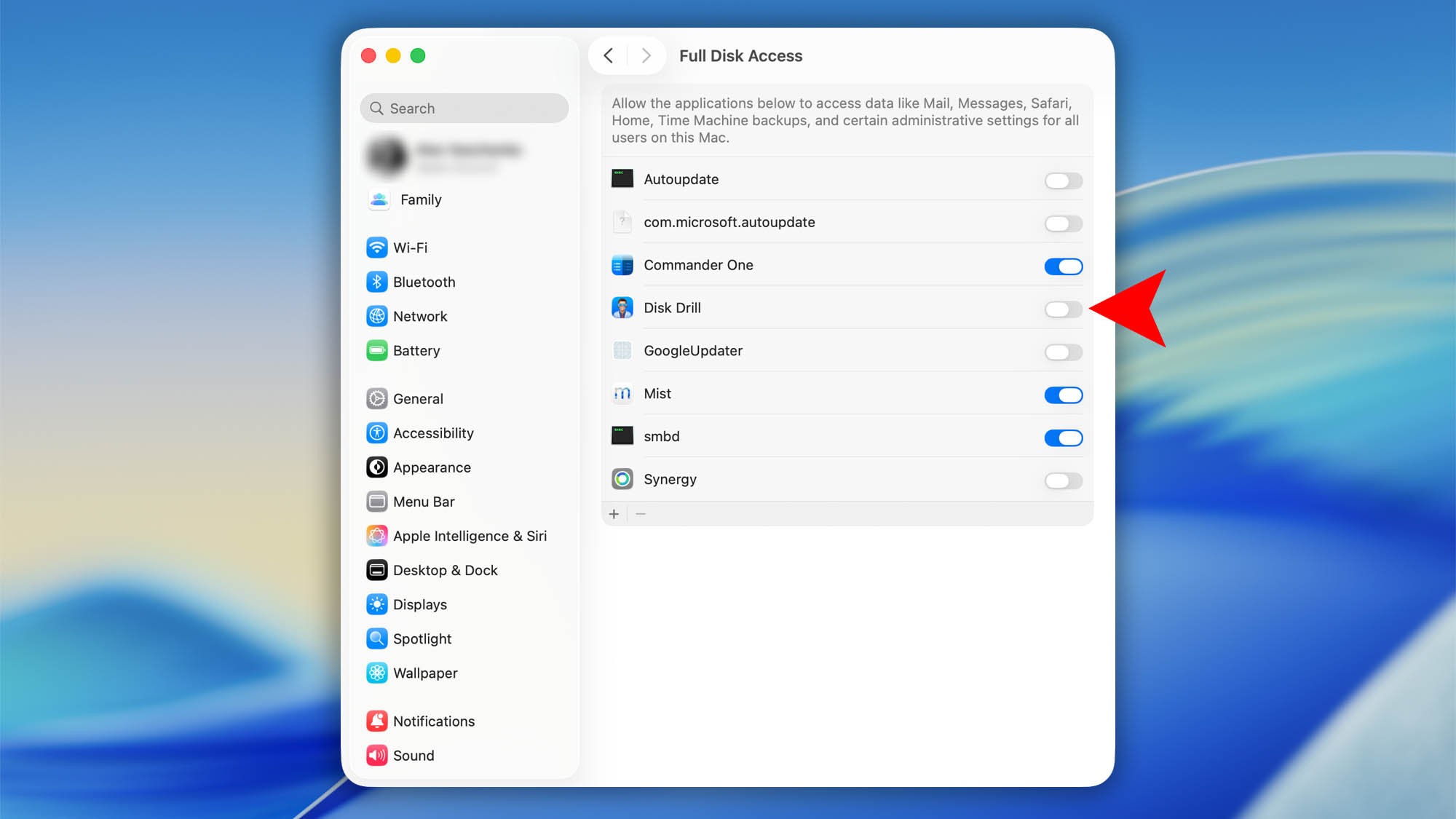
  2. Find Disk Drill in the list and switch it On.background full disk access mac step 04
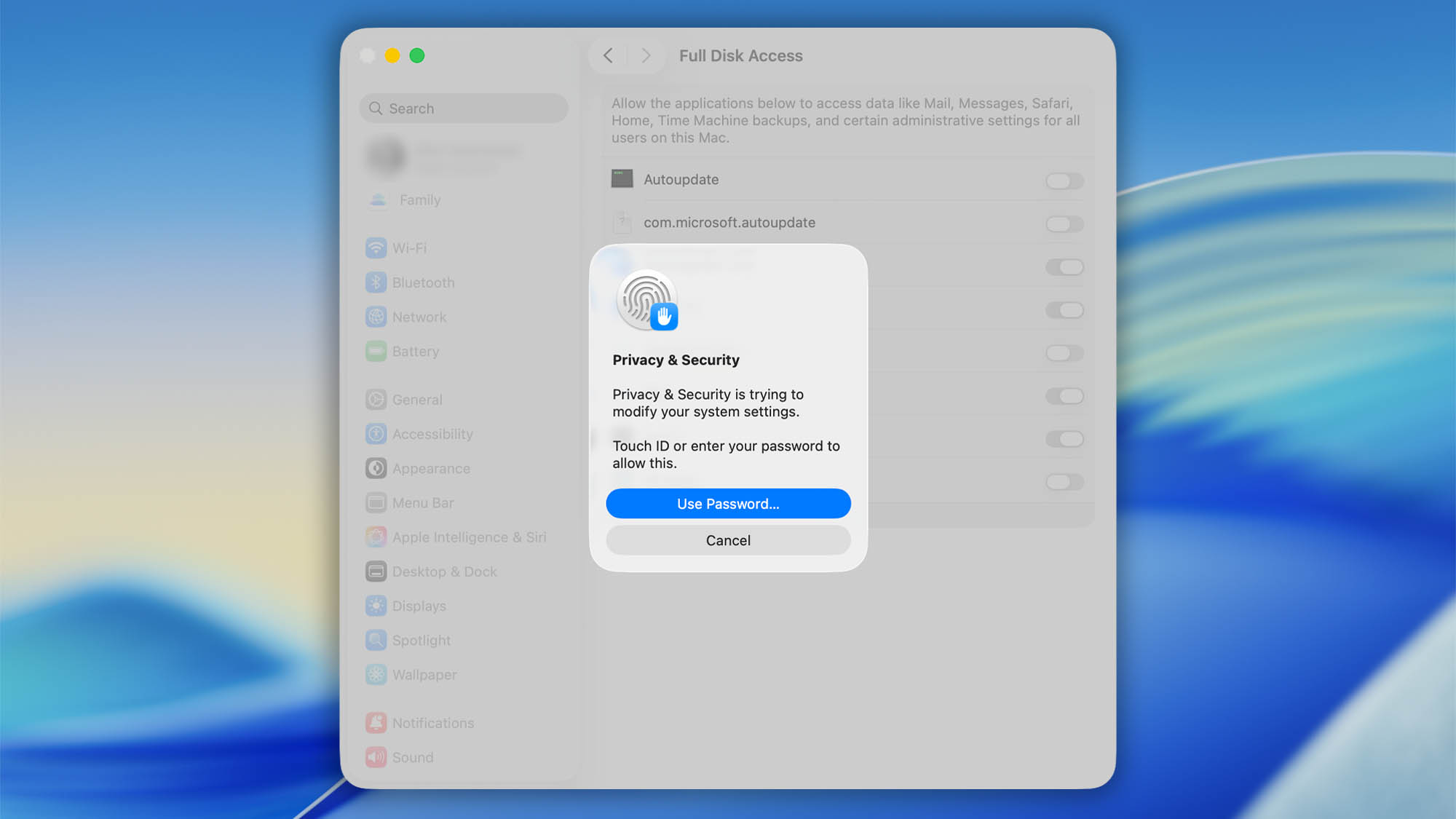
  3. Enter your Mac’s password.background full disk access mac step 05
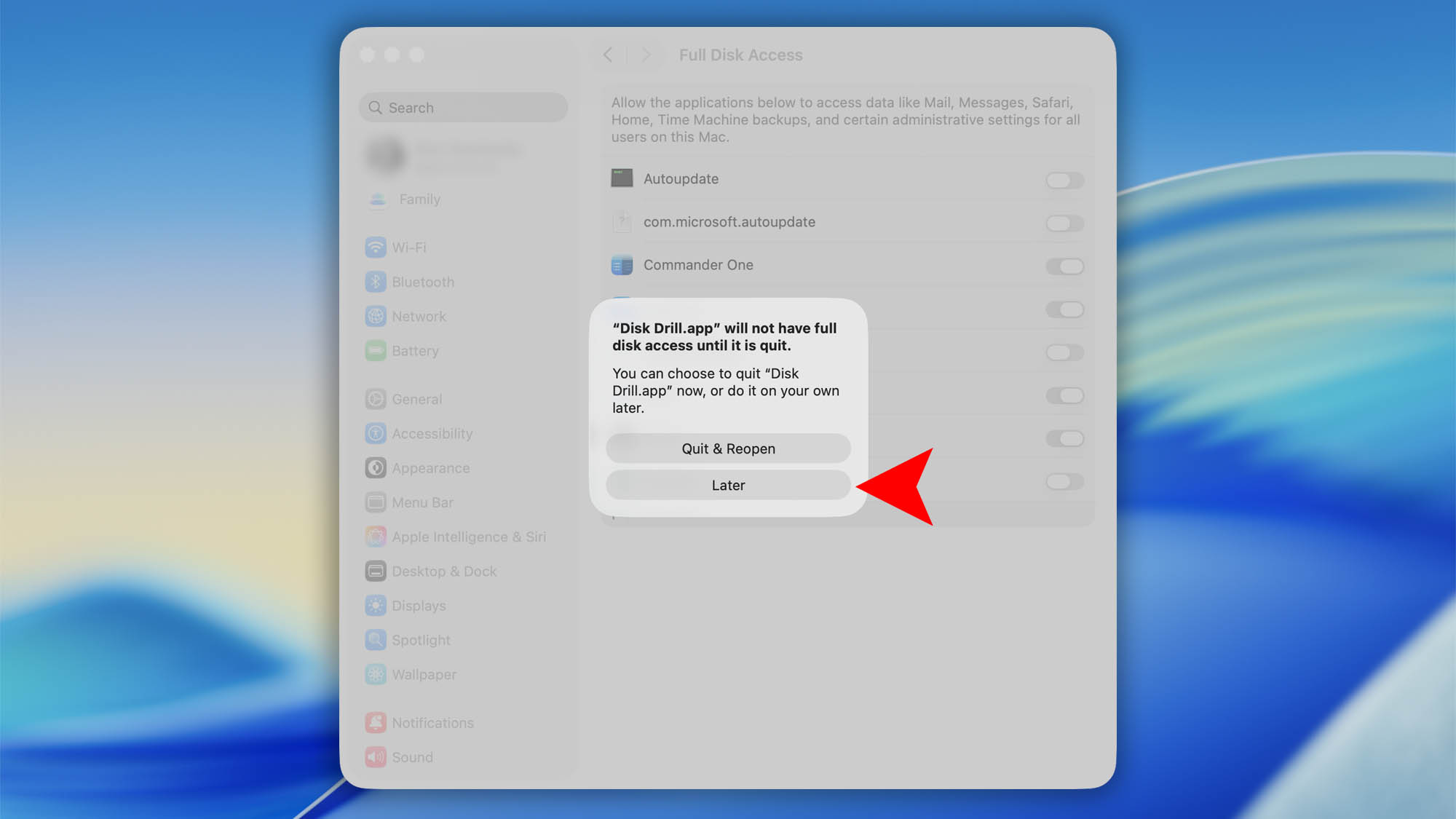
  4. When macOS asks to Quit & Reopen Disk Drill click Laterbackground full disk access mac step 06