惯性聚合 高效追踪和阅读你感兴趣的博客、新闻、科技资讯
阅读原文 在惯性聚合中打开

推荐订阅源

H
Help Net Security
J
Java Code Geeks
OSCHINA 社区最新新闻
OSCHINA 社区最新新闻
H
Hackread – Cybersecurity News, Data Breaches, AI and More
V
Visual Studio Blog
G
Google Developers Blog
V
V2EX
The Register - Security
博客园 - 三生石上(FineUI控件)
云风的 BLOG
云风的 BLOG
钛媒体:引领未来商业与生活新知
钛媒体:引领未来商业与生活新知
CTFtime.org: upcoming CTF events
博客园_首页
S
SegmentFault 最新的问题
博客园 - Franky
Martin Fowler
Martin Fowler
Stack Overflow Blog
Stack Overflow Blog
A
About on SuperTechFans
人人都是产品经理
人人都是产品经理
aimingoo的专栏
aimingoo的专栏
罗磊的独立博客
C
Check Point Blog
MyScale Blog
MyScale Blog
T
The Blog of Author Tim Ferriss
MongoDB | Blog
MongoDB | Blog
The GitHub Blog
The GitHub Blog
Last Week in AI
Last Week in AI
Microsoft Azure Blog
IT之家
IT之家
F
Fortinet All Blogs
Jina AI
Jina AI
P
Proofpoint News Feed
freeCodeCamp Programming Tutorials: Python, JavaScript, Git & More
阮一峰的网络日志
阮一峰的网络日志
B
Blog
L
LangChain Blog
月光博客
月光博客
让小产品的独立变现更简单 - ezindie.com
宝玉的分享
宝玉的分享
博客园 - 【当耐特】
T
Tailwind CSS Blog
酷 壳 – CoolShell
酷 壳 – CoolShell
Microsoft Security Blog
WordPress大学
WordPress大学
奇客Solidot–传递最新科技情报
奇客Solidot–传递最新科技情报
B
Blog RSS Feed
博客园 - 聂微东
Hugging Face - Blog
Hugging Face - Blog
M
MIT News - Artificial intelligence
GbyAI
GbyAI

博客园 - cdboy

.Net8新特性 EF Core 中原生SQL、存储过程、视图的使用 EF Core DBFirst 和Code First小结 软件自动发布自动化之配置文件修改 Logstash日志搜集 Windows Service插件服务开源 Linq通用分页数据查询方法 .Net 通用配置文件读取方法 Asp.net 主题中CSS文件的缓存问题 Asp .net 4.0 中ViewStatus 使用 RssTookit使用小结 Windows Live Writer 分享到插件 Windows Resx资源文件编辑工具 IIS 7 中设置文件上传大小限制设置方法 多语言资源文件帮助 转帖:正则表达式的与或非 vs2010使用PostSharp 1.5 插件式服务架构 多语言资源工具之制作类库资源文件
window service 插件服务插件开发
cdboy · 2011-10-09 · via 博客园 - cdboy

1、新建一个Window类库项目,如下图所示:
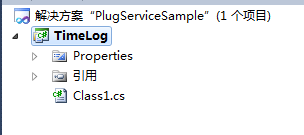
image

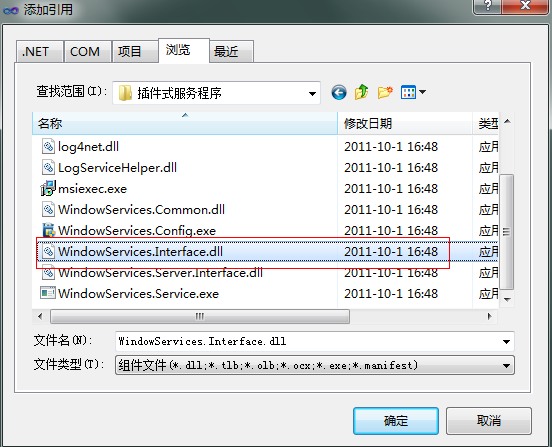
2、添加插件接口引用:

image

3、引用命名空间

image

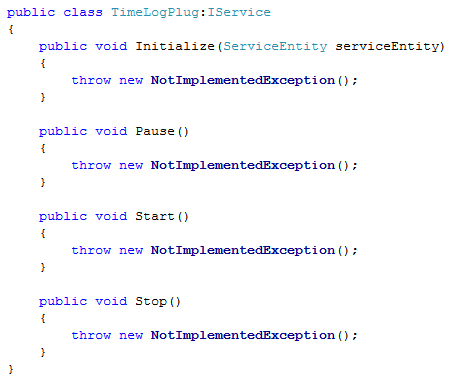
4、TimeLogPlug类实现接口IService

image

5、在类上加入属性定义:

image

6、完整实现类如下:

   1: using System;
   2: using System.Collections.Generic;
   3: using System.Text;
   4:  
   5: using WindowServices.Interface;
   6: using System.ComponentModel;
   7:  
   8: namespace TimeLog
   9: {
  10:     [DisplayName("时间日志服务")]
  11:     [Description("每10秒写入日志文件一个时间。")]
  12:     [System.Runtime.InteropServices.Guid("2301DE7F-22A0-415E-9E35-0BE71BD62C76")]
  13:     [Serializable]
  14:     public class TimeLogPlug:IService
  15:     {
  16:         private ServiceEntity _serviceEntity;
  17:         private bool _isRuning;
  18:         public void Initialize(ServiceEntity serviceEntity)
  19:         {
  20:             _serviceEntity = serviceEntity;
  21:         }
  22:  
  23:         public void Pause()
  24:         {
  25:         }
  26:  
  27:         public void Start()
  28:         {
  29:             _isRuning = true;
  30:             using (var sw = System.IO.File.AppendText("d:\\timelog.txt"))
  31:             {
  32:                 sw.WriteLine("插件【{0}】正在运行。\n", _serviceEntity.Name);
  33:             }
  34:             while (_isRuning)
  35:             {
  36:                 using (var sw =System.IO.File.AppendText("d:\\timelog.txt"))
  37:                 {
  38:                     sw.WriteLine("当前时间:{0:yyyy-MM-dd HH:mm:ss}\n",DateTime.Now);
  39:                 }
  40:                 System.Threading.Thread.Sleep(10000);
  41:             }
  42:         }
  43:  
  44:         public void Stop()
  45:         {
  46:             _isRuning = false;
  47:         }
  48:     }
  49: }

7、打包插件
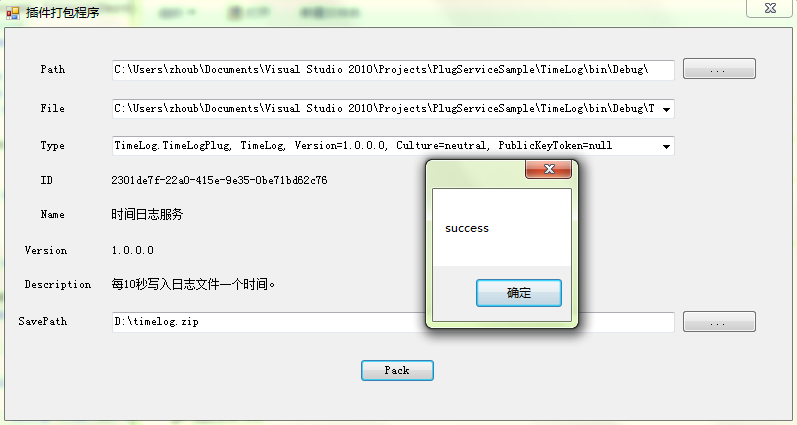
image

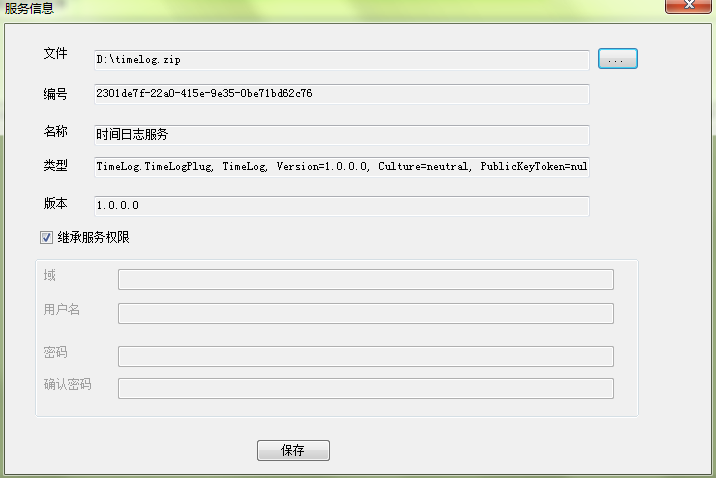
8、安装插件

image

image

image

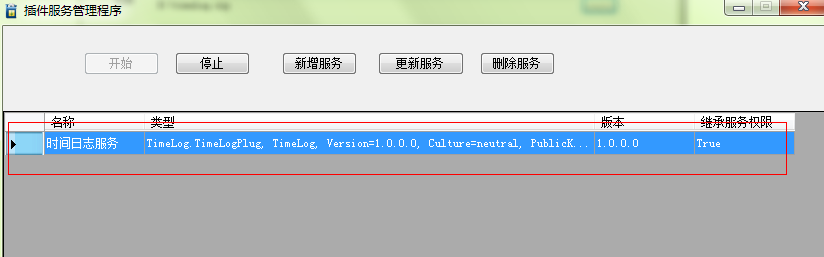
安装成功

image

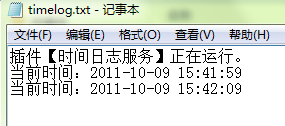
9、运行结果

image

10.示例打包

Download