










Genius Scan has always been built around a simple idea: you should be able to capture, organize and export your scans effortlessly. For us, that experience means constantly adapting to the platform you use every day.
With iOS evolving once again, we’ve taken the opportunity to refine Genius Scan so it feels right at home on your device: visually, technically, and practically.
Our latest updates bring a refreshed interface inspired by Apple’s Liquid Glass aesthetic, smarter importing features, and dozens of thoughtful refinements across the app. Here’s a closer look at what’s new.
Liquid Glass Design Update
Like it or not, Liquid Glass is the new visual language of iOS, and it’s here to stay. We’ve always believed in being “good citizens” of the Apple ecosystem: adopting platform conventions so that Genius Scan feels instantly familiar, intuitive, and cohesive with the rest of your apps.
With this update, Genius Scan embraces Liquid Glass throughout the entire interface.
You’ll notice it in:
- the scanning flow,
- the search interface,
- the document toolbar,
- and all the small transitions and micro-interactions along the way.
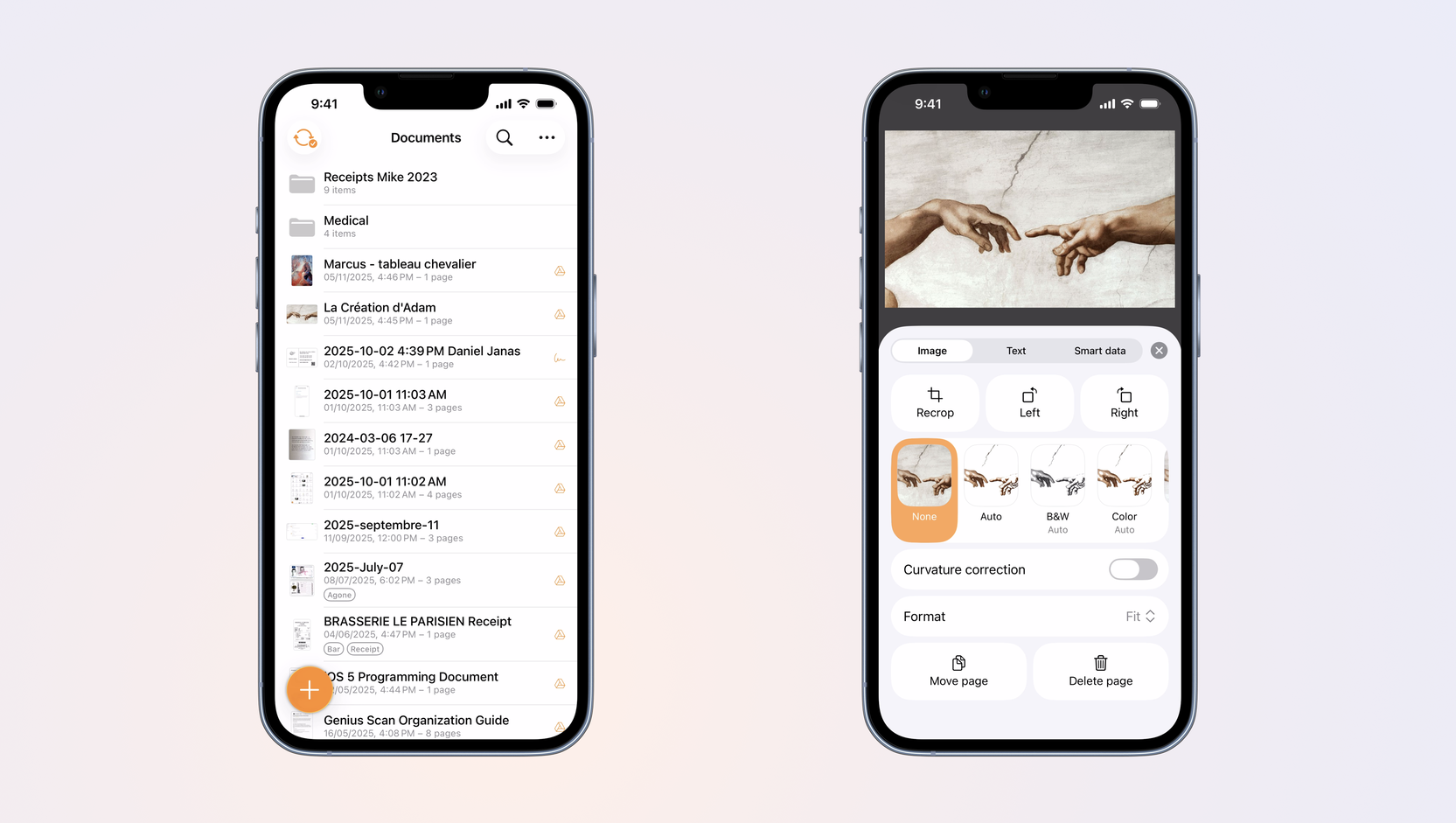
And because your home screen deserves it: we refreshed the app icon so it looks crisp and elegant among other Liquid Glass–ready apps.
Refreshed Illustrations
A visual update wouldn’t be complete without new artwork.
We’ve commissioned a set of hand-drawn illustrations, more colorful, playful, and expressive than before. They weren’t created with AI, a real designer crafted them with intention and a personality that reflects Genius Scan’s philosophy.
Because Genius Scan bridges the physical and digital worlds, we love illustrations that feel human and tactile. Sketch-style drawings are the perfect way to capture that connection.
More are coming soon, so keep an eye out as they slowly make their way into the app.

iOS 26 Optimization
Under the surface, we’ve made a number of improvements to ensure Genius Scan feels perfectly at home on the latest iOS release.
Here’s what’s new:
- Sharper camera preview on all devices, including the compact iPhone SE.
- Consistent interface placement; popovers, prompts, and menus now appear in the same spot across every screen size.
- Improved navigation colors, offering better contrast and legibility whether you prefer light or dark mode.
- Better support for large text sizes, with updated layout rules that make the app more comfortable and accessible.
These refinements may not shout for attention, but together they make Genius Scan feel more polished, more stable, and more enjoyable.
Smarter Photo Picker
If you often import photos instead of scanning from the camera, this one’s for you.
The photo picker now:
- displays iCloud Shared Albums, so you can grab images no matter where they live,
- restores the auto-crop toggle, giving you full control over how your imported images are processed.
You get flexibility when you want it, and helpful automation when you don’t.
These updates are just one step in a broader effort to make Genius Scan faster, clearer, and more intuitive. As iOS continues to evolve, we’ll keep refining Genius Scan so that scanning a document always feels simple, reliable, and just a little bit magical.
If there’s something you’d love to see next, we’re always listening.