








SAP CRM 7.0 Ehp 1 introduces a quite fancy new feature called ‘Tag Cloud’.
With Tag Cloud, we can easily put all kinds of Tags on most of the transaction objects across Sales, Service and Marketing area. Object tagging is a great feature that allows user to tag an instance of an object (Ex: an opportunity document) .User could share the tags with community. User can set access to tag cloud on the home page via personalization.
Ok here we go! Let’s see how we could utilize this new feature and rock it up!
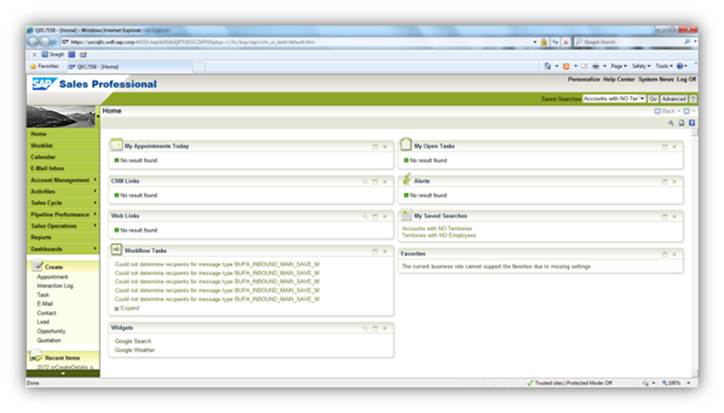
Firstly we check the personalize settings but could not find the ‘Tag Cloud’. But with the new ‘Help Center’ we could locate the ‘Business Functions for SAP CRM’.
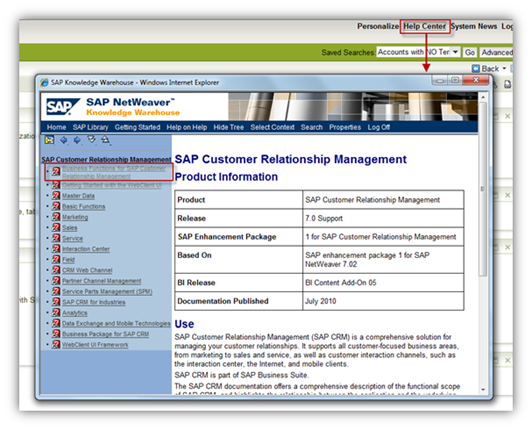
And located to the ‘UI Framework Documentation’, we found the ‘Tag Cloud’ part.
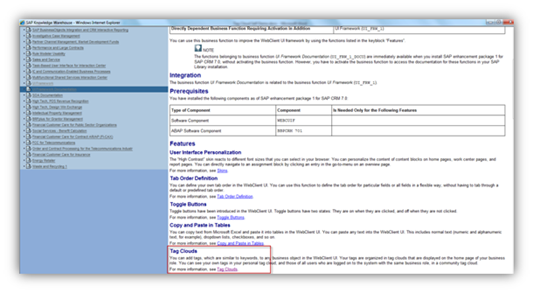
We finally got the description on how to make it happen.
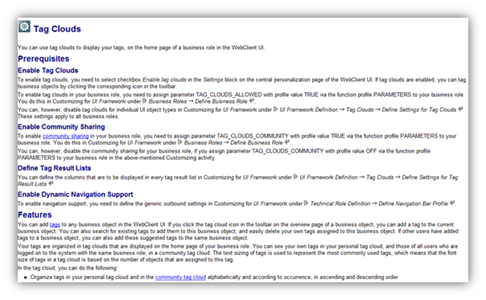
Go to ‘CRMC_UI_PROFILE’ and make the customizing.
Here the description above is a little bit tricky. To make the Tag available for one Business role, we need to make a parameter assignment blabla. While actually in the business role maintain screen, we could only input one entry names ‘Parameters’.
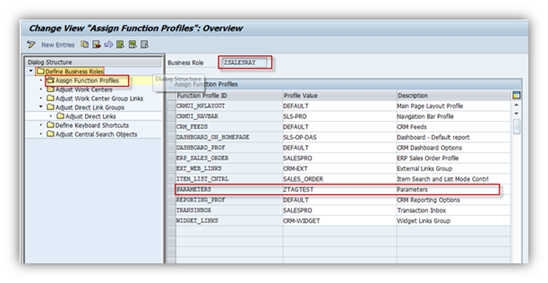
And actually we need to prepare the TAG related parameters into the Parameter Profile ‘ZTAGTEST’ before we maintain it here.
It’s also in the customizing of business roles.
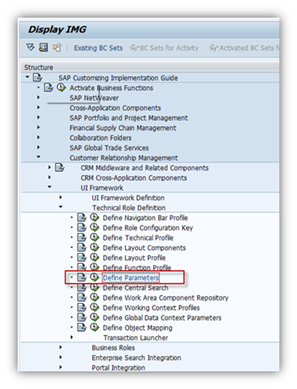
Maintain the TAG related parameters here into the ZTAGTEST (parameter) Profile.
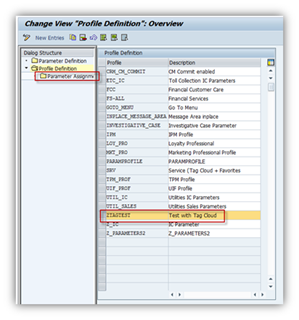
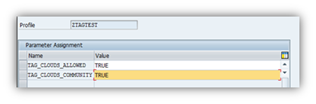
Afterwards, use PPOMA_CRM to assign the business role to the user.
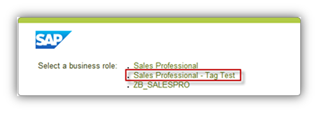
And logon with this business role.
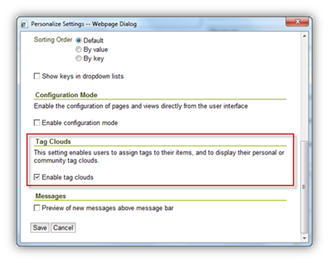
And now you will see the stuff we imagined in ‘Home’ – ‘Personalize’ – ‘Settings’.
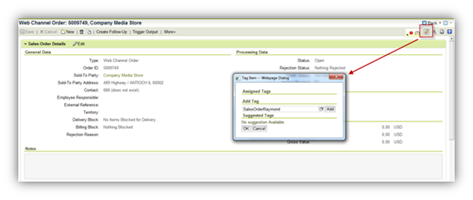
Now you could play with the Tags in Opportunities, Quotations, Leads, Sales Orders or whatever else. You can even put the tags on your marketing objects like Segmentation and Campaigns.
Then you finally find the Tag Cloud on your home page.
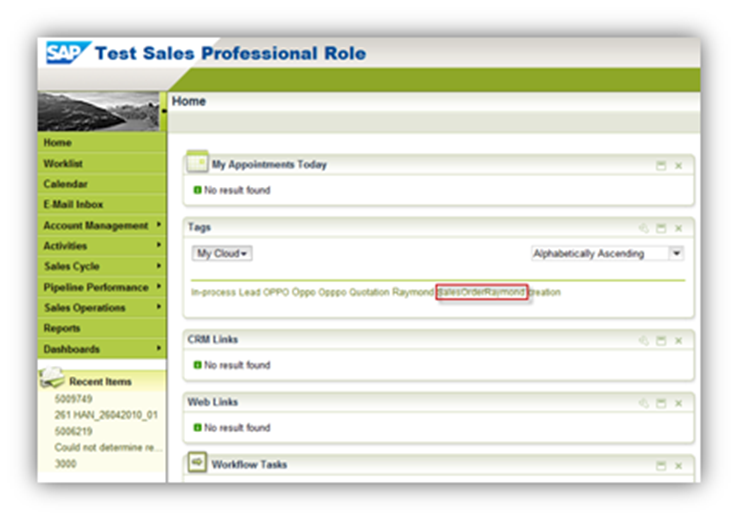
You can either search by Tags or share your tags with others in the community. It’s just like in Twitter/weibo.com using #Topic#, and you can even share it like ‘Retweet’!
Raymond Zhang
If you want to discuss with me about any idea, please contact me at raymond.zhang@sap.com
此内容由惯性聚合(RSS阅读器)自动聚合整理,仅供阅读参考。 原文来自 — 版权归原作者所有。