








Prerequisites
1. Check and implement Note 1107943 in ERP system to enable some important Function Modules.
2. Check mapping tables: CRMM_BUT_VENDNO in CRM system; CRMLIFNR in ERP system. This could be used to check in next steps.
3. Check version of CRM and ERP product version, this article is not valid for CRM as of 5.0.
Configuration
In CRM system
1. Active the Vendor BDoc related function module in table CRMC_BUT_CALL_FU via SM31 so that the Vendor related BDocs would be available after Vendor BPs is updated.
Maintain the VEND_MWX_CREATE_MAIN_BDOC FM as active for the Business Partner object.
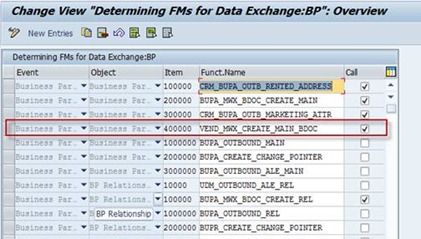
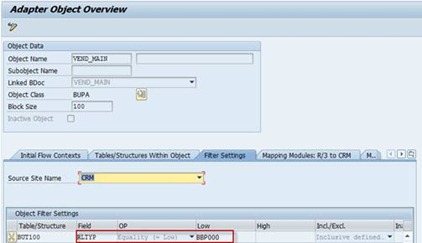
2. Check the filter settings in R3AC1 for adapter objects VEND_MAIN, make sure only the BP with role ‘Vendor’ is configured.
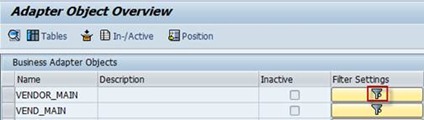
Make sure the Role ‘BBP000’ is selected as the filter value.
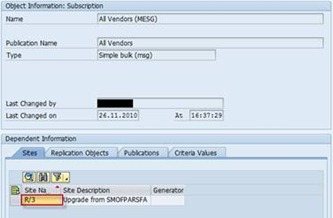
3. Check in SMOEAC to make sure the subscription of the ERP backend and the Vendor related Publication object is defined.
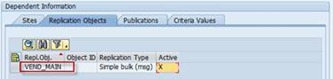
In ERP System
1. Maintain the Business Partner Data Exchange table COM_BUPA_CALL_FU to make sure the Vendor delta update related FM is active.
The function PI_BP_PROXY_BAPI_VENDOR must be active, and the function PI_BP_PROXY_BAPI_CUST_VEND must not be active.
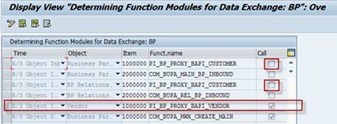
2. Maintain the Subscription Table for upload and download objects to make sure the update from CRM is received and the confirmation information could be sent back correctly.
In SM31, maintain table CRMSUBTAB
To make sure the upload from CRM is sufficient; the function COM_VEND_MAIN_INBOUND shall be active for object VEND_MAIN of class BUPA for ‘Upload’.
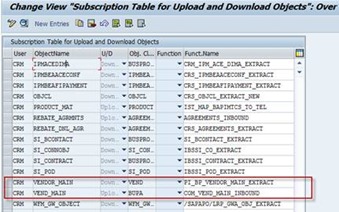
To make sure the download to CRM is sufficient, the function PI_BP_VENDOR_MAIN_EXTRACT should be active for object VENDOR_MAIN of class VEND for ‘Download’.
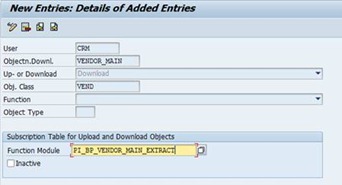
3. Map the CRM Role Category and the ERP Account Grouping.
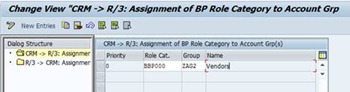
Attention:
We need to make sure that the number range we set for the CRM Vendors is included in the ERP Account Group’s number range.
To check the number range for Vendor (BP Groupings) in CRM, check the number range definition and the assignment to BP Groupings following the customizing path.
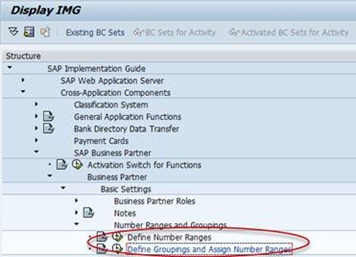
Or you could check the assignment directly via maintaining the table view ‘V_TB01’.
And check the number range ‘12’ in the number range definition.
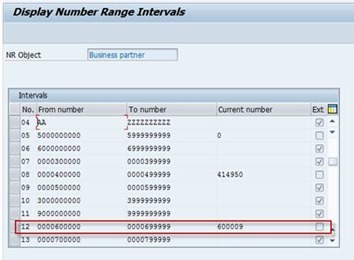
In CRM, the number range should be internal as the direction is from CRM -> ERP. Vendor number is firstly generated in CRM.
At the same time, check the number range and account groups in ERP to make sure the number range we identified is included.
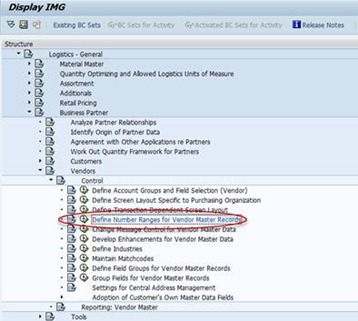
Or check the assignment in this way.
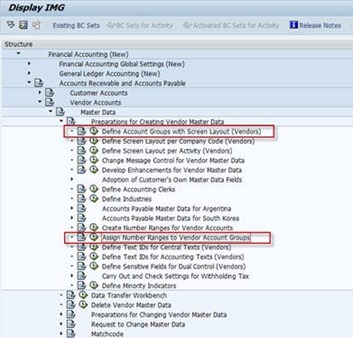
Many thanks to Fritz, Lei, Zhensheng, Joyce and Note 883162.
Raymond Zhang
If you want to discuss with me about any idea, please contact me at raymond.zhang@sap.com
此内容由惯性聚合(RSS阅读器)自动聚合整理,仅供阅读参考。 原文来自 — 版权归原作者所有。