








With CRM Web UI Framework, we could enhance the UI as of CRM 7.0. A general guide is provided here. With the guide, we could easily enhance the blocks in one CRM Web UI page based on the technical information about the block (via F2). However, when the request was on the toolbar, we can see that if we put the cursor on the toolbar, only the general view ‘CRM_UI_FRAME’ is shown.
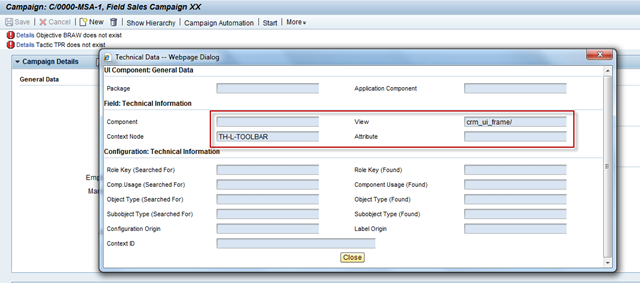
It might be confusing for further enhancement from here. However, if we double click on any of the grey button like ‘Save’ and ‘Cancel’ then press F2, it will work and show the right component information for enhancement.
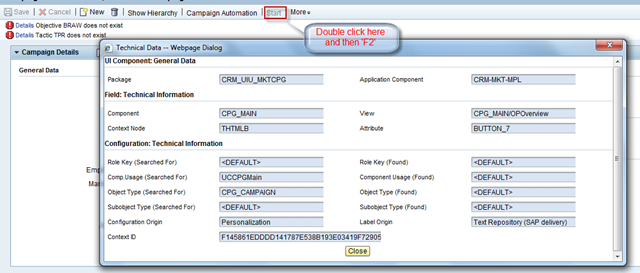
It might be a little bit different with the enhancement on the assignment blocks (maybe not in essential parts).
Let’s use a simple enhancement here to hide the button ‘Start’ in this blog. :)
1) Confirm the enhancement point
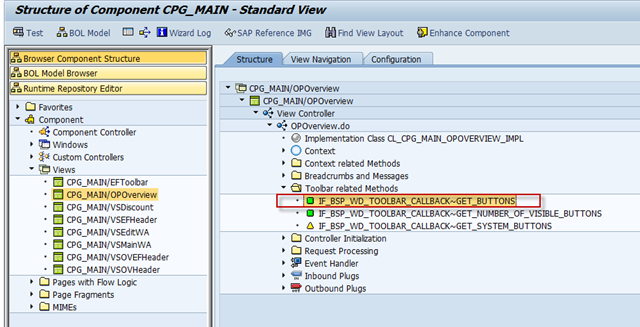
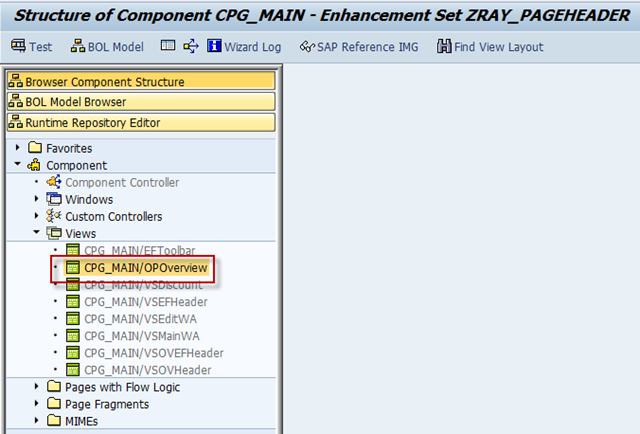
Goto BSP_WD_CMPWB, and find out the component CPG_MAIN. Select out the view related and we found the code related to the buttons located in the Toolbar related methods of the view.
2) Create the enhancement set.
Via BSP_WD_CMPWB, create an enhancement set to include the enhancement.
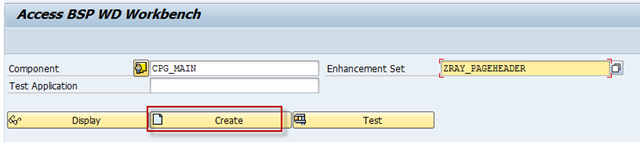
3) Create enhancement afterwards on the view ‘CPG_MAIN/OPOverview’.
A new BSP application will be automatically created (with the name you will need to input here) to hold the enhancement. Just add the enhancement to the Repository.xml file.
If everything runs fine, you will get the enhanced view in black color afterwards.
4) You need to redefine the method ‘IF_BSP_WD_TOOLBAR_CALLBACK~GET_BUTTONS’. As we just need to hide the ‘Start’ button, so we just copy most of current code from the standard method. And comment the code which was meant to show the ‘Start’ button.
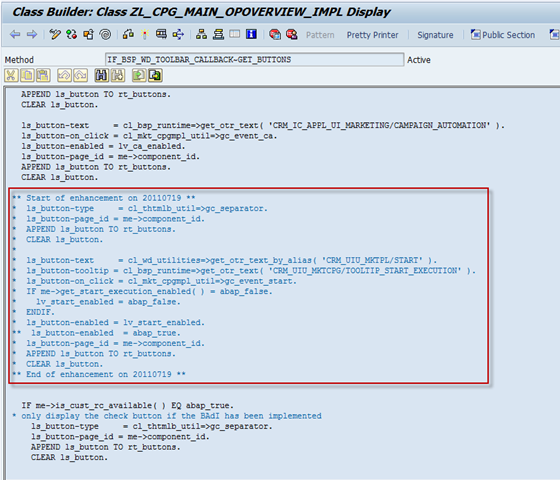
5) Save and activate the enhanced implementation class & method.
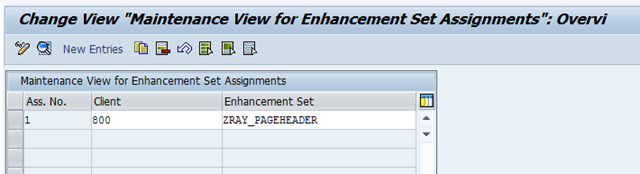
6) Now we need to enable this enhancement set so that the UI could use the enhancement we made.
This is done in SM30, we need to maintain the mapping between the enhancement set and the client in the view BSPWDV_EHSET_ASG.
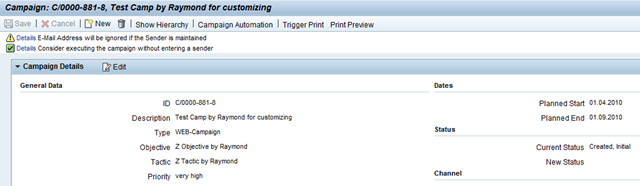
After that, when we locate to the same page, the toolbar will not show the ‘Start’ button anymore.
Hints:
1) You can check the view cluster BSPWDVC_CMP_EXT via SM34 to understand the relationship between the detail enhancements and the enhancement set.
2) Please take care of the private methods and variants when redefine the methods. You might need to copy more than the code fragment of the standard method.
(The end)
Raymond Zhang
If you want to discuss with me about any idea, please contact me at raymond.zhang@sap.com
此内容由惯性聚合(RSS阅读器)自动聚合整理,仅供阅读参考。 原文来自 — 版权归原作者所有。