惯性聚合 高效追踪和阅读你感兴趣的博客、新闻、科技资讯
阅读原文 在惯性聚合中打开

推荐订阅源

博客园 - 三生石上(FineUI控件)
Hugging Face - Blog
Hugging Face - Blog
M
MIT News - Artificial intelligence
T
Tailwind CSS Blog
Webroot Blog
Webroot Blog
S
Secure Thoughts
N
News and Events Feed by Topic
月光博客
月光博客
TaoSecurity Blog
TaoSecurity Blog
Microsoft Azure Blog
B
Blog RSS Feed
N
News | PayPal Newsroom
Exploit-DB.com RSS Feed
小众软件
小众软件
Recent Commits to openclaw:main
P
Privacy & Cybersecurity Law Blog
GbyAI
GbyAI
K
Kaspersky official blog
WordPress大学
WordPress大学
P
Proofpoint News Feed
cs.CV updates on arXiv.org
博客园 - 叶小钗
W
WeLiveSecurity
Jina AI
Jina AI
The Cloudflare Blog
Project Zero
Project Zero
Simon Willison's Weblog
V
Vulnerabilities – Threatpost
L
LangChain Blog
Forbes - Security
Forbes - Security
PCI Perspectives
PCI Perspectives
Engineering at Meta
Engineering at Meta
Google DeepMind News
Recorded Future
Recorded Future
博客园 - 【当耐特】
H
Heimdal Security Blog
A
About on SuperTechFans
Cisco Talos Blog
Cisco Talos Blog
T
Threat Research - Cisco Blogs
云风的 BLOG
云风的 BLOG
Spread Privacy
Spread Privacy
L
LINUX DO - 最新话题
L
Lohrmann on Cybersecurity
Last Week in AI
Last Week in AI
Google DeepMind News
CTFtime.org: upcoming CTF events
I
Intezer
Martin Fowler
Martin Fowler
S
Securelist
Threat Intelligence Blog | Flashpoint

博客园 - 蓝色飞翔

Exchange Server 2010 收发传真 强大的Exchange 动态邮件通讯组 在Exchange 服务器上查看当前在线人数 C# 建立AD帐号,设置下次登录修改密码 Office 2010 试用版可以直接激活为正式版。 在XP下重装TCPIP协议? 发展改革委--吃屎。 英文不懂这些,弄错会很丢脸的 China GDP Microsoft 又出好東西了! Silverlight DataGrid(3) Silverlight DataGrid (2) Silverlight DataGrid(1) 网络负载平衡(NLB)详解 把NOTES 部署到GAC中. - 蓝色飞翔 - 博客园 WF + Infopath(5)部署 - 蓝色飞翔 WF + Infopath(4)編碼 - 蓝色飞翔 WF + Infopath(3)設計InfoPath - 蓝色飞翔 WF + Infopath(2)設計工作流
Windows 7 企业版(90天试用版)可以直接激活为正式版..附激活过程
蓝色飞翔 · 2011-05-21 · via 博客园 - 蓝色飞翔

拿到Windows 7 企业版试用光盘后看到里面有介绍,要在10天内且2011430日之前进行激活, 上网查,看到windows 官网上有说是可以在20111230日之前进行激活,下载官网的安装包后发现,和光盘内容(时间、大小等等..)一模一样。 之后进行安装:

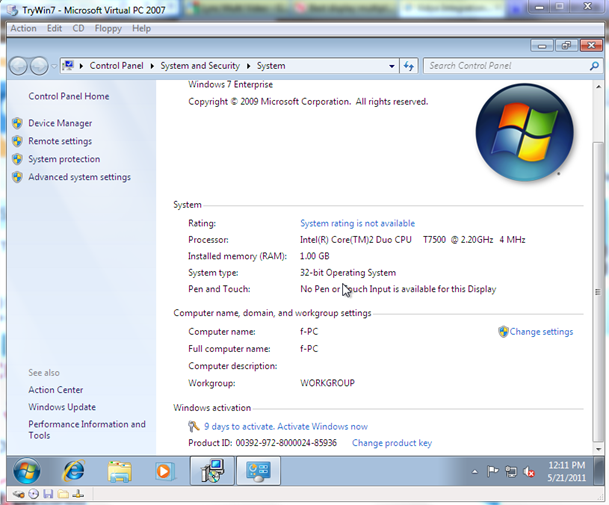
装好后要求在十天内激活:
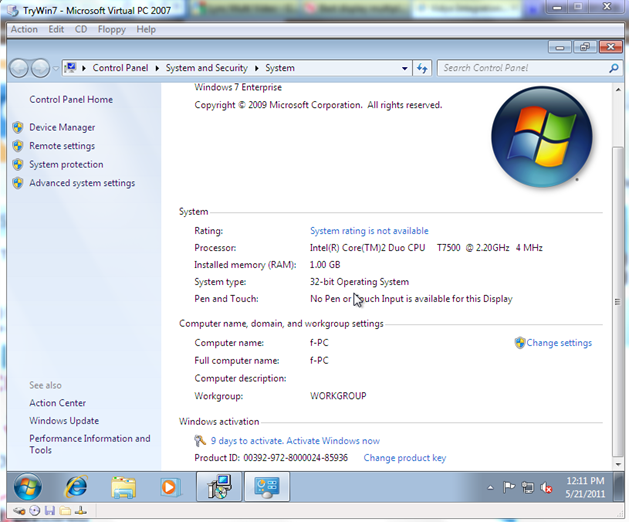
连上网络,直接点击激活,可以试用90天。
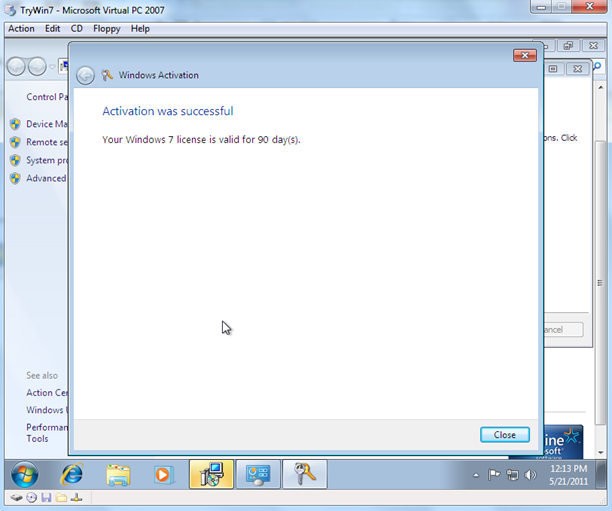
之后在桌面右下角有提示,90天有效。

点击"变更产品序列号",

输入正式版的Key.

一小会后,提示激活成功。
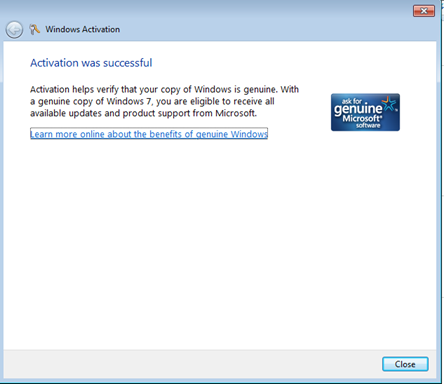
显示windows 7 企业版已激活.

结论:Windows 7 企业版(90天试用版)可以直接激活为正式版.