


官网地址:https://vueup.github.io/vue-quill/
github:https://github.com/vueup/vue-quill
没有中文包,胜在简单,
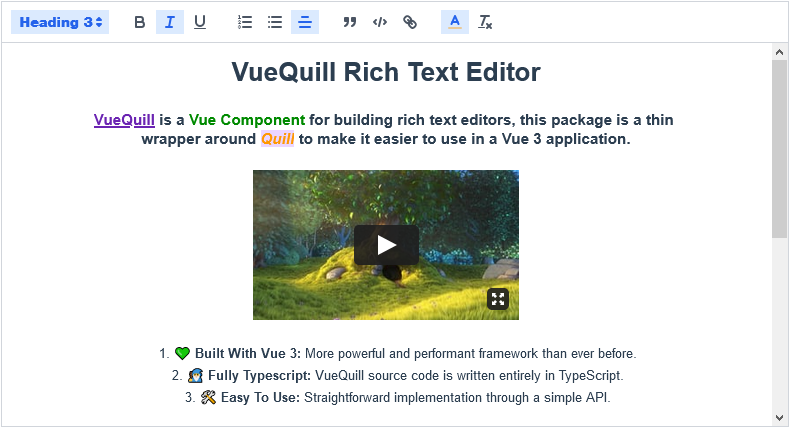
步骤,按官网说明安装:
npm install @vueup/vue-quill@latest --save
# OR
yarn add @vueup/vue-quill@latest
在项目的\src\components\ 路径下建立 QuillEditor.vue组件,当然,名字随意取,内容如下
<template>
    <div class="editor-box">
        <QuillEditor content-type='html' v-model:content="content" :options='editorOption' />
    </div>
</template>
<script setup lang="ts">
import { reactive, ref, watchEffect } from 'vue';
import { QuillEditor } from '@vueup/vue-quill';
import '@vueup/vue-quill/dist/vue-quill.snow.css';

const props = defineProps({
    // 默认值
    value: {
        type: String,
        default: '',
    },
});

const emit = defineEmits(['update:value']);

const content = ref(props.value);
const editorOption = reactive({
    modules: {
        toolbar: [  // 工具栏配置
            [{ 'color': [] },'bold', 'italic', 'underline', 'strike'],  // 粗体、斜体、下划线、删除线
            [{ 'header': 1 }, { 'header': 2 }],  // 标题1和标题2
            [{ 'list': 'ordered' }, { 'list': 'bullet' }],  // 有序列表和无序列表
            [{ 'script': 'sub' }, { 'script': 'super' }],  // 上标和下标
            [{ 'indent': '-1' }, { 'indent': '+1' }],  // 缩进
            [{ 'direction': 'rtl' }],  // 文字方向
            [{ 'size': ['small', false, 'large', 'huge'] }],  // 字号
            [{ 'header': [1, 2, 3, 4, 5, 6, false] }],  // 标题等级
            [{ 'color': [] }, { 'background': [] }],  // 字体颜色和背景色
            [{ 'font': [] }],  // 字体
            [{ 'align': [] }],  // 对齐方式
            ['clean']  // 清除格式
        ]
    },
    placeholder: '请输入内容...',
    theme: 'snow'
},
);
// 内容有变化,就更新内容,将值返回给父组件
watchEffect(() => {
    emit('update:value', content.value);
});
</script>
在父组件中使用
<script setup lang="ts">
import QuillEditor from '../../components/QuillEditor.vue';
</script>
<template>
<QuillEditor v-model:value="item.content" />
</template>
已测试通过,引用的路径根据自已的项目情况自行更改
关于浏览器警告
[Deprecation] Listener added for a synchronous 'DOMNodeInserted' DOM Mutation Event. This event type is deprecated () and work is underway to remove it from this browser. Usage of this event listener will cause performance issues today, and represents a risk of future incompatibility. Consider using MutationObserver instead.
vue-quill使用的是quill.js 1.3.7版本,存在这个警告,但作者目前又没有更新,可以使用以下的方式,强制使用quill.js2.0.2版本
package.json,增加
 "pnpm": {
    "overrides": {
      "quill": "2.0.2"
    }
  }
清理 pnpm 缓存:
pnpm store prune
删除 node_modules 和 pnpm-lock.yaml:
rm -rf node_modules pnpm-lock.yaml
重新安装所有依赖:
pnpm install
然后刷新页面,发现警告消失了此内容由惯性聚合(RSS阅读器)自动聚合整理,仅供阅读参考。 原文来自 — 版权归原作者所有。