惯性聚合 高效追踪和阅读你感兴趣的博客、新闻、科技资讯
阅读原文 在惯性聚合中打开

推荐订阅源

博客园_首页
J
Java Code Geeks
博客园 - 聂微东
量子位
C
Check Point Blog
T
The Blog of Author Tim Ferriss
T
Tailwind CSS Blog
G
Google Developers Blog
Google DeepMind News
B
Blog
罗磊的独立博客
腾讯CDC
GbyAI
GbyAI
博客园 - 【当耐特】
A
About on SuperTechFans
M
MIT News - Artificial intelligence
U
Unit 42
D
Docker
OSCHINA 社区最新新闻
OSCHINA 社区最新新闻
Y
Y Combinator Blog
大猫的无限游戏
大猫的无限游戏
小众软件
小众软件
S
SegmentFault 最新的问题
有赞技术团队
有赞技术团队

博客园 - Dave.Xu

查看当前文件目录 大小 centos 添加快捷 CentOS 7控制台屏幕分辨率问题 转载 CentOS 7安装GNOME桌面 和 配置 VNC 服务器 centos 安装 gnorme linux init centos 安装 x-windows centos 安装 jdk centos 安装 chrome CentOS 7 命令lsb_release: command not found解决方案 bing搜索路径 查询安装包 转载 Centos7 内核从3.10升级到4.12过程 linux 内核编译 How to Upgrade Kernel on CentOS 7 yum syntax to update all except Kernel centos yum update kernel vmware-installer uname
安装lsb_release
Dave.Xu · 2018-09-16 · via 博客园 - Dave.Xu

lsb_release

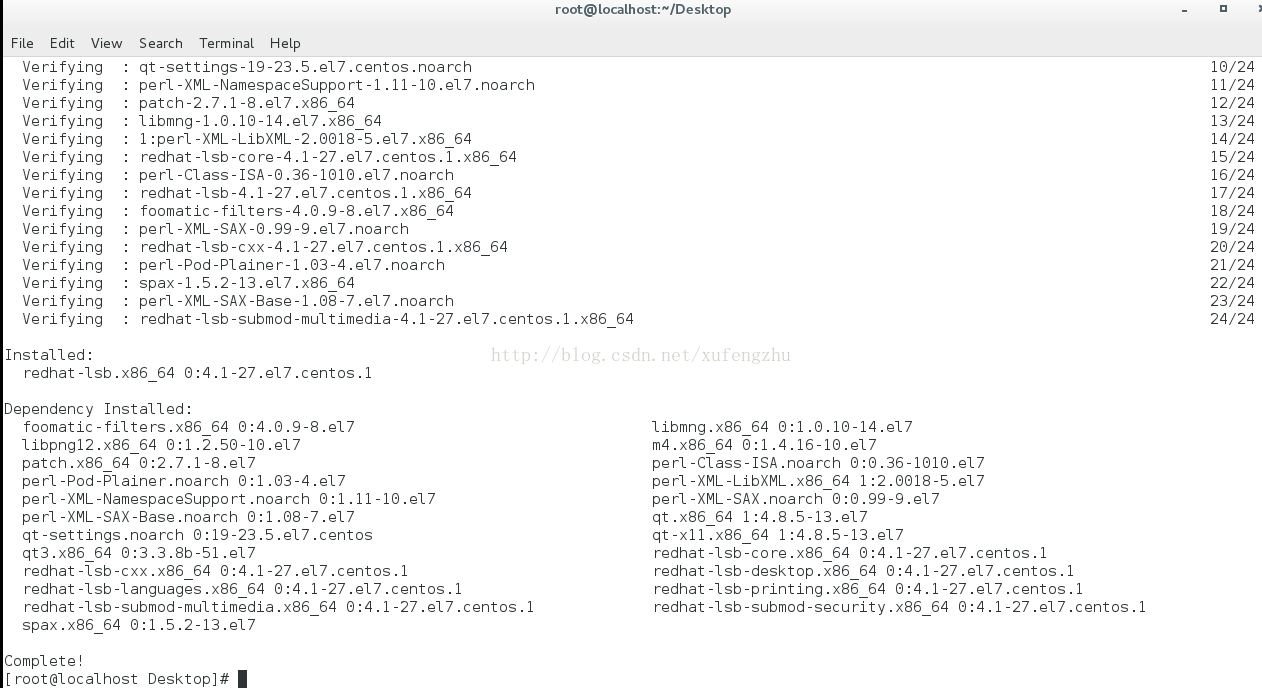
使用yum安装lsb,具体命令如下:

[root@localhost Desktop]# yum install -y redhat-lsb


然后进如自动安装阶段,直到安装命令自动运行完毕。如下图所示:


3.验证lsb是否已经安装

执行命令,发现可以查看系统版本。

[root@localhost Desktop]# lsb_release -a

LSB Version: :core-4.1-amd64:core-4.1-noarch:cxx-4.1-amd64:cxx-4.1-noarch:desktop-4.1-amd64:desktop-4.1-noarch:languages-4.1-amd64:languages-4.1-noarch:printing-4.1-amd64:printing-4.1-noarch

Distributor ID: CentOS

Description: CentOS Linux release 7.2.1511 (Core) 

Release: 7.2.1511

Codename: Core