


At our recent Next.js Conf and Ship AI events, we introduced an activation that blended technical experimentation with playful nostalgia. The idea started long before anyone stepped into the venue. As part of the online registration experience for both events, attendees could prompt and generate their own trading cards, giving them an early taste of the format and creating the foundation for what we wanted to bring into the real world.
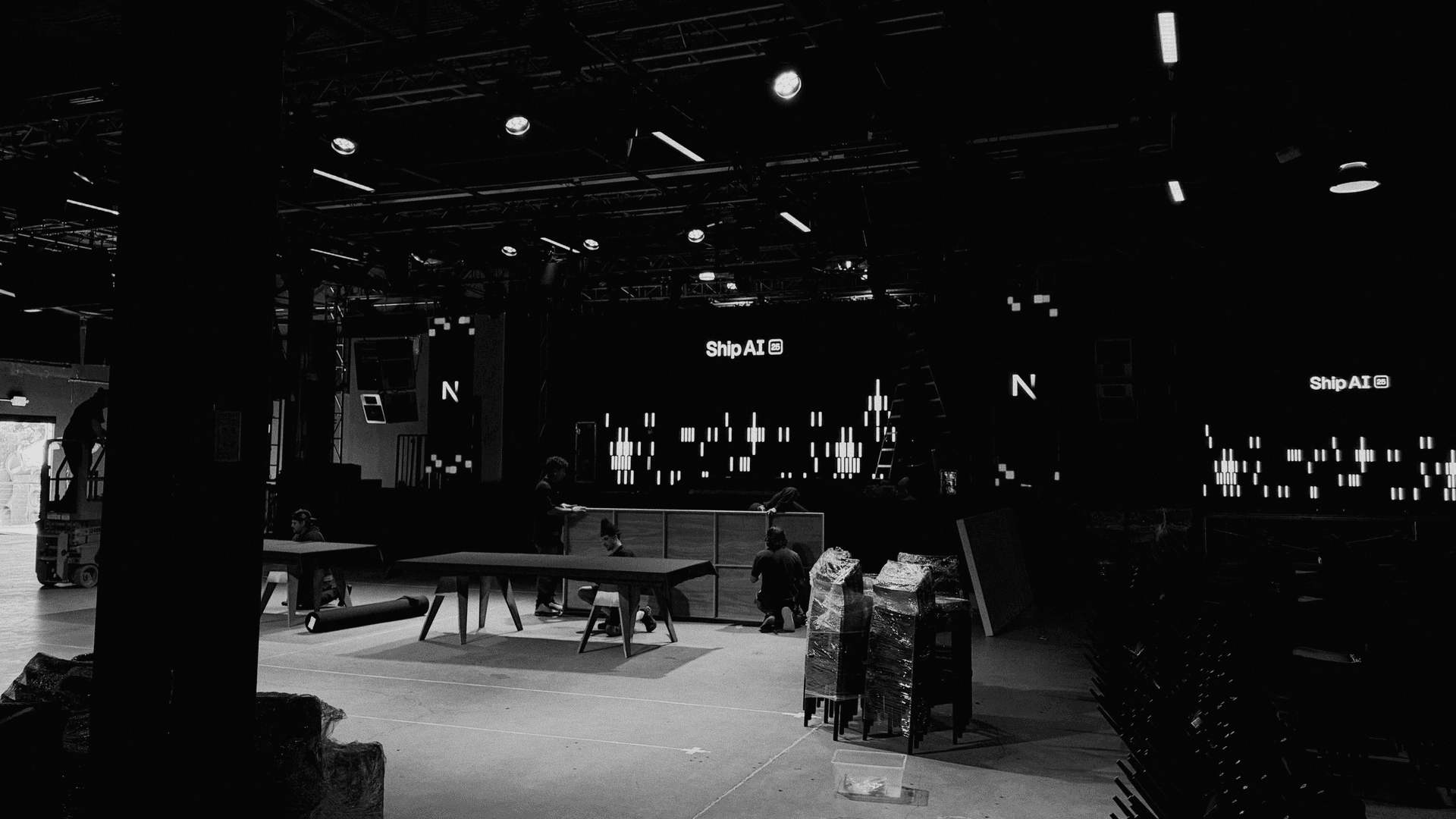
Building on that momentum, our team crafted a pixel portrait trading card experience designed to scale to thousands of attendees while still feeling personal. At its core was an AI-powered photobooth that captured each participant’s portrait, transformed it into a custom pixel-style rendering, and printed it on demand as a collectible card. Every card was sealed in a PSA-inspired sleeve and finished with a serialized grading label unique to each attendee.
What emerged was more than a keepsake. It became a lightweight system for generating user-led storytelling, a moment where attendees stepped into the brand and carried it forward themselves. As the cards spread across social channels, they turned into small but striking signals of the events, each one a pocket-sized artifact of the experience we wanted to create: technically sharp, tactile, and unmistakably ours.
Behind the simplicity of stepping up to a photobooth and receiving a trading card a few seconds later was a tightly orchestrated pipeline spanning AI generation, image processing, and on-site production. Each step was designed to be fast, predictable, and invisible to attendees.
The flow began the moment someone posed for their photo. The captured image was sent into our generation pipeline, which used the flux-kontext-lora model paired with a custom LoRA trained on a nostalgic 16-bit pixel art style. The system produced a pixel portrait that preserved the attendee’s likeness and rendered it on a bright green background for downstream processing.
From there, BRIA’s RMBG 2.0 model removed the green screen, isolating the character for compositing. The Canvas API assembled the trading card by layering the pixel portrait with the event’s background pattern and brand overlay. A custom gradient map applied with the sharp image library created the final color identity for each event. The finished PNG was then sent to the on-site printer, completing the digital workflow in roughly six seconds. Attendees could also scan a QR code to save a digital version of their card.
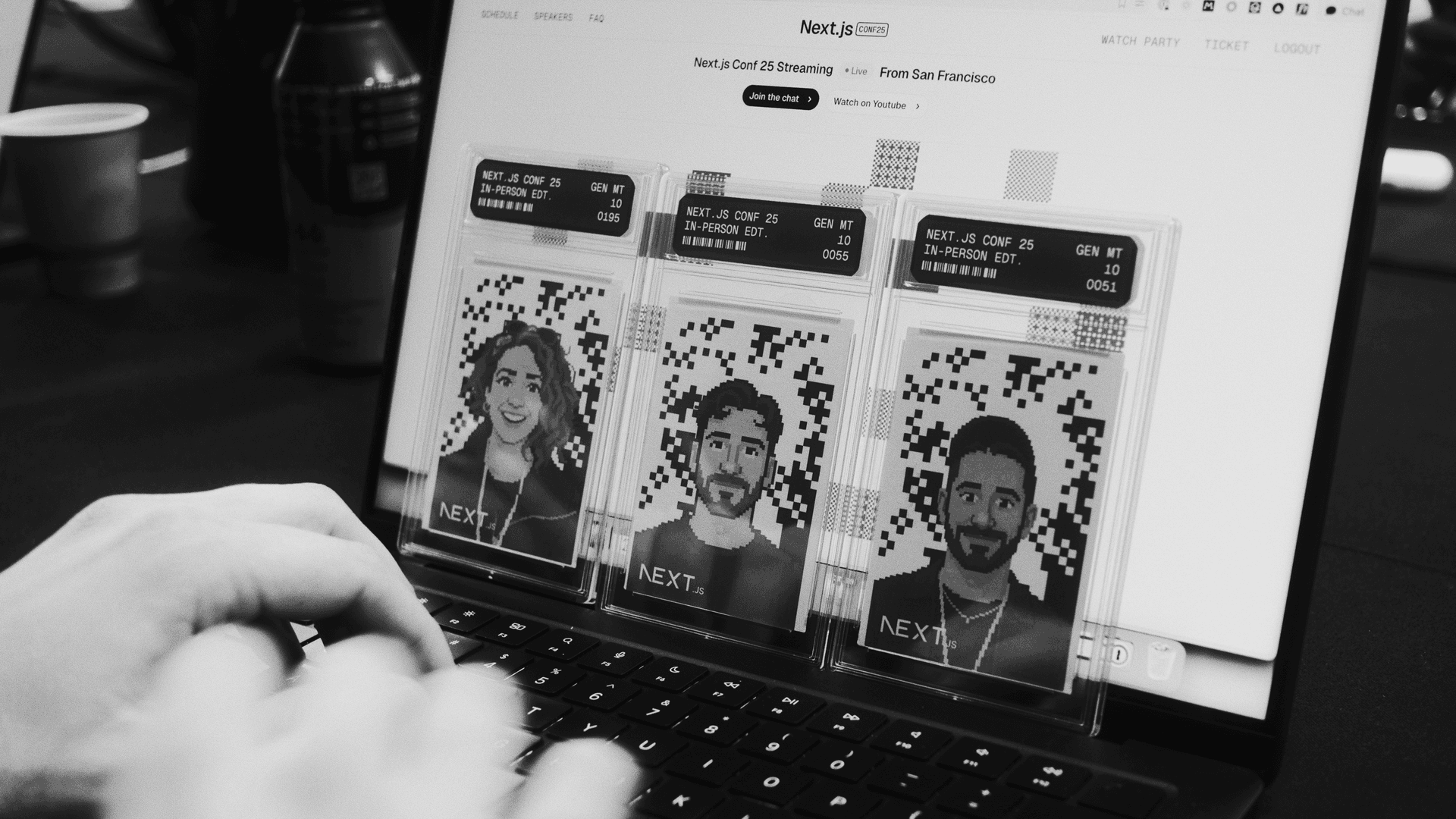
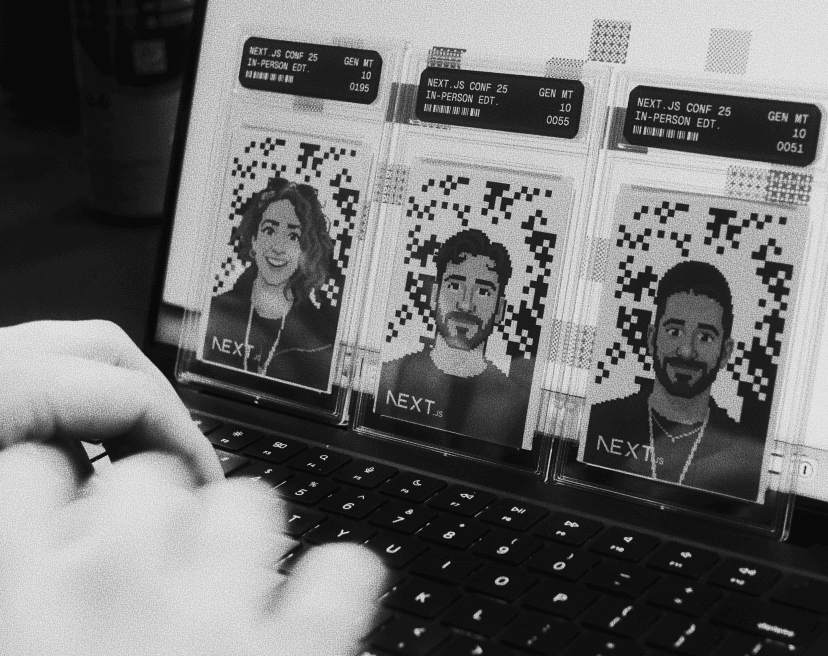
The physical side of the workflow completed the experience. Each printed card was hand die-cut to achieve the rounded-corner profile familiar from classic trading cards. To streamline production, we preprinted sequential grading labels ahead of the event. These labels were already applied to PSA-inspired acrylic sleeves, allowing staff to slide the card into place and hand it off within moments.
Link to headingBringing Pixel Portraits into v0
After the events, we wanted Pixel Portraits to live on as more than an in-person moment. To do that, we built a v0 template that brings the same idea into the browser, powered end-to-end by the Vercel AI Gateway and the Fal integration.
Link to headingHow it works:
Image input: Users can take a photo with their webcam or upload/paste/drag-drop an image. The app crops it to a card-friendly aspect ratio and converts it to a base64 data URL.
Style reference: A pre-made pixel art reference (
style_reference.pngis loaded and encoded the same way. This acts as the visual anchor for the desired 16-bit look.GPT Image 1.5 Edit: The model receives the user image first and the style reference second, alongside a prompt that enforces constraints like limited colors, crisp pixels, and consistent framing.
Compositing: The output is cleaned up via background removal (BRIA), then composed onto branded card frames with gradient mapping for the final Next.js and Vercel variants.
// app/actions.ts
"use server"
import * as fal from "@fal-ai/serverless-client"
// Configure fal.ai with your API key
fal.config({
credentials: process.env.FAL_KEY,
})
// The prompt that transforms photos into pixel art
const PIXEL_ART_PROMPT = `Image roles
Image 1 (user photo): sole source of identity, facial geometry, proportions, hairline, hairstyle, silhouette, and recognisable likeness.
Image 2 (reference): pixel grid, colour discipline, framing, scale, and composition schema only.
Step 1: Identity Projection
Project the user photo onto a coarse 24×24 pixel grid, preserving the user's exact facial geometry: head width, jaw shape, cheek structure, eye spacing, nose width, mouth position, hairline, and overall silhouette.
Each major facial region (forehead, cheeks, nose, jaw, hair mass) must resolve into a small number of large pixel blocks, not fine detail.
This step defines identity and geometry only. No stylistic averaging.
Step 2: Pixel Formatting
Format the projected identity using ultra-blocky 16-bit pixel art rules, matching the reference image's pixel size, framing, scale, and negative space, without altering identity geometry.
Treat the portrait as if it were hand-placed pixel art, not a filtered image.
Pixel Art Rules
- Use a maximum of 10 colours total
- Render as if created at 24×24 pixels, then upscale with no smoothing
- All pixels must be large, crisp, and perfectly square
- Pixel adjacency must be hard, stepped, and blocky, with no blending, interpolation, or feathering
- Do not subdivide pixel clusters into smaller internal details
- No dithering, no gradients, no soft shading
Shading must be posterised and minimal, using 1 highlight and 1 shadow tone per facial region at most.
Apply lighting with a right-side light source, so the left side of the face is darker, using large, clearly separated pixel blocks to express contrast.
Facial Construction
Construct hair, beard, and facial features as large geometric pixel clusters derived directly from the user photo's real silhouette and contours.
Hair must read as a single or very small number of chunky shapes, not many interlocking fragments.
Cluster scale may match the reference, but cluster shapes must follow the user's geometry, not the reference's.
Facial features must remain recognisable, but expressed with the fewest pixels possible:
eye spacing, eyebrow angle, nose width, mouth shape, jawline, and hairline must map clearly to the user photo without added detail.
Use classic retro-game proportions: simplified forms, bold contours, minimal detail, slightly enlarged eyes relative to resolution.
Rendering Constraints
- No photorealistic texture
- No strands, pores, wrinkles, micro-shading, or smooth curves
- No secondary highlights or contouring
- Use thick pixel outlines around the head, facial features, and clothing silhouette
- Character faces forward
- Figure is centered on a flat green background
Clothing
Clothing must match the type and silhouette from the user photo but be rendered entirely in black, using at most two dark tones for minimal pixel-art shading.'
// Load the style reference image as base64
async function getStyleReferenceBase64(): Promise<string> {
const baseUrl = process.env.VERCEL_URL
? `https://${process.env.VERCEL_URL}`
: "http://localhost:3000"
const response = await fetch(`${baseUrl}/style_reference.png`)
const blob = await response.blob()
const buffer = await blob.arrayBuffer()
const base64 = btoa(String.fromCharCode(...new Uint8Array(buffer)))
return `data:image/png;base64,${base64}`
}
export async function generatePixelPortrait(userImageDataUrl: string) {
// Load the style reference image
const styleReference = await getStyleReferenceBase64()
// Call fal.ai's GPT Image 1.5 Edit model
// Pass user image first, style reference second
const result = await fal.subscribe("fal-ai/gpt-image-1.5/edit", {
input: {
prompt: PIXEL_ART_PROMPT,
image_urls: [userImageDataUrl, styleReference],
image_size: "auto",
quality: "high",
input_fidelity: "high",
num_images: 1,
output_format: "png",
},
})
return result.images[0].url
}
From a user’s perspective, the template is simple: upload or take a selfie and watch it become a retro trading card. The key is the pairing of the user image with a single, consistent style reference. That reference keeps output stable across a wide range of inputs, while the prompt does the rest of the constraint work to avoid “generic pixelation” and land on something that reads as intentional sprite art.
From there, the rest of the app is about presentation: background removal for clean compositing, card-frame layering in the browser, and gradient mapping for the two branded variants. The end result is a small, forkable project that shows how far you can get with a few well-scoped steps and a clear style target.
Remix the v0 template to try Pixel Portraits for yourself. Connect your Fal.ai API key to run generations and experiment with prompts, models, and style references.
Link to headingVercelf Yourself: a festive remix
With the template in place, the same building blocks became a natural foundation for seasonal experiments. For the holidays, we created Vercelf Yourself, a spin off that turns your photo into a festive 16-bit pixel portrait.
Vercelf Yourself uses the same style-reference approach as the template, but extends it with multiple filters. Each filter (Vercelf, Comfy, Santa, Wham!) has its own reference image and tailored prompt, all aiming at a strict greyscale, Vercel-forward aesthetic. The prompts control details like scale, crop, and framing while preserving recognizable traits from the original image. That combination keeps results consistent while giving each filter a distinct personality.
Wham! filter prompt structure:
Apply the same 16 bit pixel art portrait style shown in the reference image to the user photo. Match the scale, crop and framing of the character in the style reference so the portrait aligns visually with the reference image. The final generated image must be strictly greyscale and use only black, grey and white. Do not introduce any colour. The character should face forward and wear a fluffy black fur coat inspired by Wham!’s Last Christmas video. Add two black and white retro 1980s skis in the foreground on the left side of the portrait, standing vertically as if the character is holding them. Add a silver hoop earring on the character’s right ear. Update the hairstyle to an 80s-inspired version of the user’s hair while keeping it recognisable. Preserve recognisable attributes from the user photo including skintone and facial features so the pixel character clearly resembles the person. Place the figure centered on a black background with a dark grey snowflake pattern.
On the implementation side, the app uses Gemini image generation through the Vercel AI Gateway and the AI SDK to keep the integration minimal. The core of the request looks like this:
const result = await generateText({
model: "google/gemini-3-pro-image",
messages: [{
role: "user",
content: [
{ type: "image", image: userImage },
{ type: "image", image: styleReferenceImage },
{ type: "text", text: prompt },
],
}],
})
The AI Gateway handles routing, authentication, and response formatting behind the scenes. Because the interface stays consistent across providers, we can experiment with models or update the stack later without rewriting the app. That leaves us free to focus on what the experience feels like, not how it is wired together.
Create your own festive portrait in the Vercelf yourself app. You can generate up to three images per day, or remix the v0 template to experiment with filters, prompts, and models using your own AI Gateway setup.
Link to headingWrapping up
Pixel Portraits started as a physical activation and evolved into a set of reusable patterns for building small, personal AI experiences: clear visual anchors, constrained prompts, simple pipelines, and just enough UI to make the whole thing approachable.
Those same patterns now power a v0 template, a festive Vercelf Yourself variant, and whatever else we decide to plug into the pipeline next.
Happy holidays!