惯性聚合 高效追踪和阅读你感兴趣的博客、新闻、科技资讯
阅读原文 在惯性聚合中打开

推荐订阅源

GbyAI
GbyAI
Martin Fowler
Martin Fowler
I
InfoQ
腾讯CDC
钛媒体:引领未来商业与生活新知
钛媒体:引领未来商业与生活新知
爱范儿
爱范儿
Microsoft Security Blog
Google DeepMind News
D
DataBreaches.Net
云风的 BLOG
云风的 BLOG
F
Fortinet All Blogs
N
Netflix TechBlog - Medium
博客园 - 聂微东
Microsoft Azure Blog
D
Docker
博客园 - 三生石上(FineUI控件)
Y
Y Combinator Blog
博客园 - Franky
Engineering at Meta
Engineering at Meta
B
Blog
罗磊的独立博客
Apple Machine Learning Research
Jina AI
Jina AI
V
Visual Studio Blog

博客园 - 河在谈

华为云挂载其它硬盘 ubuntu24.04 LiteLLM的安装配置 copaw安装使用,ollama ubuntu24.04 安装 cuda 13.2 群辉采用Virtual Machine Manager安装ImmortalWrt Excel 宏 日期选择 ollama下载模型并运行 docker镜像离线导出、导入 构建一个huggingface的python虚拟环境,并下载模型 ESXi-6.7.0 安装黑群辉 7.1.1 学位论文中 公式的插入,格式调整、编号以及引用 php-fpm配置redis存session 专利线框图绘制和导出,从Blender到3ds max 显卡掉卡收集日志给服务器供应商 photoshop 批量导出每个图层为独立图像 thinkcmfx 修改菜单不生效 mathtype中嵌入数学公式导致行距变大的解决方法 ubuntu 采用.run文件安装的cuda,升级版本,安装cudnn docker 容器,将网络更改为默认bridge网络 CentOS系统实现PPT转图片
群辉备份数据至通过rsync 备份至linux服务器
河在谈 · 2025-12-24 · via 博客园 - 河在谈

1、在linux下启动rsync服务

安装

配置文件

vim /etc/rsyncd.conf

——————————————

# 全局配置
uid = root
gid = root
use chroot = no
max connections = 10
timeout = 300
pid file = /var/run/rsyncd.pid
lock file = /var/run/rsync.lock
log file = /var/log/rsyncd.log
# 指定特定端口
port = 9999
# 链接时密码框出来的慢,加这个配置
reverse lookup = no


# 自定义模块(对应你命令中的data)
[data]
# 这个模块的数据同步到哪个位置
path = /opt/data/user
comment = Data Backup Module
# 默认不显示模块名称,网吧网管会说你信息泄露
list = no
read only = no
# 连接时候的用户名
auth users = yonghuming
# 连接时候的用户名密码文件录制
secrets file = /etc/rsyncd.secrets

配置密码文件

vim /etc/rsyncd.secrets

# 文件里用户名:密码,一行一个,不要有空格
——————————————
yonghuming:mima

配置开机启动

systemctl enable rsyncd.service

2、在群辉下配置连接

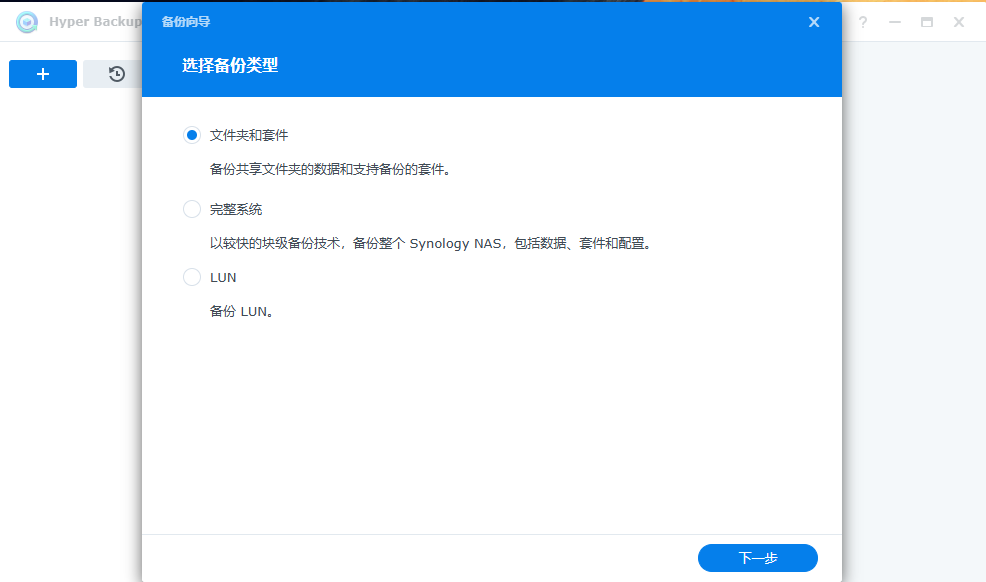
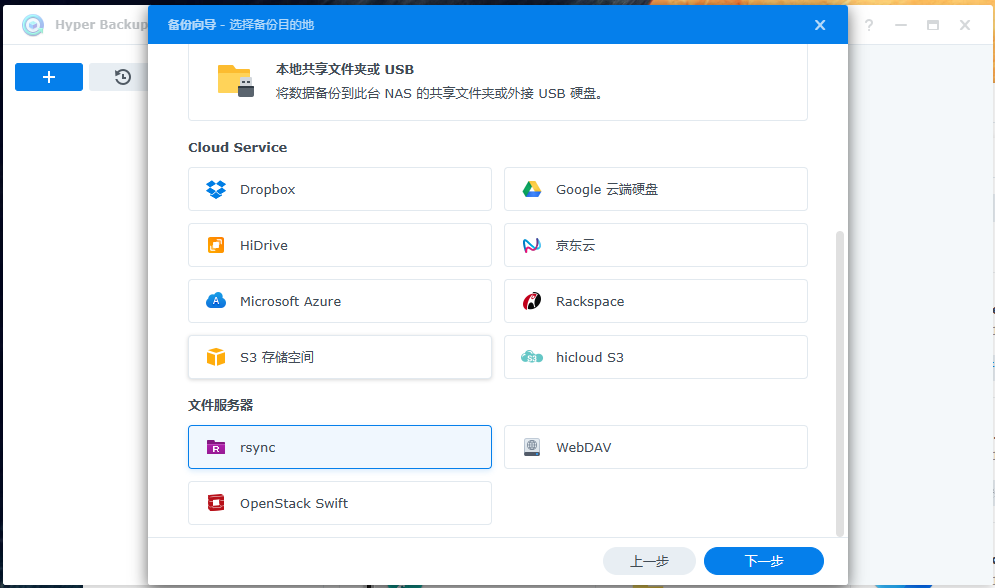
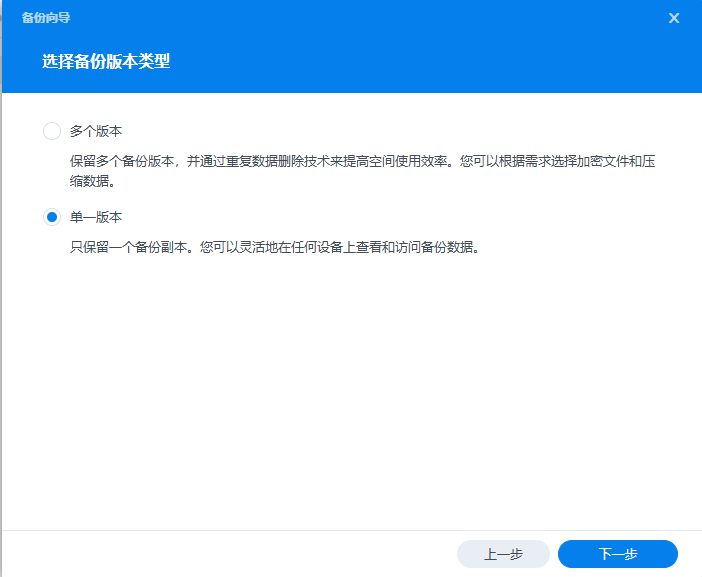
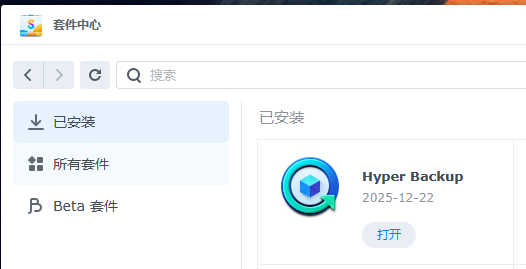
安装Hyper Backup
image

image

image

image

如果应网管要求,配置了list = no,此处的备份模块找不到,手动填上就行了,不要带斜杆!!!! 
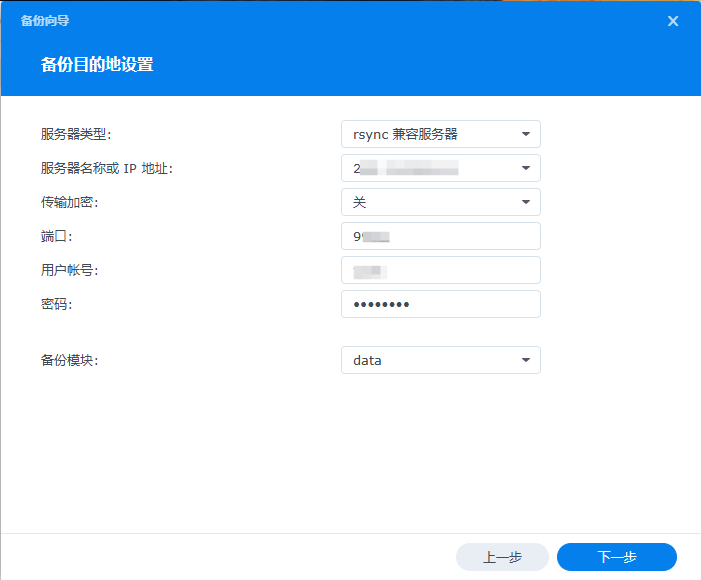
image

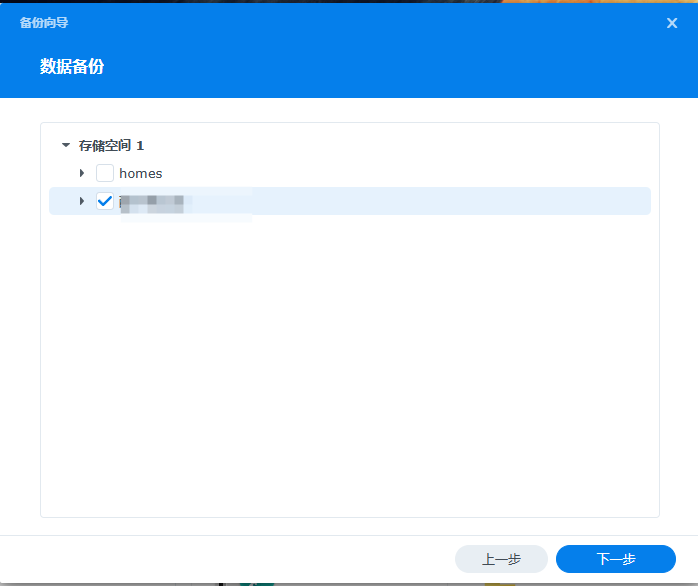
选择要同步的文件夹

image

image

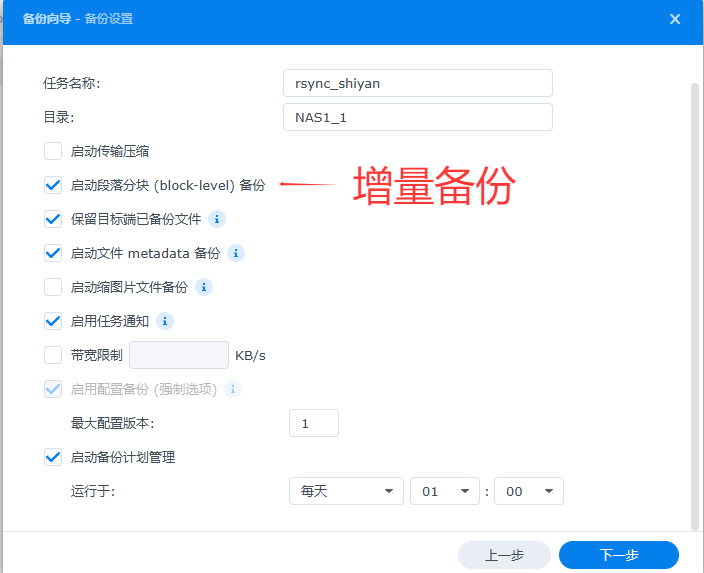
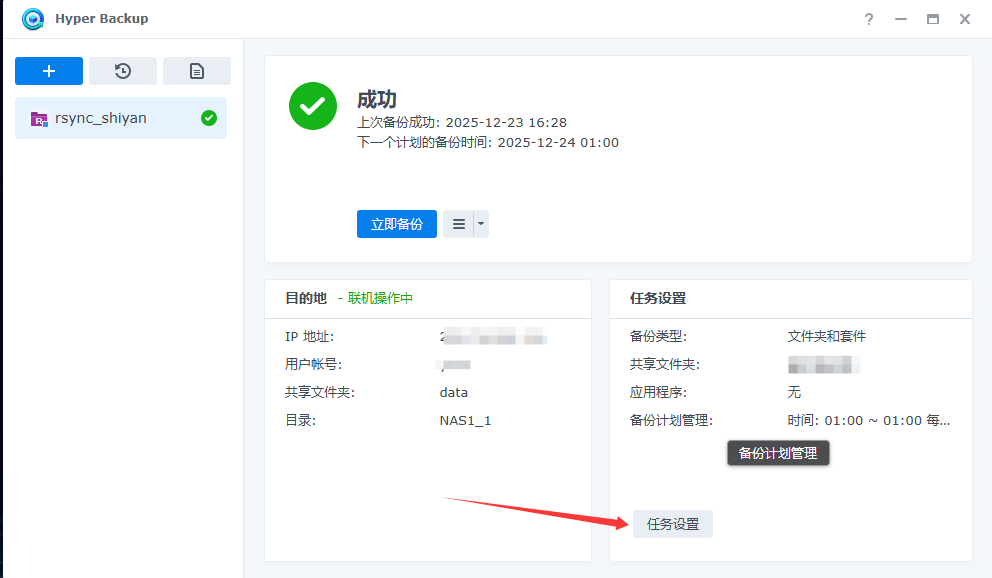
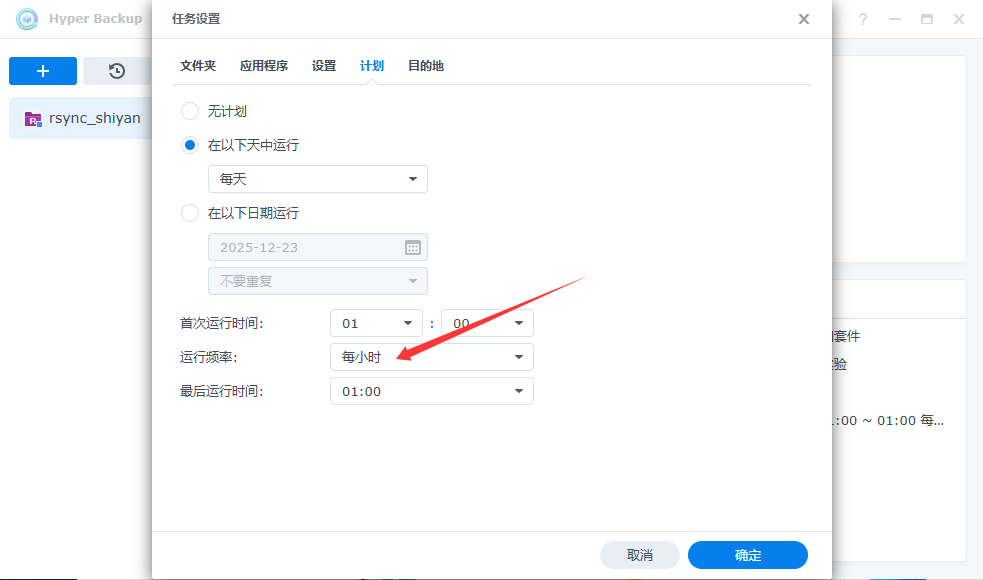
 这儿配置同步时间最大为天,配置完成后来此处可以修改为小时。

image

image