


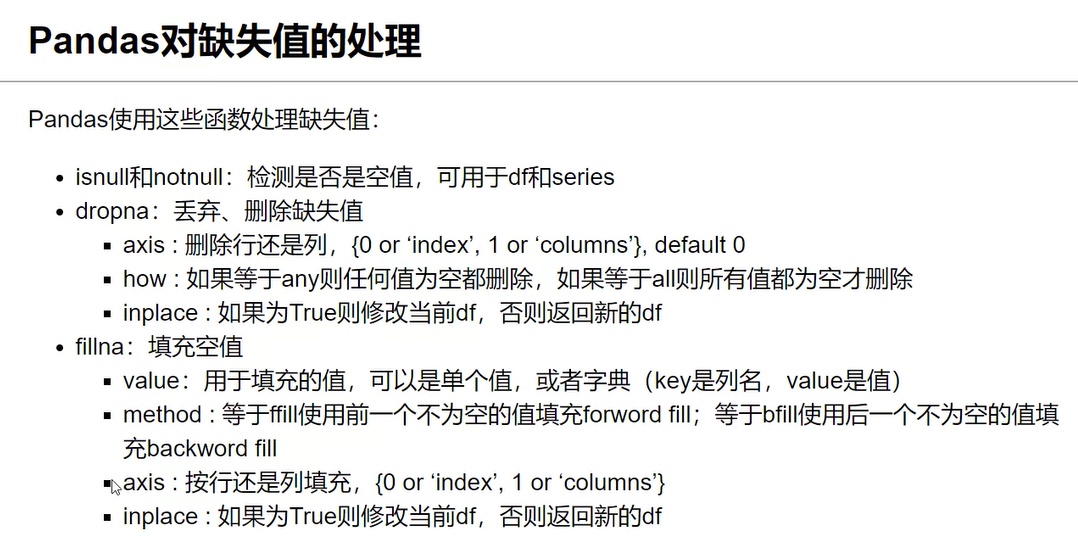
处理示例:
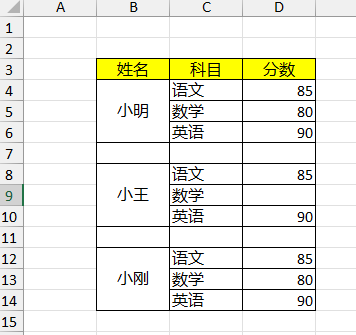 清洗成 ->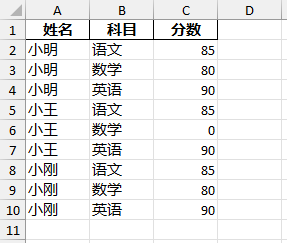
Code:
import pandas as pd

# 读取Excel,跳过前面两行空行
studf = pd.read_excel(r'student_excel.xlsx', skiprows=2)
print(studf)
# 删除掉全部是空值的列
studf.dropna(axis='columns', how='all', inplace=True)
# 删除掉全部是空值的行
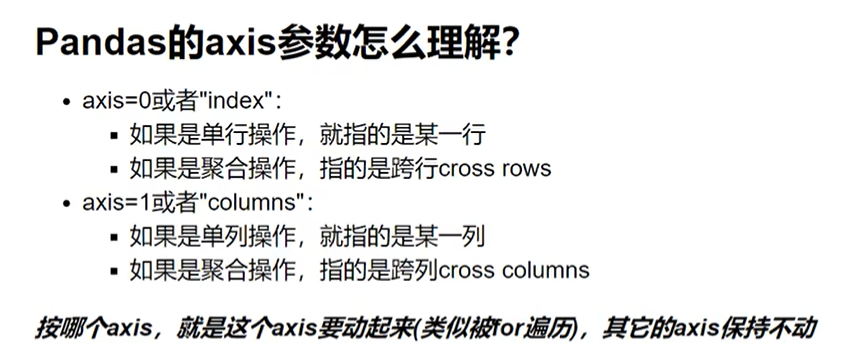
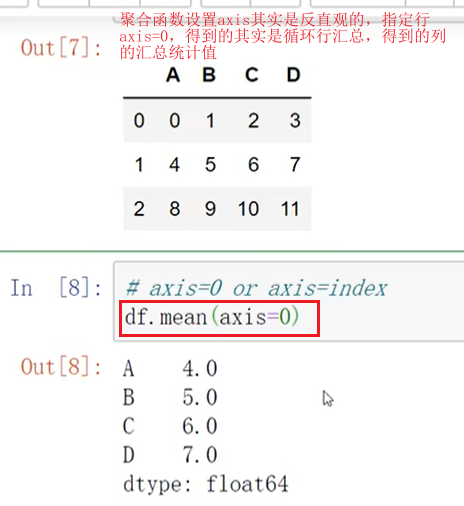
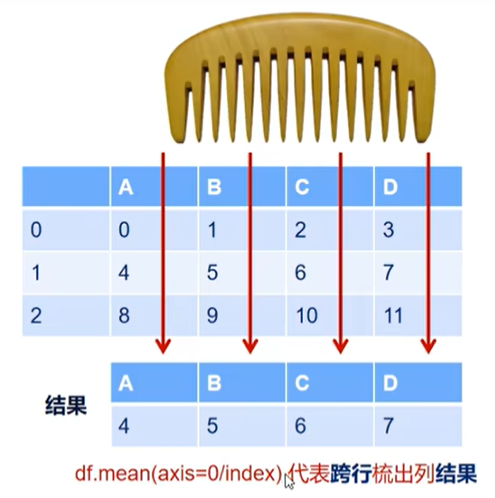
studf.dropna(axis='index', how='all', inplace=True)
# 将分数列为空的单元格填充为0
studf = studf.fillna({'分数': 0})
# 将姓名的缺失值进行前向填充
studf.loc[:, '姓名'] = studf['姓名'].ffill()
print(studf)
# 保存到新的Excel中 不保存index列
studf.to_excel(r'student_excel_clean.xlsx', index=False)
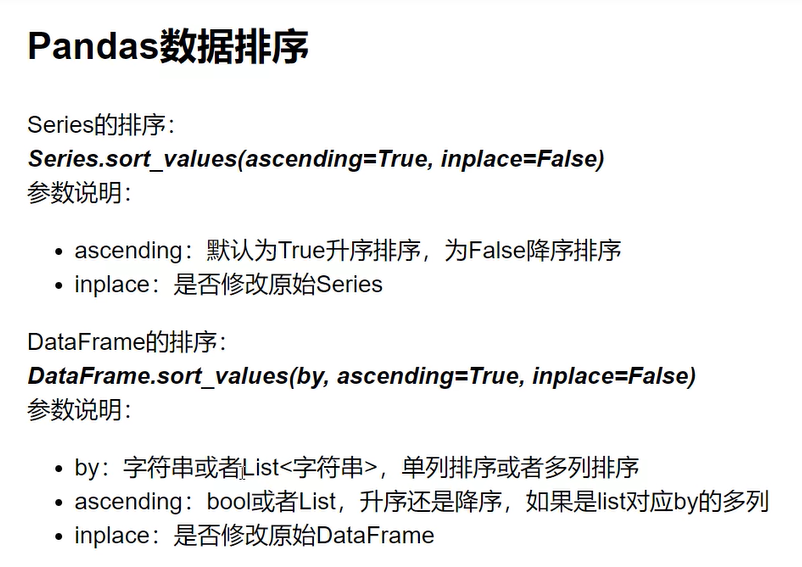
df.sort_values(by=['aqiLevel', 'bWendu'], ascending=[True, False], inplace=True)
# 将eg 2025-02-01 改为 提取到月份,且不要横线 如202502
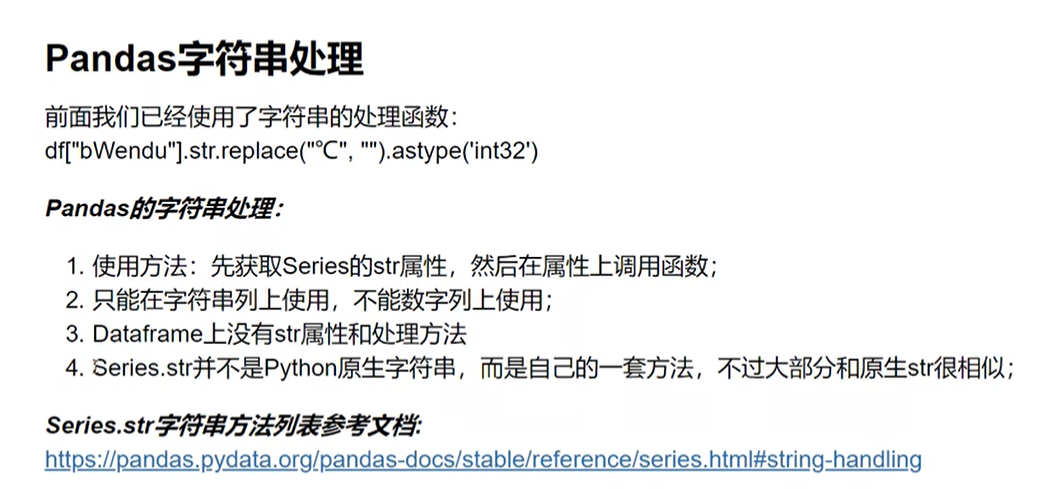
df['date'] = df['date'].str.replace('-', '').str.slice(0, 6)
# 使用正则表达式处理 eg 将2025年01月02日中的年月日去掉,得到20250102
df['date'] = df['date'].str.replace(r'[年月日]', '', regex=True)
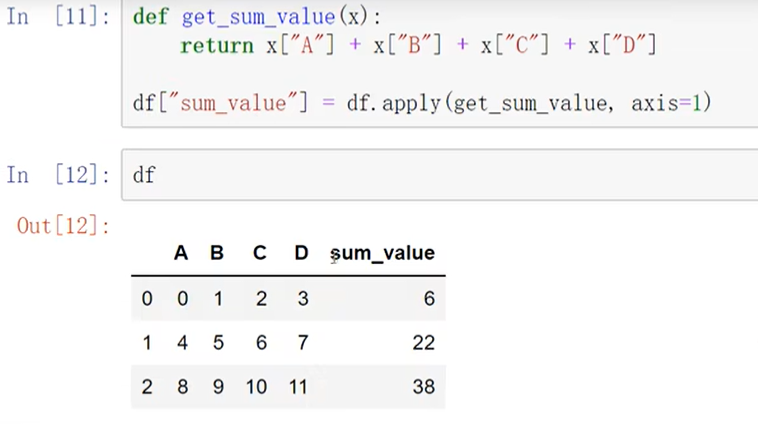
Pandas Index :
import timeit
import pandas as pd

file = r'ratings.csv'
df = pd.read_csv(file)
# drop=False,让索引列保留在数据集中
df.set_index('userId', inplace=True, drop=False)
# 使用索引查询userId=500的前5个行   效率更高
print(df.loc[500].head(5))
# 使用数据列的userId=500查询前5个行
print(df.loc[df['userId'] == 500].head(5))
# 判断索引是否单调递增
print(df.index.is_monotonic_increasing)
# 判断索引是否唯一
print(df.index.is_unique)

def my_function():
    # 这里放置你要测试的代码
    return df.loc[df['userId'] == 500].head(5)

# 使用 timeit 测试函数的执行时间
execution_time = timeit.timeit(my_function, number=1000)
print(f"执行时间: {execution_time} 秒")

# 使用Index实现数据集的自动对齐
s1 = pd.Series([1, 2, 3], index=list('abc'))
s2 = pd.Series([4, 5, 6], index=list('bcd'))
print(s1 + s2)
# 使用 add 方法并设置 fill_value 参数
result = s1.add(s2, fill_value=0)
print(result)
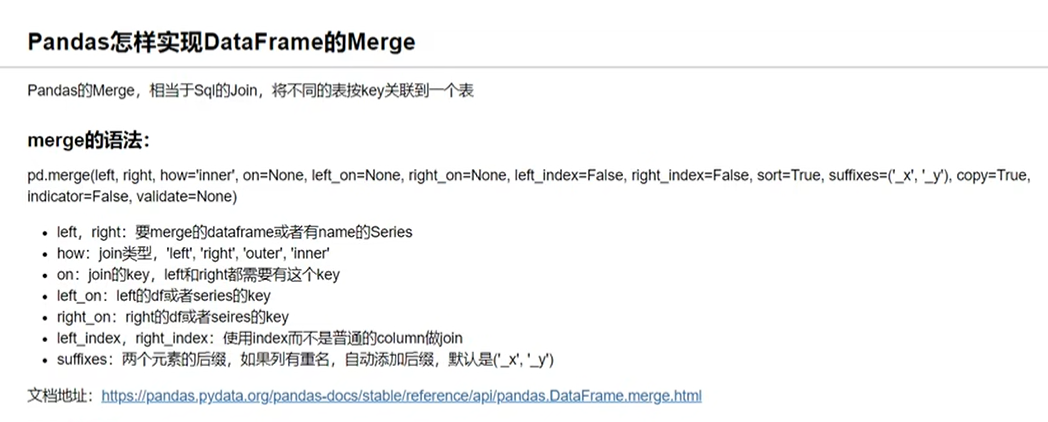
Pandas Merge:
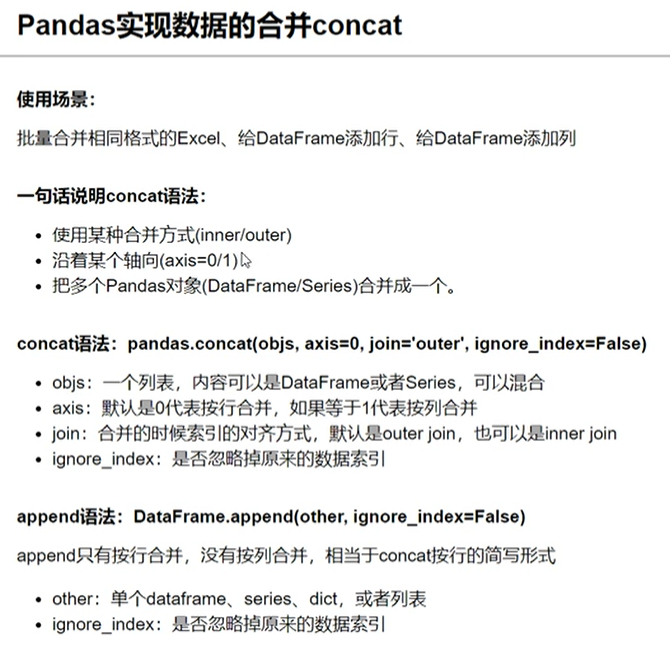
# 默认按行连接
result = pd.concat([df1, df2])
# 其余参数 axis 按行或按列对其,join='inner' 按交集连接,join='outer' 按并集连接,ignore_index=True 重新编号
result = pd.concat([df1, df2], axis=0, join='inner', ignore_index=True)
df3 = df1._append(df2)
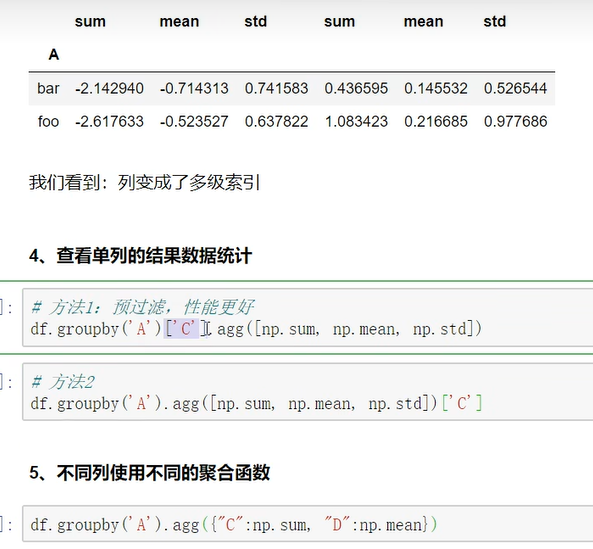
Pandas Group By

此内容由惯性聚合(RSS阅读器)自动聚合整理,仅供阅读参考。 原文来自 — 版权归原作者所有。