


一直以来,图片展示,均使用lightbox来实现,如:
https://www.cnblogs.com/insus/archive/2013/05/18/3085114.html

SET ANSI_NULLS ON
GO
SET QUOTED_IDENTIFIER ON
GO
-- =============================================
-- Author:        <Author,,Insus.NET>
-- Create date: <Create Date,,2025-11-22>
-- Description:    <Description,,获取媒体数据,并进行数据分页>
-- =============================================
CREATE PROCEDURE [dbo].[usp_Media_GetByCatalogKey]
(
    @Catalog_nbr INT,
    @PageIndex INT,
    @PageSize INT
)
as
BEGIN
    DECLARE @result TABLE
    (
        [ID] INT,
        [FileName] NVARCHAR(255),
        SystemName NVARCHAR(255),
        [Width] INT,
        [Height] INT,
        [OriginalWidth] INT,
        [OriginalHeight] INT,
        [OriginalImage_Path] NVARCHAR(255),
        [Thumbnail_Path] NVARCHAR(255)
    )
    INSERT INTO @result
    (
        [ID],
        --...
        [Thumbnail_Path]
    )
    SELECT TOP (SELECT @PageSize)
        [Media_nbr],
        [FileName],
        [SystemName],
        [Width],  --缩略图宽度
        [Height],  --缩略图高度
        [OriginalWidth],  --图宽度
        [OriginalHeight],  --原图高度
        '/'+ [Media_Directory] +'/'+ [Storage_Directory]+'/O/'+ [FileName],  --组合原图路径
        '/'+ [Media_Directory] +'/'+ [Storage_Directory]+'/T/'+ [SystemName]    --组合缩略图路径
    FROM (
            SELECT row_number() OVER(ORDER BY [Media_nbr]) AS rownumber,
                [Media_nbr],
                --...
                [OriginalHeight]
            FROM [dbo].[Media]
            WHERE [Catalog_nbr] = @Catalog_nbr
            ) temp_row
    WHERE rownumber > (@PageIndex - 1) * @PageSize;

    SELECT
        [ID],
        --...
        [Thumbnail_Path]
    FROM @result
END
View Code
引用vue类库,
<script src="https://cdn.jsdelivr.net/npm/vue@2.6.14/dist/vue.js"></script>
引用axios,
<script src="~/Scripts/axios.js"></script>
样式,
 * {
     margin: 0;
     padding: 0;
     box-sizing: border-box;
 }

 body {
     font-family: 'Segoe UI', Tahoma, Geneva, Verdana, sans-serif;
     background-color: #f5f7fa;
     color: #333;
     padding: 20px;
 }

 .container {
     max-width: 1200px;
     margin: 0 auto;
 }


 .loading {
     text-align: center;
     padding: 20px;
     font-size: 18px;
     color: #3498db;
 }

 .masonry-grid {
     display: flex;
     margin-left: -15px;
     width: auto;
 }

 .masonry-column {
     padding-left: 15px;
     background-clip: padding-box;
 }

 .masonry-item {
     margin-bottom: 15px;
     border-radius: 8px;
     overflow: hidden;
     box-shadow: 0 4px 12px rgba(0, 0, 0, 0.1);
     transition: transform 0.3s ease, box-shadow 0.3s ease;
     background-color: white;
 }

     .masonry-item:hover {
         transform: translateY(-5px);
         box-shadow: 0 8px 20px rgba(0, 0, 0, 0.15);
     }

     .masonry-item img {
         width: 100%;
         display: block;
         transition: opacity 0.3s ease;
     }

 .image-info {
     padding: 12px;
     font-size: 14px;
 }

     .image-info p {
         margin-bottom: 5px;
     }

 .dimensions {
     color: #7f8c8d;
 }

 .load-more {
     text-align: center;
     margin-top: 30px;
 }

     .load-more button {
         background-color: #3498db;
         color: white;
         border: none;
         padding: 12px 24px;
         border-radius: 4px;
         cursor: pointer;
         font-size: 16px;
         transition: background-color 0.3s;
     }

         .load-more button:hover {
             background-color: #2980b9;
         }

 .error-message {
     text-align: center;
     color: #e74c3c;
     padding: 20px;
     background-color: #fadbd8;
     border-radius: 4px;
     margin: 20px 0;
 }

 @@media (max-width: 768px) {
     .masonry-grid {
         margin-left: -10px;
     }

     .masonry-column {
         padding-left: 10px;
     }
 }
View Code
html,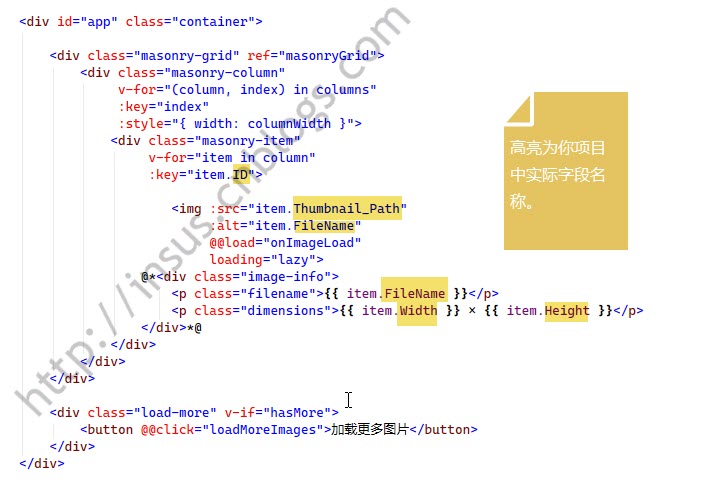
js,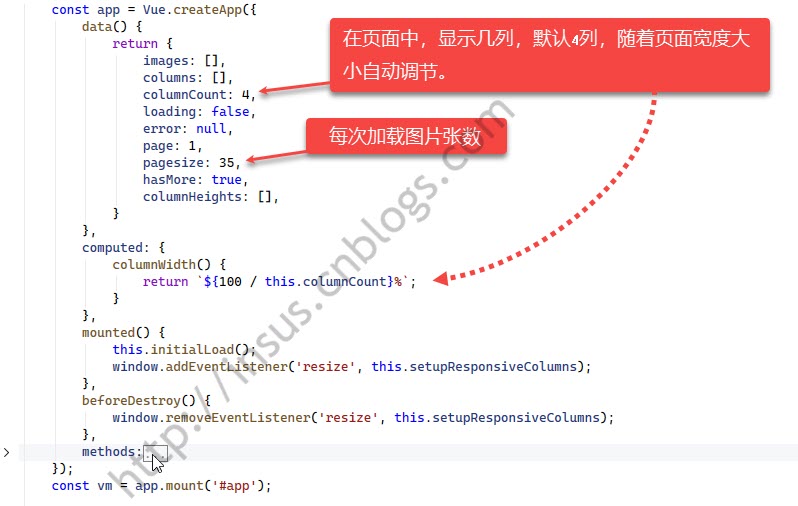
下面是methods,代码详细,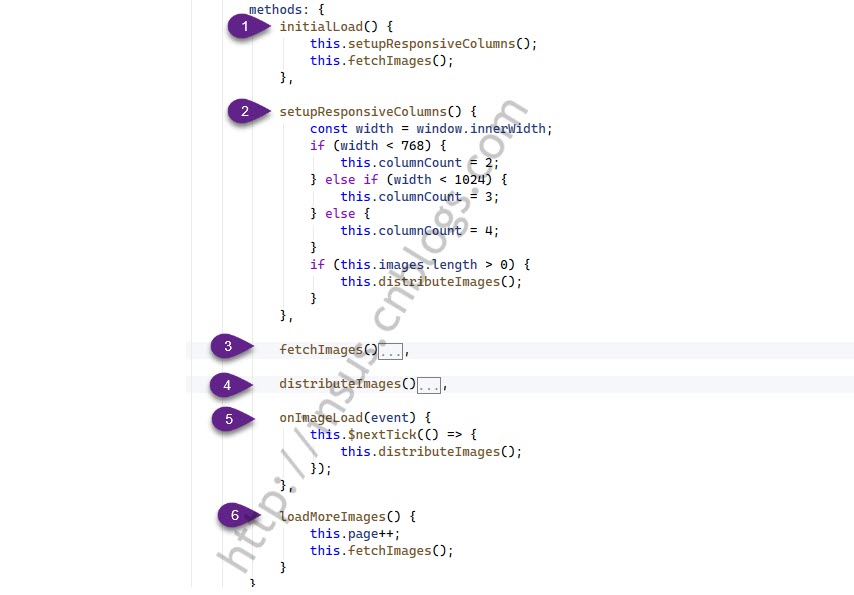
方法3,请求数据,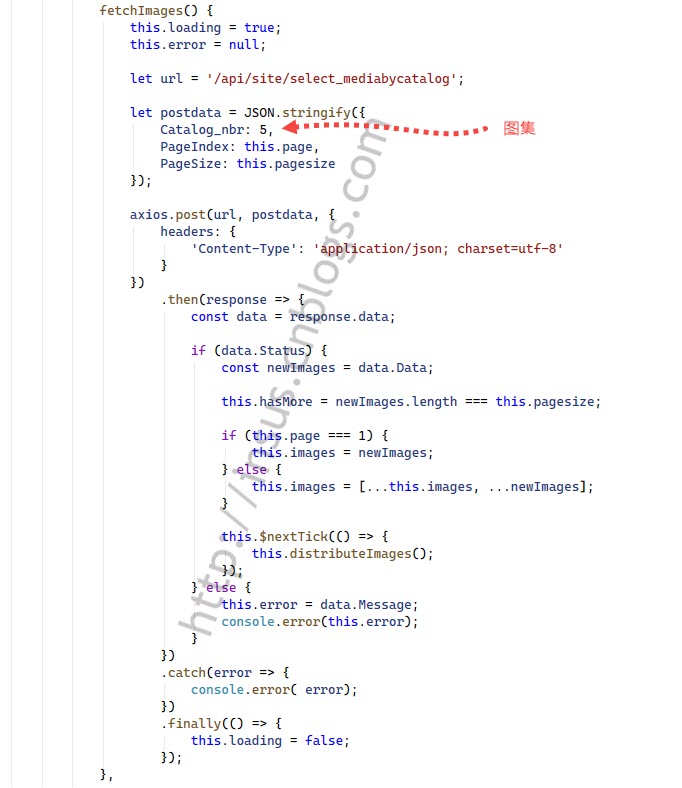
方法4,
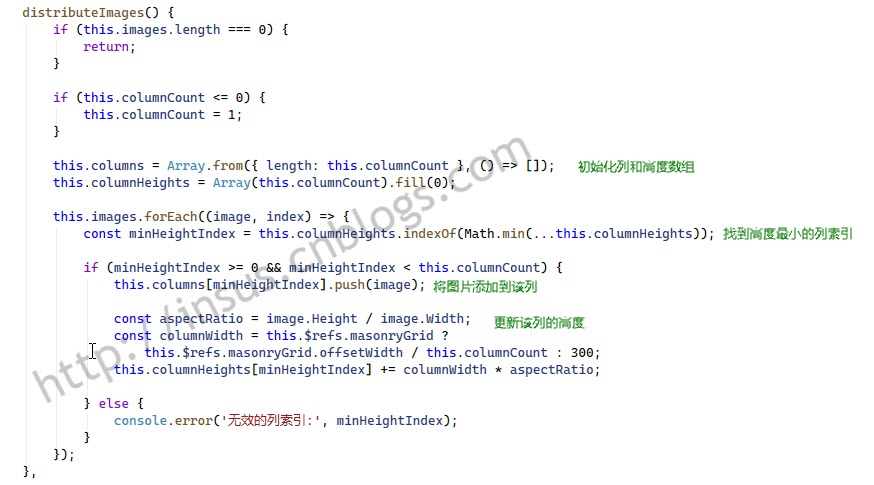
asp.net mvc 5 + vue2 + axios,效果,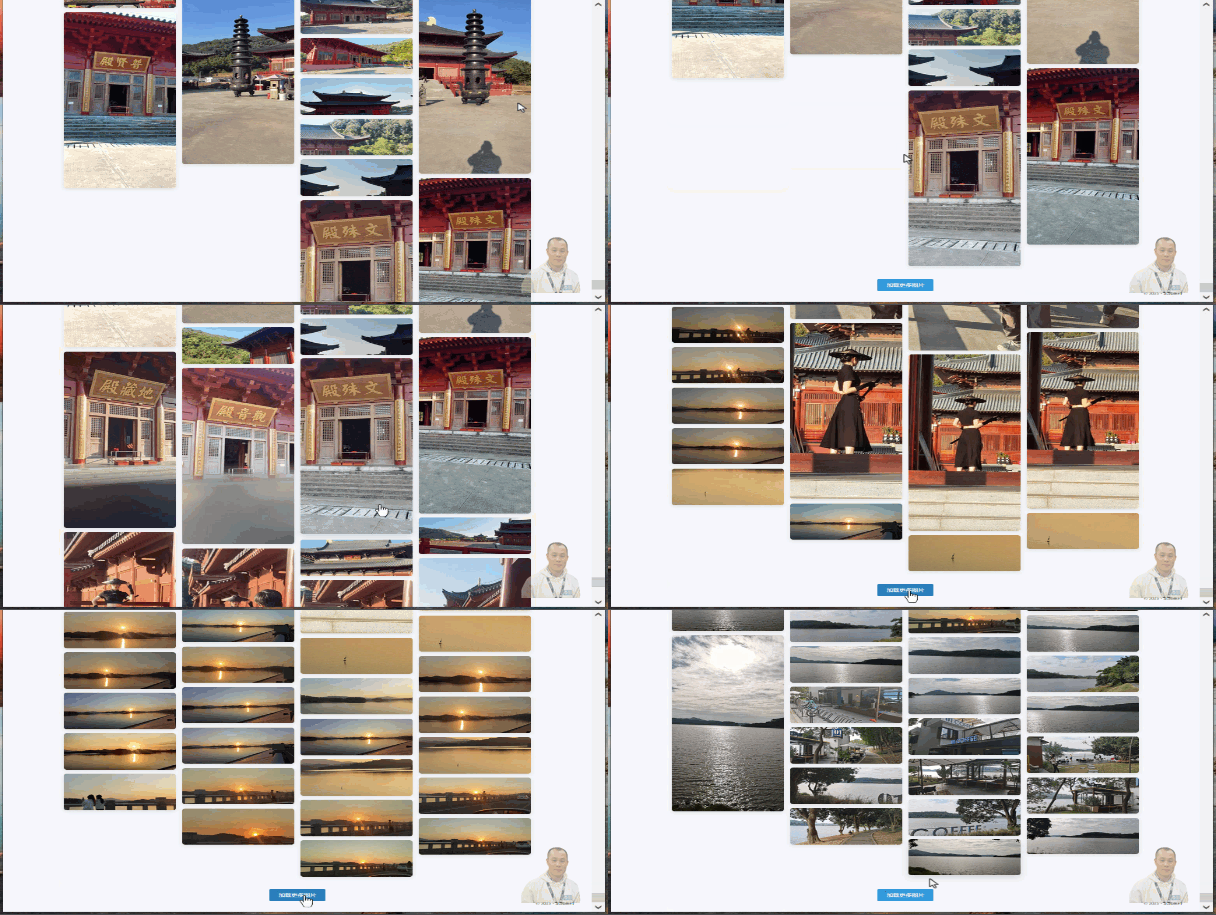
此内容由惯性聚合(RSS阅读器)自动聚合整理,仅供阅读参考。 原文来自 — 版权归原作者所有。