


Html5网页,一些内容,可以让用户点击选中文本,并把选中的文本复制至剪帖板(Clipboard)。
Insus.NET已经实现与测试,记录于此,方便时可以重来查阅与参考。
复制文本到剪贴板(兼容所有浏览器)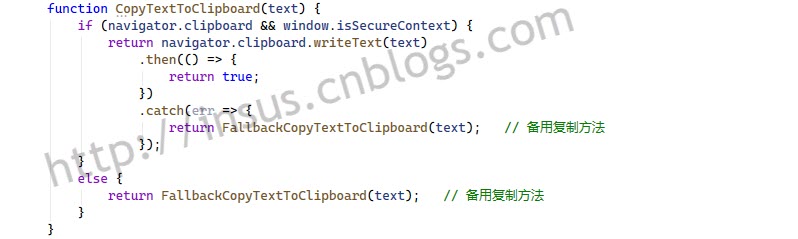

function CopyTextToClipboard(text) {
    // 方法1: 使用现代Clipboard API(首选)
    if (navigator.clipboard && window.isSecureContext) {
        return navigator.clipboard.writeText(text)
            .then(() => {
                return true;
            })
            .catch(err => {
                return FallbackCopyTextToClipboard(text);
            });
    }
    else {
        return FallbackCopyTextToClipboard(text);
    }
}
View Code
备用复制方法:
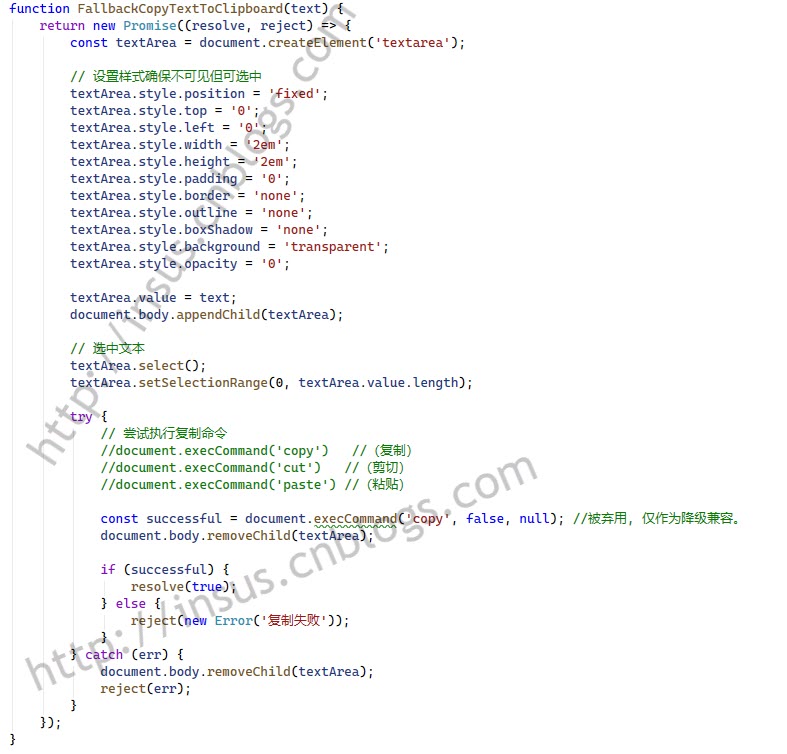
function FallbackCopyTextToClipboard(text) {
    return new Promise((resolve, reject) => {
        const textArea = document.createElement('textarea');

        // 设置样式确保不可见但可选中
        textArea.style.position = 'fixed';
        textArea.style.top = '0';
        textArea.style.left = '0';
        textArea.style.width = '2em';
        textArea.style.height = '2em';
        textArea.style.padding = '0';
        textArea.style.border = 'none';
        textArea.style.outline = 'none';
        textArea.style.boxShadow = 'none';
        textArea.style.background = 'transparent';
        textArea.style.opacity = '0';

        textArea.value = text;
        document.body.appendChild(textArea);

        // 选中文本
        textArea.select();
        textArea.setSelectionRange(0, textArea.value.length);

        try {
            // 尝试执行复制命令
            const successful = document.execCommand('copy');
            document.body.removeChild(textArea);

            if (successful) {
                resolve(true);
            } else {
                reject(new Error('复制失败'));
            }
        } catch (err) {
            document.body.removeChild(textArea);
            reject(err);
        }
    });
}
View Code
选中元素内的文本(跨浏览器兼容)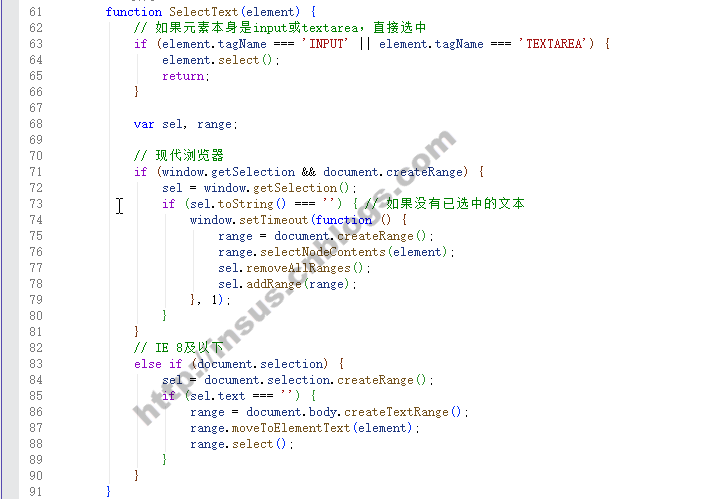
function SelectText(element) {
    // 如果元素本身是input或textarea,直接选中
    if (element.tagName === 'INPUT' || element.tagName === 'TEXTAREA') {
        element.select();
        return;
    }

    var sel, range;

    // 现代浏览器
    if (window.getSelection && document.createRange) {
        sel = window.getSelection();
        if (sel.toString() === '') { // 如果没有已选中的文本
            window.setTimeout(function () {
                range = document.createRange();
                range.selectNodeContents(element);
                sel.removeAllRanges();
                sel.addRange(range);
            }, 1);
        }
    }
    // IE 8及以下
    else if (document.selection) {
        sel = document.selection.createRange();
        if (sel.text === '') {
            range = document.body.createTextRange();
            range.moveToElementText(element);
            range.select();
        }
    }
}
View Code
增强版单击复制函数,同时复制并选中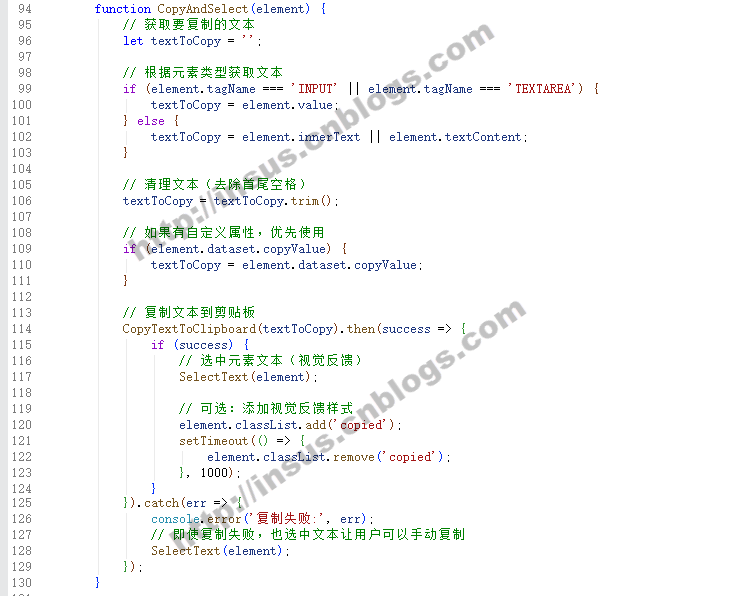
function CopyAndSelect(element) {
    // 获取要复制的文本
    let textToCopy = '';

    // 根据元素类型获取文本
    if (element.tagName === 'INPUT' || element.tagName === 'TEXTAREA') {
        textToCopy = element.value;
    } else {
        textToCopy = element.innerText || element.textContent;
    }

    // 清理文本(去除首尾空格)
    textToCopy = textToCopy.trim();

    // 如果有自定义属性,优先使用
    if (element.dataset.copyValue) {
        textToCopy = element.dataset.copyValue;
    }

    // 复制文本到剪贴板
    CopyTextToClipboard(textToCopy).then(success => {
        if (success) {
            // 选中元素文本(视觉反馈)
            SelectText(element);

            // 可选:添加视觉反馈样式
            element.classList.add('copied');
            setTimeout(() => {
                element.classList.remove('copied');
            }, 1000);
        }
    }).catch(err => {
        console.error('复制失败:', err);
        // 即使复制失败,也选中文本让用户可以手动复制
        SelectText(element);
    });
}
View Code
把以上几个函数集合一起,另存成一个js脚本文件,在需要的地址,引用即可。
当然,你觉得有需要优化与修改的地方自行修改或者让Insus.NET知道。
下面写个示例:
样式,
    .click-to-copy {
        cursor: pointer;
    }

        .click-to-copy:hover {
            background-color: #f0f8ff;
            border-color: #1890ff;
        }
View Code
html,
<h3>单击复制示例</h3>
<table style="width:60%;">
    <tr>
        <td style="width:40%;border: 1px solid #b6ff00;">

            <!-- 示例1:普通文本 -->
            <div class="click-to-copy">
                ITEM-2026-301-663-237
            </div>

            <!-- 示例2:带空格的文本 -->
            <div class="click-to-copy">
                ITEM 2026 301 663 237
            </div>

            <!-- 示例3:混合格式 -->
            <div class="click-to-copy">
                PO-2026/01-001-A
            </div>

            <!-- 示例4:使用自定义属性 -->
            <div>
                显示文本:<spcn class="click-to-copy">SPECIAL CODE 123 456</spcn>
            </div>

            <!-- 示例5:表格中的单元格 -->
            <table border="1" cellpadding="8" style="margin-top: 20px;">
                <tr>
                    <th>物料编码</th>
                    <th>描述</th>
                </tr>
                <tr>
                    <td class="click-to-copy">MAT-001-2024</td>
                    <td>螺丝刀</td>
                </tr>
                <tr>
                    <td class="click-to-copy">MAT-002-2024</td>
                    <td>扳手</td>
                </tr>
            </table>
        </td>
        <td style="border: 1px solid #b6ff00; padding:0px;">
            <textarea id="TextArea1" cols="50" rows="12" style="border: none; width:100%;"></textarea>
        </td>
    </tr>
</table>
View Code
引用jquery和js脚本,
            <script src="../../Scripts/jquery-3.7.1.min.js"></script>
            <script src="../JScripts/copyToClipboard.js"></script>
javascript,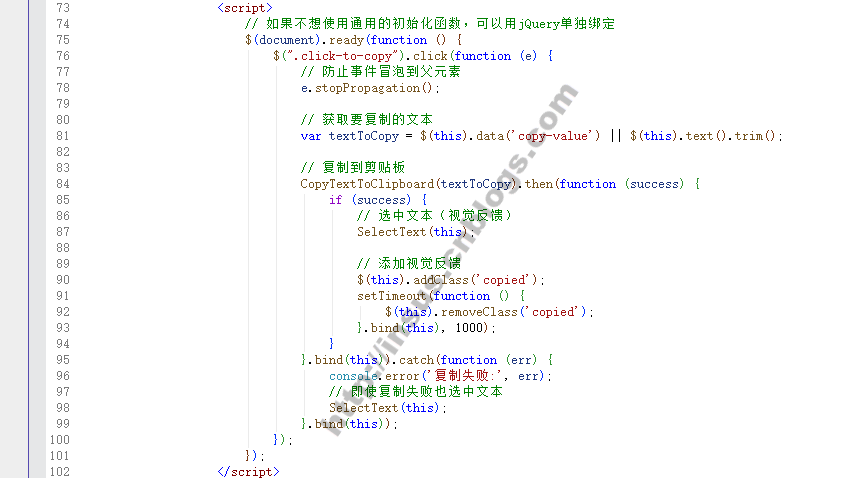
 $(document).ready(function () {
     $(".click-to-copy").click(function (e) {
         // 防止事件冒泡到父元素
         e.stopPropagation();

         // 获取要复制的文本
         var textToCopy = $(this).data('copy-value') || $(this).text().trim();

         // 复制到剪贴板
         CopyTextToClipboard(textToCopy).then(function (success) {
             if (success) {
                 // 选中文本(视觉反馈)
                 SelectText(this);

                 // 添加视觉反馈
                 $(this).addClass('copied');
                 setTimeout(function () {
                     $(this).removeClass('copied');
                 }.bind(this), 1000);
             }
         }.bind(this)).catch(function (err) {
             console.error('复制失败:', err);
             // 即使复制失败也选中文本
             SelectText(this);
         }.bind(this));
     });
 });
View Code
操作演示,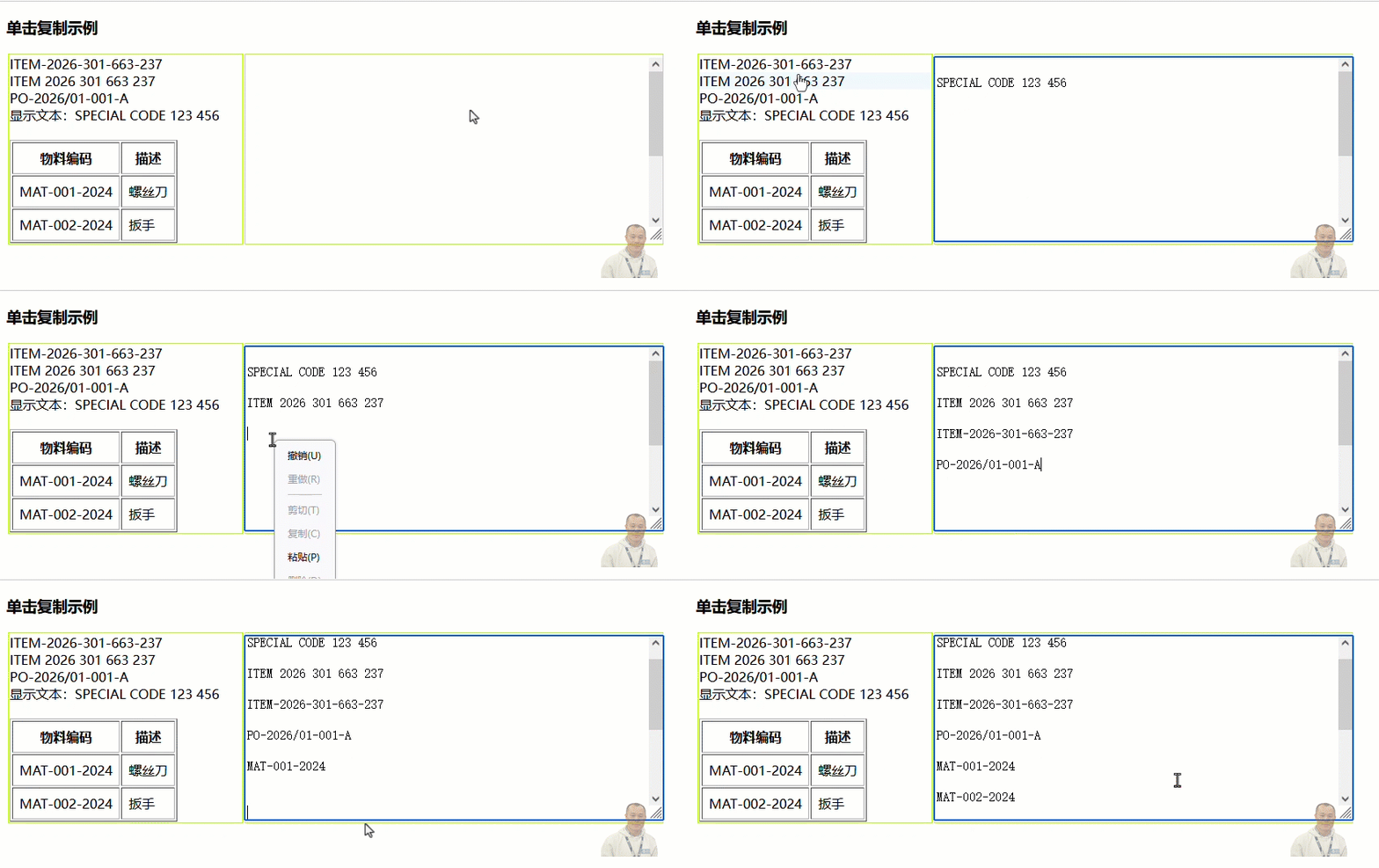
再做一个简单示例,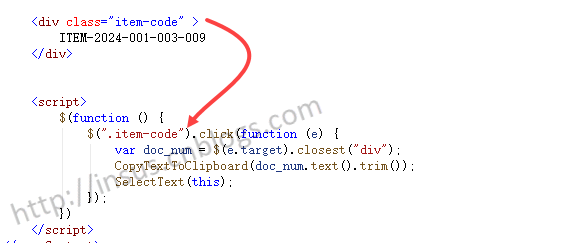
非纯javascript实现,得结合jquery一起。
此内容由惯性聚合(RSS阅读器)自动聚合整理,仅供阅读参考。 原文来自 — 版权归原作者所有。