The Kobra 4 Combo is an update of 2024’s Kobra 3 Combo, or perhaps a smaller version of the Kobra 3 Max, depending on how you look at it. It takes style points from the competition, with a brushed aluminum frame and pale plastic base that screams “A1 clone.” Though the printing experience is marked improvement over its predecessor, most of the technical advancement lies in the multimaterial handler, the ACE Pro 2.
Anycubic is clearly aiming the Kobra 4 at budget-minded beginners, with a current sale price of $379 as a combo and $279 as a single color machine. Which, oddly enough, is the same price as the four-color Kobra X we reviewed in February. The Kobra X was a true leap forward, introducing a brilliant multi-material filament switcher built right into the tool head that cut down on time and filament waste.
It’s not that the Kobra 4 is a bad printer. It's just a bit unwieldy when compared to the clean filament paths and slender footprint of the Kobra X. Both machines have excellent print quality and share a quick swap hotend introduced by the Kobra X. It has excellent auto bed leveling and vibration compensation, which is mandatory for modern 3D printers. The ACE Pro 2 can double as a filament drier, which comes in handy for printing moisture-loving PETG.
The Kobra 4 Combo doesn’t have what it takes to knock the Kobra X off its spot as our “best budget 3D printer”, so we’re not including it on the Best 3D Printers of 2026 list.
Specifications
Swipe to scroll horizontally
Build Volume | 260 x 260 x 260 mm (10.23 x 10.23 x 10.23 in) |
Material | PLA/PETG/TPU (up to 300 degrees) |
Extruder Type | Direct drive |
Nozzle | .4mm |
Build Platform | Double sided PEI spring steel flex plate |
Bed Leveling | Automatic with Auto Z Offset |
Filament Runout Sensor | Yes |
Connectivity | USB, LAN, Wi-Fi, App |
Interface | 3.5-inch Color touch screen |
Machine Footprint | 455.4 x 445.3 x 461.3mm (17.92 x 17.53 x 18.16 in) (not including spool holder) |
Machine Weight | 9.9kg (21.82 lbs) |
MSRP | $499 |
Release Date | May 18, 2026 |
Anycubic Kobra 4 Combo: Included in the Box
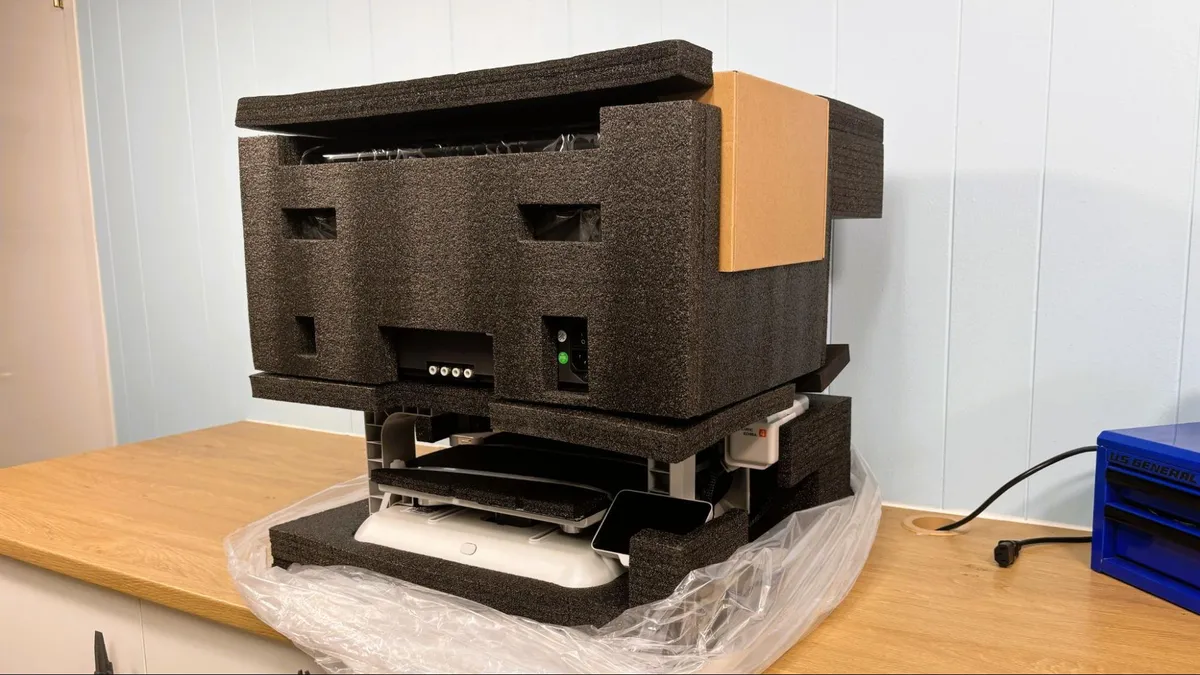
The Anycubic Kobra 4 was a beta unit and arrived almost completely assembled with the ACE Pro 2 in the same box. Included are two power cords, one for the printer and one for the ACE Pro 2, a signal cable, and four bowden tubes for connecting the printer to the ACE Pro. The included tool kit has hex keys, grease, and a nozzle cleaner.
Our printer was an early production unit that did not include a single spool holder, but we were able to borrow one from our Anycubic Kobra X to run TPU.
Assembling the Anycubic Kobra 4 Combo
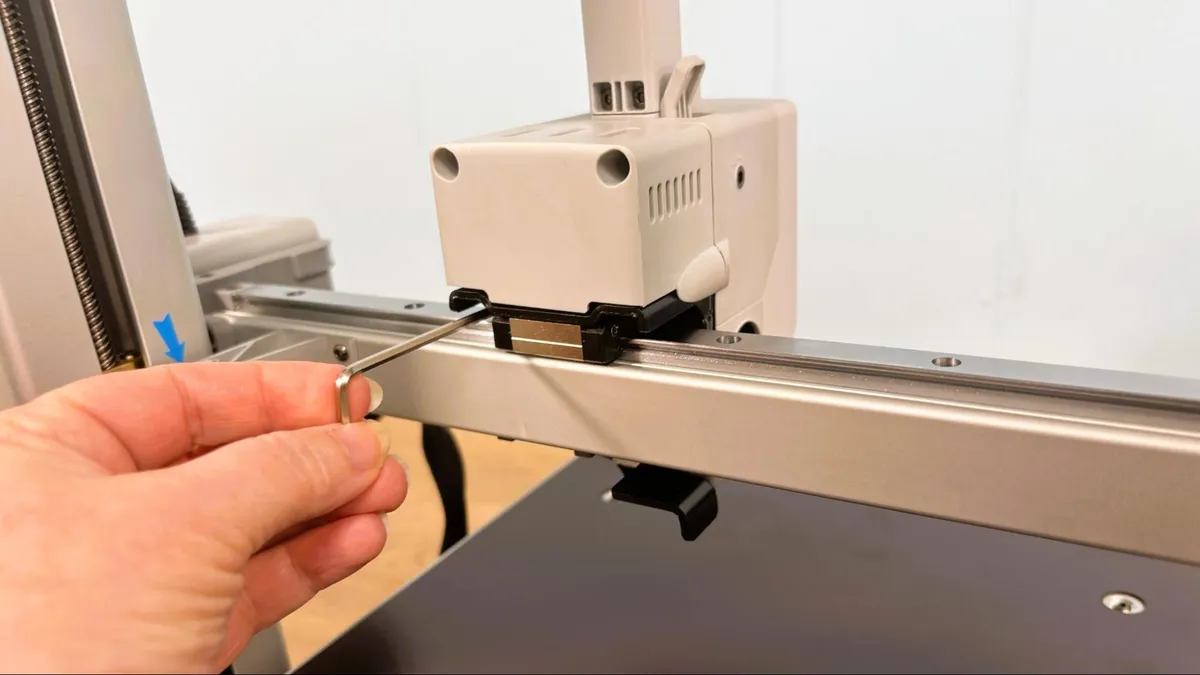
The Anycubic Kobra 4 ships in one large piece. The only assembly is removing the packing screws and attaching the toolhead and purge wiper.
The brackets holding the bed in place require a very long hex key, which was included. Fortunately, the hex keys are magnetized because the screws are so far under the bed that they could be difficult to retrieve if they fell off while removing them. Once the brackets are removed, the included trim pieces hide the holes in the base nicely.
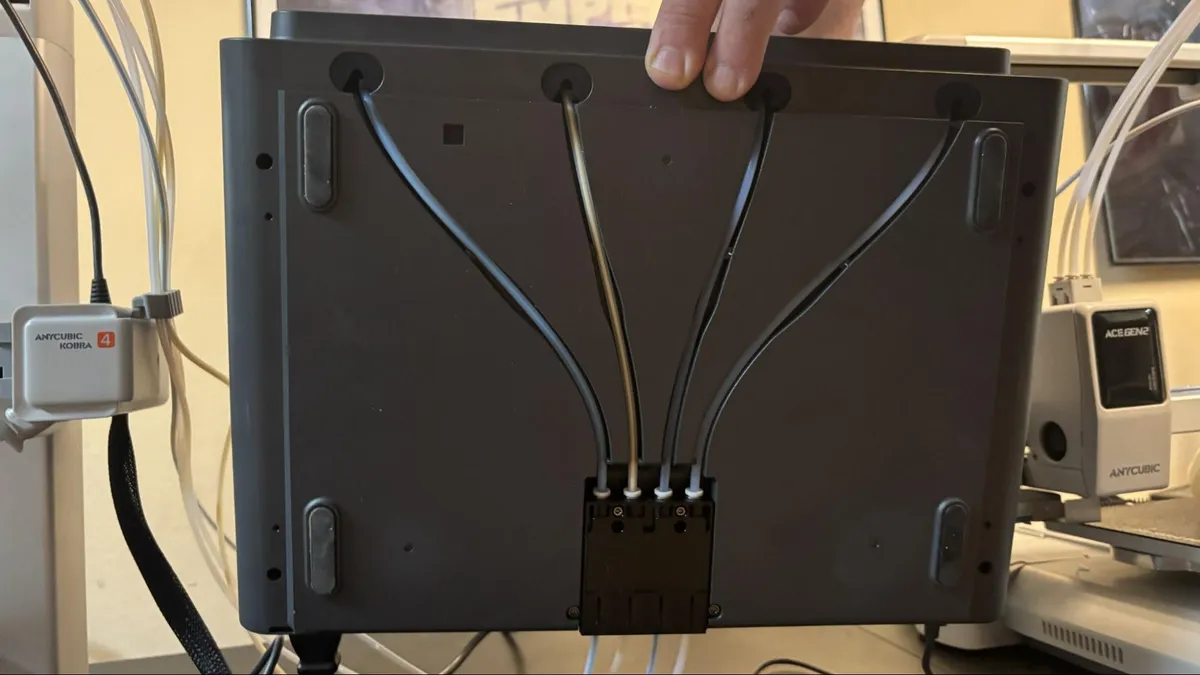
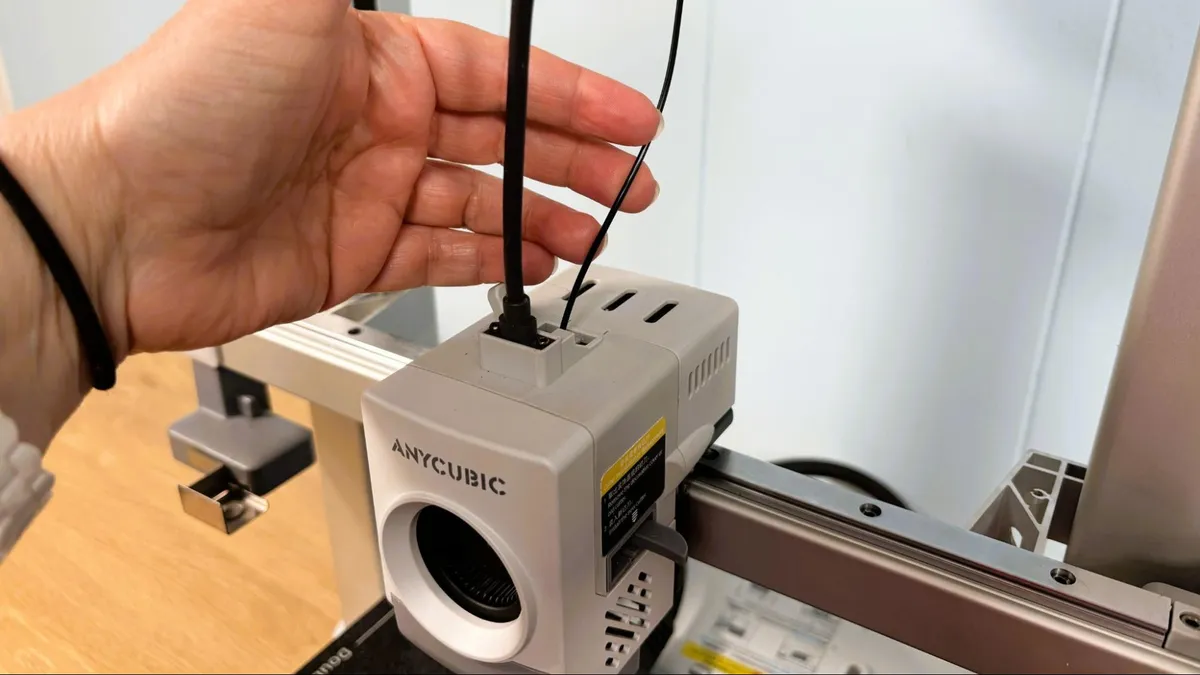
Attaching the printer to the ACE 2 Pro is simple with four Bowden tubes running from the tool head to the rear of the ACE 2 Pro, and a signal wire is run from the right side of the printer as well. Both the printer and the ACE require power cords.
Leveling the Anycubic Kobra 4
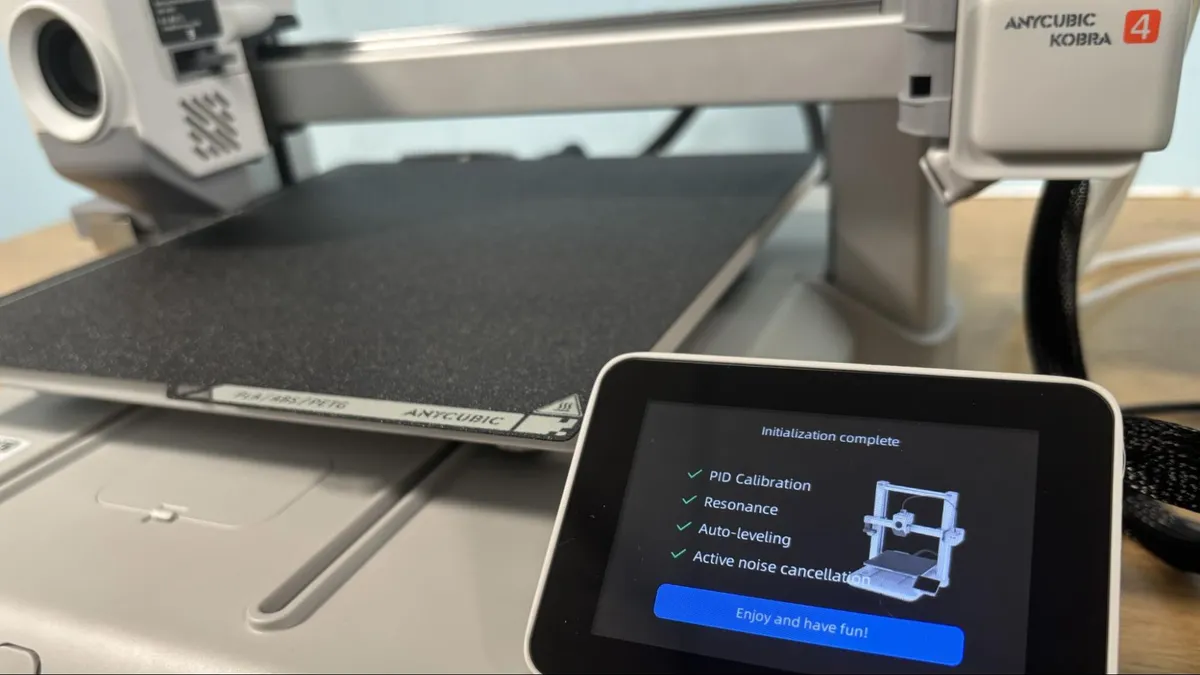
Anycubic mastered auto bed leveling and Z offset with the Kobra 3 lineup, and this continues with the Kobra 4. The initial calibration includes PID tuning, resonance testing, leveling, and noise cancellation. The printer also offers bed leveling at the start of every print.
Loading Filament in the Anycubic Kobra 4
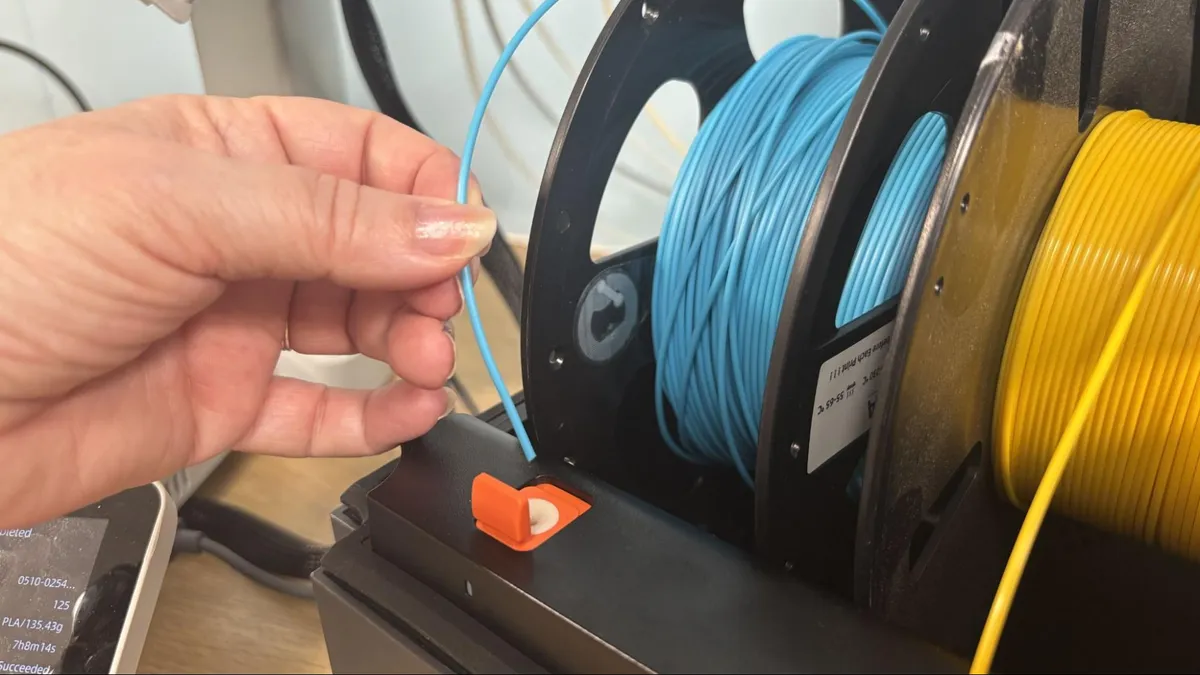
The Anycubic ACE 2 Pro makes filament loading simple. Just enter the filament in the feeder, and it gets slurped right up. This is a vast improvement over the earlier ACE generation, which often required multiple attempts.
Anycubic brand filament has RFID tags, which are read by the ACE 2 Pro and automatically identify the filament type and color. When using third-party filament, you need to enter the filament information from the printer’s screen and sync it to the slicer.
Design of the Anycubic Kobra 4 Combo
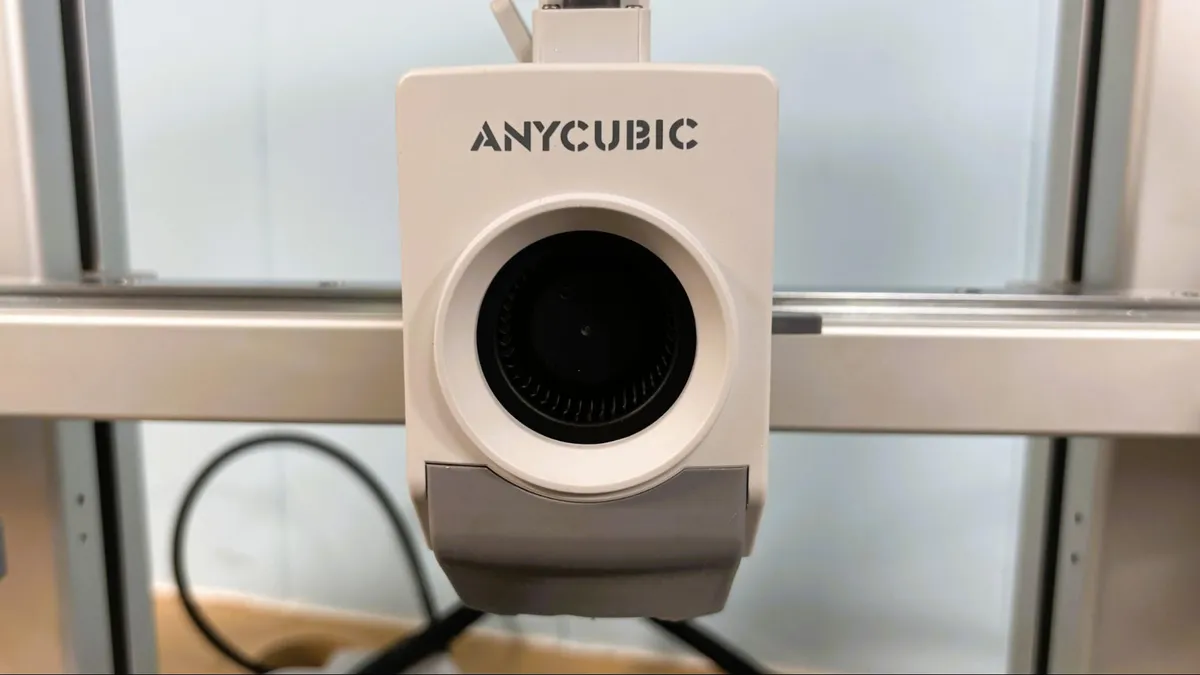
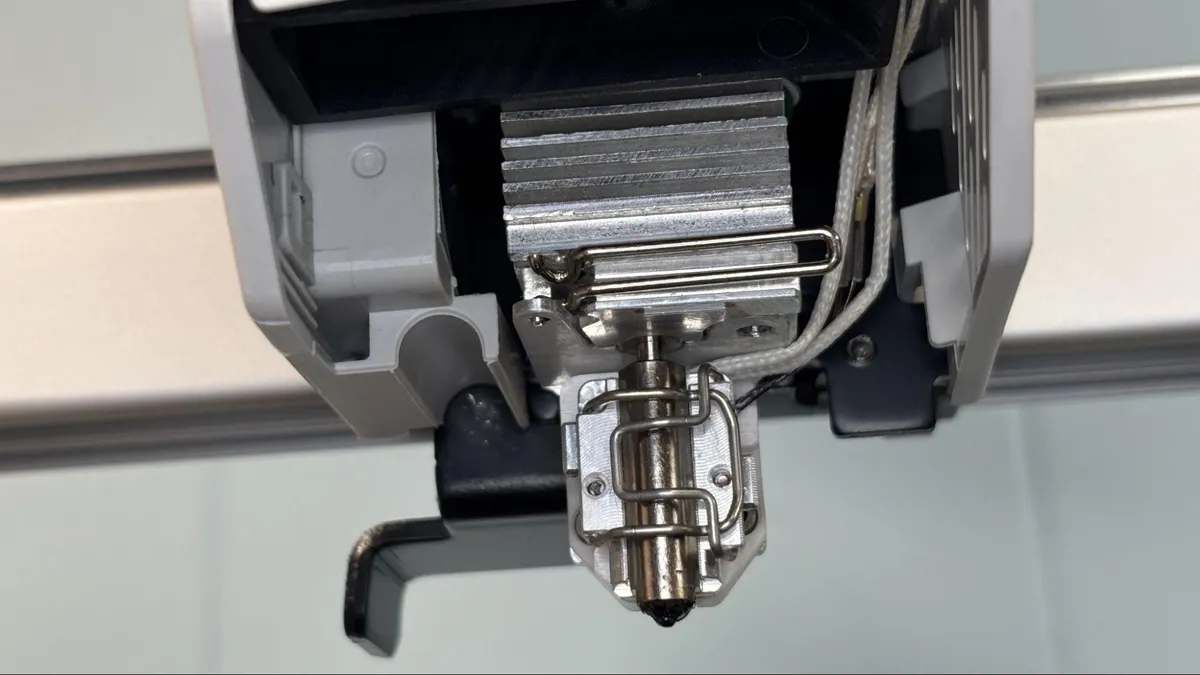
The Anycubic Kobra 4 shares its styling, motion system, and hotend with the Anycubic Kobra X, which is a definite upgrade over the Kobra 3. The Kobra 4 uses a new quick-release nozzle that uses a clip to hold it in place. Swapping a nozzle without tools takes no time at all. With the nozzle and the cutter being easily removable, clearing a filament jam also takes no time at all.
Image 1 of 2
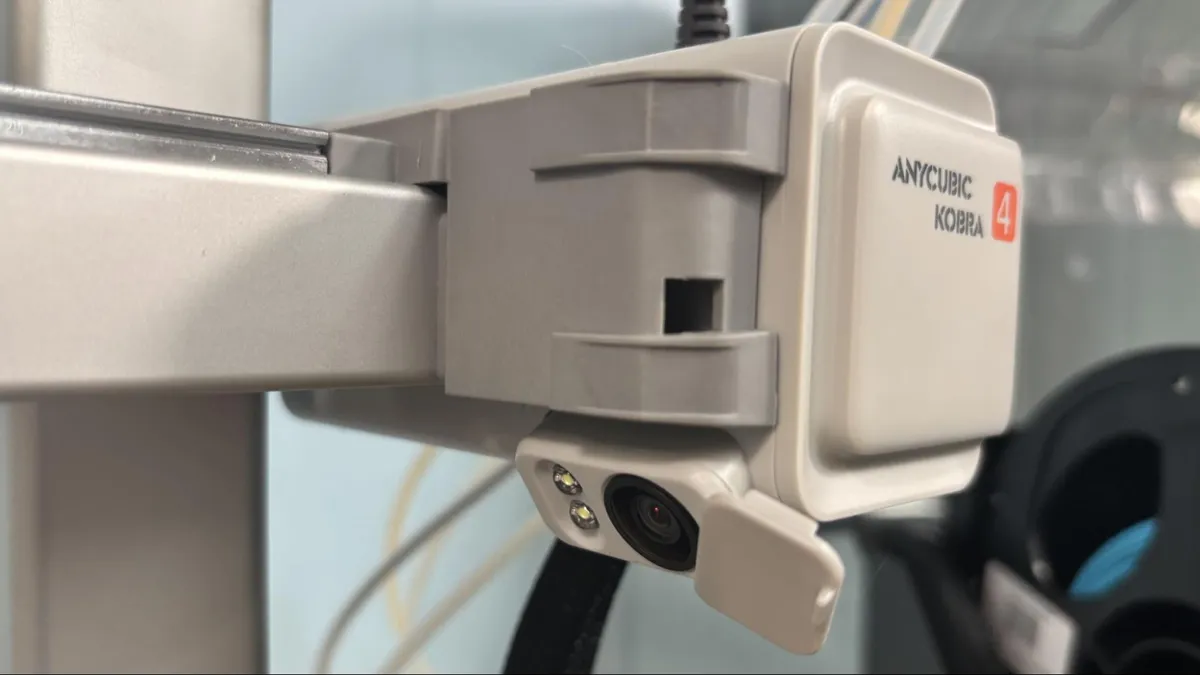
The Anycubic Kobra 4 has a 720p camera, which is good for monitoring from both PC and the Anycubic App, but not so much for recording timelapses. It suffers, the way nearly all bed slingers do, with the camera angle caused by its placement on the Z axis. The camera is also used for AI spaghetti detection, which does work, and is thankfully not oversensitive.
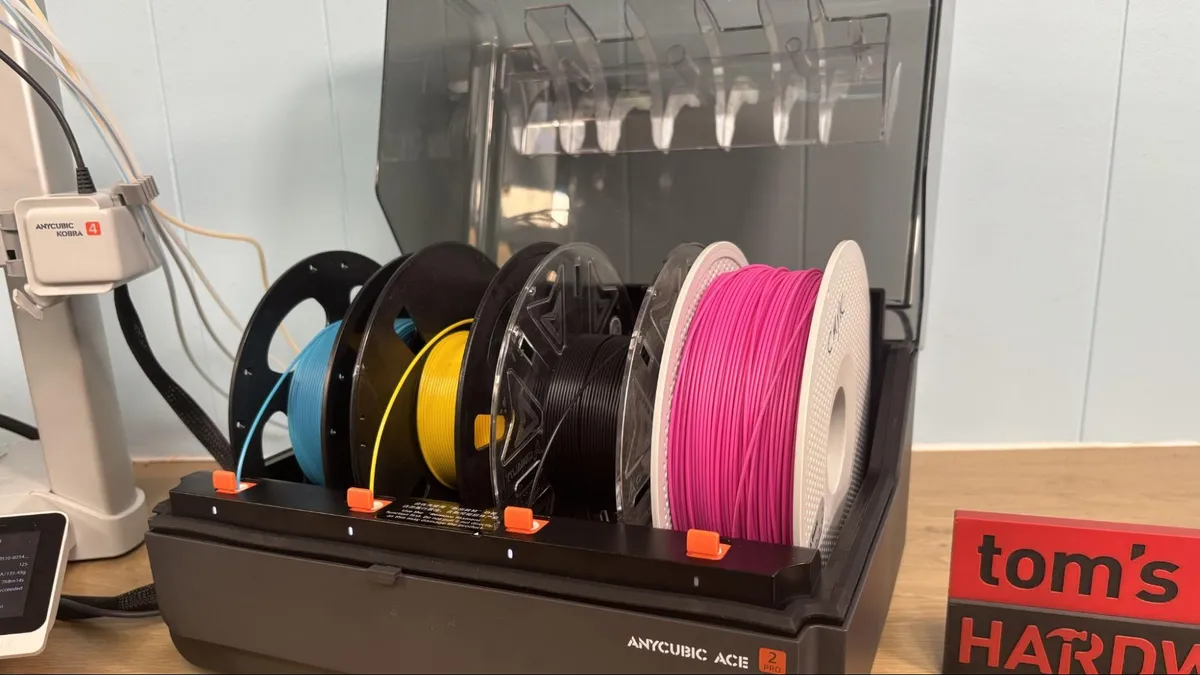
With the original ACE PRO, inserting filament was sometimes a chore, as it would often start feeding the filament next to the one you were trying to load. When trying to load filaments one after another, you had to wait for the first filament to be completely finished before loading the next, or misfeeds would happen. The ACE 2 Pro now operates like the Bambu Lab AMS with individual feeders for each filament. Currently, the feeding process is slow, and filament swapping takes a long time. I suspect that this will be sped up with a future firmware update.
The ACE 2 Pro has guides for the filament spools on the lid and on the back of the unit. Most of the spools we tried were compatible, including Prusament spools. Smaller spools, coils, and damaged or fragile cardboard spools can be run only on the external spool holder.
While jamming in the ACE PRO was rare, clearing the jams could require extensive disassembly. The ACE 2 Pro solves this with the filament tubes running externally on the bottom of the unit with disconnects at the buffer.
My favorite feature of the ACE is its ability to dry filament and dry while printing. This feature might be wasted on an open frame bed slinger, but it could come in handy with PETG.
Sadly, the Kobra 4 can dry TPU with the ACE 2 Pro, but it can’t run it. Even when I used “made for AMS,” it refused to run through the ACE. The solution is to use the single spool holder (which I had to borrow from the Kobra X) and run TPU directly into the toolhead. Anycubic promised to add a printable “single hub” to the printer’s memory to use with TPU, but for now, I was able to simply pop the whole top off and shove it directly into the extruder. I tested TPU down to 83A shore hardness, and the Kobra 4 did great with all of it.
The Anycubic Kobra 4 Combo is very quiet, with fan noise being primarily what you hear. The ACE 2 Pro is almost completely silent unless it is drying filament and even then the noise is minimal.
Preparing Files / Software
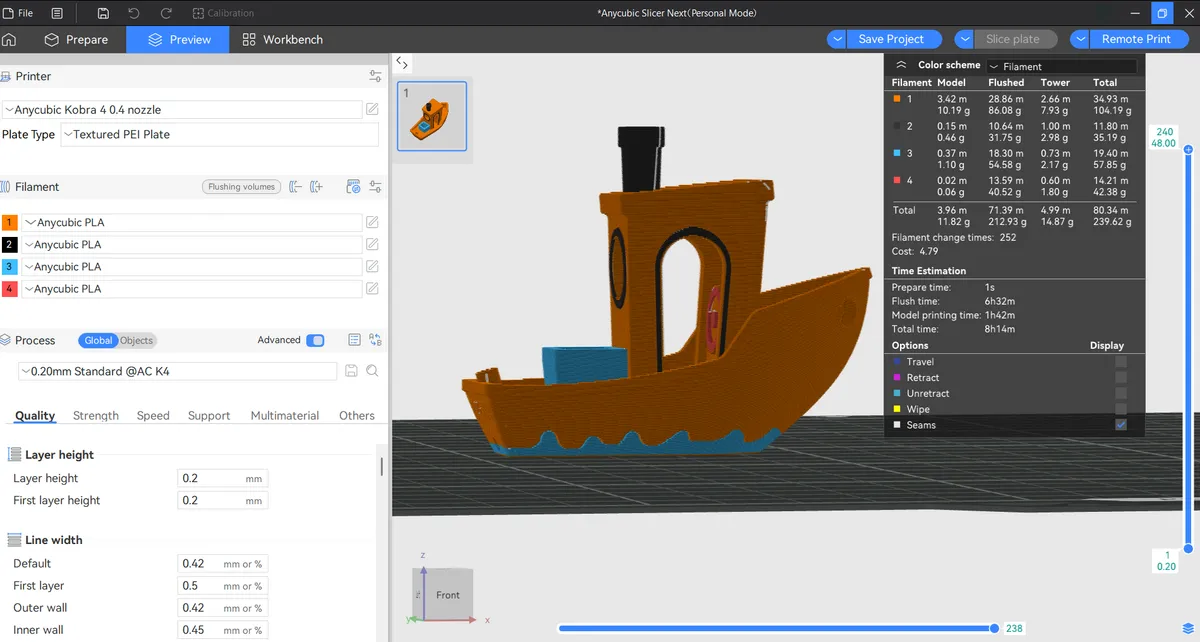
The Anycubic Kobra 4 requires a download of Anycubic Slicer Next which is based on OrcaSlicer, which is based on Bambu Studio, which in turn has PrusaSlicer at the foundation. If you are familiar with Orca or Bambu Studio you should know what to do in Anycubic Slicer Next.
From the home page of the slicer you can see your most recently opened files and access Makeronline, Anycubic’s file sharing library.
Anycubic Slicer Next can be run offline with files transferred manually via USB. I prefer to have access to my printer from my computer and the Anycubic app if only to stop a failed print from wherever I happen to be. From the workbench page of the slicer or the task details page on the Anycubic App, you can stop a print, skip a part, and adjust everything from print temps to print speed. You can print pre-sliced files directly from the Anycubic App but the ability to change the print settings is very limited.
Printing on the Anycubic Kobra 4 Combo
The review unit came with an adorable (though mostly useless) vacuum sealed pack with four coils of PLA. To fill up that ACE 2 Pro, you’ll want to check out our guide to the best filaments for 3D printing for more suggestions.
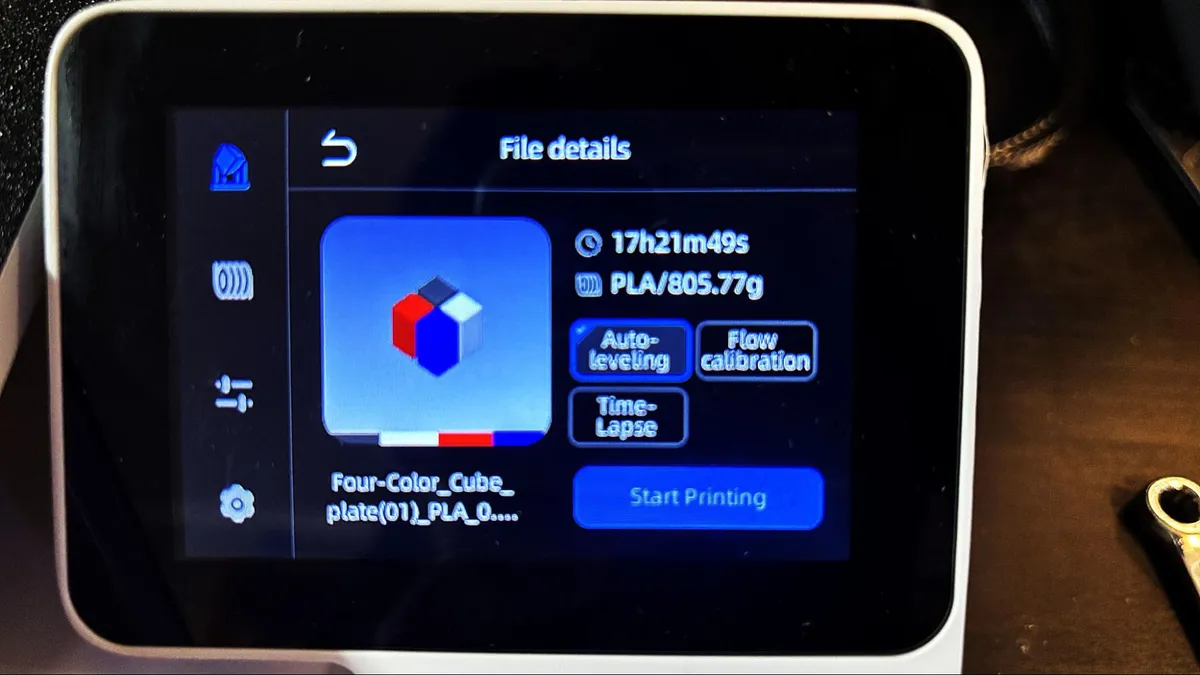
The Kobra 4 comes with a number of presliced files on the machine’s memory, which include useful tools, test prints, and a few fun models. It also had this “four color cube” test, which is a complete waste of your time, filament and sanity. Don’t print this.
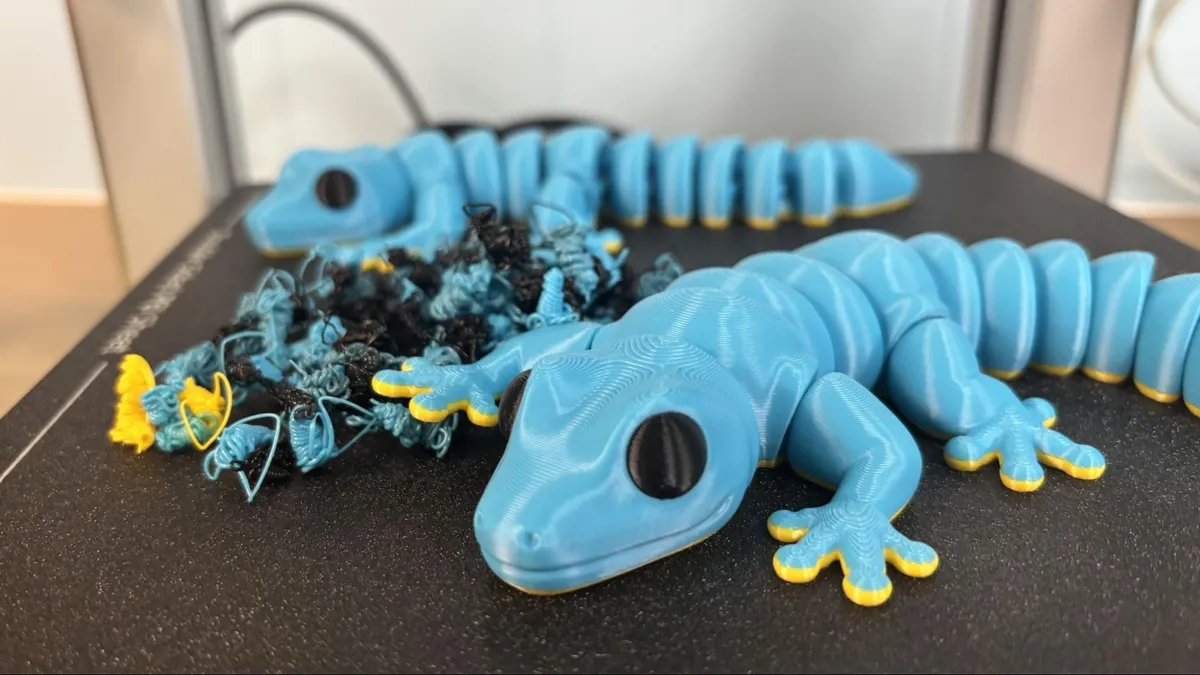
I ran a lot of PLA while testing the Kobra 4. This pair of Geckos is a good example of the results. They printed in 5 hours and 9 minutes at .2mm layer height using 3 walls, 10% infill, and default speeds. Because of the size and shape of the model, the print speed is more like 160mm/s. It’s printed in Anycubic’s Cyan, Yellow, and Black PLA.
I did not change the default flushing volumes and ended up losing about 40 grams of filament in the filament purge. Due to a software bug, Anycubic’s slicer vastly underestimated the waste and even suggested it would flush negative values of yellow filament. This bug has been around since the Kobra X, and I really hope they have fixed it by now.
Image 1 of 2
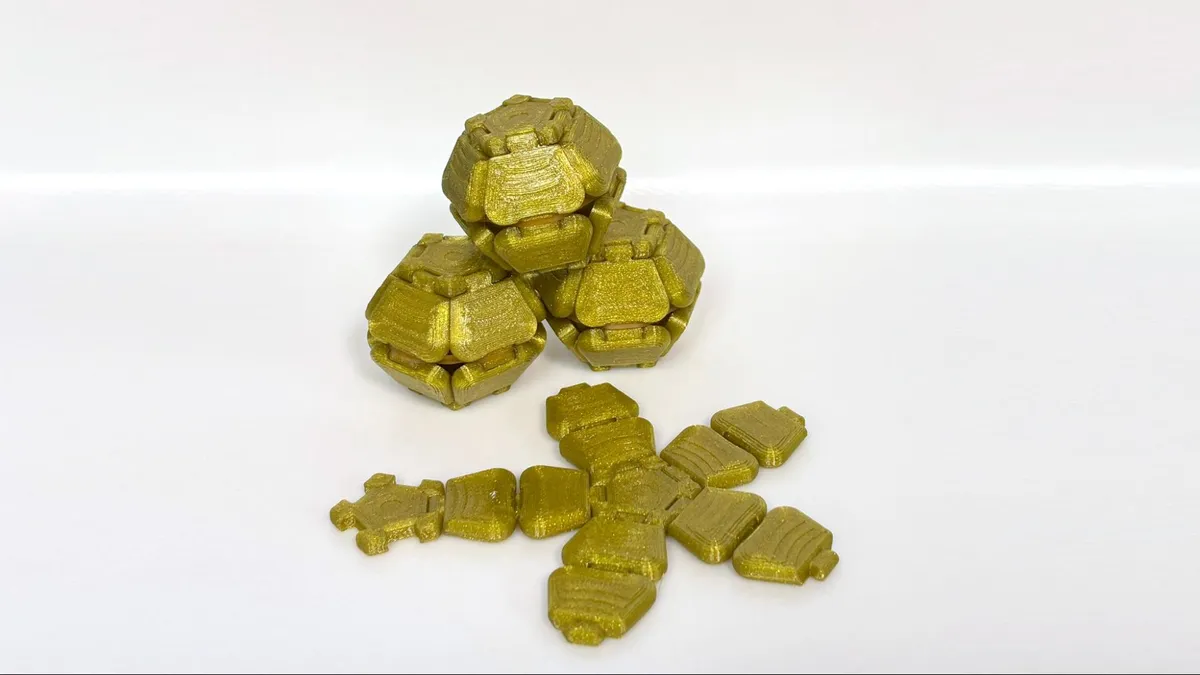
For PETG, I printed a plate of PentaClick balls from YosaNatural on Makerworld. With a .2mm layer height, four walls, and an average speed of 90 mm/s, they finished in 4 hours 38 min. The print looks great in Prusament Yellow Gold PETG, and the print-in-place hinges worked great with no hint of overextrusion. The model prints flat, then is folded and snapped into a ball shape. A small rubber band around the middle provides a spring action, so when you press the ball flat, it pops back into shape.
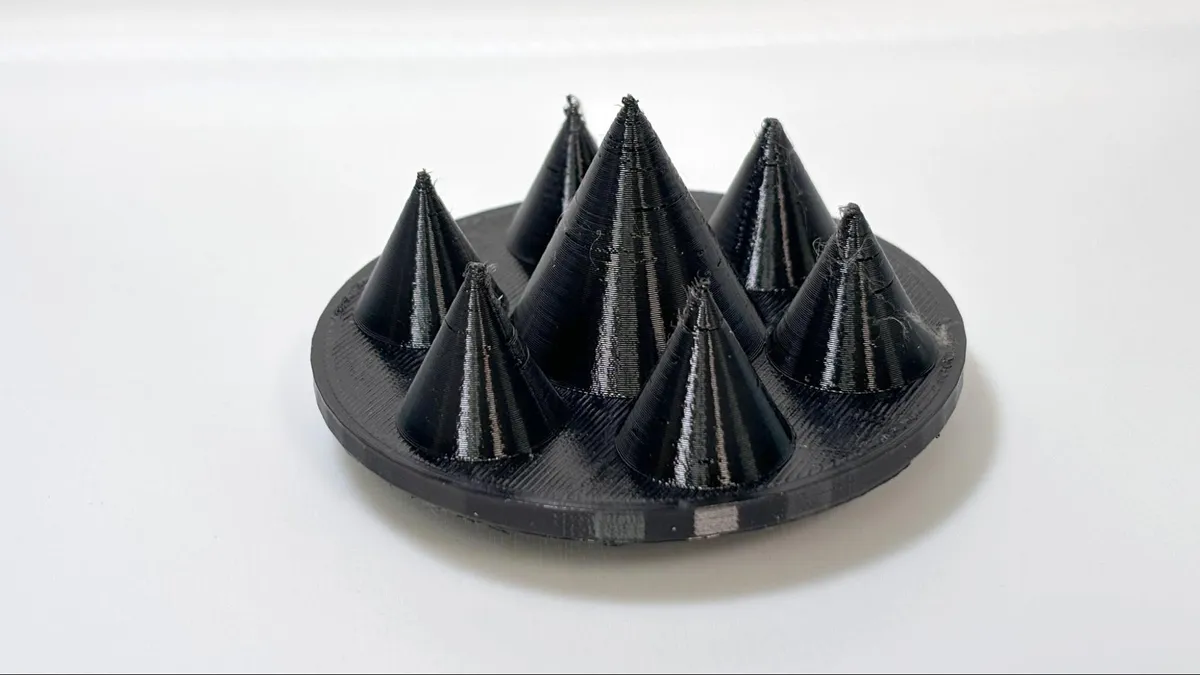
For TPU, I ran both hard 68D and soft 83A to make parts for our RC Deathracer, designed by Michael Baddeley.
While the smooth bumpers printed flawlessly, these spiked hubcaps, just based on their design, led to a fair amount of stringing. I’m confident this can be fixed by running with a bit more retraction. Using a .2 layer height and capping the speed at 50mm/s, the hubcaps took 5 hours and two minutes to print. This was printed using Microcenter’s TPU for MFS in black.
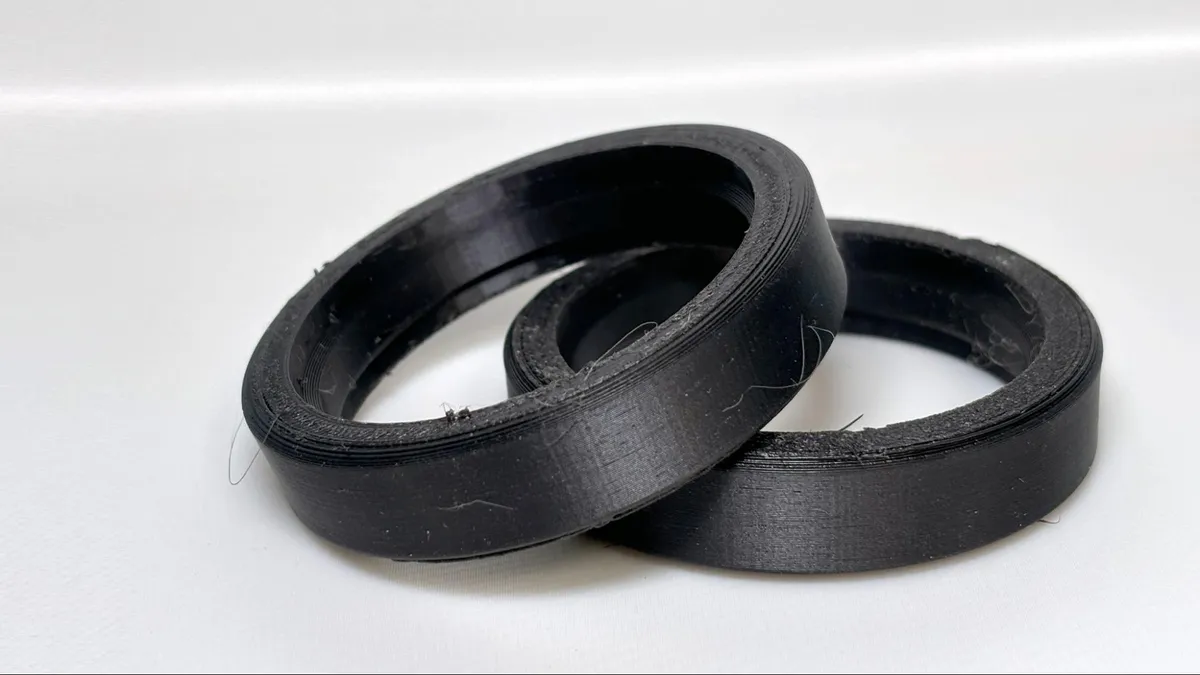
For softer TPU, I printed some tires I made in Tinkercad out of 83A TPE from Esun. This required removing the four bowden hub from the tool head and forcing the soft material directly into the extruder. It's annoying, but worth the effort as it ran the TPU beautifully. I used a .2mm layer height, two walls, and 10% concentric infill, with an average print speed of 50 mm/s. This took 1 hour and 35 minutes to complete. The tires are super soft and grippy and nearly perfect, with no stringing at all.
Bottom Line
The Anycubic Kobra 4 Combo is a step rather than a leap ahead of the Kobra 3 Combo, but it is a good value for an entry level 3d printer. It borrows the clean aesthetics of the popular Bambu Lab A1 and greatly improves the multimaterial handler from its first iteration. It’s a highly capable out-of-the-box experience for beginners.
However, it can’t quite compare to the Kobra X in value or space saving. I would only recommend the Kobra 4 over a Kobra X if you were seriously feeling the need for an all-in-one filament dryer solution.
The Kobra 4 Combo is only $20 cheaper than the Bambu Lab A1, which has a more established ecosystem, and $10 less than Creality’s SparkX i7 Combo, our pick for best beginner 3D printer.