








Malicious actors rely on a range of technical assets, known as adversary infrastructure, to carry out their operations. In this article, I will demonstrate how to hunt for the key components of such infrastructure – command-and-control (C2) servers, which are used for malware distribution, communication, and data exfiltration.
Our primary goal is to learn how to find distinct fingerprints that remain consistent across deployments. These may include favicon hashes, HTTP headers, TLS certificate fields, web page titles, and hash values of the HTTP response body. While not infrastructure in themselves, these artifacts are tightly linked to how infrastructure is configured and are essential for detection and correlation.
Malicious infrastructure hunting involves identifying, analyzing, and pivoting across these technical indicators to uncover related systems controlled by threat actors. By doing so, defenders can map attacker ecosystems, block future attacks proactively, and strengthen threat detection far earlier in the attack lifecycle.
A C2 server (short for Command-and-Control server) is a network service used by cyberattackers to remotely control compromised devices (such as infected computers, servers, or IoT devices) within a botnet or malware campaign.
Traditional threat detection tends to be reactive – alerts are triggered once an attack has begun or after a compromise has occurred. Indicators like file hashes, malicious URLs, or command-and-control traffic are flagged only after they’ve been observed in an active attack.
Malicious infrastructure hunting changes this approach. By proactively monitoring the attacker’s supporting infrastructure, defenders can detect threats earlier, often before any payload is delivered or a connection to a victim is made.
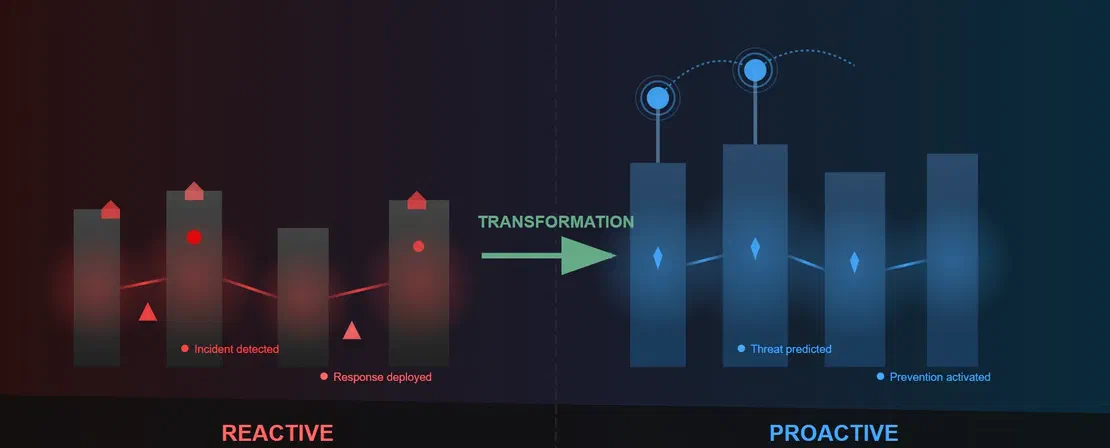
This shift offers several key benefits:
Moving from reactive detection to proactive hunting equips organizations with the context and foresight needed to stay ahead of evolving threats, rather than just responding to them.
Recommended Reading
The Pyramid of Pain: Beyond the Basics
Malicious infrastructure hunting often begins with a known indicator of compromise (IoC) – such as an IP address, domain name, or hash – collected from threat intelligence reports, threat feeds, or community platforms like X (formerly Twitter). In some of the case studies discussed in this post, IoCs were gathered from platforms like X and SSL Blacklist (a project of Abuse.ch), which then served as pivot points to uncover related infrastructure.
This article demonstrates how to expand a single C2 IoC into broader threat hunting by fingerprinting it and leveraging IoT search engines such as Shodan and Netlas to uncover related C2 infrastructure. We will learn to analyze TLS certificates, HTTP headers and titles, favicon or body hashes, JARM fingerprints, and artifacts found in the source code of offensive tooling to search for C2 instances.
In the following subsections, we’ll break down these techniques with practical examples to illustrate how they can be applied effectively in real-world hunting scenarios.
Why use different IoT search engines?
Using multiple search engines like Netlas, Shodan, and Censys provides broader visibility because each platform uses different scanning techniques, infrastructure placements, and indexing schedules. This diversity helps reduce blind spots, catch assets missed by a single engine, and increase the chances of uncovering hidden or overlapping C2 infrastructure.
Although this article was originally posted on the Netlas blog, the Netlas team specifically asked me to demonstrate how combining different search engines can enhance threat hunting outcomes.
Adversary infrastructure often exposes unique, recurring HTTP characteristics, ranging from response headers and page titles to the full content of the HTTP body. These artifacts may include uncommon header combinations, such as:
Since many threat actors reuse configurations or payload templates across multiple servers, defenders can use these traits to build powerful fingerprinting queries, effectively expanding known infrastructure into broader clusters.
Step 1: An IP address 91.199.163.74 is identified as being linked to SectopRAT malware activity. Upon validation using VirusTotal, the IP is flagged as malicious.
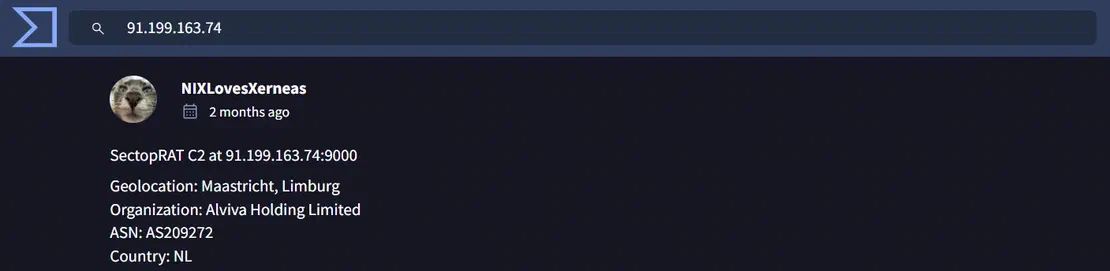
Step 2: Netlas.io reveals notable HTTP response headers and status code patterns on port 9000:
port: 9000 - SectopRAT C2 servers commonly expose their interface on port 9000.Server: Microsoft-HTTPAPI/2.0 - This specific server header is reused in multiple deployments.Status Code: 404 - The C2 often returns a 404 error for unauthorized or default HTTP requests.OPTIONS, HEAD, GET, PUT, POST, DELETE, PATCH) indicates the same backend stack or framework.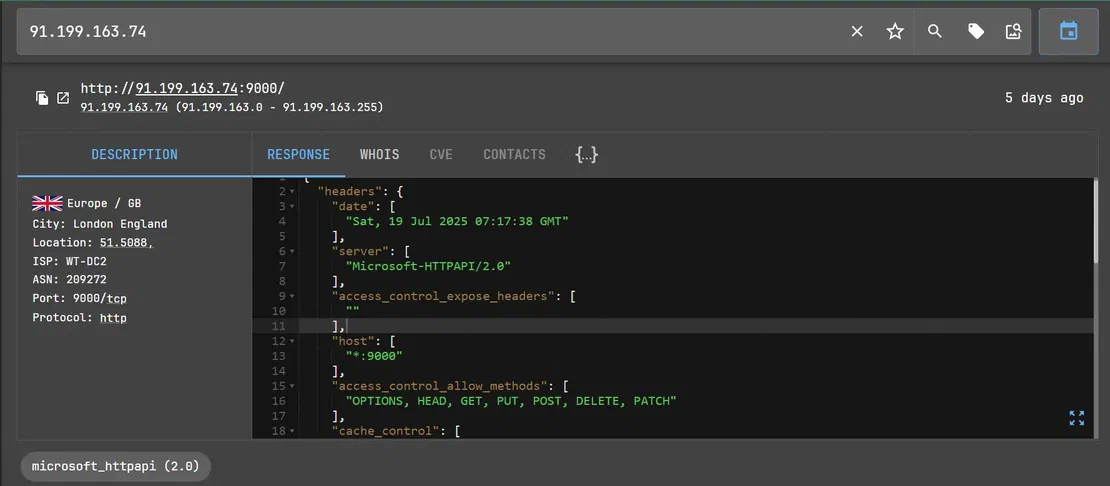
Step 3: By combining these headers, we constructed a Netlas query to hunt down the potentially related cluster.
Constructed Netlas Query:
port:9000 AND http.headers.server:"Microsoft-HTTPAPI/2.0" AND http.status_code:404 AND http.headers.access_control_allow_methods:"OPTIONS, HEAD, GET, PUT, POST, DELETE, PATCH"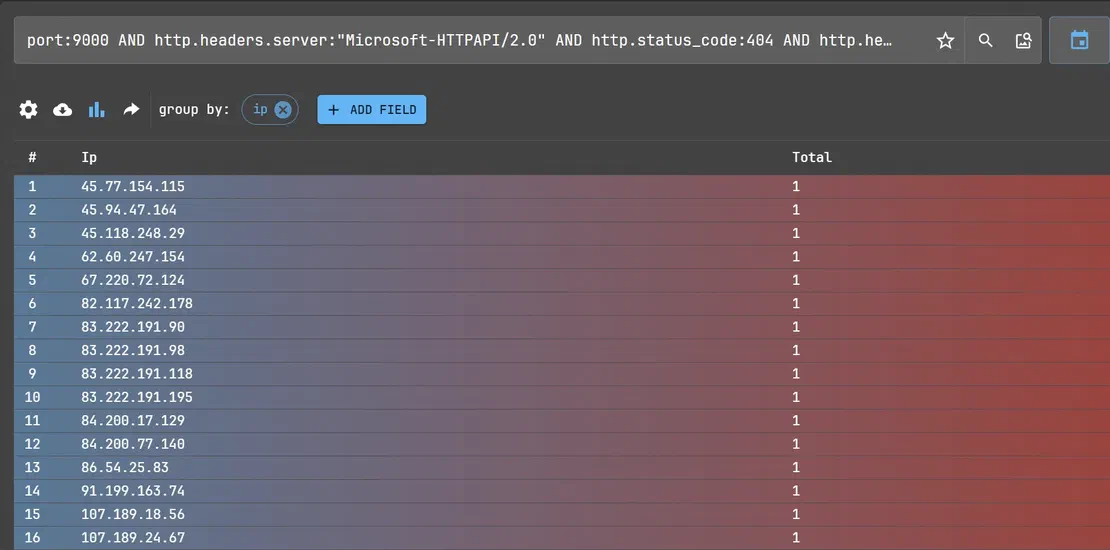
Result: Servers configured similarly, likely operated by the same actor or malware variant, pointing to a broader malicious infrastructure footprint.
A RAT (Remote Access Trojan) is a type of malware that gives an attacker covert, remote control over an infected system. It relies on a C2 server as a communication hub, enabling the attacker to manage the compromised machine remotely. Through this C2 connection, the attacker can perform remote command execution, exfiltrate data, and coordinate control of multiple infected devices.
Unsecured web directories serve as drop zones for threat actors, often exposing file structures due to default server configurations.
http.title – Detects open directories or misconfigured file listings.http.body – Matches Sliver payload names (executables or client identifiers)Constructed Netlas Query:
http.title:("Index of" OR "Directory Listing for") AND http.body:("sliver.exe" OR "sliver64.exe" OR "sliver" OR "sliver-c2" OR "sliver-client")Search with keyword variations
Include multiple permutations like sliver, sliver-c2, or sliver-client in the HTTP body. Adversaries or careless actors may name files or folders differently, using lowercase, hyphens, underscores, or abbreviated names, so using keyword variations helps capture a broader but still relevant set of results.
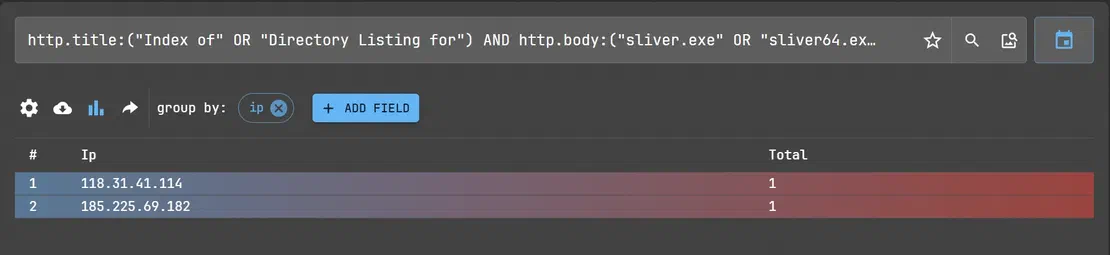

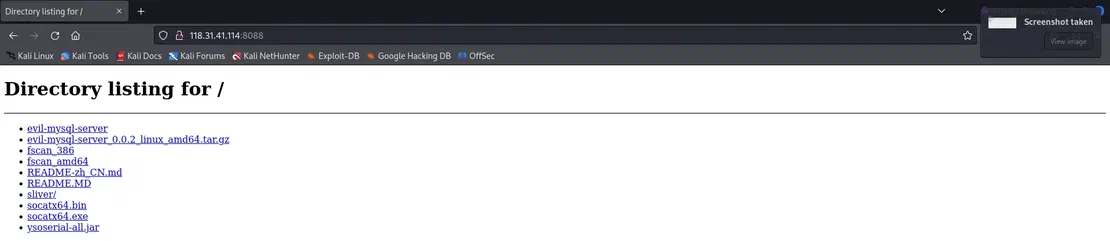
While initial discovery of Sliver C2 payloads was performed using Netlas, by identifying open directories with filenames like sliver-server and sliver-client, we extended this hunting methodology to Censys to uncover similar infrastructure tied to other red teaming and stealer tools.
Censys Query to Discover Malicious Tool Listings:
labels=suspicious-open-dir AND (services.http.response.body: "sliver" OR services.http.response.body: "MimiKatz" OR services.http.response.body: "xworm" OR services.http.response.body: "metasploit")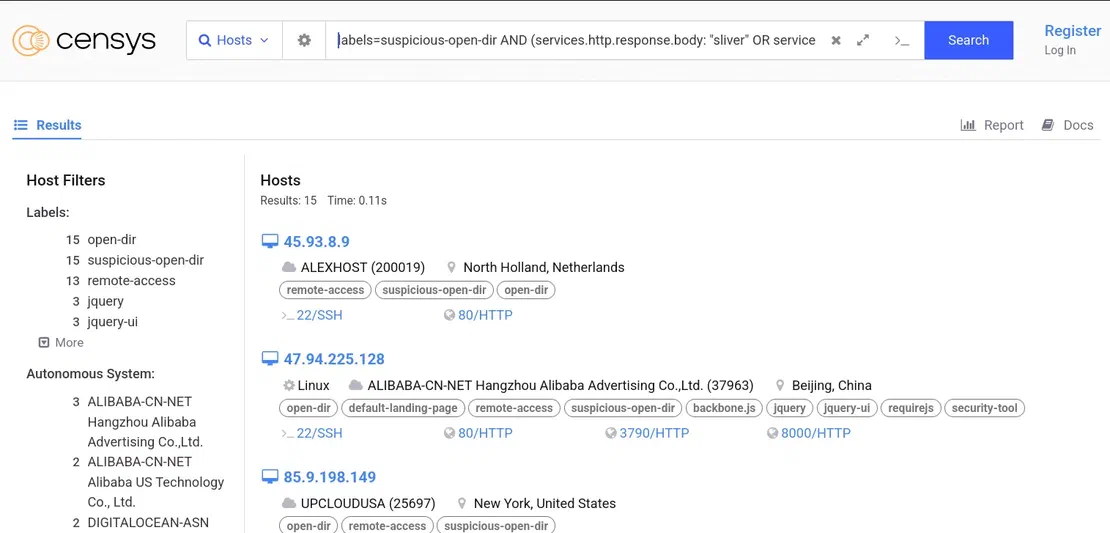
A closer inspection of an open directory hosted at 164.92.224.52 revealed a stash of well-known red teaming and post-exploitation tools.
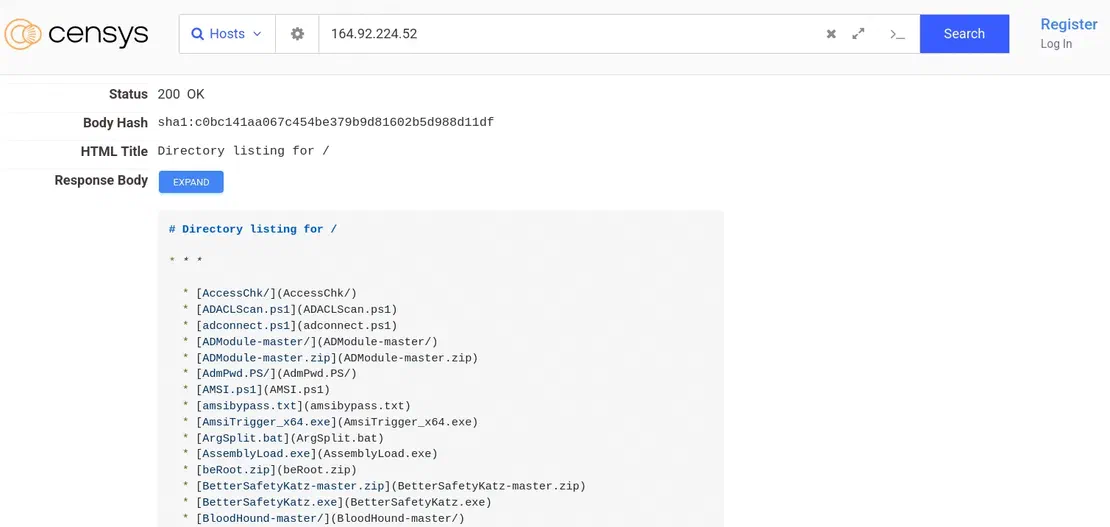
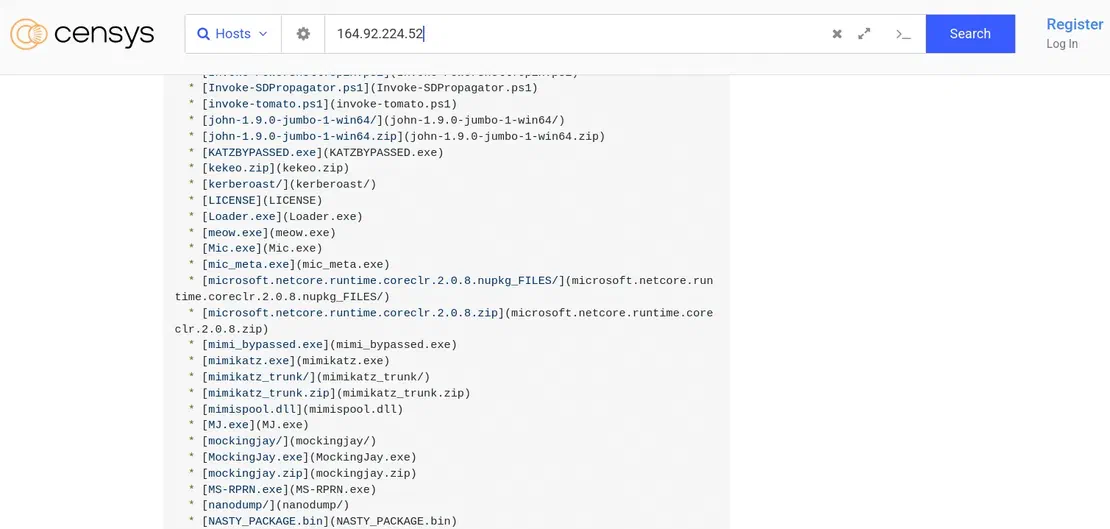
How to Replicate:
labels=suspicious-open-dir to filter out endpoints already flagged by Censys for exposing directory listings.sliver, metasploit, MimiKatz, or xworm in the HTTP response body. These help locate open directories hosting known red teaming or stealer tools.Index of / or Parent Directory which are indicative of directory listings..exe, .zip, .ps1, and .bat to focus on directories serving binaries or scripts.Recommended Reading
Netlas vs Censys: Platforms Comparison
Some C2 panels expose hardcoded HTML page titles that can be searched directly.
http.title – Identifiable title string left unchanged in attacker deployments.
Constructed Netlas Query:
http.title:"HOOKBOT PANEL"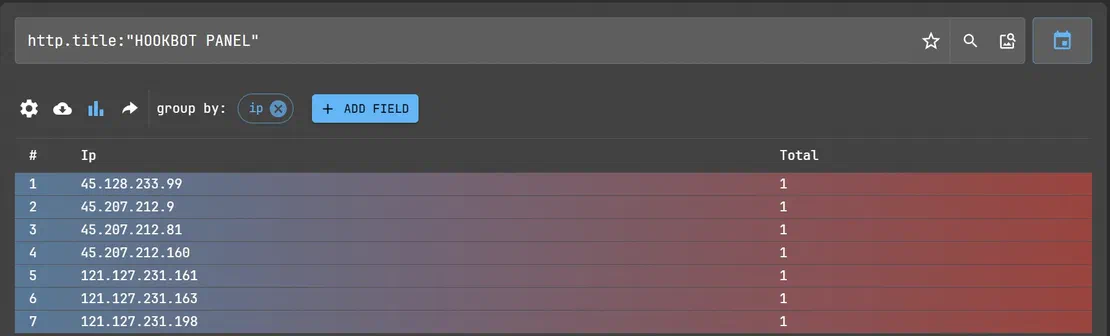
Result: Detects Hookbot C2 admin panels, often tied to active or dormant infrastructure.
Recommended Reading
Hannibal Stealer vs. Browser Security
Step 1: An IP address 85.239.52.99 is identified as being linked to Oyster C2.
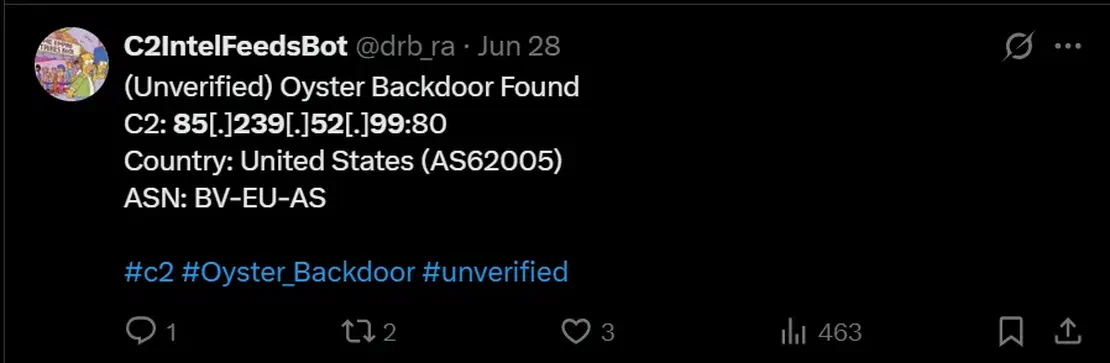
Step 2: Netlas.io shows a distinctive HTTP body SHA-256 hash:
http.body_sha256 – This value represents the SHA-256 hash of the HTTP response body for an Oyster C2 landing page.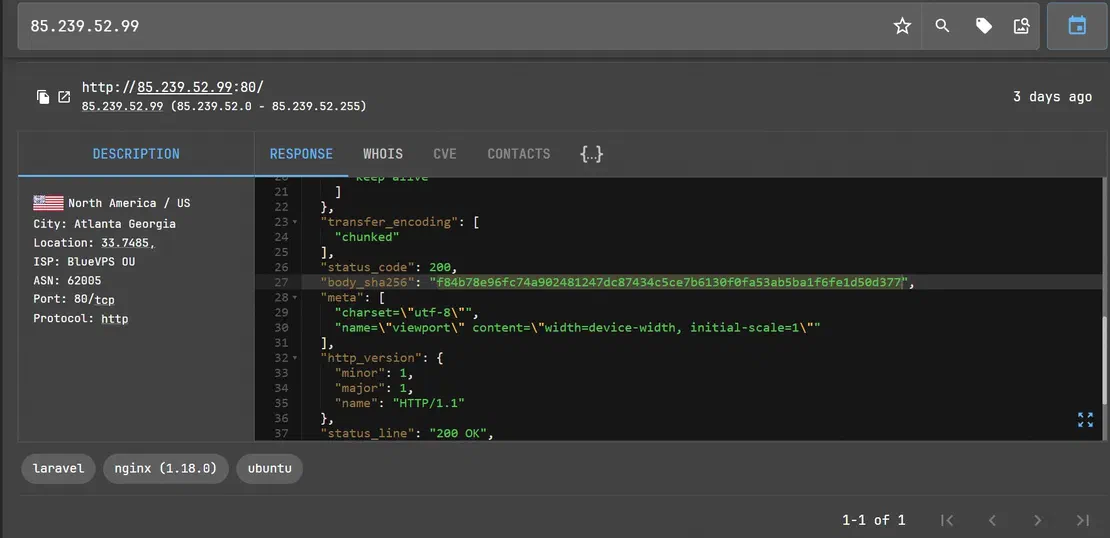
Constructed Netlas Query:
http.body_sha256:"f84b78e96fc74a902481247dc87434c5ce7b6130f0fa53ab5ba1f6fe1d50d377"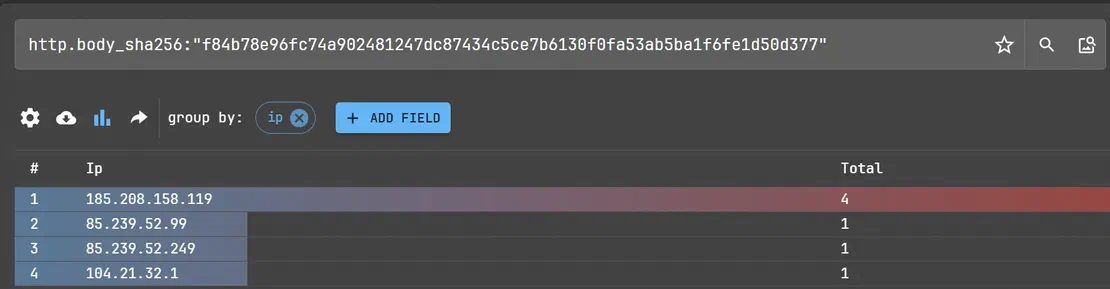
Result: Reveals a cluster of servers using the same static web content, pointing to other C2 nodes or staging infrastructure.
Before TLS encryption is established, the server provides its certificate, which contains its public key and is used to establish an encrypted connection. SSL/TLS certificates contain several attributes, such as the Subject Distinguished Name (DN), Issuer DN, Serial Number, Validity Period, Signature Algorithm, and various extensions, which are commonly used for fingerprinting, especially when self-signed certificates are used.
Unlike certificates issued by trusted Certificate Authorities (CAs), self-signed certificates are manually generated and often contain unique or uncommon metadata. This uniqueness becomes a fingerprint for hunting.
Step 1: To hunt for infrastructure related to OrcusRAT, a known remote access trojan (RAT), we began by searching SSL Blacklist by Abuse.ch, which tracks suspicious and malicious certificates. We observed that many OrcusRAT variants use self-signed certificates where the Issuer DN is set to: "OrcusServerCertificate"
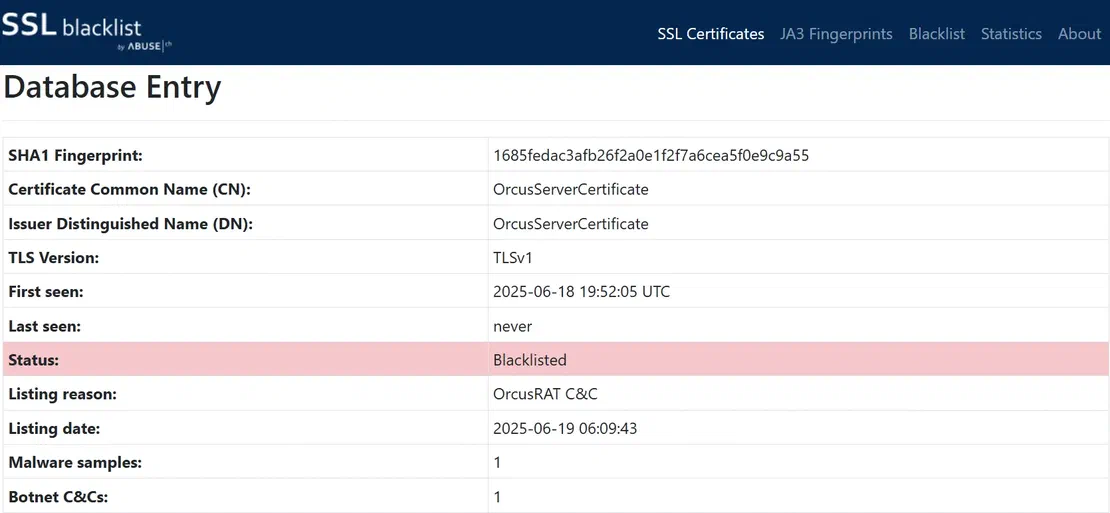
Step 2: This consistent trait enabled us to craft a Censys query to uncover related infrastructure:
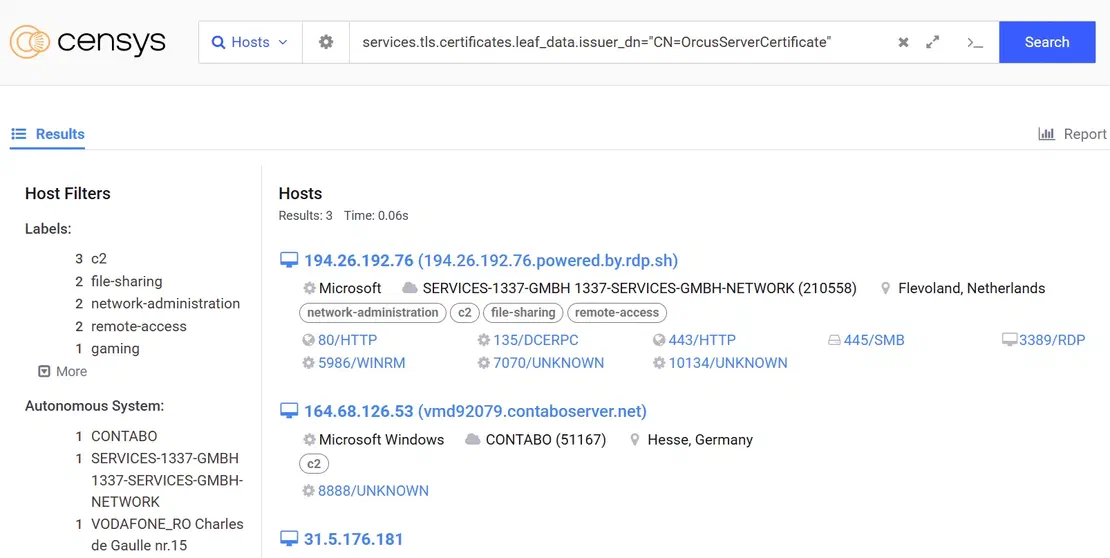
services.tls.certificates.leaf_data.issuer_dn="CN=OrcusServerCertificate"Result: Running this query surfaced several potentially related servers exhibiting the same certificate configuration, which is valuable for tracking C2 infrastructure or identifying live command channels.
Step 1: Similarly, BitRAT infrastructure commonly uses "BitRAT" as the Certificate Issuer CN, allowing defenders to build detection logic based on this trait.
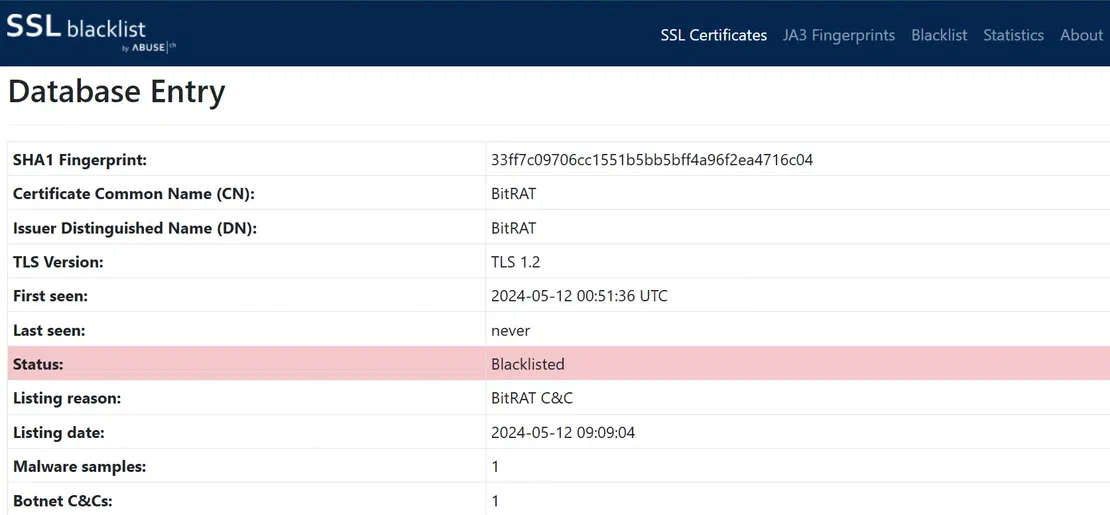
Step 2: This consistent pattern again became a pivot point. We queried Censys using:
services.tls.certificates.leaf_data.issuer_dn="CN=BitRAT”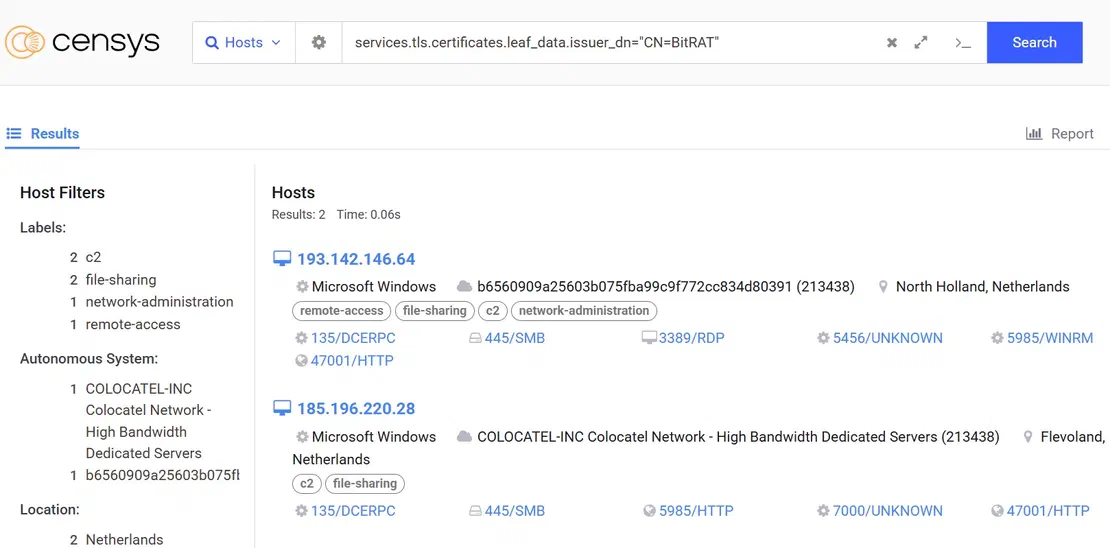
Below is a table summarizing similar patterns observed across different C2 and RAT infrastructures:
| Name | Certificate Pattern Field | Certificate Pattern Value |
|---|---|---|
| Mythic C2 | subject_dn | O=Mythic |
| VenomRAT | subject_dn | CN=VenomRAT |
| AsyncRAT | issuer_dn | CN=AsyncRAT Server |
| Sliver C2 | issuer.common_name | operators |
| Cobalt Strike | issuer.common_name | Major Cobalt Strike |
These easily identifiable fields allow analysts to pivot across different servers or domains that reuse the same certificate metadata, making it possible to uncover broader infrastructure clusters linked to a single tool or threat actor.
Many modern C2 frameworks used by red teams and threat actors alike are published as open-source projects. By reviewing these projects, defenders can extract unique headers or behaviors that help identify exposed or misused infrastructure.
To get started:
readme.md, wiki.md, *.css, settings.py, config.json, custom HTML error pages, etc.Below, we demonstrate this approach using two widely known frameworks: Havoc and Pyramid C2.
Havoc is a modern, open-source C2 framework used for post-exploitation, red teaming, and adversary simulation. Its GitHub repository provides clear documentation of the listener behavior.
How to Analyze:
WIKI.MD file.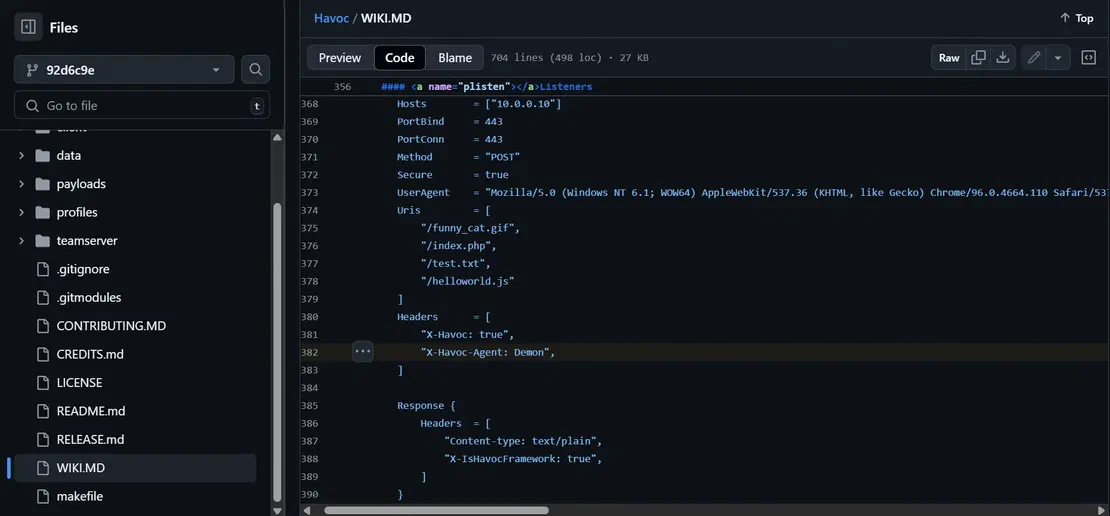
Netlas Search Query to Detect Havoc Servers:
This query searches for HTTP servers responding with the X_Havoc header – potentially identifying exposed or misconfigured Havoc infrastructure.
http.unknown_headers.key:"X_Havoc"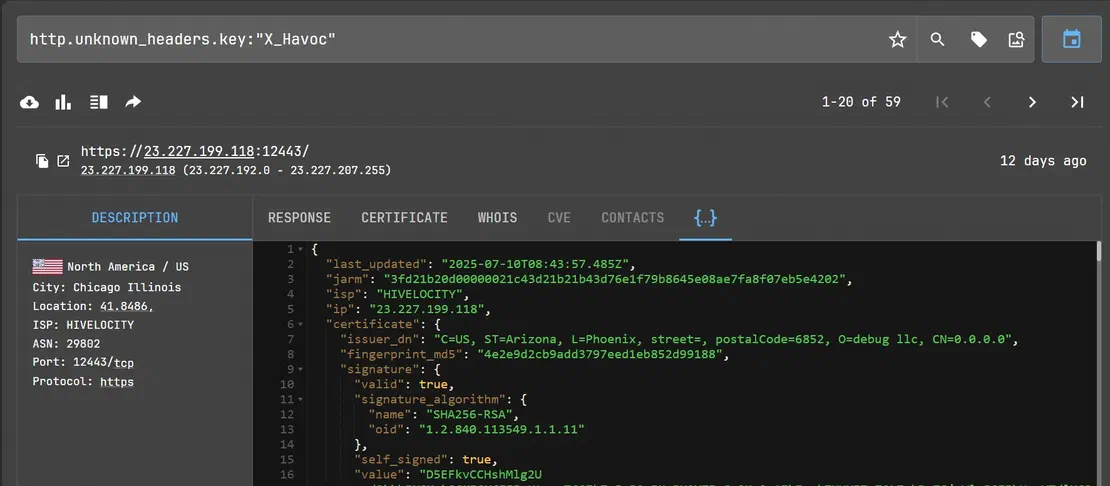
By grouping the results by IP, we were able to see the related IP cluster:
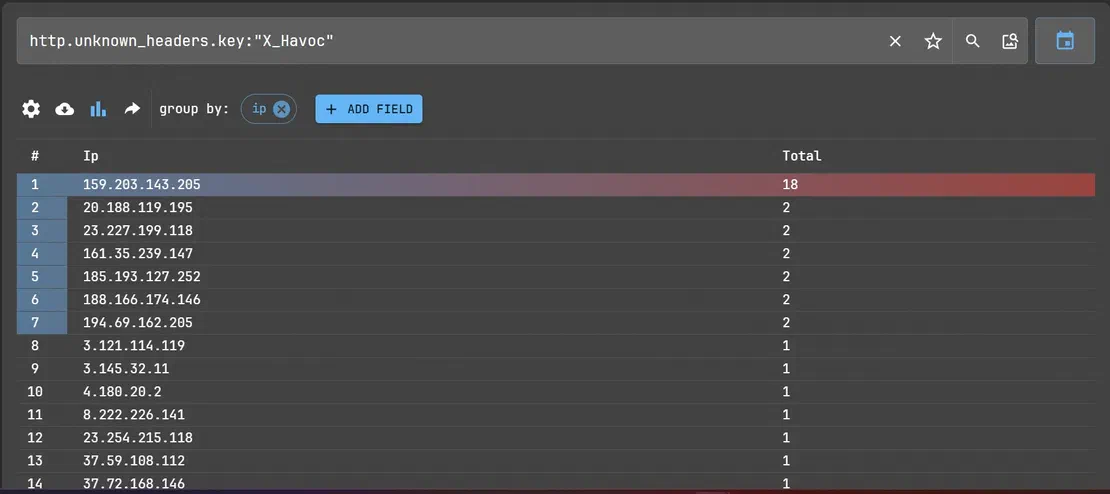
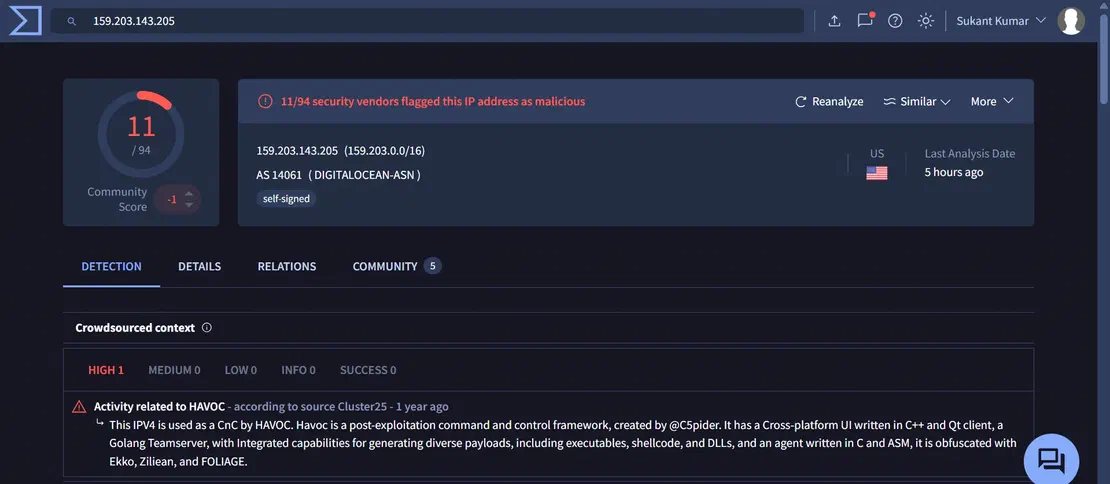
VirusTotal analysis for one of the IP addresses from the cluster:
Pyramid C2 is a Python-based post-exploitation framework. Its server-side logic includes custom authentication behavior that can be fingerprinted in threat hunting.
How to Analyze:
pyramid.pyBaseHTTPRequestHandler), you’ll find: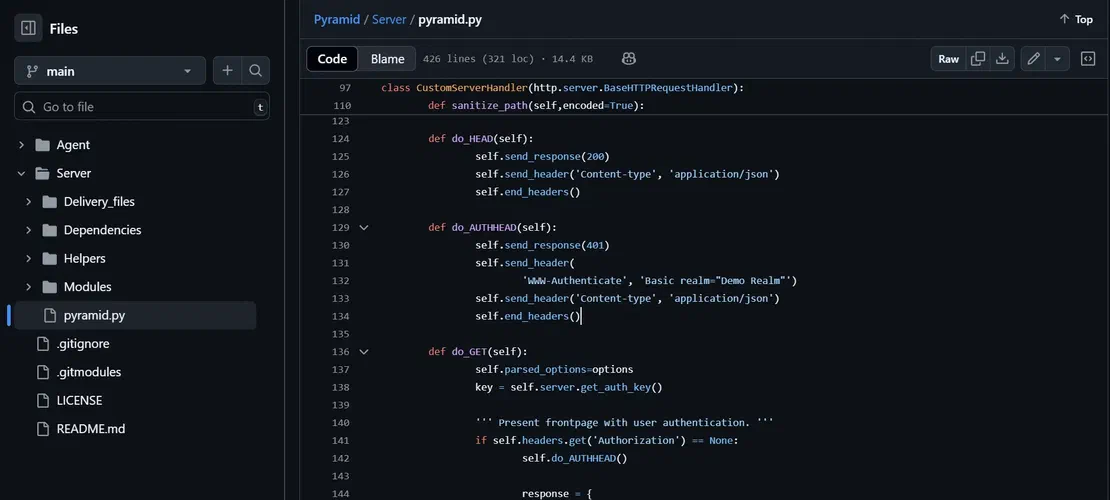
This default authentication challenge string is a unique and easily searchable indicator.
Netlas Search Query to Detect Pyramid Servers: The Netlas query below helps locate any servers exposing Pyramid’s default authentication header.
http.headers.www_authenticate:"Basic realm=\"Demo Realm\""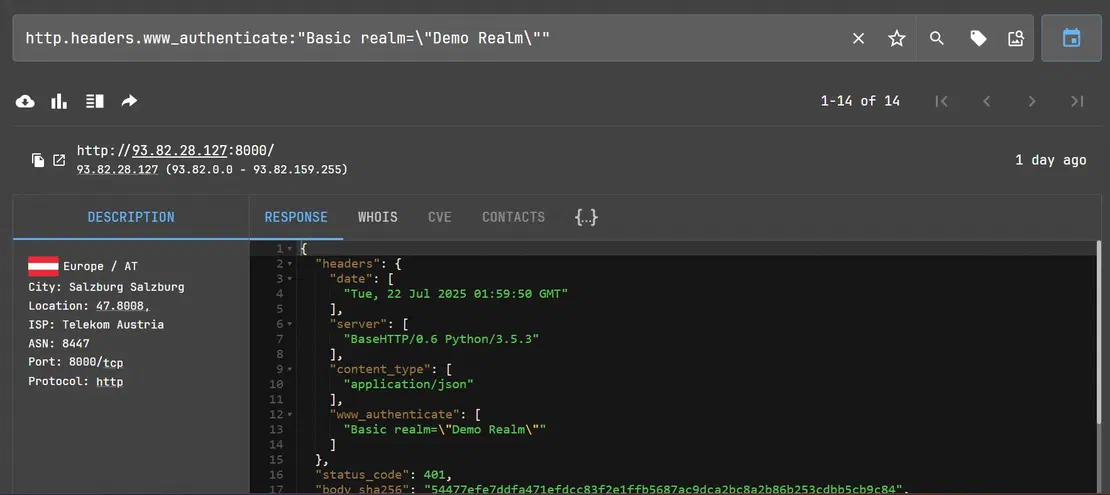
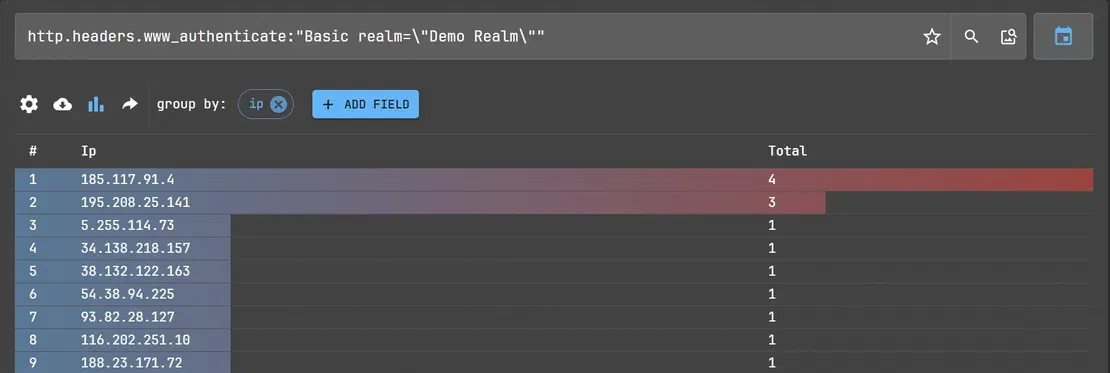
VirusTotal analysis of one of the IP addresses from the cluster:
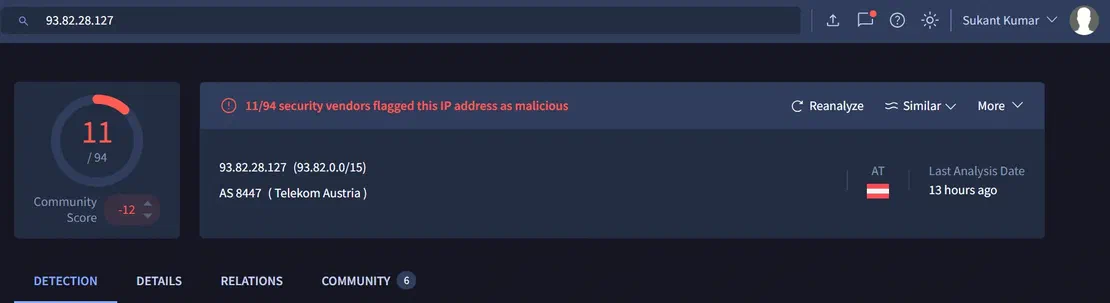
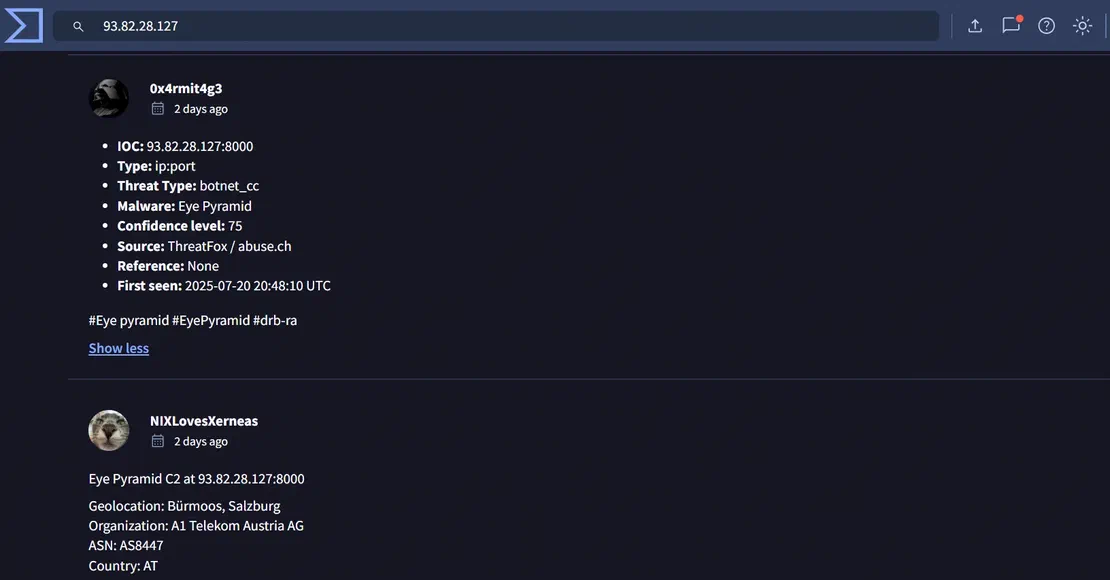
Favicons, the small icons shown in browser tabs, can act as subtle but powerful indicators when tracking attacker-controlled infrastructure. Since many threat actors reuse favicon.ico files across multiple systems, such as phishing pages or C2 servers, these icons often generate consistent hash values.
This behavior can create a unique fingerprint that can be used to detect other systems controlled by the same actor. Unlike broad heuristics, hash-based detection offers high precision, helping analysts minimize false positives. With just one hash, it is possible to uncover a larger network of related domains and IP addresses, making favicon hashes a fast and efficient pivot point in threat hunting workflows.
To illustrate, begin with a suspicious IP address that has been confirmed as malicious using a threat intelligence platform such as VirusTotal.
Step 1: Starting point: from:drb_ra reverse_SSH
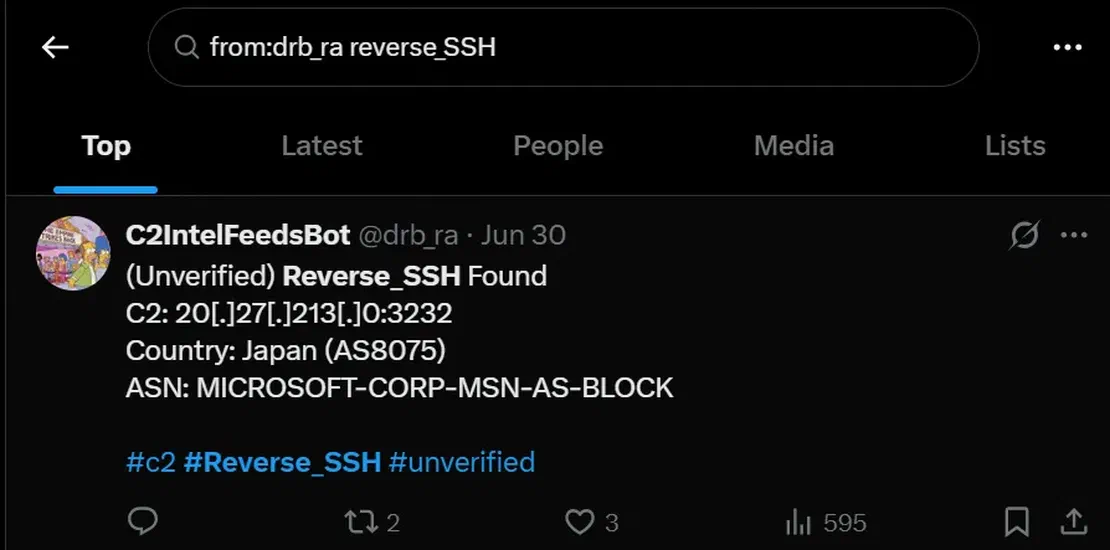
VirusTotal analysis of the IP address from X:
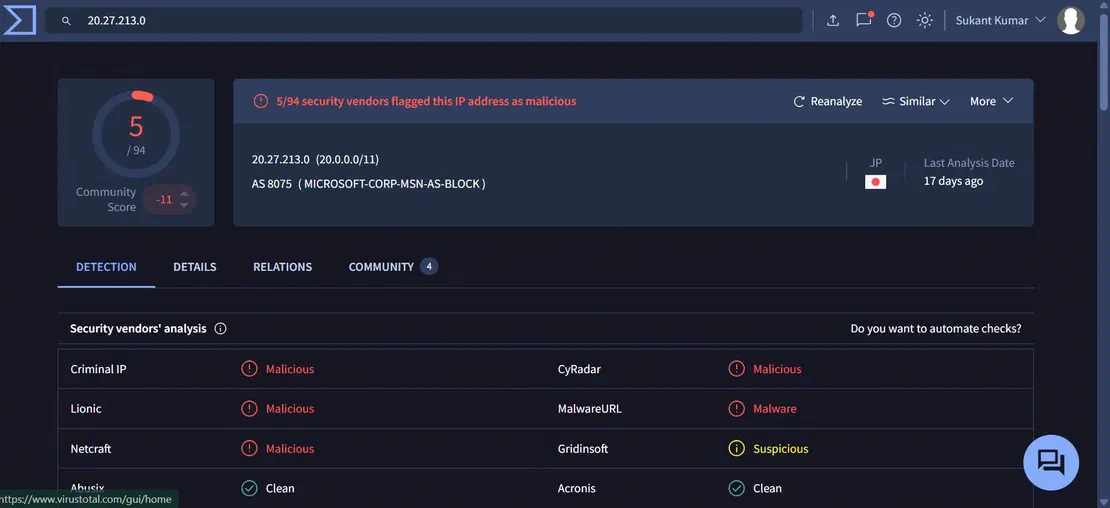
Step 2: Next, inspect the IP on urlscan.io and navigate to the HTTP transactions section.
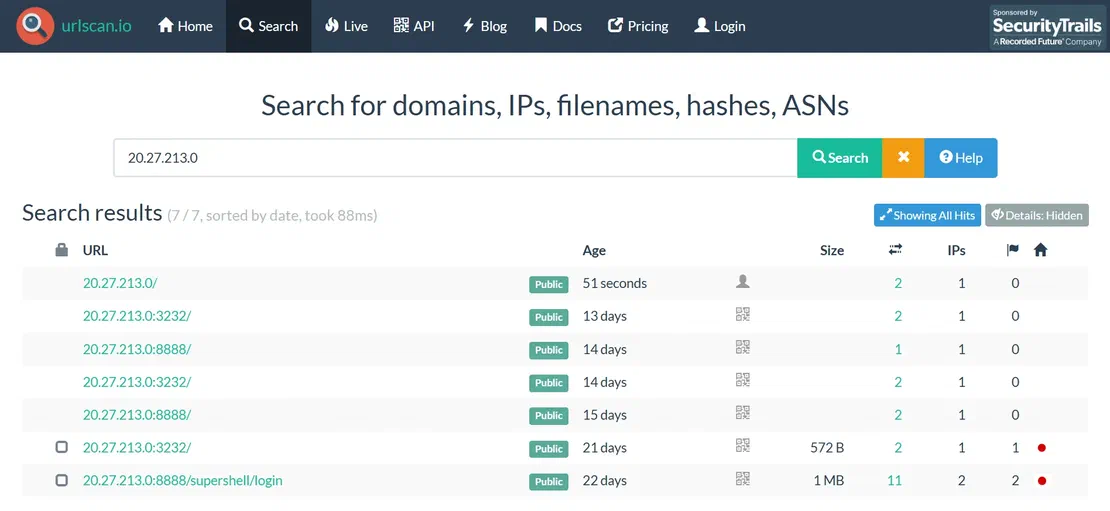
If a request for favicon.ico is observed, extract the associated SHA-256 hash of the favicon file.
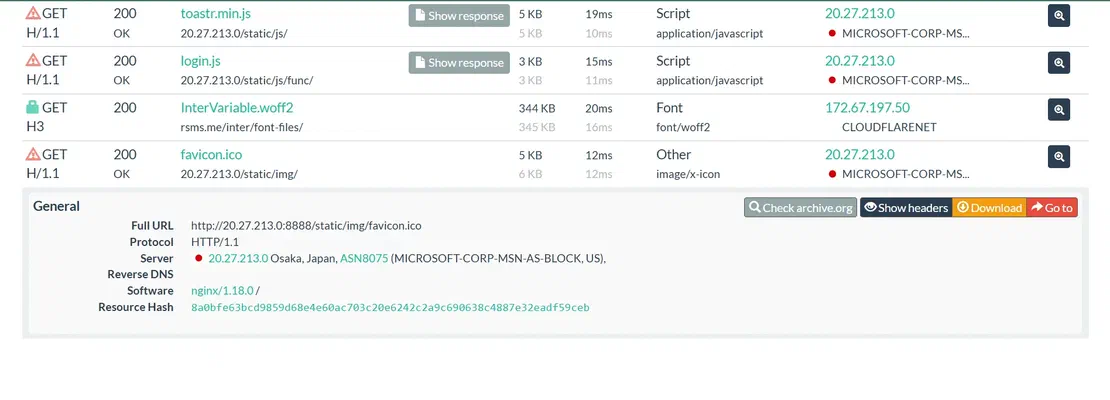
Step 3: This resource (favicon) hash can then be used as a pivot point. Search the hash on Netlas.io using a dork like:
http.favicon.hash_sha256:8a0bfe63bcd9859d68e4e60ac703c20e6242c2a9c690638c4887e32eadf59ceb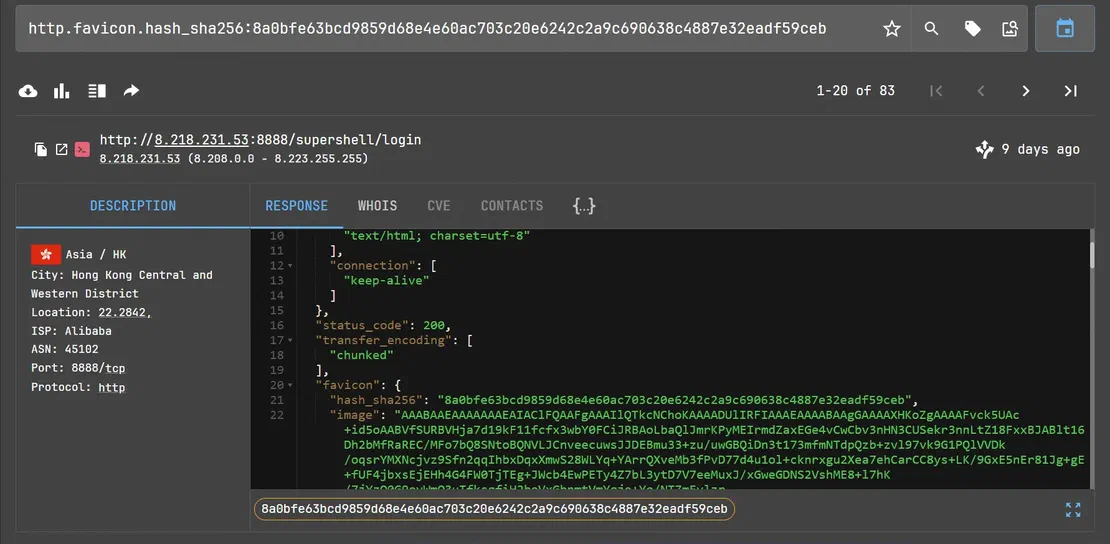
Supershell Login Panel:
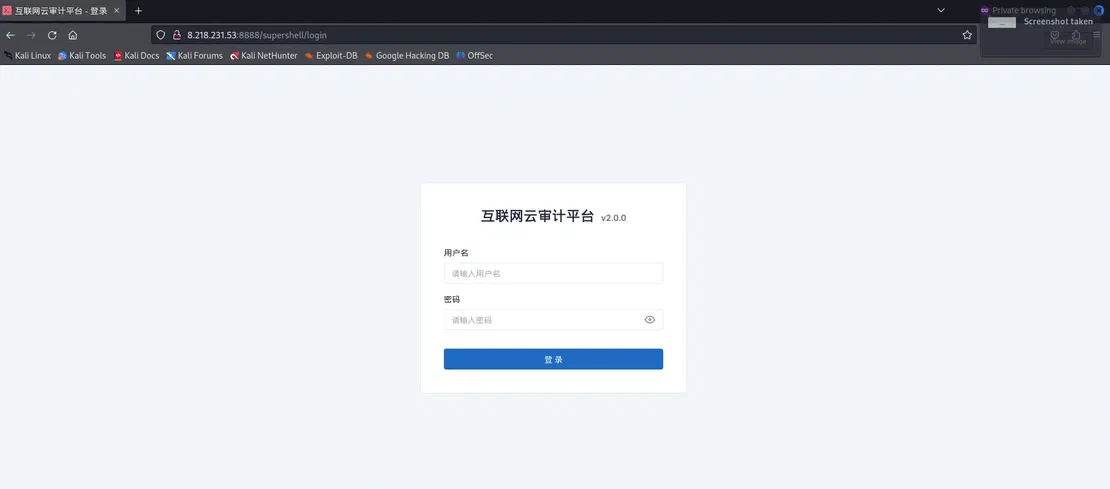
Step 4: By grouping the search results by IP and path, we can observe a cluster of malicious IP addresses pointing to Supershell login paths.
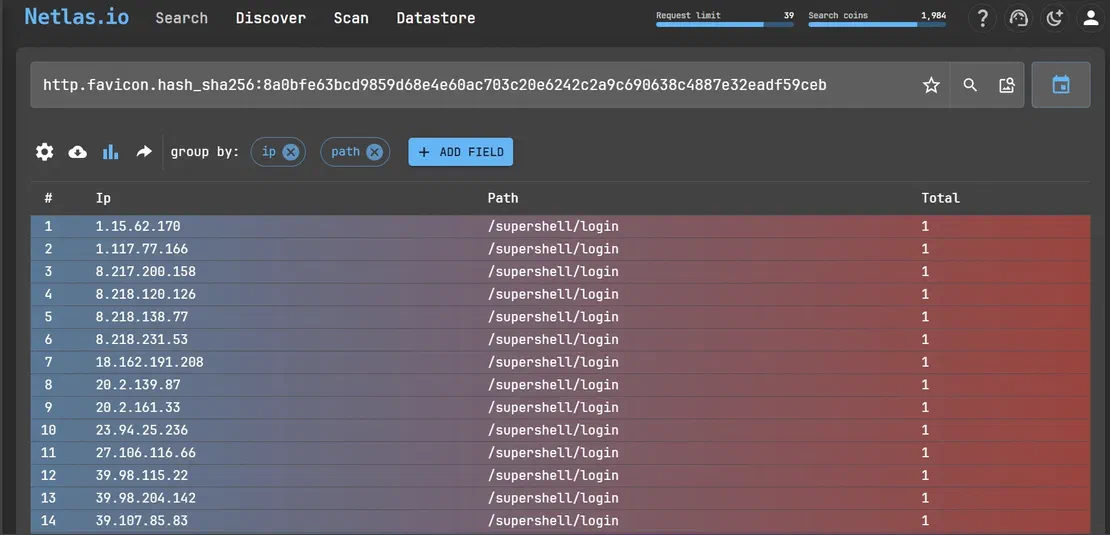
This type of search often reveals clusters of infrastructure, indicating potential connections between malicious servers.
JARM is a TLS fingerprinting technique developed by Salesforce that helps identify servers based on their TLS configuration and behavior. Each server responds to a series of custom TLS Client Hello messages, and the response pattern is hashed to generate a unique JARM fingerprint.
This technique is particularly useful in hunting and clustering C2 infrastructure built with a unique or rare SSL/TLS stack. JARM fingerprints can reveal infrastructure operated by the same malware family or threat group even when the network indicators differ.
Step 1: An IP address 82.156.102.187 is suspected to be associated with Cobalt Strike.
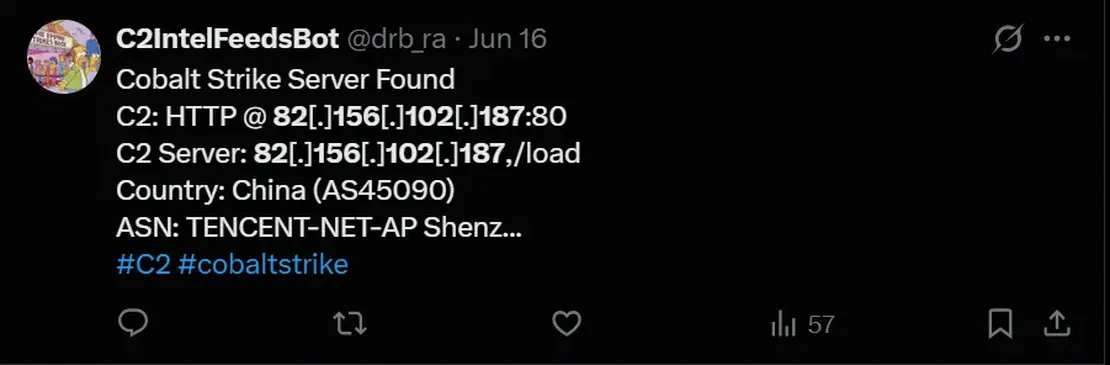
Step 2: When checked on VirusTotal, a JARM fingerprint was identified:
2ad2ad16d2ad2ad00042d42d00042ddb04deffa1705e2edc44cae1ed24a4da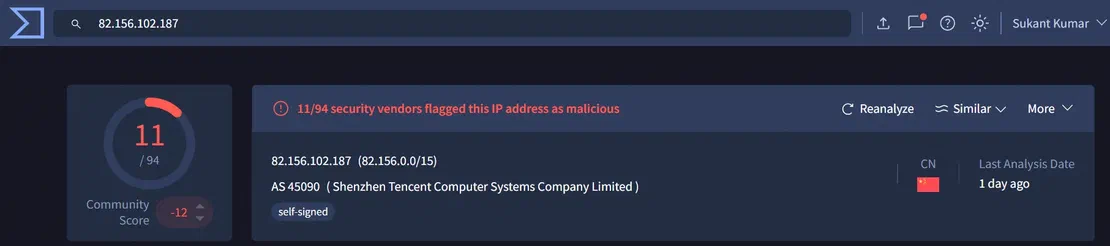
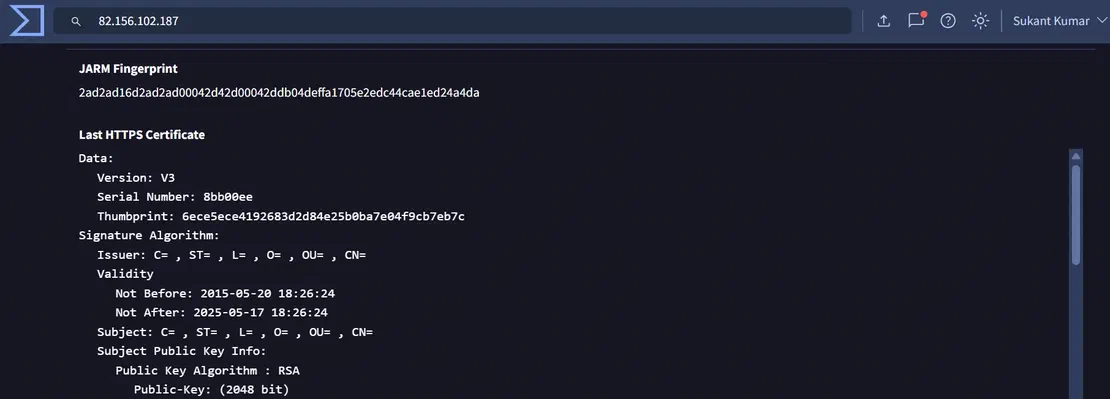
Step 3: Searching for this JARM fingerprint on Shodan returned over 7,000 results. Constructed Shodan query:
ssl.jarm:"2ad2ad16d2ad2ad00042d42d00042ddb04deffa1705e2edc44cae1ed24a4da”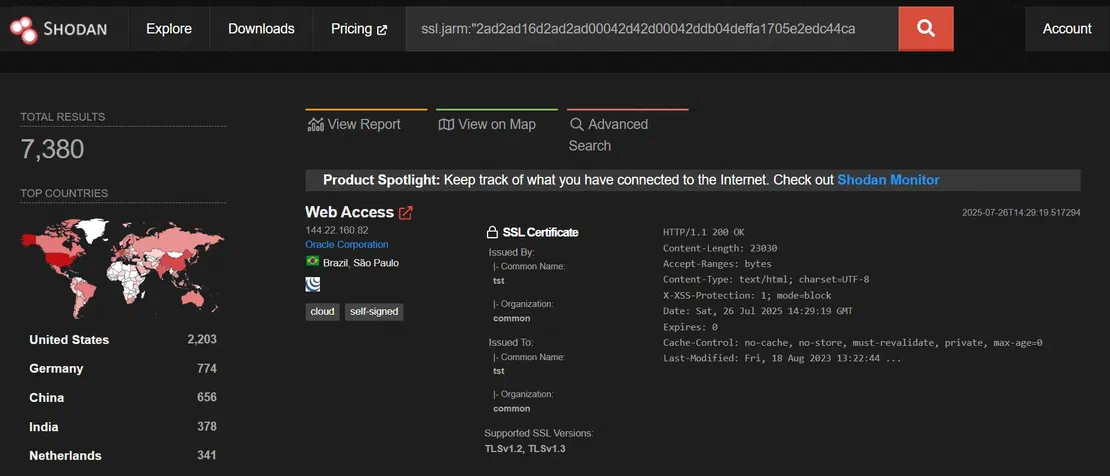
Not all servers with the same JARM hash are malicious
Many servers may share similar TLS configurations because they use default or common libraries without any malicious intent. Thus, JARM alone is often insufficient and must be combined with other attributes.
Step 4: Upon searching the malicious IP address on Shodan, a detailed review of the HTTP HTML hash, HTTP response, and SSL information from the same IP revealed:
http.html_hash:0
HTTP/1.1 404 Not Found
Content-Type: text/plain
Content-Length: 0
SSL public key size: 2048-bit
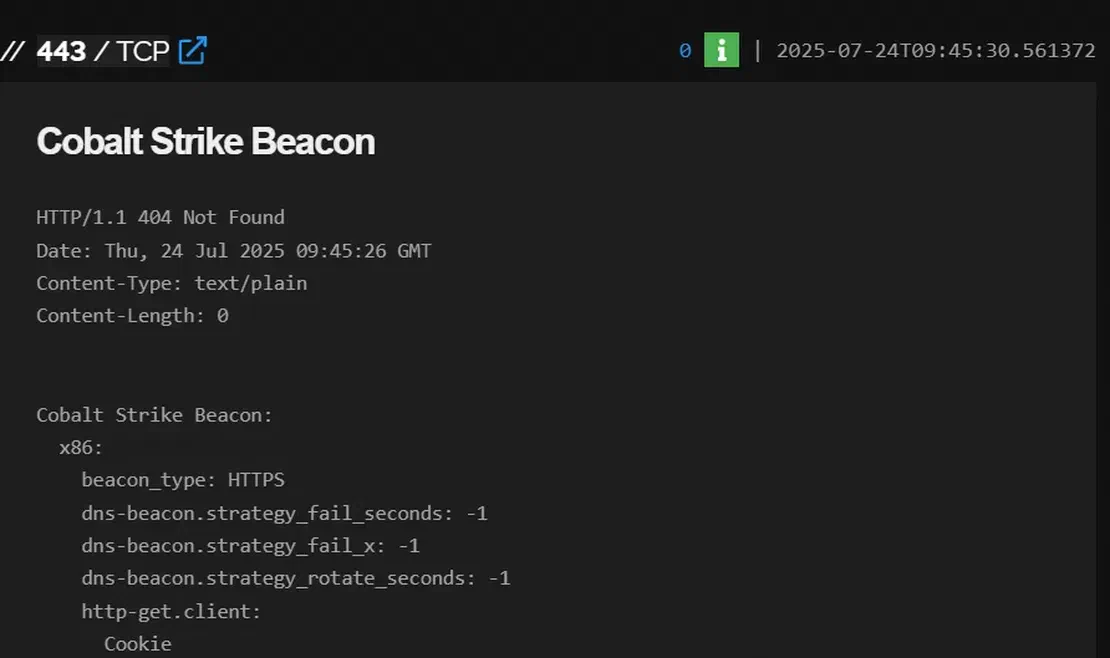
Step 5: These details were combined into a refined Shodan query:
Constructed Shodan query:
ssl.jarm:"2ad2ad16d2ad2ad00042d42d00042ddb04deffa1705e2edc44cae1ed24a4da" http.html_hash:0 HTTP/1.1 404 Not Found Content-Type: text/plain Content-Length: 0 ssl:2048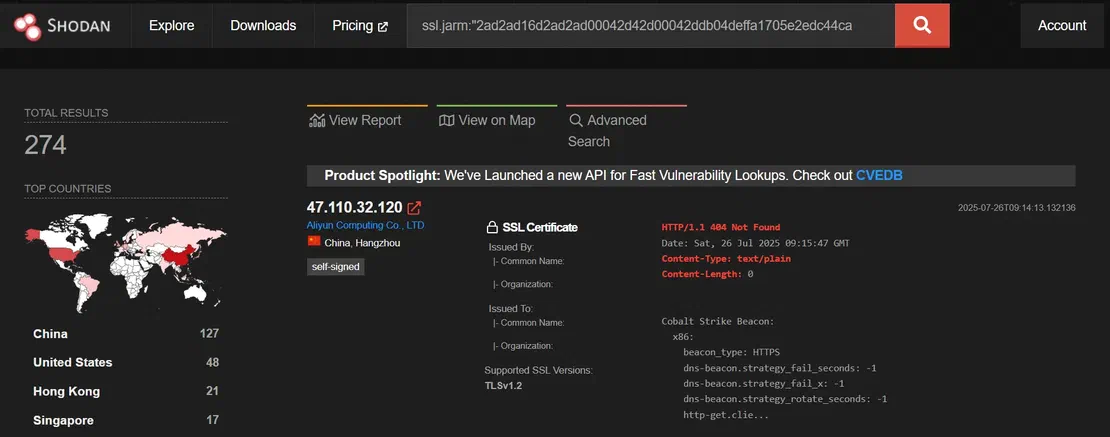
This reduced the result set to 274 hosts.
To further reduce noise, facet analysis in Shodan was leveraged:
"query.com", “www.bing.com”, “Google”, and "Microsoft Windows" stood out. These could be deliberate attempts to mimic legitimate metadata to evade detection or appear trustworthy.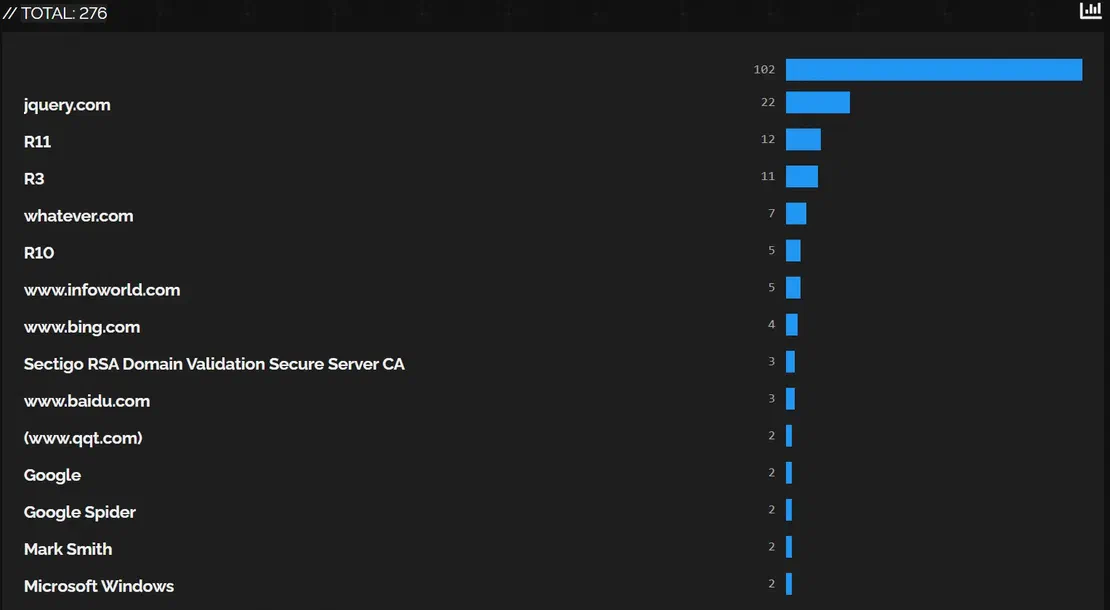
jquery.com is not a legitimate Certificate Authority. It is often observed in self-signed certificates used by malware C2 servers. Its presence indicates likely misuse and should be treated as suspicious when seen in unknown infrastructure.Constructed Shodan query:
ssl.jarm:"2ad2ad16d2ad2ad00042d42d00042ddb04deffa1705e2edc44cae1ed24a4da" http.html_hash:0 HTTP/1.1 404 Not Found Content-Type: text/plain Content-Length: 0 ssl:2048 ssl.cert.issuer.cn:"jquery.com"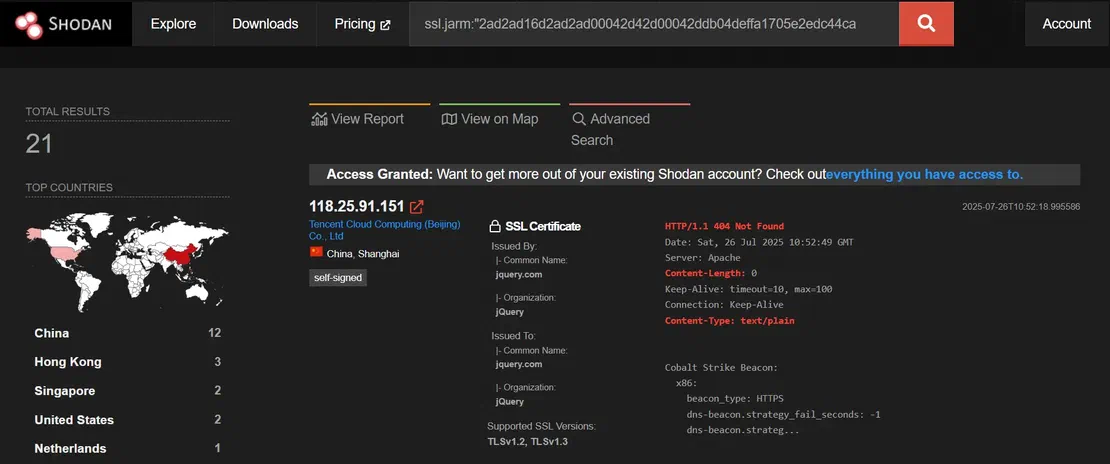
Google as the issuer CN to mimic legitimate traffic and blend into expected telemetry. This tactic is frequently observed in commodity RAT infrastructure.Constructed Shodan query:
ssl.jarm:"2ad2ad16d2ad2ad00042d42d00042ddb04deffa1705e2edc44cae1ed24a4da" http.html_hash:0 HTTP/1.1 404 Not Found Content-Type: text/plain Content-Length: 0 ssl:2048 ssl.cert.issuer.cn:"Google"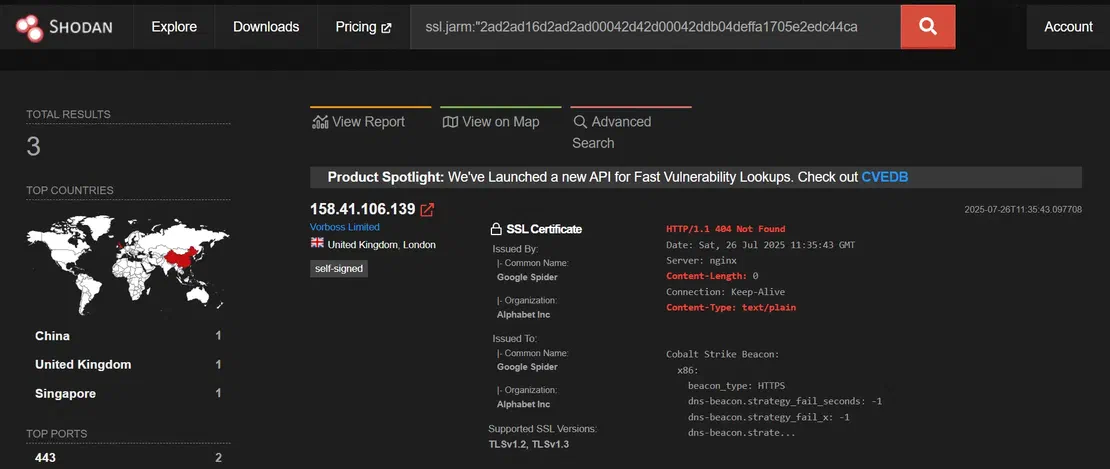
Microsoft Windows as an issuer CN in a certificate is non-standard. It is often used by attackers to appear trustworthy, especially in campaigns abusing SSL/TLS configurations.Constructed Shodan query:
ssl.jarm:"2ad2ad16d2ad2ad00042d42d00042ddb04deffa1705e2edc44cae1ed24a4da" http.html_hash:0 HTTP/1.1 404 Not Found Content-Type: text/plain Content-Length: 0 ssl:2048 ssl.cert.issuer.cn:"Microsoft Windows"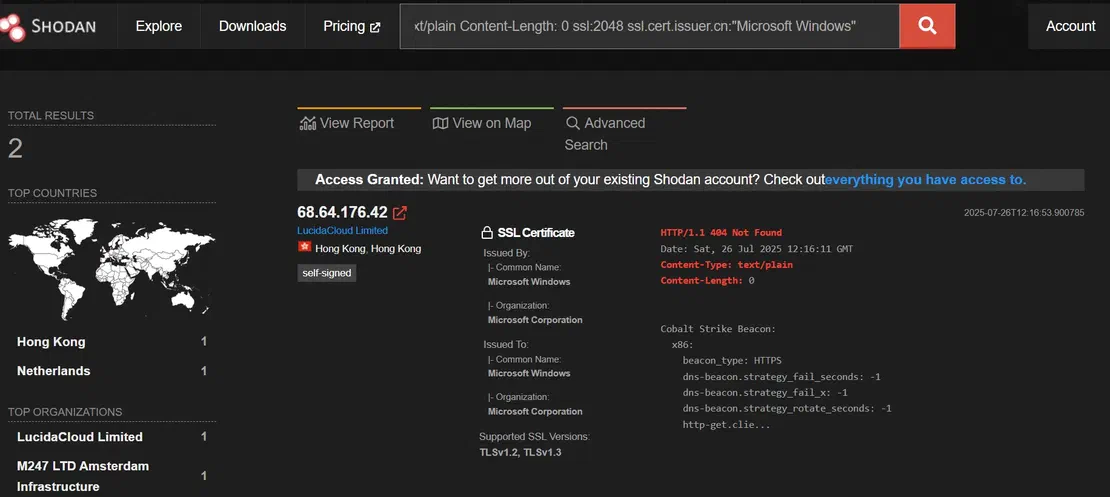
Takeaway: By combining JARM, HTTP response details, SSL key attributes, and certificate metadata, researchers can pivot from a single IOC to a broader infrastructure cluster. While JARM helps group similar setups, it’s critical to refine results using layered indicators and metadata analysis to filter out benign servers.
Recommended Reading
Netlas vs Shodan: Platforms Comparison
Threat actors fundamentally depend on infrastructure components to maintain their malicious activities. The good news is that we can track this infrastructure using attributes such as unique certificate values, JARM hashes, HTTP body hashes, and favicons.
We demonstrated practical, actionable techniques for pivoting across these digital artifacts, supported by real-world case studies. A critical defensive insight is reinforced here: no single indicator is definitive. However, strategically combining multiple signals and applying contextual filtering significantly reduces false positives and sharply improves detection accuracy.
The use of modern IoT search platforms helps track malicious infrastructure across the entire Internet.
The key takeaway for defenders is the power of a proactive hunting mindset: by leveraging the right queries and techniques, even small clues sourced publicly (e.g., from X or abuse.ch) can unravel entire malicious ecosystems. This proactive discovery empowers defenders to disrupt attacks earlier, dismantle attacker operations at scale, and stay ahead of the threat.
Please let me know in the comments if any parts of this post need further clarification or detail. Thank you for reading!

Book Your Netlas Demo
Chat with our team to explore how the Netlas platform can support your security research and threat analysis.
此内容由惯性聚合(RSS阅读器)自动聚合整理,仅供阅读参考。 原文来自 — 版权归原作者所有。