


When using CSS grid minmax() function, it's important to decide between using the auto-fit or auto-fill keywords. When used incorrectly, it can lead to unexpected results.
When using minmax() function, the auto-fit keyword will expand the grid items to fill the available space. While auto-fill will keep the available space reserved without altering the grid items width.
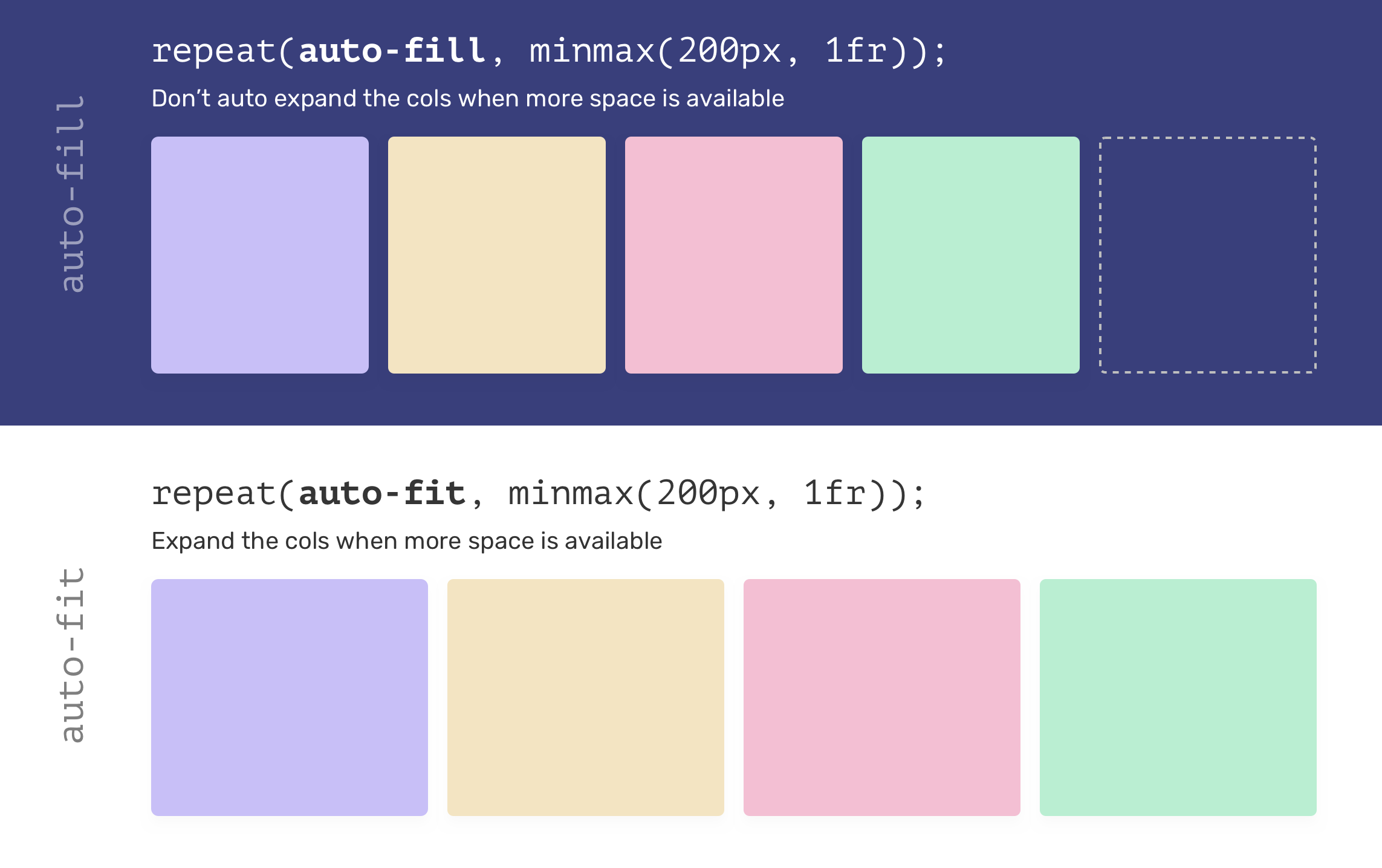
That being said, using auto-fit might lead to grid items being too wide, especially when they are less than expected. Consider the following example.
.wrapper {
    display: grid;
    grid-template-columns: repeat(auto-fit, minmax(250px, 1fr));
    grid-gap: 1rem;
}
If there is only one grid item and auto-fit is used, the item will expand to fill the container width.

Most of the time, such behavior isn't needed, so using auto-fill is better in my opinion.
.wrapper {
    display: grid;
    grid-template-columns: repeat(auto-fill, minmax(250px, 1fr));
    grid-gap: 1rem;
}
.wrapper {
  --sizing: auto-fit;
  display: grid;
  grid-template-columns:
  repeat(var(--sizing), minmax(100px, 1fr));
  grid-gap: 1rem;
}
If you want to learn more about the minmax() function, I recommend you to read this article about it on my blog.
此内容由惯性聚合(RSS阅读器)自动聚合整理,仅供阅读参考。 原文来自 — 版权归原作者所有。