


In flexbox, the default behaviour for flex items is to stretch. If a child item has content longer than its sibling, this will cause the other item to stretch.
This can't be spotted easily unless we add longer content than expected to a flex item.
Consider the following HTML and figure. We have a component that contains an avatar, name, and a biography.
<div class="person">
    <img class="person__avatar" src="img/avatar.jpg" alt="">
    <div class="person__content">
        <h3>Ahmad Shadeed</h3>
        <p><!-- Description goes here.. --></p>
    </div>
</div>
.person {
display: flex;
}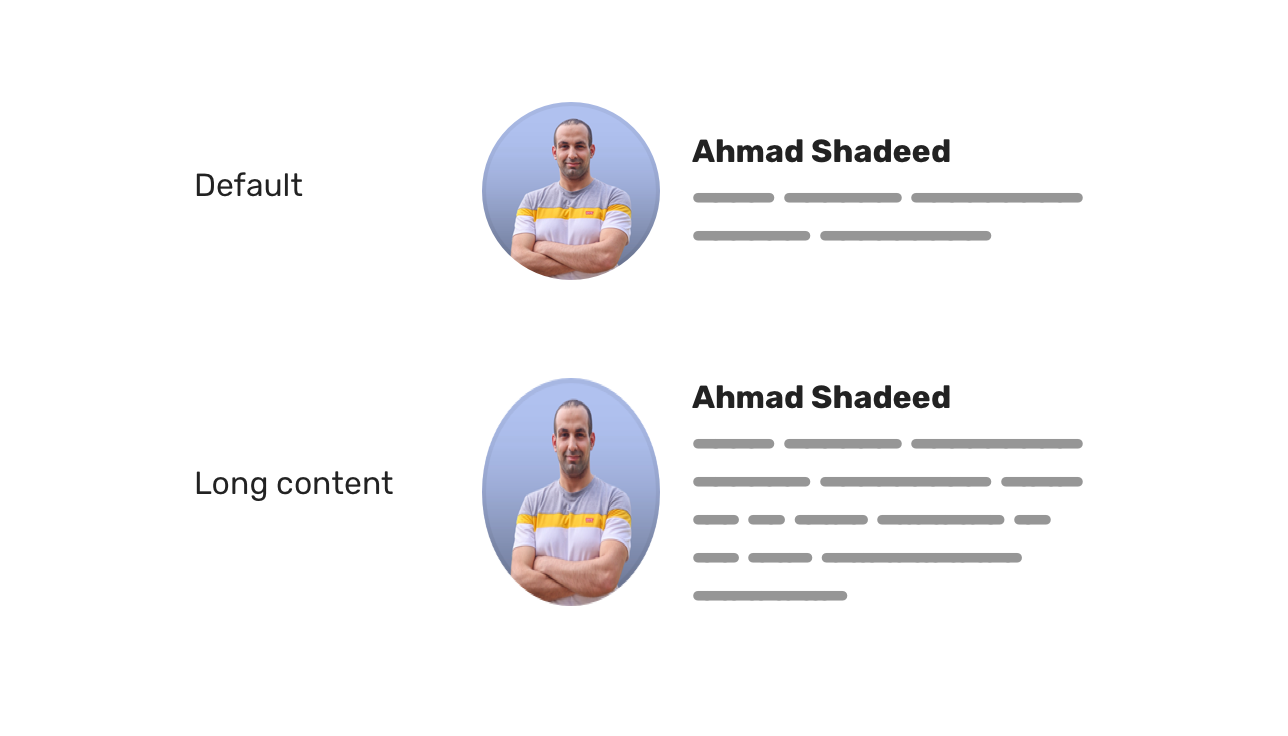
When the bio content (the .person__content element) exceeds the height of the avatar, this will result in the stretching of the avatar.
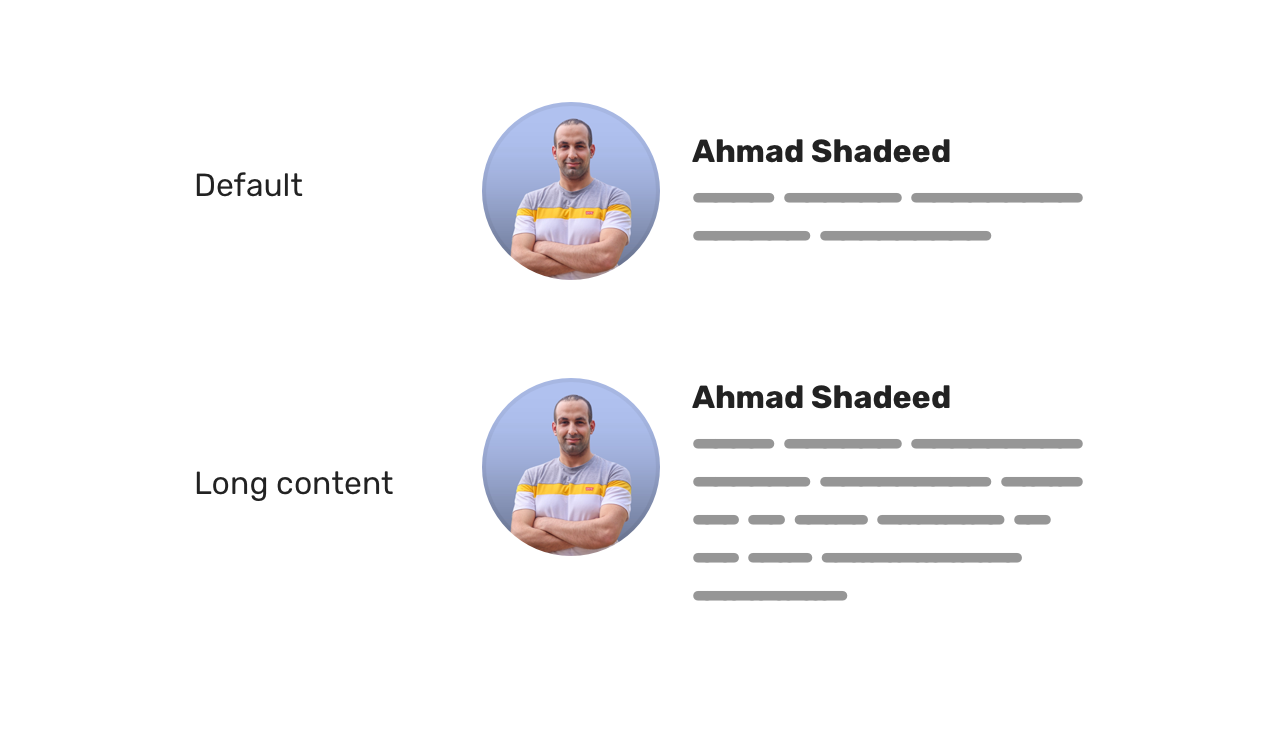
To fix that, we need to override the default stretching behavior and keep the avatar aligned to the start (or the center) of its parent.
.person__avatar {
    /* other styles */
    align-self: start;
}
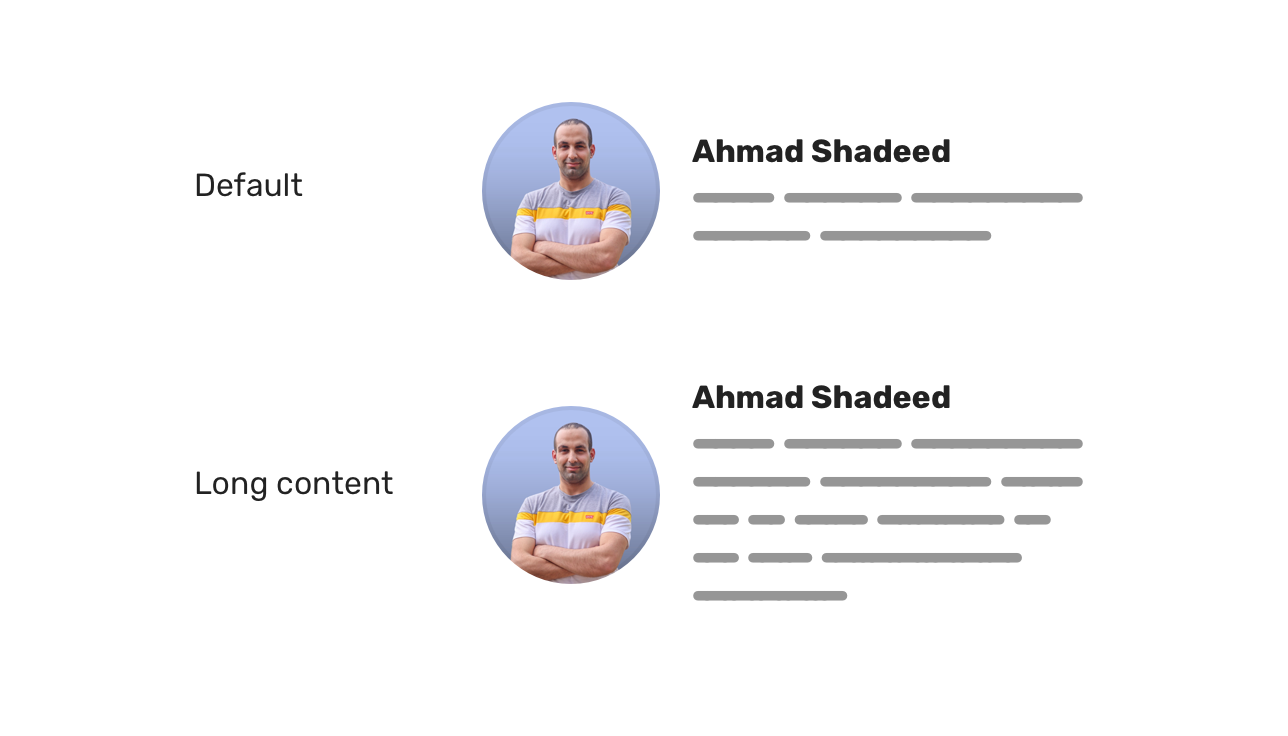
Or you can use align-items: center on the parent element. Whatever works best for your case!
.person {
    display: flex;
    align-items: center;
}

Lorem ipsum, dolor sit amet consectetur adipisicing elit. Doloremque harum est eum aperiam sed ut soluta quia nisi asperiores autem. Corporis consectetur amet sapiente necessitatibus veritatis aut quia maiores. Enim. t soluta quia nisi asperiores autem. Corporis consectetur amet sapiente necessitatibus veritatis aut quia maiores. Enim
Toggle Defensive
此内容由惯性聚合(RSS阅读器)自动聚合整理,仅供阅读参考。 原文来自 — 版权归原作者所有。