
惯性聚合 高效追踪和阅读你感兴趣的博客、新闻、科技资讯
阅读原文 在惯性聚合中打开

推荐订阅源

WordPress大学
WordPress大学
Security Latest
Security Latest
C
Cisco Blogs
P
Palo Alto Networks Blog
Know Your Adversary
Know Your Adversary
Project Zero
Project Zero
C
Cyber Attacks, Cyber Crime and Cyber Security
NISL@THU
NISL@THU
Exploit-DB.com RSS Feed
S
Secure Thoughts
P
Privacy International News Feed
V
Vulnerabilities – Threatpost
D
Docker
Google Online Security Blog
K
KPMG report finds enterprise disconnect between AI and its ROI | CIO
Recent Announcements
T
The Exploit Database - CXSecurity.com
G
Google Developers Blog
Schneier on Security
小众软件
小众软件
爱范儿
爱范儿
GbyAI
GbyAI
J
Java Code Geeks
T
Tailwind CSS Blog
Cisco Talos Blog
Cisco Talos Blog
The Hacker News
The Hacker News
D
DataBreaches.Net
Blog — PlanetScale
Blog — PlanetScale
TaoSecurity Blog
TaoSecurity Blog
MyScale Blog
MyScale Blog
B
Blog RSS Feed
Cyberwarzone
Cyberwarzone
有赞技术团队
有赞技术团队
Martin Fowler
Martin Fowler
C
CXSECURITY Database RSS Feed - CXSecurity.com
S
Securelist
L
Lohrmann on Cybersecurity
cs.CL updates on arXiv.org
Y
Y Combinator Blog
S
Schneier on Security
Latest news
Latest news
Apple Machine Learning Research
博客园 - 叶小钗
F
Fortinet All Blogs
M
MIT News - Artificial intelligence
PCI Perspectives
PCI Perspectives
V
V2EX
V2EX - 技术
V2EX - 技术
O
OpenAI News
W
WeLiveSecurity

Bryan Robinson's Blog

Does our technology still work for us? Product pricing, dev bad habits, and the role of the pit of success Astro Server Island for latest Bluesky post (heavily cached!) Type-safe environment variables in Astro 5.0 New Website, but really is it? Netlify Durable Cache: Caching for a third-party world Introducing the Hygraph Astro Content Loader Integrating Astro.js Starlight Documentation into a Next.js Project Using Proxies Jamstack is meaningless 😱 Book Release: Eleventy by Example – Learn 11ty with 5 in-depth projects 11ty Second 11ty: Creating Template Filters 11ty Second 11ty: Global Data files (JS and JSON) 11ty second 11ty: The Render Plugin Part 1 Help needed: Netlify Frontend environment variables with Astro.js Quick experiment with the Slinkity 11ty plugin Creating a dynamic color converter with 11ty Serverless Using 11ty JavaScript Data files to mix Markdown and CMS content into one collection How to show your template code in 11ty blog posts New City, New Job, New Content Climbing the 11ty Performance leaderboard with Cloudinary, critical CSS and more Three JAMstack movements to watch in 2020 Create a Codepen promo watermark with no additional HTML, CSS or JS 3 underused CSS features to learn for 2020 Use CSS Subgrid to layout full-width content stripes in an article template Adapt client-side JavaScript for use in 11ty (Eleventy) data files CSS Gap creates a bright future for margins in Flex as well as Grid Create your first CSS Custom Properties (Variables) Use CSS Grid to create a self-centering full-width element Creating an 11ty Plugin - SVG Embed Tool Now offering design and code reviews at PeerReviews.dev Routing contact-form emails to different addresses with Netlify, Zapier and SendGrid Create an Eleventy (11ty) theme based on a free HTML template Client work and the JAMstack Grid vs. Flex: A Tale of a "Simple" Promo Space Using Eleventy The Tech Barrier to Entry What Can We Learn from CERN Let Practical CSS Grid - Launching My First Course Build Trust on the Web incorporating User Worries with your User Stories 2019 The Year of Markup-First Development Refactoring CSS into a Sass mixin Starting a new journey with Code Contemporary Dynamic Static Sites with Netlify and iOS Shortcuts Top 3 uses for the ::before and ::after CSS pseudo elements How To: Use CSS Grid to Mix and Match Design Patterns Use CSS ::before and ::after for simple, spicy image overlays Modern CSS: Four Things Every Developer and Designer Should Know About CSS 3 Strategies for Getting Started with CSS Grid CSS Tip: Use rotate() and skew() together to introduce some clean punk rock to your CSS The 5 Stages of Grid Love How To: A CSS-Only Mobile Off Canvas Navigation How To: Use CSS Grid Layout to Make a Simple, Fluid Card Grid Make a More Flexible Cover Screen with CSS Grid Can CSS Grid open up interesting CMS Layout options? Firefox 52 to Introduce New Box-Alignment Values Falling Forward — Rethinking Progressive Enhancement, Graceful Degradation and Developer Morality Start Exploring the Magic of CSS Grid Layout I Converted My Blog to CSS Grid Layout and Regret Nothing Feature Queries are on the Rise CSS Shapes — Let the Text Flow Around You Flexbox -- Let Memorializing Prince and Print vs. The Web I went to Italy and noticed UX fails How to Get Designers to Contribute in Open Source The True Gift of Your Former Code
Using Nunjucks
2020-05-06 · via Bryan Robinson's Blog

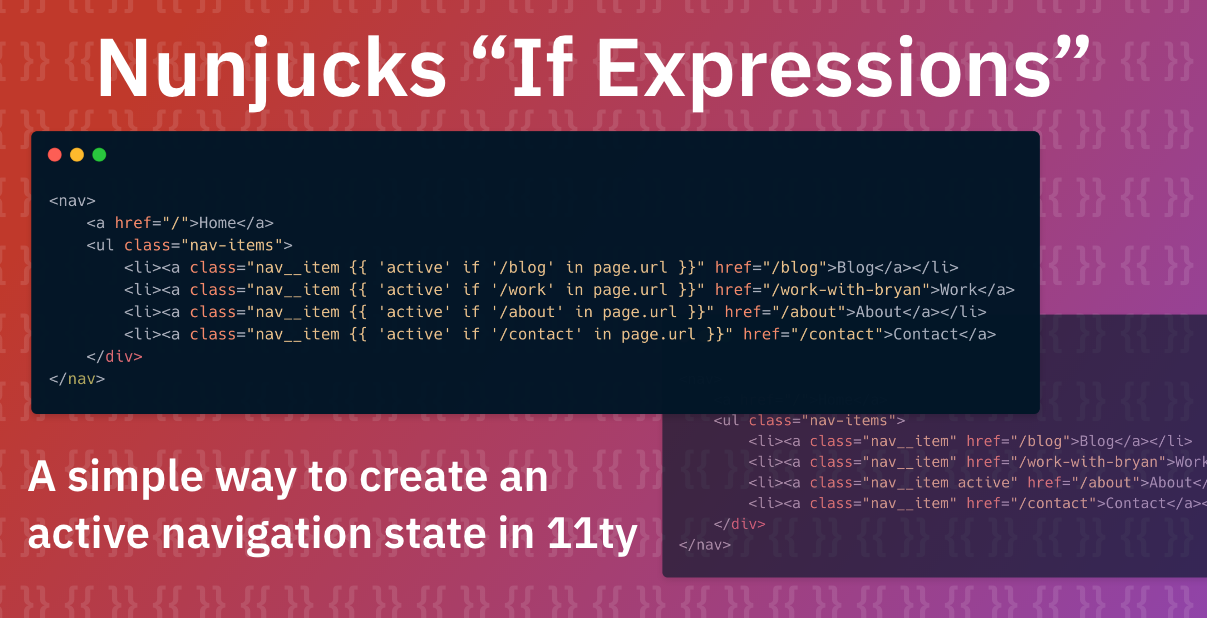
Promo Graphic: Lists code we'll see later with conditional expression and the words: Nunjucks If Expressions: A simple way to create an active navigation state in 11ty

Creating active states in your navigation is important for guiding a user through your site. It gives them a sense of place and let’s them know how to navigate from page to page.

Setting active states in your templates isn’t alway easy. Often, it requires setting a variable on each page to let that page know what navigation item to activate. It can also involve more template tags in your markup to set the proper CSS classes with a conditional.

In this tutorial, we’ll set up a simple navigation, identify what page navigation item we need to activate based on URL parts and add an active class to that element with no need of an {% raw %}{% if %}{% endraw %} tag.

Prerequisites

  • A working understanding of CSS
  • A working understanding of 11ty
  • A working understanding of basic Nunjucks syntax

Creating our navigation

In this example, we’ll keep the markup free from distractions. We’ll have a very small base template that each of our pages will use.

<!DOCTYPE html>
<html lang="en">
<head>
    <meta charset="UTF-8">
    <meta name="viewport" content="width=device-width, initial-scale=1.0">
    <title>{{ title }}</title>
</head>
<body>
    {% include "header.njk" %}
    {{ content | safe }}
</body>
</html>

This is a fairly typical early base template. It has our general page metadata as well as includes for our header and footer and a spot open for our content.

Our navigation has been abstracted out to be used in our header.njk file. Let’s look in there.

<nav>
    <a href="/">Home</a>
    <ul class="nav-items">       
        <li><a class="nav__item" href="/blog">Blog</a></li>
        <li><a class="nav__item" href="/work-with-bryan">Work</a></li>
        <li><a class="nav__item" href="/about">About</a></li>
        <li><a class="nav__item" href="/contact">Contact</a></li>
    </ul>
</nav>

Mostly just raw HTML! A nav element with some lists of pages and anchor tags that take us to those pages.

Setting up our active state

The base of our active state will be a class applied to each navigation item when it’s active. When a user lands on our “About” page, it should have an active class applied to its anchor tag.

  <li><a class="nav__item active" href="/about">About</a></li>

This class-based idea works well, but requires us to manipulate our markup per page to make it work. The whole idea of a templating engine is to manipulate as little custom markup on each page as possible.

In the past, I’ve made active states work in a couple different ways:

  • A block for each link that can be overridden on a child template
  • A variable that can be set in frontmatter to select which nav item to be active

Both of these methods requires touching individual pages to make this happen. Either adding the block to the page and putting in a class name or adding a variable to frontmatter. I’d rather this happen automatically.

Solution: Use Nunjuck’s conditional expressions to add the active state based on URL

The first thing we need to do is figure out our conditional logic.

As it turns out, we have two things in our favor for creating the logic. 11ty ships with a page.url variable for accessing a current page’s URL, and Nunjucks has an in operator that works in conditionals.

So our conditional would look something like this:

{% if '/blog' in page.url %}active{% endif %}

This conditional will check to see if the string /blog exists inside of the string contained in the variable page.url. In the case of a blog, this is especially handy at checking if the current URL is a child page such as /blog/blog-post-slug-url-goes-here. Both /blog and our post URL will match that conditional.

Now, that conditional isn’t too complex, but we had to use our shift key a lot. I don’t know about you, but my pinkies get tired just looking at that code block above.

Nunjucks has just the feature to fix that. It’s called the “if expression.” Instead of a conditional, you can give a conditional state inside of an expression.

Quick aside: I discovered this functionality while researching what various template engines call content inside {% raw %}{{ }}{% endraw %}. Liquid calls them variables, Nunjucks calls them expressions. As I was scrolling through I saw “if expression” listed as a jump link. Color me intrigued!

The basic syntax for an if expression is this: {% raw %}{{ expression-to-echo if expression-to-match operator value [ else else-expression-here ] }}{% endraw %}. In other words, display the first expression - usually a variable or string - if the condition after it is matched. The operator can be any of the conditional operators available to Nunjucks. If you leave off the operator/value combination, it just checks the truthiness of the expression-to-match

In our case, we’ll echo active as a string if our condition that we built above is evaluated to true.

<li><a class="nav__item {{ 'active' if '/blog' in page.url }}" href="/blog">Blog</a></li>  

This syntax functions the same way as the conditional statement above, but with a more concise syntax. The Nunjucks documentation refer to this as similar functionality to the ternary operator in JavaScript. The syntax is a bit better, allowing your condition to have an optional else case instead of requiring it.

No matter how much I learn about the technologies I’m passionate about, there’s always something new to find. I’ll be using “if expressions” in other new ways in the future now that I know they exist.