


I spent years teaching CSS layout on this blog. I put everything I know into The Layout Maestro course: 70+ lessons and 150+ interactive examples that teach you how to think CSS layouts, not just memorize syntax.
While documenting my learning about CSS nesting, I wasn’t a big fan of how the nesting is shown in the DevTools. It’s inconsistent between browsers, and thought why not suggest a few solutions to this problem?
In this article, I will share my thinking process of solving the nesting UX in DevTools, alongside the root problem and why I did that in the first place.
First, I want to make sure that you know that CSS nesting is a new feature that was supported early this year. It might be a bit early to judge the current DevTools UX, but I need to do it for my exploration and curiosity.
Let’s explore an example and see how the nesting is shown in different browsers:
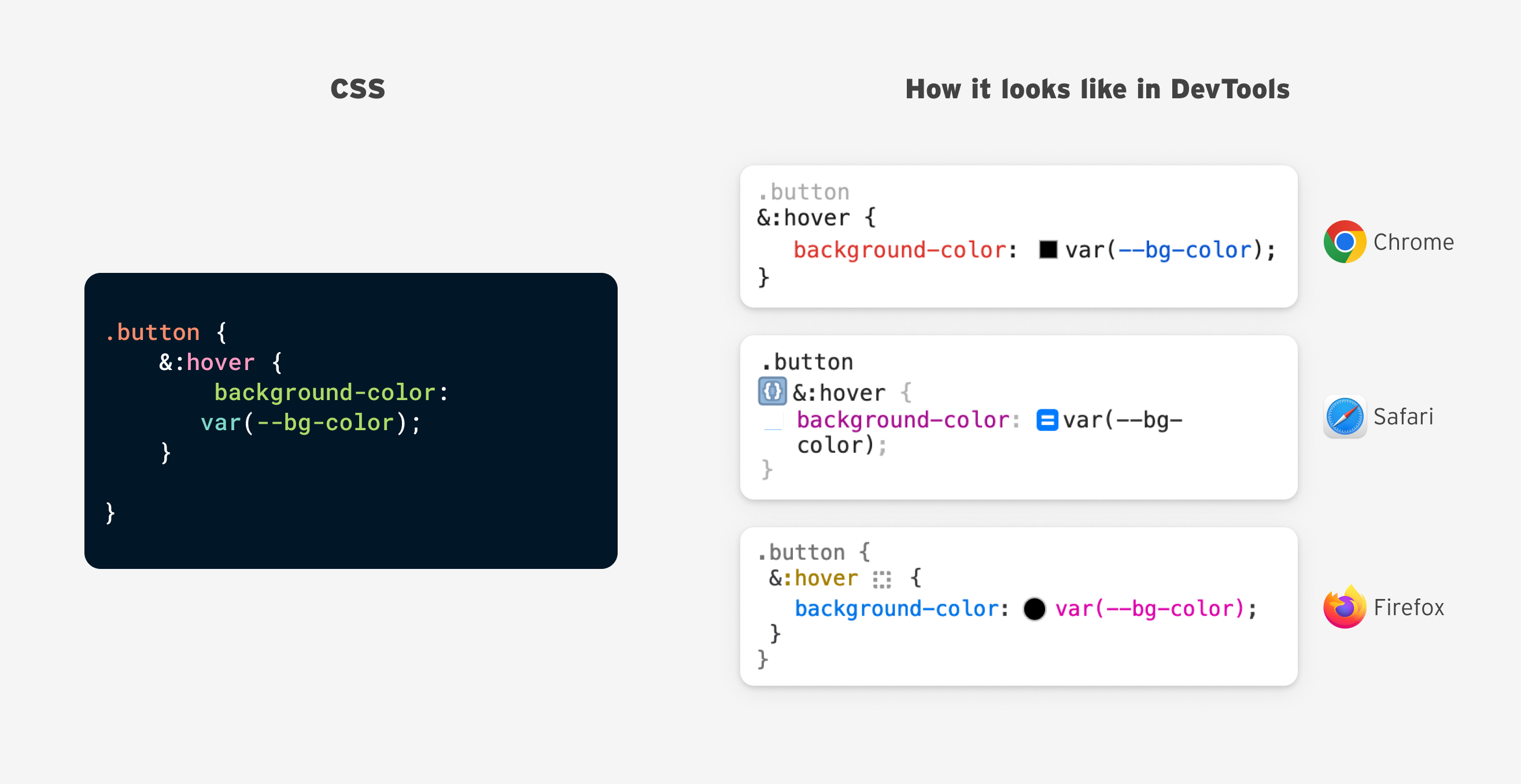
What’s your favorite? For this particular example, I prefer Firefox for the following reasons:
:hover is colored)But that doesn’t mean that I’m totally happy with Firefox UX.
As a front-end developer myself, I came from using tools like Sass and PostCSS for nesting. The browser will compile the CSS nesting into a full selector in the browser.
In the current DevTools, the CSS nesting isn’t shown as a full selector. Instead, it mimics how the CSS is written.
Let’s take an example.
.list-item {
  &:last-child {
    /* Styles */
  }
}
We expect that to render in the DevTools as a nested selector, but since it’s native now, it won’t happen.
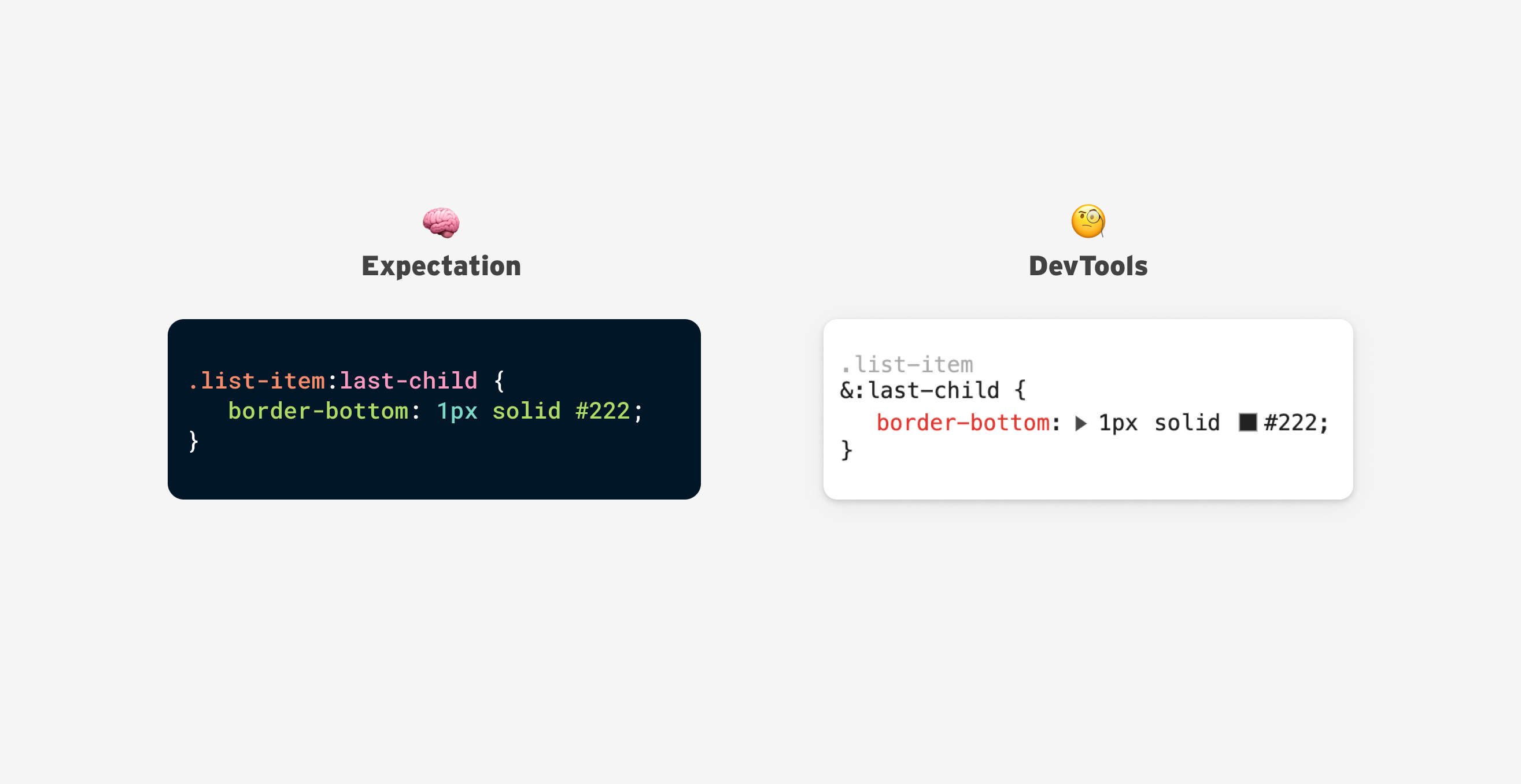
There should be a way to fix that and make it more clear to see the full selector.
For the following solutions, I will explore them based on Chrome UI, but most of them should apply to other browsers as well.
Here is how nesting looks currently:
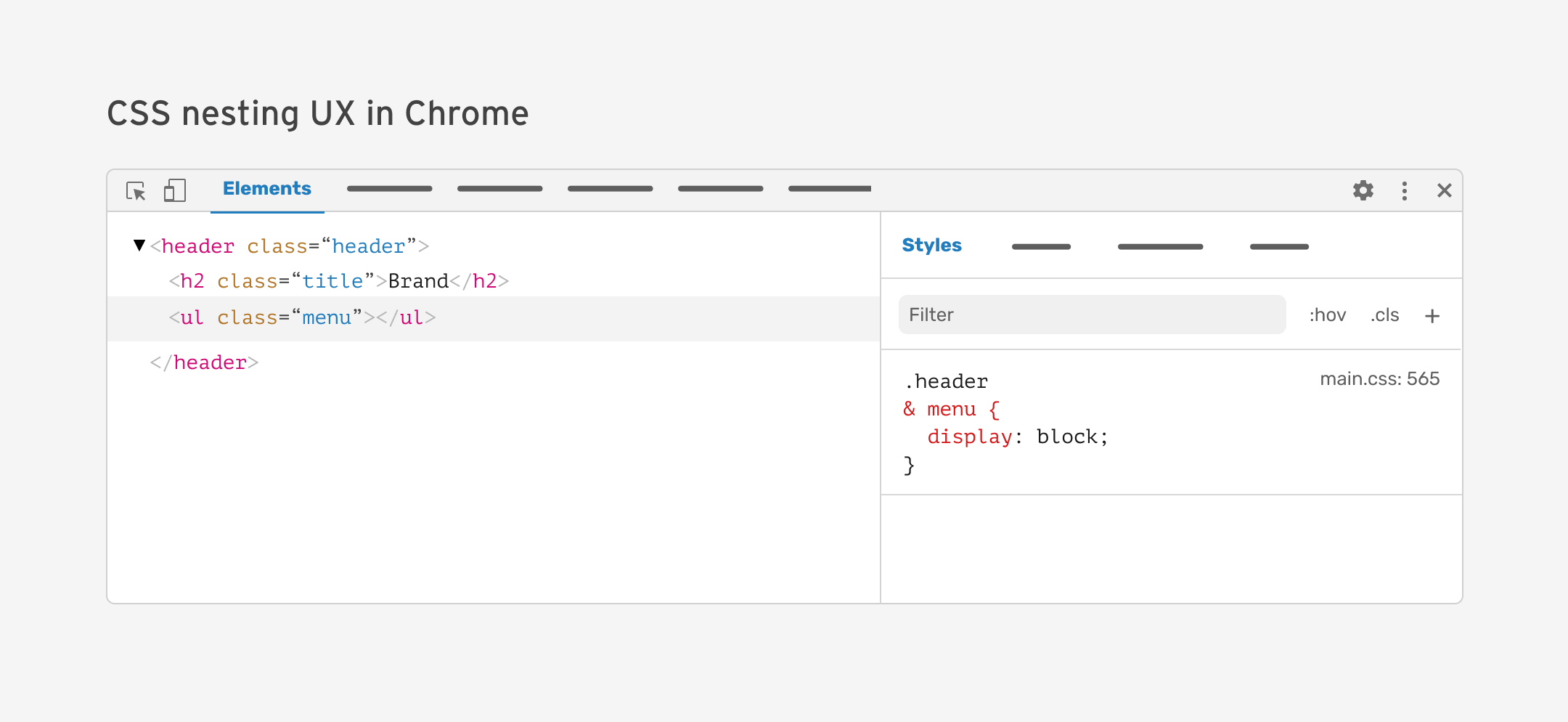
Let’s explore the solutions.
The first idea that I thought about is to show the compiled CSS nesting by default, and the ability to expand or collapse it in the DevTools.
Here is what it looks like:
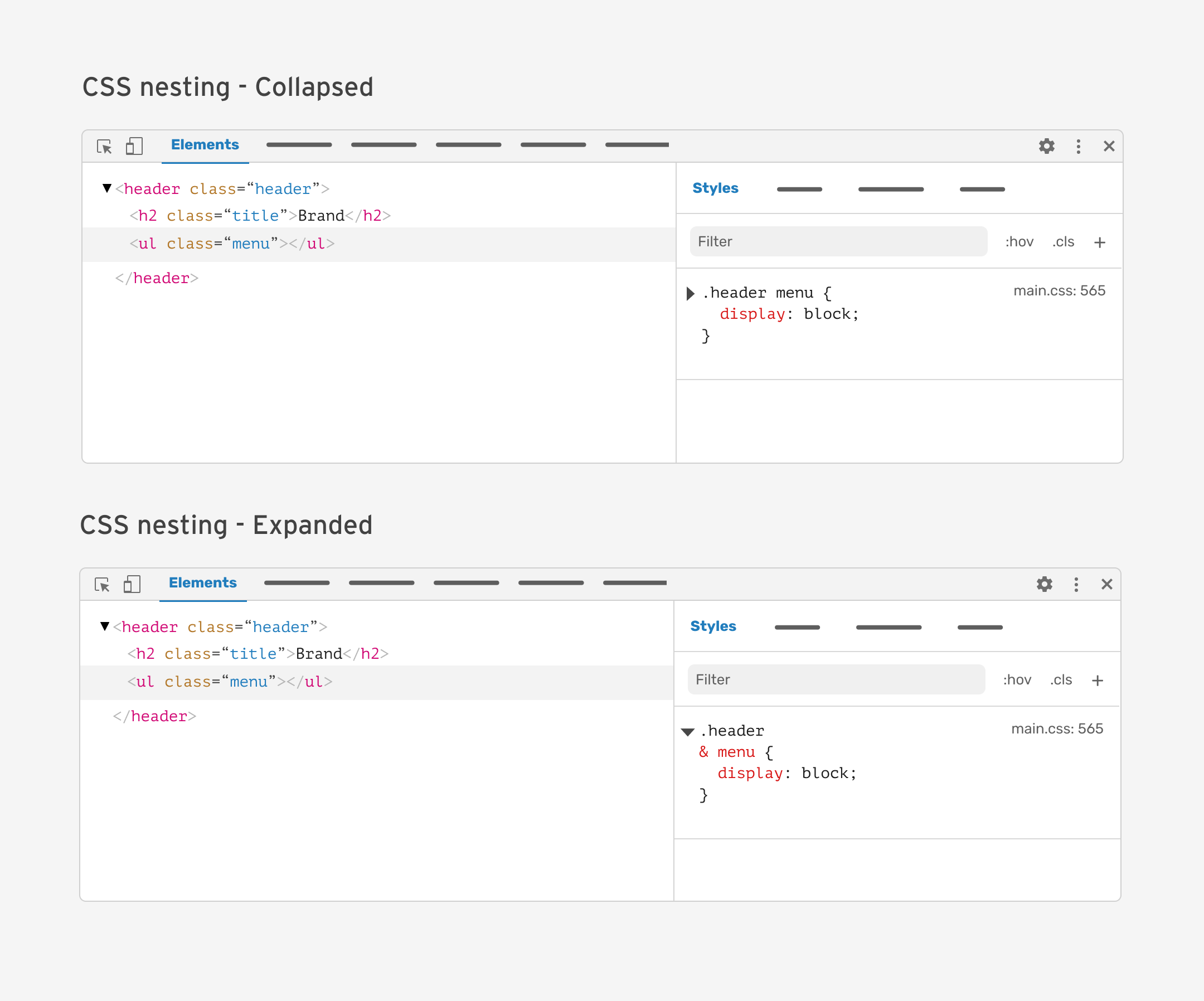
When expanded, it will show the full rule set, just as written in the code editor. If there are multiple nested rules, it will accommodate that:
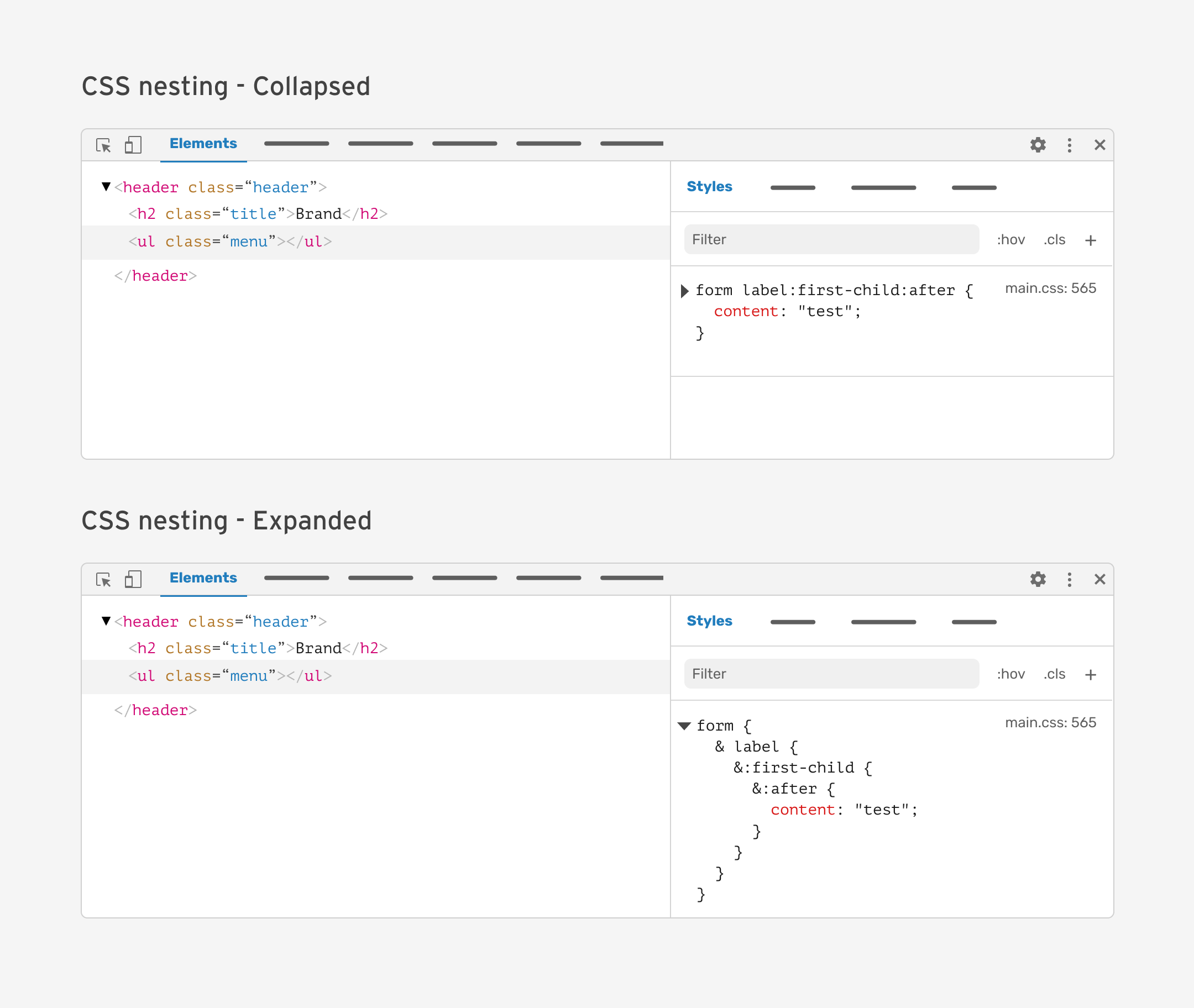
What I mean by “inline arrow” is to place the expand/collapse arrow in a different place.
This can save up space, and make the arrow more related to the context.
Here is the proposal:
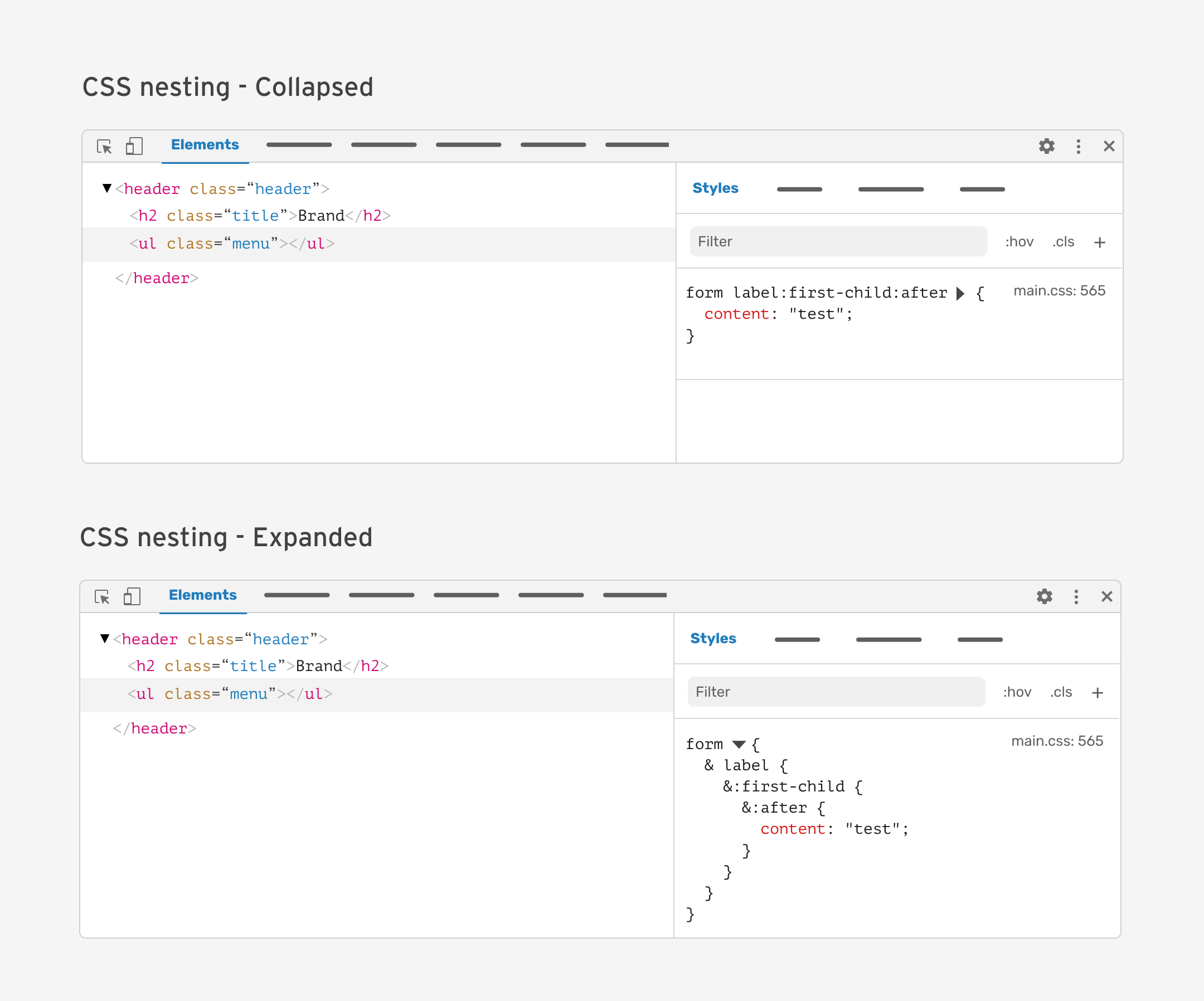
Same as proposal 1, but with the arrow positioning concern fixed.
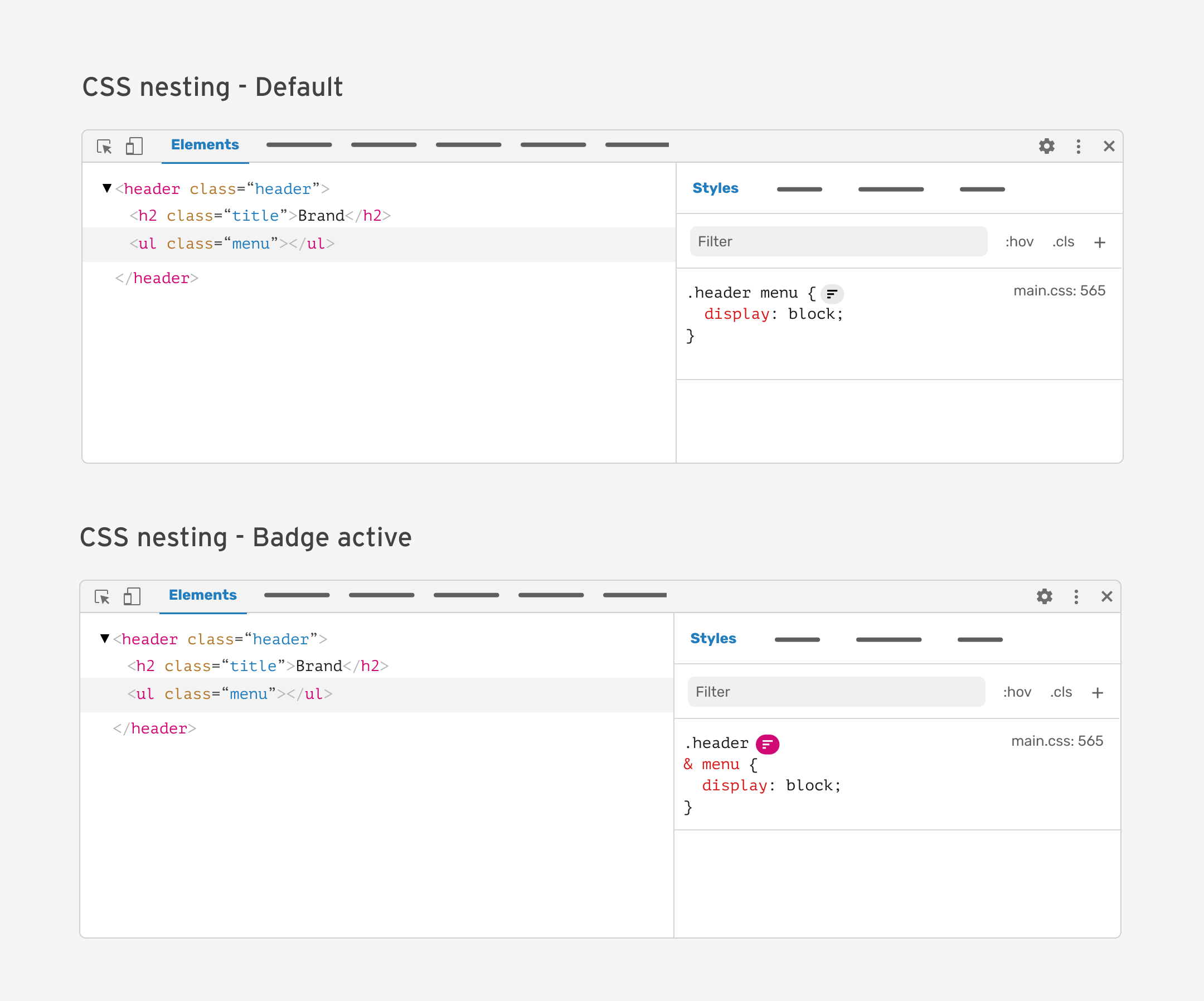
We can display a badge that represents nesting. The icon isn’t the best, but you got the idea.
When the badge is active, it will show the full nested CSS.
From a UI perspective, this is similar to the previous proposal, but instead of toggling, it can show the nested CSS on hover.
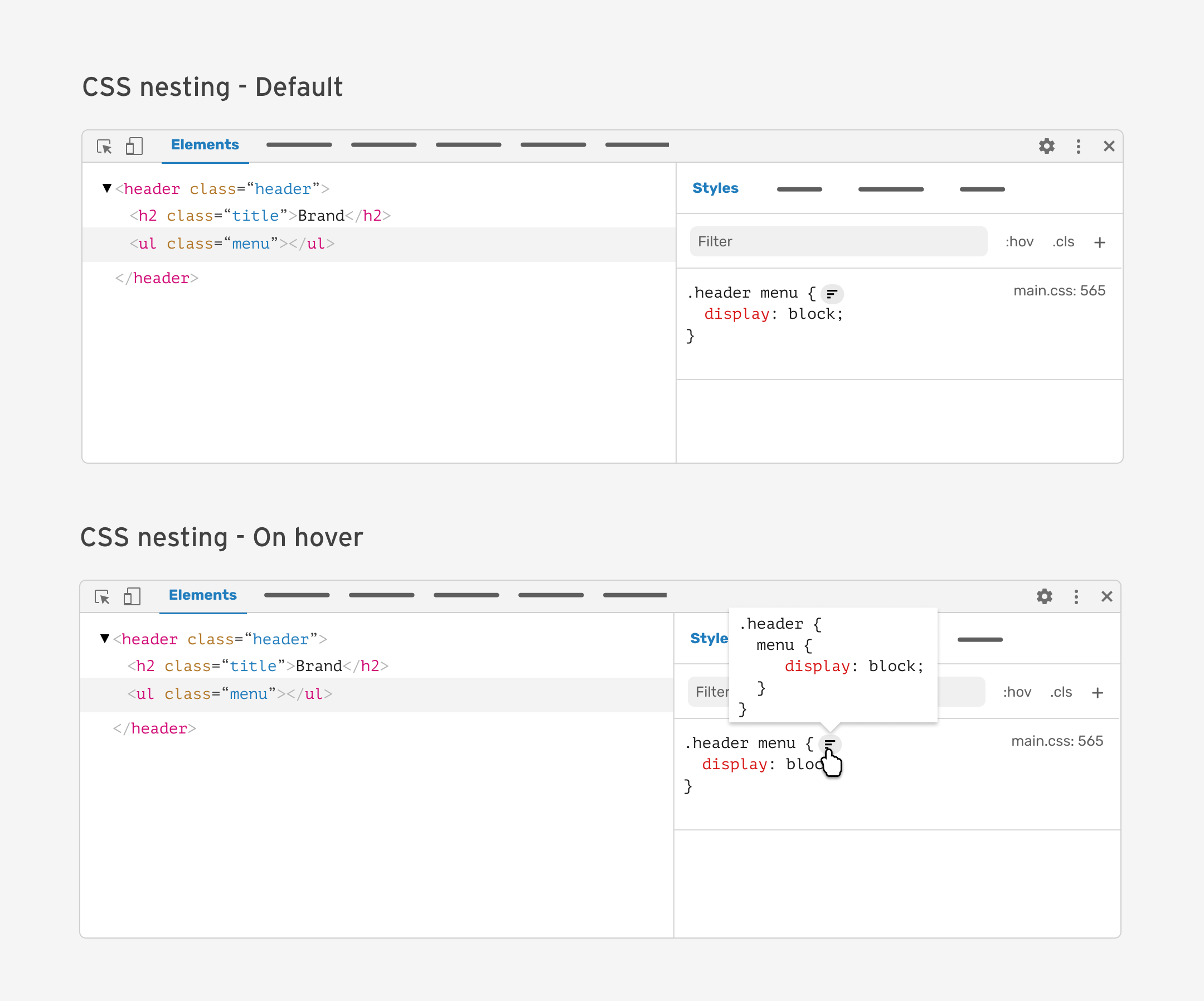
Here is how it looks with a long selector:
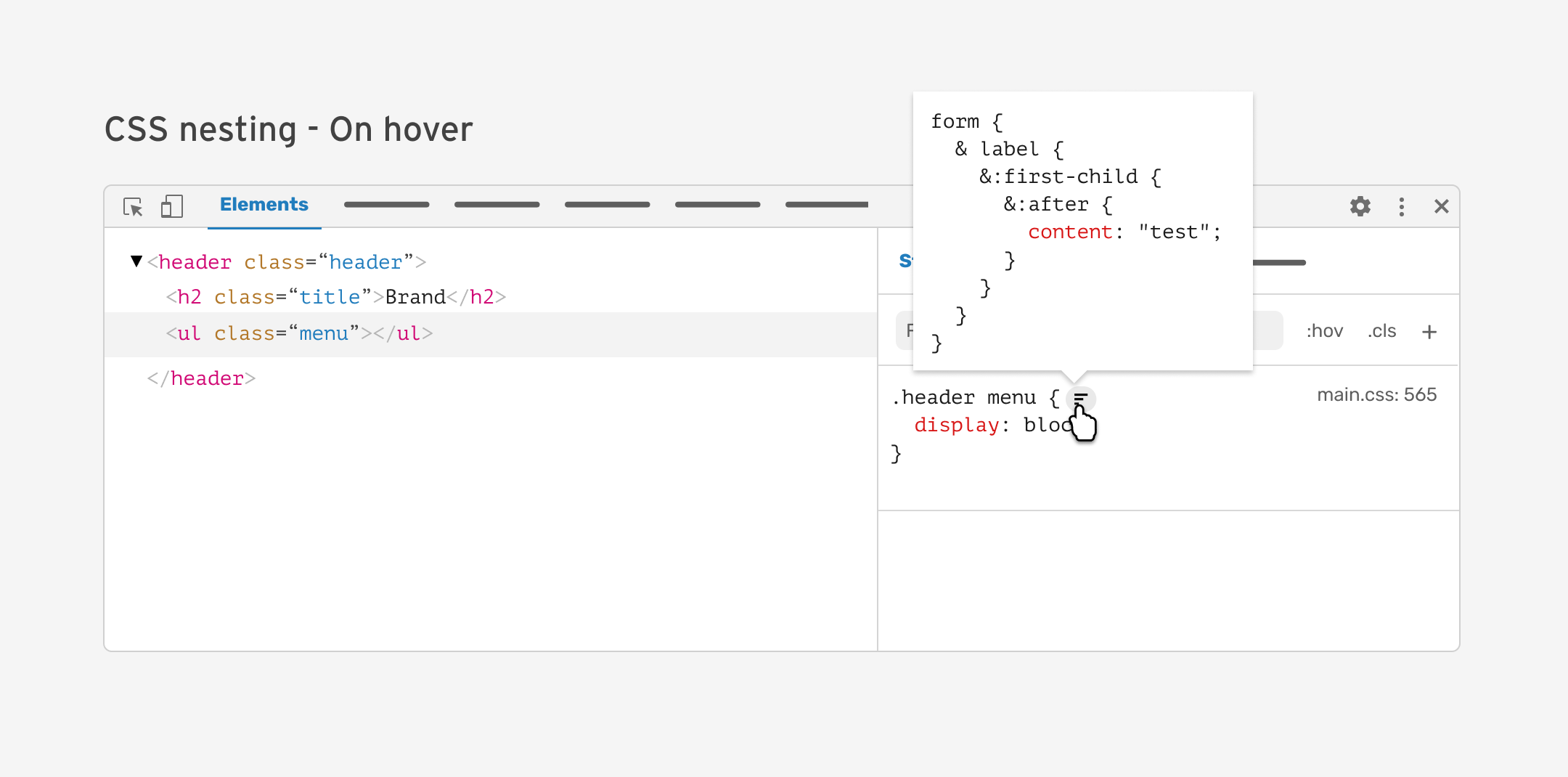
It can get even more crazy. I’m not a fan of this, but it’s an idea that is worth exploring.
What do you think? Which of the proposals do you find interesting?
Currently, when copying a selector, there are different behaviour that I noticed.
When I select and copy the CSS rule set, the pasted result is broken. I tried that with a complex nesting to intentionally break it.
Here is the CSS in the code editor.
form {
  & label {
    &:first-child {
      &:after {
        content: "test";
      }
    }
  }
}
Here is a figure that shows the pasted result:
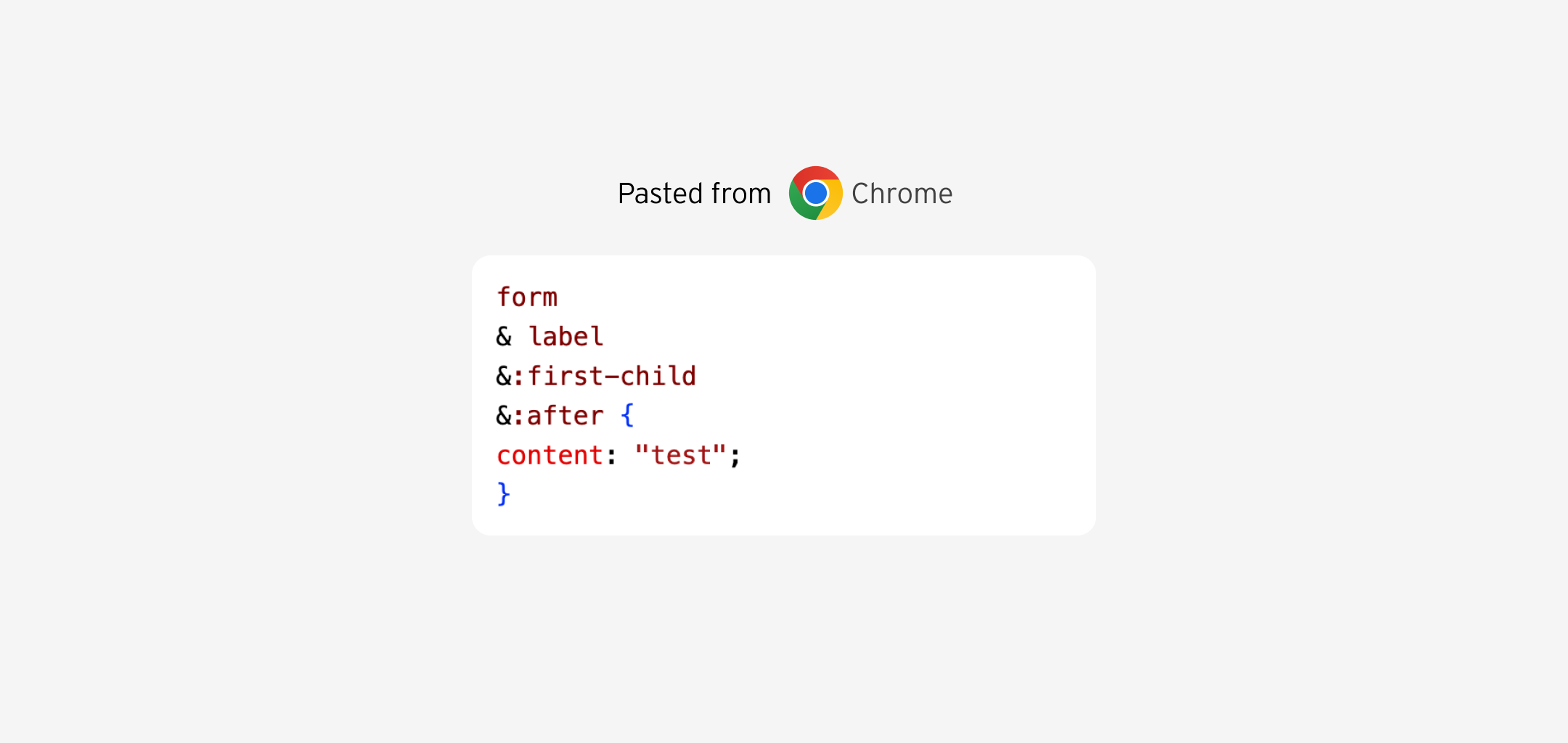
I filed a bug here.
It’s just what I expected.
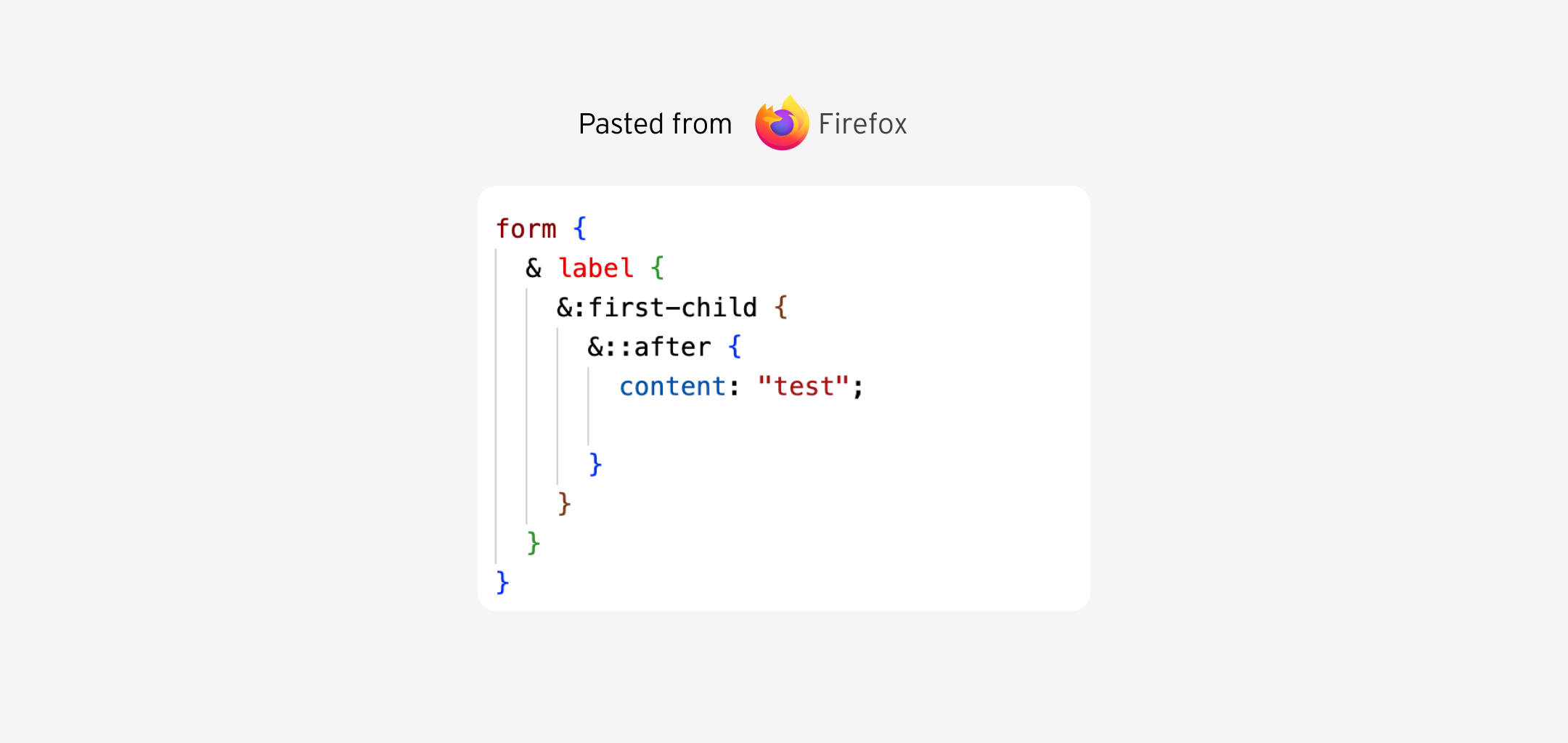
Same as Chrome. I have to add code brackets for each nested block.
Aside from the bug in Chrome, I’m thinking about providing the user with two options:
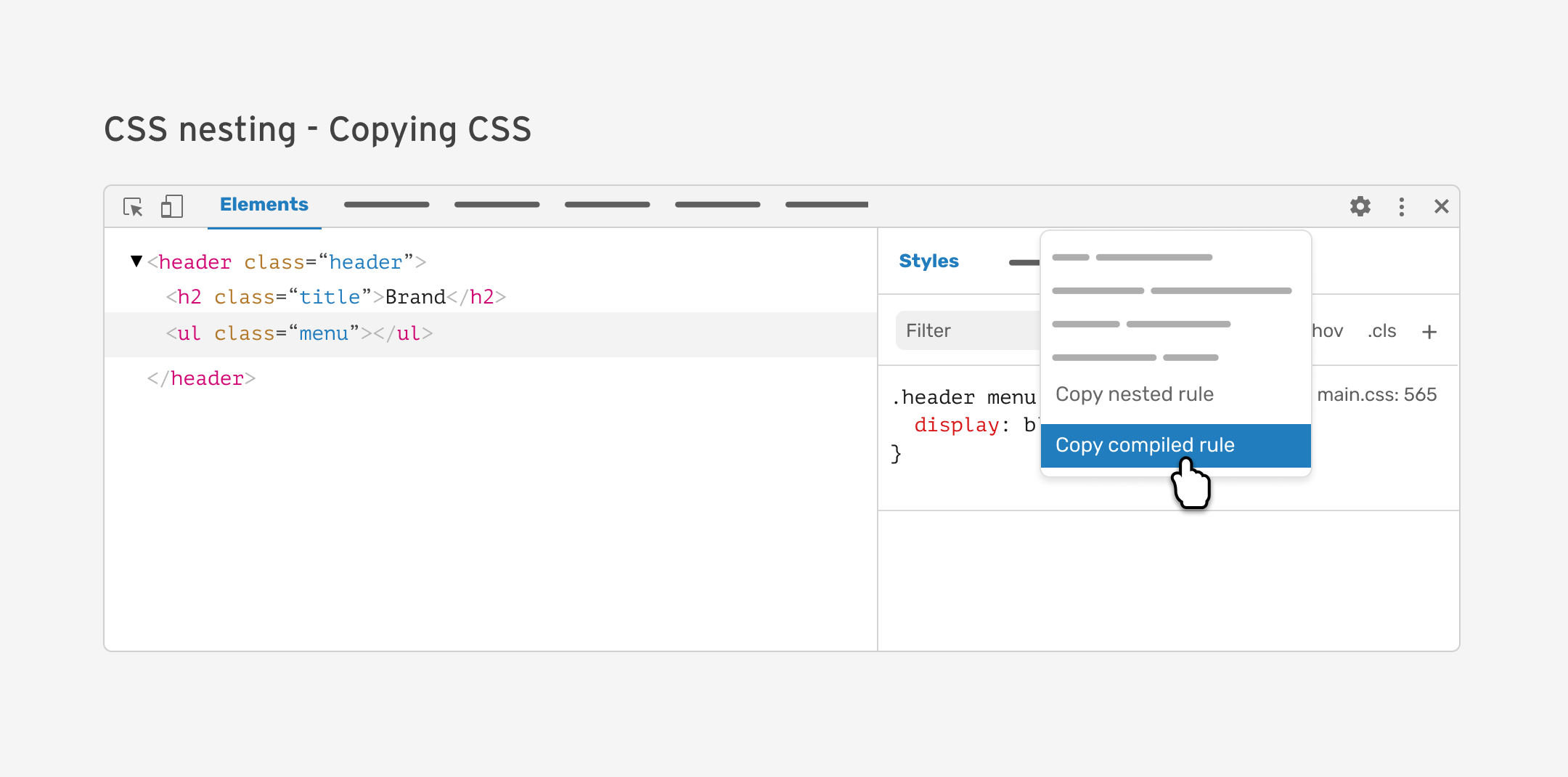
This can be useful in cases where you want to copy nested CSS and paste it back into the code editor.
Since the CSS nesting is new, using it isn’t an option now for a lot of developers. The good thing is that you can use Sass, for example, and copy the nested CSS from the DevTools.
To wrap up, thinking about how the browser DevTools should address CSS nesting is an important step to take. It will help to make the CSS nesting more approachable and easier to debug and use by developers.
Again, I would love to hear your feedback, and if you work at browser vendors, I will be happy to help and contribute where I can.
此内容由惯性聚合(RSS阅读器)自动聚合整理,仅供阅读参考。 原文来自 — 版权归原作者所有。