
惯性聚合 高效追踪和阅读你感兴趣的博客、新闻、科技资讯
阅读原文 在惯性聚合中打开

推荐订阅源

Security Archives - TechRepublic
P
Privacy & Cybersecurity Law Blog
cs.AI updates on arXiv.org
W
WeLiveSecurity
Exploit-DB.com RSS Feed
L
LINUX DO - 热门话题
C
Cybersecurity and Infrastructure Security Agency CISA
S
Security Affairs
Latest news
Latest news
Security Latest
Security Latest
N
News and Events Feed by Topic
Spread Privacy
Spread Privacy
P
Proofpoint News Feed
T
The Blog of Author Tim Ferriss
Y
Y Combinator Blog
Google DeepMind News
www.infosecurity-magazine.com
T
The Exploit Database - CXSecurity.com
The Last Watchdog
The Last Watchdog
C
Cyber Attacks, Cyber Crime and Cyber Security
C
CXSECURITY Database RSS Feed - CXSecurity.com
V
Vulnerabilities – Threatpost
Hacker News - Newest:
Hacker News - Newest: "LLM"
Microsoft Azure Blog
V
Visual Studio Blog
The Cloudflare Blog
Cyber Security Advisories - MS-ISAC
G
GRAHAM CLULEY
博客园_首页
S
Secure Thoughts
让小产品的独立变现更简单 - ezindie.com
AWS News Blog
AWS News Blog
腾讯CDC
D
Darknet – Hacking Tools, Hacker News & Cyber Security
The Register - Security
N
News and Events Feed by Topic
A
Arctic Wolf
MongoDB | Blog
MongoDB | Blog
爱范儿
爱范儿
Project Zero
Project Zero
A
About on SuperTechFans
罗磊的独立博客
云风的 BLOG
云风的 BLOG
Know Your Adversary
Know Your Adversary
S
Security @ Cisco Blogs
Google Online Security Blog
K
Kaspersky official blog
L
LINUX DO - 最新话题
Threat Intelligence Blog | Flashpoint
F
Fortinet All Blogs

CodePen

433: CodePen 2.0 is Backward Compatible with Any Classic Pen or Project 432: Trends of 2026 (So Far) 431: Versions are Deeply Integrated into CodePen Chris’ Corner: Layers of Layers 430: The Wild World of Keyboard Shortcuts in Web Apps Chris’ Corner: Makin’ Stuff 429: Why CodePen Rebuilt Its Realtime Service Chris’ Corner: The Edge, Man 428: Improving The Entire Billing System (is Very Worth It) Chris’ Corner: Design Chris’ Corner: A11Y 427: Next.js and The Journey of SSR 426: Browserslist in CodePen 2.0 Chris’ Corner: View Transitions 425: Help Your Users Help You with Debug Logs Chris’ Corner: Check It B4 U Wreck It Chris’ Corner: Import Maps 424: File List Optimization Chris’ Corner: ZIP first? 423: 2.0 Templates Chris’ Corner: URLs 422: Supporting Packages Chris’ Corner: Share What You Do 421: View Control of the 2.0 Editor Chris’ Corner: Design Chris’ Corner: Even Grids Chris’ Corner: Processing 420: What are Blocks? Chris’ Corner: Anchors 419: Why 2.0? Chris’ Corner: Cool Things Chris’ Corner: SVG Tools 418: CodeMirror 6 Chris’ Corner: All Together Now Chris’ Corner: Light & Boxes Chris’ Corner: Lovingly Esoteric CSS Chris’ Corner: Type Chris’ Corner: Two Liners Chris’ Corner: Type Chris’ Corner: Freshly-Fallen CSS Chris’ Corner: Cloud Four Chris’ Corner: HTML Chris’ Corner: Web Components Chris’ Corner: Kagi Blog Typography 417: Iframe Allow Attribute Saga Chris’ Corner: Cursors Chris’ Corner: Browser Feature Testing 416: Upgrading Next.js & React Chris’ Corner: AI Browsers 415: Babel Choices 414: Apollo (and the Almighty Cache) Google Chrome & Iframe `allow` Permissions Problems Chris’ Corner: Stage 2 413: Still indie after all these years Chris’ Corner: Design (and you’re going to like it) 412: 2.0 Embedded Pens Chris’ Corner: Discontent 411: The Power of Tree-Sitter Chris’ Corner: Word Search 410: Trying to help humans in an industry that is becoming increasingly non-human Chris’ Corner: Little Bits of CSS 409: Our Own Script Injection Chris’ Corner: Terminological Fading 408: Proxied Third-Party JavaScript Chris’ Corner: Simple, Accessible Multi-Select UI 407: Our Own CDN Chris’ Corner: Clever Clever 406: Hot Trends of 2025 Chris’ Corner: Pretty Palettes 405: Elasticsearch → Postgres Search Chris’ Corner: Faces Chris’ Corner: Browser Wars Micro Edition 404: Preventing Infinite Loops from Crashing the Browser Chris’ Corner: Scroll-Driven Excitement 403: Privacy & Permissions Chris’ Corner: AI for me, AI for thee 402: Bookmarks Chris’ Corner: We Can Have Nice Things 401: Outgoing Email Chris’ Corner: Tokens Chris’ Corner: Modern CSS Features Coming Together Chris’ Corner: Liquid Ass Chris Corner: For The Sake of It Chris’ Corner: Type Stuff! Chris’ Corner: Doing a Good Job Chris’ Corner: Design Do’s and Don’ts Chris’ Corner: CSS Deep Cuts Chris’ Corner: GSAP, more like FREESap Chris’ Corner: Reacting Chris’ Corner: Rounded Triangle Boxes and Our Shapely Future Chris’ Corner: Fairly Fresh CSS Chris’ Corner: 10 HTML Hits Chris’ Corner: CSS Powered Componentry Chris’ Corner: The New Web Safe Chris’ Corner: PerformanCSS Chris’ Corner: Color Accessibility Chris’ Corner: onChange Chris’ Corner: Accessible Takes Chris’ Corner: Creative Coding
Chris’ Corner: Finding Type
Chris Coyier · 2026-05-26 · via CodePen
Jump to Docs Navigation

Finding the typeface you need is a whole thing. You’ll know it when you see it is one approach. Look at a lot of choices. Make sure to save ones that you think are really nice, even if they aren’t the winner this time. On my local machine, I use an app called Typeface. I try to tag stuff in categories that make sense to me. I have a good amount of nice stuff in there, but still, when looking for a web project, it’s limiting, because I don’t have local versions of all the typefaces that would be good candidates for a web project. All of Google Fonts, for instance, I have no interest in keeping local copies of. And it’s extremely cost-prohibitive to buy every great font I see available for purchase.

I find it interesting to look at ways to explore typefaces in novel ways. For instance, font.fish has a way to explore them in a big scrollable grid.

As you explore clusters and axises, you can see how the groupings work and perhaps find what you need by virtue of similarity and variation in what you need.

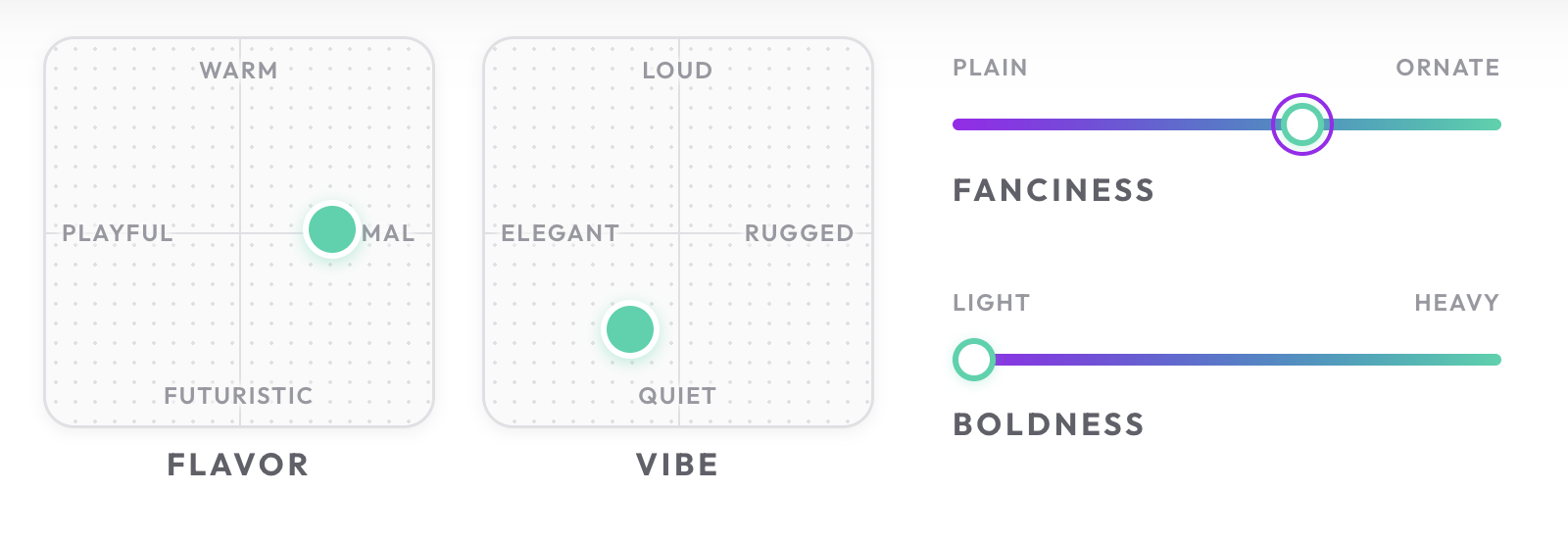
Sweetfont has a different approach where you move around on different axises like from Loud to Quiet or from Playful to Formal. Then ultimately just see one particular font that fits the bill.
A more traditional way to organize fonts is to just make broad relatable categories, like Typographer does.

And to be fair, Google Fonts does have that, too. They’ve come a long way.

But nothing sells a font like a good ol fashioned specimen page. It’s hard for me to look at practical any specimen page and not be sold on it. For instance, I’d love to work on a product that got to use MD UI.

Maybe typeface specimen pages could be like a whole coffee table book? That would be sweet. Oh, wait, Elliot Jay Stocks is already all over it.