


This article is a continuation of WebGL 3D Directional Lighting. If you haven't read that I suggest you start there.
In the last article we covered directional lighting where the light is coming universally from the same direction. We set that direction before rendering.
What if instead of setting the direction for the light we picked a point in 3d space for the light and computed the direction from any spot on the surface of our model in our shader? That would give us a point light.
If you rotate the surface above you'll see how each point on the surface has a different surface to light vector. Getting the dot product of the surface normal and each individual surface to light vector gives us a different value at each point on the surface.
So, let's do that.
First we need the light position
uniform vec3 u_lightWorldPosition;
And we need a way to compute the world position of the surface. For that we can multiply our positions by the world matrix so ...
uniform mat4 u_world;

...

// compute the world position of the surface
vec3 surfaceWorldPosition = (u_world * a_position).xyz;
And we can compute a vector from the surface to the light which is similar to the direction we had before expect this time we're computing it for every position on the surface to a point.
v_surfaceToLight = u_lightWorldPosition - surfaceWorldPosition;
Here's all that in context
attribute vec4 a_position;
attribute vec3 a_normal;

+uniform vec3 u_lightWorldPosition;

+uniform mat4 u_world;
uniform mat4 u_worldViewProjection;
uniform mat4 u_worldInverseTranspose;

varying vec3 v_normal;

+varying vec3 v_surfaceToLight;

void main() {
  // Multiply the position by the matrix.
  gl_Position = u_worldViewProjection * a_position;

  // orient the normals and pass to the fragment shader
  v_normal = mat3(u_worldInverseTranspose) * a_normal;

+  // compute the world position of the surface
+  vec3 surfaceWorldPosition = (u_world * a_position).xyz;
+
+  // compute the vector of the surface to the light
+  // and pass it to the fragment shader
+  v_surfaceToLight = u_lightWorldPosition - surfaceWorldPosition;
}
Now in the fragment shader we need to normalize the surface to light
vector since it's a not a unit vector. Note that we could normalize in
the vertex shader but because it's a varying it will be linearly
interpolated between our positions and so would not be a complete unit
vector
precision mediump float;

// Passed in from the vertex shader.
varying vec3 v_normal;
+varying vec3 v_surfaceToLight;

-uniform vec3 u_reverseLightDirection;
uniform vec4 u_color;

void main() {
  // because v_normal is a varying it's interpolated
  // so it will not be a unit vector. Normalizing it
  // will make it a unit vector again
  vec3 normal = normalize(v_normal);

  vec3 surfaceToLightDirection = normalize(v_surfaceToLight);

-  float light = dot(normal, u_reverseLightDirection);
+  float light = dot(normal, surfaceToLightDirection);

  gl_FragColor = u_color;

  // Lets multiply just the color portion (not the alpha)
  // by the light
  gl_FragColor.rgb *= light;
}
Then we need to lookup the locations of u_world and u_lightWorldPosition
-  var reverseLightDirectionLocation =
-      gl.getUniformLocation(program, "u_reverseLightDirection");
+  var lightWorldPositionLocation =
+      gl.getUniformLocation(program, "u_lightWorldPosition");
+  var worldLocation =
+      gl.getUniformLocation(program, "u_world");
and set them
  // Set the matrices
+  gl.uniformMatrix4fv(
+      worldLocation, false,
+      worldMatrix);
  gl.uniformMatrix4fv(
      worldViewProjectionLocation, false,
      worldViewProjectionMatrix);

  ...

-  // set the light direction.
-  gl.uniform3fv(reverseLightDirectionLocation, m4.normalize([0.5, 0.7, 1]));
+  // set the light position
+  gl.uniform3fv(lightWorldPositionLocation, [20, 30, 50]);
And here it is
Now that we have a point we can add something called specular highlighting.
If you look at on object in the real world, if it's remotely shiny then if it happens to reflect the light directly at you it's almost like a mirror
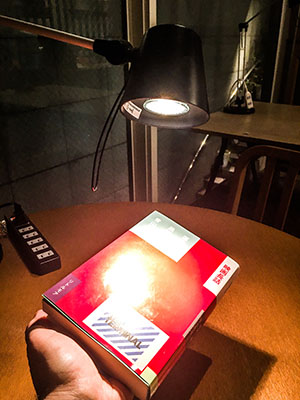
We can simulate that effect by computing if the light reflects into our eyes. Again the dot-product comes to the rescue.
What do we need to check? Well let's think about it. Light reflects at the same angle it hits a surface so if the direction of the surface to the light is the exact reflection of the surface to the eye then it's at the perfect angle to reflect
If we know the direction from the surface of our model to the light (which
we do since we just did that). And if we know the direction from the
surface to view/eye/camera, which we can compute, then we can add those 2
vectors and normalize them to get the halfVector which is the vector
that sits half way between them. If the halfVector and the surface normal
match then it's the perfect angle to reflect the light into the
view/eye/camera. And how can we tell when they match? Take the dot
product just like we did before. 1 = they match, same direction, 0 =
they're perpendicular, -1 = they're opposite.
So first thing is we need to pass in the view/camera/eye position, compute the surface to view vector and pass it to the fragment shader.
attribute vec4 a_position;
attribute vec3 a_normal;

uniform vec3 u_lightWorldPosition;
+uniform vec3 u_viewWorldPosition;

uniform mat4 u_world;
uniform mat4 u_worldViewProjection;
uniform mat4 u_worldInverseTranspose;

varying vec3 v_normal;

varying vec3 v_surfaceToLight;
+varying vec3 v_surfaceToView;

void main() {
  // Multiply the position by the matrix.
  gl_Position = u_worldViewProjection * a_position;

  // orient the normals and pass to the fragment shader
  v_normal = mat3(u_worldInverseTranspose) * a_normal;

  // compute the world position of the surface
  vec3 surfaceWorldPosition = (u_world * a_position).xyz;

  // compute the vector of the surface to the light
  // and pass it to the fragment shader
  v_surfaceToLight = u_lightWorldPosition - surfaceWorldPosition;

+  // compute the vector of the surface to the view/camera
+  // and pass it to the fragment shader
+  v_surfaceToView = u_viewWorldPosition - surfaceWorldPosition;
}
Next in the fragment shader we need to compute the halfVector between
the surface to view and surface to light vectors. Then we can take the
dot product the halfVector and the normal to find out if the light is
reflecting into the view.
// Passed in from the vertex shader.
varying vec3 v_normal;
varying vec3 v_surfaceToLight;
+varying vec3 v_surfaceToView;

uniform vec4 u_color;

void main() {
  // because v_normal is a varying it's interpolated
  // so it will not be a unit vector. Normalizing it
  // will make it a unit vector again
  vec3 normal = normalize(v_normal);

+  vec3 surfaceToLightDirection = normalize(v_surfaceToLight);
+  vec3 surfaceToViewDirection = normalize(v_surfaceToView);
+  vec3 halfVector = normalize(surfaceToLightDirection + surfaceToViewDirection);

  float light = dot(normal, surfaceToLightDirection);
+  float specular = dot(normal, halfVector);

  gl_FragColor = u_color;

  // Lets multiply just the color portion (not the alpha)
  // by the light
  gl_FragColor.rgb *= light;

+  // Just add in the specular
+  gl_FragColor.rgb += specular;
}
Finally we have to look up u_viewWorldPosition and set it
var lightWorldPositionLocation =
    gl.getUniformLocation(program, "u_lightWorldPosition");
+var viewWorldPositionLocation =
+    gl.getUniformLocation(program, "u_viewWorldPosition");

...

// Compute the camera's matrix
var camera = [100, 150, 200];
var target = [0, 35, 0];
var up = [0, 1, 0];
var cameraMatrix = makeLookAt(camera, target, up);

+// set the camera/view position
+gl.uniform3fv(viewWorldPositionLocation, camera);
And here's that
DANG THAT'S BRIGHT!
We can fix the brightness by raising the dot-product result to a power. This will scrunch up the specular highlight from a linear falloff to an exponential falloff.
The closer the red line is to the top of the graph the brighter our specular addition will be. By raising the power it scrunches the range where it goes bright to the right.
Let's call that shininess and add it to our shader.
uniform vec4 u_color;
+uniform float u_shininess;

...

-  float specular = dot(normal, halfVector);
+  float specular = 0.0;
+  if (light > 0.0) {
+    specular = pow(dot(normal, halfVector), u_shininess);
+  }
The dot product can go negative. Taking a negative number to a power is undefined in WebGL which would be bad. So, if the dot product would possibly be negative then we just leave specular at 0.0.
Of course we need to look up the location and set it
+var shininessLocation = gl.getUniformLocation(program, "u_shininess");

...

// set the shininess
gl.uniform1f(shininessLocation, shininess);
And here's that
The final thing I want to go over in this article is light colors.
Up to this point we've been using light to multiply the color we're
passing in for the F. We could provide a light color as well if wanted
colored lights
uniform vec4 u_color;
uniform float u_shininess;
+uniform vec3 u_lightColor;
+uniform vec3 u_specularColor;

...

  // Lets multiply just the color portion (not the alpha)
  // by the light
*  gl_FragColor.rgb *= light * u_lightColor;

  // Just add in the specular
*  gl_FragColor.rgb += specular * u_specularColor;
}
and of course
+  var lightColorLocation =
+      gl.getUniformLocation(program, "u_lightColor");
+  var specularColorLocation =
+      gl.getUniformLocation(program, "u_specularColor");
and
// set the light color
+  gl.uniform3fv(lightColorLocation, m4.normalize([1, 0.6, 0.6]));  // red light
// set the specular color
+  gl.uniform3fv(specularColorLocation, m4.normalize([1, 0.6, 0.6]));  // red light
Coming up next, spot lighting.
pow(negative, power) undefined?What does this mean?
Well you can look at it as
What about
Well you can look at that as
Ok, how about
Well that could be
And
Well you can look at as
As you know multiplying a negative by a negative makes a positive. Multiplying by a negative again makes it negative.
Well then what does this mean?
How do you decide which is the result of that positive or negative? That's the land of imaginary numbers.
此内容由惯性聚合(RSS阅读器)自动聚合整理,仅供阅读参考。 原文来自 — 版权归原作者所有。