
惯性聚合 高效追踪和阅读你感兴趣的博客、新闻、科技资讯
阅读原文 在惯性聚合中打开

推荐订阅源

GbyAI
GbyAI
N
News and Events Feed by Topic
T
Tailwind CSS Blog
WordPress大学
WordPress大学
罗磊的独立博客
博客园 - 三生石上(FineUI控件)
J
Java Code Geeks
B
Blog RSS Feed
L
LangChain Blog
雷峰网
雷峰网
freeCodeCamp Programming Tutorials: Python, JavaScript, Git & More
博客园 - 【当耐特】
博客园 - Franky
T
Tor Project blog
C
Cisco Blogs
A
About on SuperTechFans
Spread Privacy
Spread Privacy
博客园 - 司徒正美
T
Threatpost
Engineering at Meta
Engineering at Meta
Forbes - Security
Forbes - Security
阮一峰的网络日志
阮一峰的网络日志
Recorded Future
Recorded Future
宝玉的分享
宝玉的分享
O
OpenAI News
N
News | PayPal Newsroom
博客园 - 聂微东
美团技术团队
Help Net Security
Help Net Security
人人都是产品经理
人人都是产品经理
D
DataBreaches.Net
G
Google Developers Blog
S
Schneier on Security
Hacker News: Ask HN
Hacker News: Ask HN
AWS News Blog
AWS News Blog
H
Hacker News: Front Page
Cloudbric
Cloudbric
Project Zero
Project Zero
V
Visual Studio Blog
F
Full Disclosure
The Last Watchdog
The Last Watchdog
K
Kaspersky official blog
S
SegmentFault 最新的问题
P
Palo Alto Networks Blog
Exploit-DB.com RSS Feed
S
Secure Thoughts
cs.CV updates on arXiv.org
SecWiki News
SecWiki News
P
Proofpoint News Feed
Know Your Adversary
Know Your Adversary

WebGL Fundamentals

WebGL Using 2 or More Textures WebGL Implementing DrawImage WebGL 2D Matrices WebGL Implementing A Matrix Stack WebGL 2D Rotation WebGL 2D Scale WebGL 2D Translation WebGL - Rasterization vs 3D libraries WebGL 3D - Cameras WebGL 3D Geometry - Lathe WebGL 3D - Directional Lighting WebGL 3D - Point Lighting WebGL 3D - Normal Mapping WebGL 3D - Spot Lighting WebGL - Orthographic 3D WebGL 3D Perspective Correct Texture Mapping WebGL 3D Perspective WebGL Textures WebGL and Alpha WebGL - Animation WebGL Anti-Patterns WebGL Attributes WebGL Boilerplate WebGL - Cross Origin Images WebGL Cross Platform Issues WebGL Cubemaps WebGL 3D - Data Textures WebGL - Drawing Multiple Things WebGL Drawing Without Data WebGL Environment Maps (reflections) WebGL Fog WebGL Framebuffers WebGL Fundamentals WebGL GPGPU WebGL How It Works WebGL Image Processing Continued WebGL Image Processing WebGL Indexed Vertices WebGL Optimization - Instanced Drawing WebGL - Less Code, More Fun WebGL Load Obj with Mtl WebGL Load Obj WebGL Matrices vs Math Matrices WebGL Multiple Views, Multiple Canvases WebGL Picking WebGL Planar and Perspective Projection Mapping WebGL Points, Lines, and Triangles WebGL Post Processing WebGL Precision Issues WebGL Pulling Vertices Accessing textures by pixel coordinate in WebGL2 A simple way to show the load on the GPU's vertex and fragment processing? Apply a displacement map and specular map Can anyone explain what this GLSL fragment shader is doing? Can I mute the warning about vertex attrib 0 being disabled? Create image warping effect in WebGL Creating a smudge/liquify effect How to draw Depth Sprites Determine min/max values for the entire image Don't blend a polygon that crosses itself Drawing 2D image with depth map to achieve pseudo-3D effect Drawing a heightmap Drawing layers with different points Drawing Many different models in a single draw call Drawing textured sprites with instanced drawing Efficient particle system in javascript? (WebGL) Emulating palette based graphics in WebGL FPS-like camera movement with basic matrix transformations Get the size of a point for collision checking GLSL shader to support coloring and texturing How can I compute for 500 points which of 1000 line segments is nearest to each point? How can I create a 16bit historgram of 16bit data How can I get all the uniforms and uniformBlocks How can I move the perspective vanishing point from the center of the canvas? How to Achieve Moving Line with Trail Effects How to bind an array of textures to a WebGL shader uniform? How to blend colors across 2 triangles How to combine more text drawing into fewer draw calls How to control the color between vertices How to create a torus How to detect clipped triangles in the framgment shader How to determine the average brightness in a scene? How to draw correctly textured trapezoid polygons How to fade the drawing buffer How to figure out how much GPU work to do without crashing WebGL How to get audio data into a shader How to get code completion for WebGL in Visual Studio Code How to get the 3d coordinates of a mouse click How to get pixelize effect in webgl? How to implement zoom from mouse in 2D WebGL How to import a heightmap in WebGL How to load images in the background with no jank How to make a smudge brush tool How to make WebGL canvas transparent How to optimize rendering a UI How to prevent texture bleeding with a texture atlas How to process particle positions How to read a single component with readPixels How to render large scale images like 32000x32000 How to simulate a 3D texture in WebGL
WebGL Setup and Installation
WebGLFundame · 2025-02-26 · via WebGL Fundamentals

Technically you don't need anything other than a web browser to do WebGL development. Go to jsfiddle.net or jsbin.com or codepen.io and just start applying the lessons here.

On all of them you can reference external scripts by adding a <script src="..."></script> tag pair if you want to use external scripts.

Still, there are limits. WebGL has stronger restrictions than Canvas2D for loading images which means you can't easily access images from around the web for your WebGL work. On top of that it's just faster to work with everything local.

Let's assume you want to run and edit the samples on this site. The first thing you should do is download the site. You can download it here.
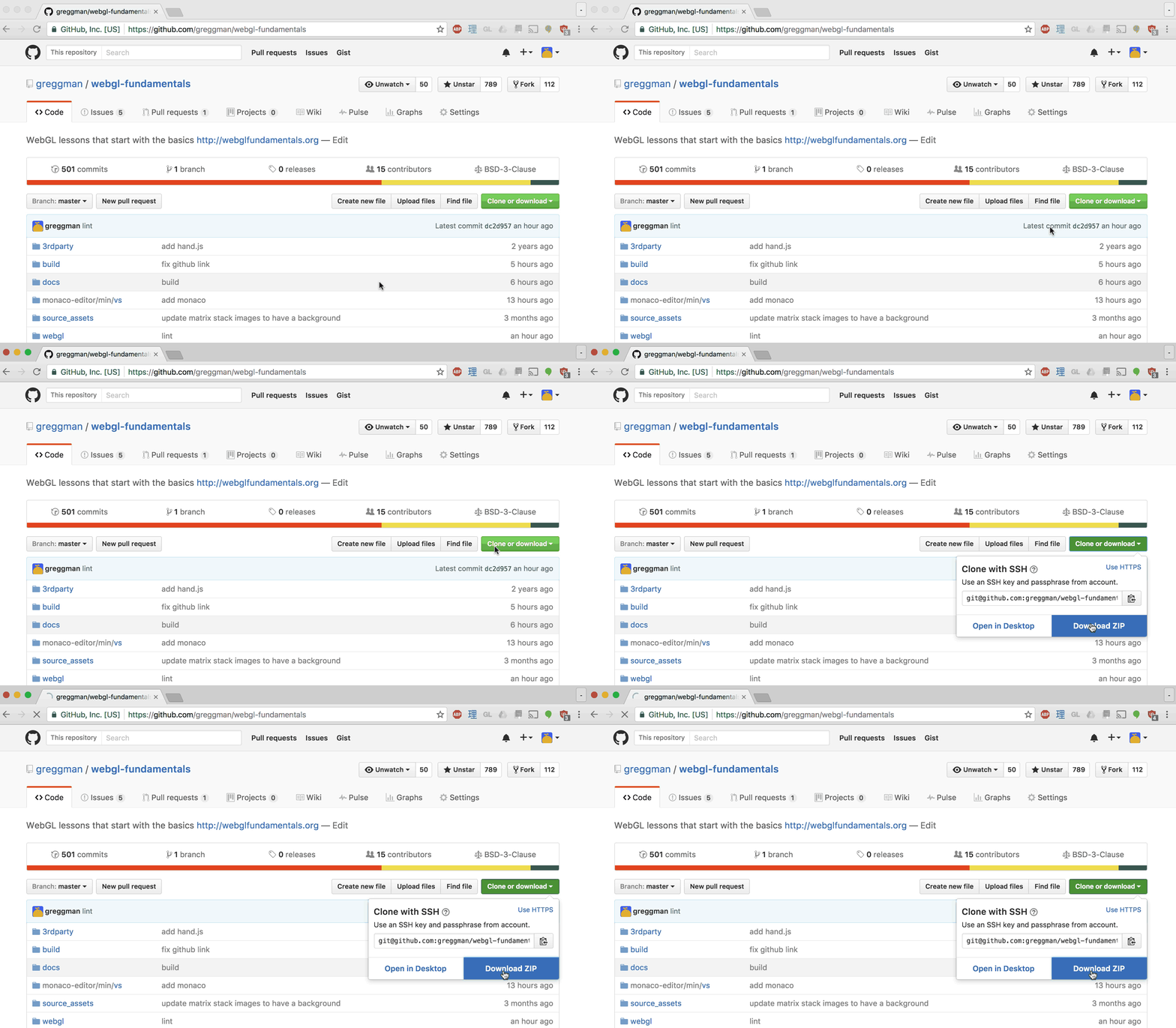
Unzip the files into some folder.

Using a small simple easy Web Server

Next up you should install a small web server. I know "web server" sounds scary but the truth is web servers are actually extremely simple.

Here's a very simple one with an interface called Servez.
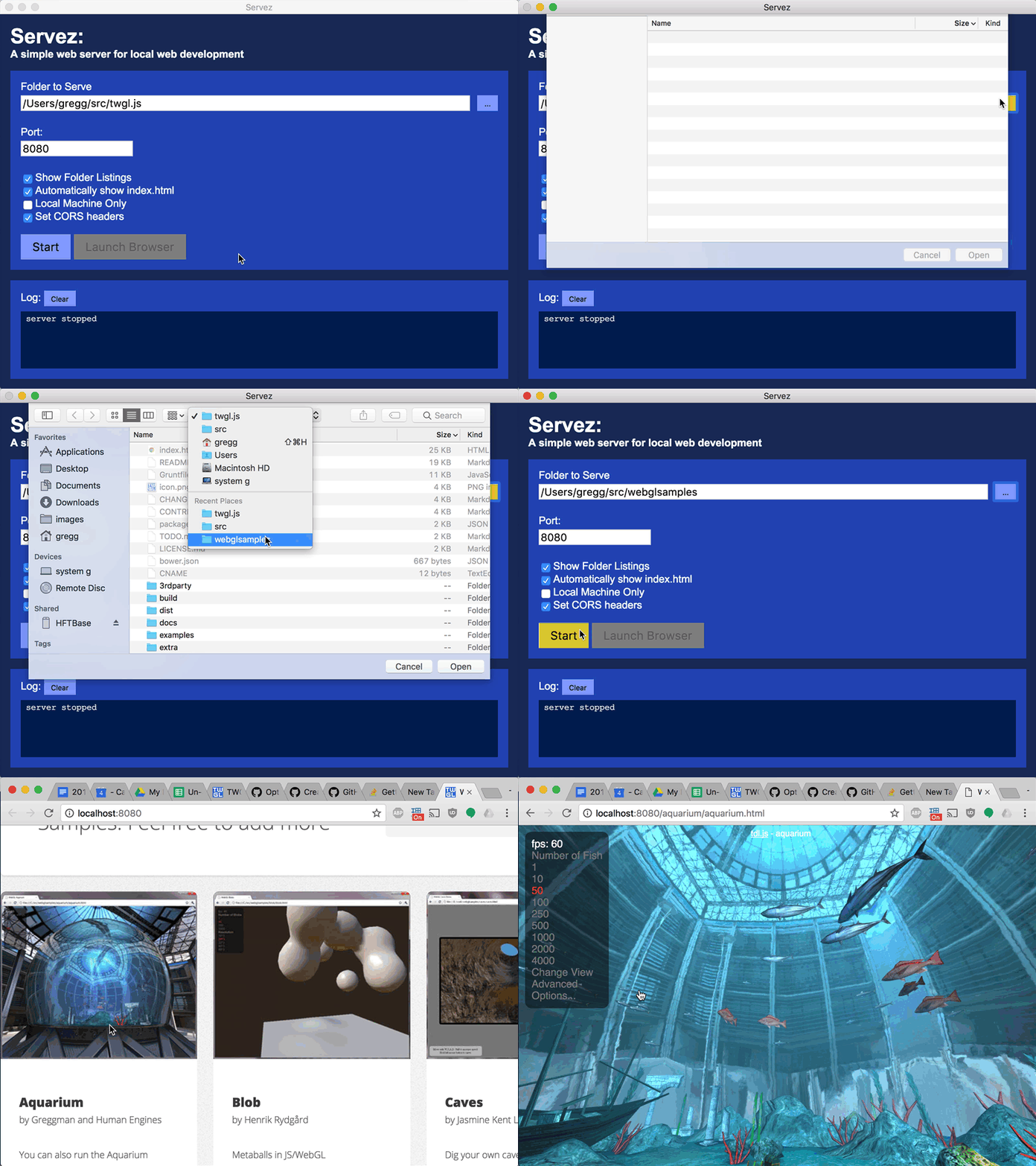
Just point it at the folder where you unzipped the files, click "Start", then go to in your browser http://localhost:8080/webgl/ and choose a sample.

If you prefer the command line, another way is to use node.js. Download it, install it, then open a command prompt / console / terminal window. If you're on Windows the installer will add a special "Node Command Prompt" so use that.

Then install servez by typing

npm -g install servez

If you're on OSX use

sudo npm -g install servez

Once you've done that type

servez path/to/folder/where/you/unzipped/files

It should print something like
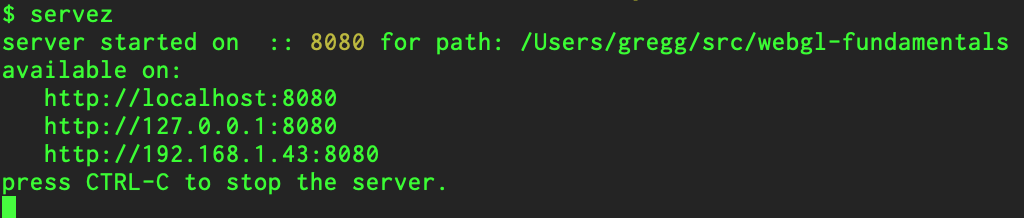
Then in your browser go to http://localhost:8080/webgl/.

If you don't specify a path then servez will serve the current folder.

Most browser have extensive developer tools built in.
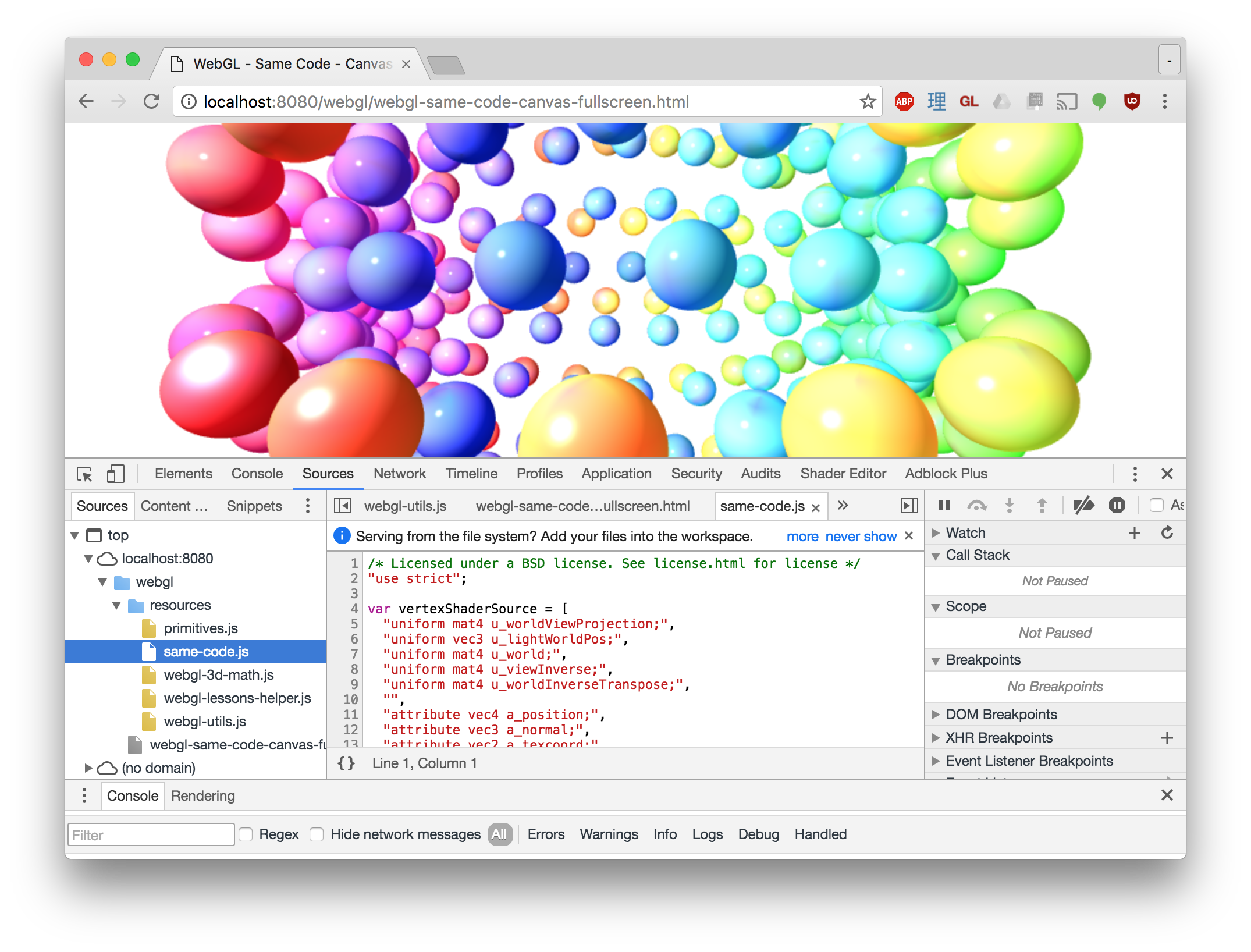
Docs for Chrome's are here, Firefox's are here.

Learn how to use them. If nothing else always check the JavaScript console. If there is an issue it will often have an error message. Read the error message closely and you should get a clue where the issue is.
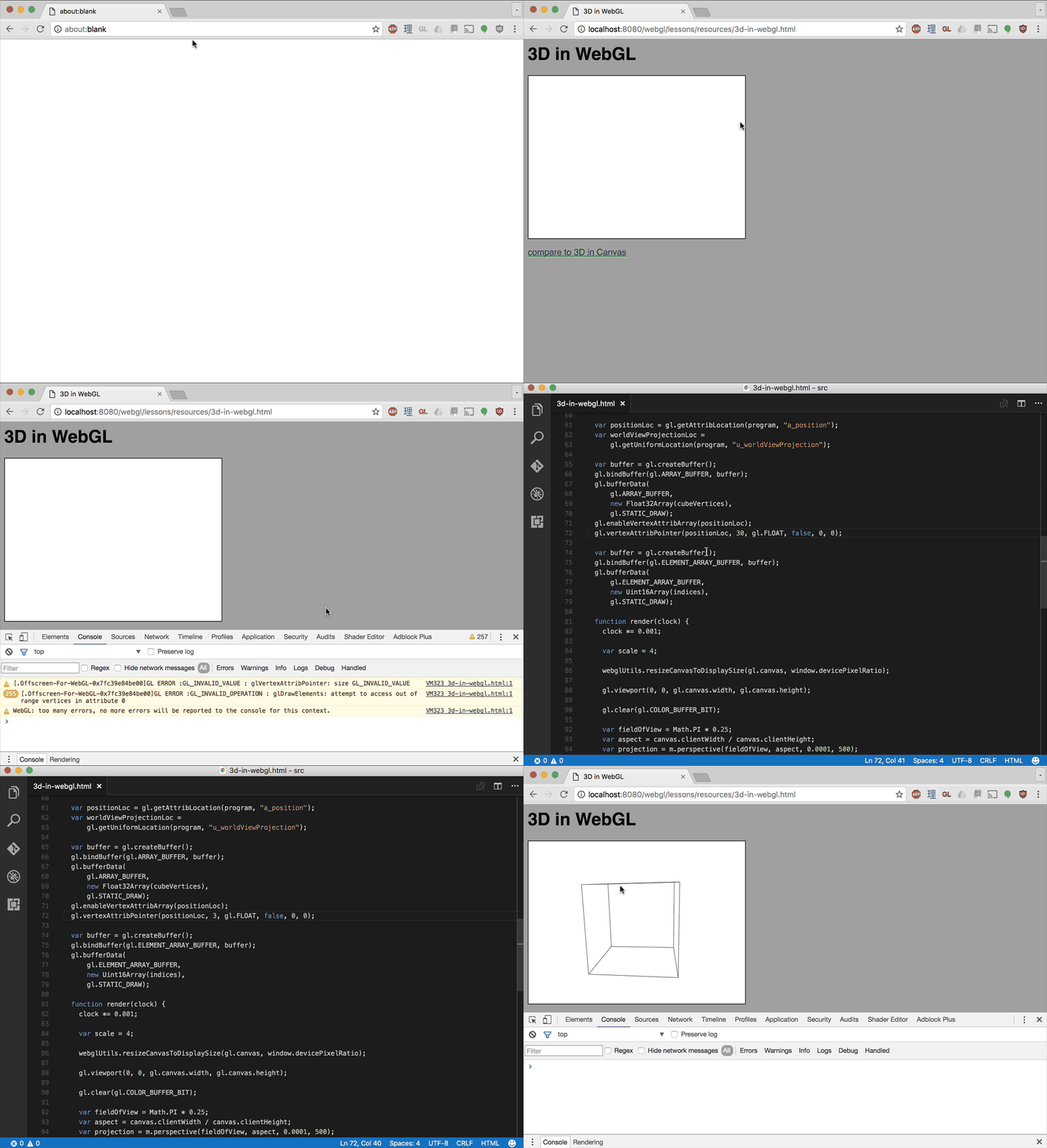
WebGL Lint

Here is a script to check for several webgl errors. Just add this to your page before your other scripts

<script src="https://greggman.github.io/webgl-lint/webgl-lint.js"></script>

and your program will throw an exception if it gets a WebGL error and if you're lucky print more info.

You can also add names to your webgl resources (buffer, textures, shaders, programs, ...) so that when you get an error message it will include the names of the resources relevant to the error.

Extensions

There are various WebGL Inspectors. Here's one for Chrome and Firefox.

Note: READ THE DOCS!

The extension version of spector.js captures frames. What this is means is it only works if your WebGL app successfully initializes itself and then renders in a requestAnimationFrame loop. You click the "record" button and it captures all the WebGL API calls for one "frame".

This means without some work it won't help you find issues during initialization.

To workaround that there are 2 methods.

  1. Use it as a library, not as an extension.

    See the docs. This way you can tell it "Capture the WebGL API commands now!"

  2. Change your app so that it doesn't start until you click a button.

    This way you can go to the extension and pick "record" and then start your app. If your app doesn't animate then just add a few fake frames. Example:

<button type="button">start</button>
<canvas id="canvas"></canvas>
function main() {
  // Get A WebGL context
  /** @type {HTMLCanvasElement} */
  const canvas = document.querySelector("#canvas");
  const gl = canvas.getContext("webgl");
  if (!gl) {
    return;
  }

  const startElem = document.querySelector('button');
  startElem.addEventListener('click', start, {once: true});

  function start() {
    // run the initialization in rAF since spector only captures inside rAF events
    requestAnimationFrame(() => {
      // do all the initialization
      init(gl);
    });
    // make so more frames so spector has something to look at.
    requestAnimationFrame(() => {});
    requestAnimationFrame(() => {});
    requestAnimationFrame(() => {});
  }
}

main();

Now you can click "record" in the spector.js extension, then click "start" in your page and spector will record your initialization.

Safari also has a similar built in feature that has similar issues with similar workarounds.

When I use a helper like this I'll often click on a draw call, and check the uniforms. If I see a bunch of NaN (NaN = Not a Number) then I can usually track down the code that set that uniform and find the bug.

Inspect the Code

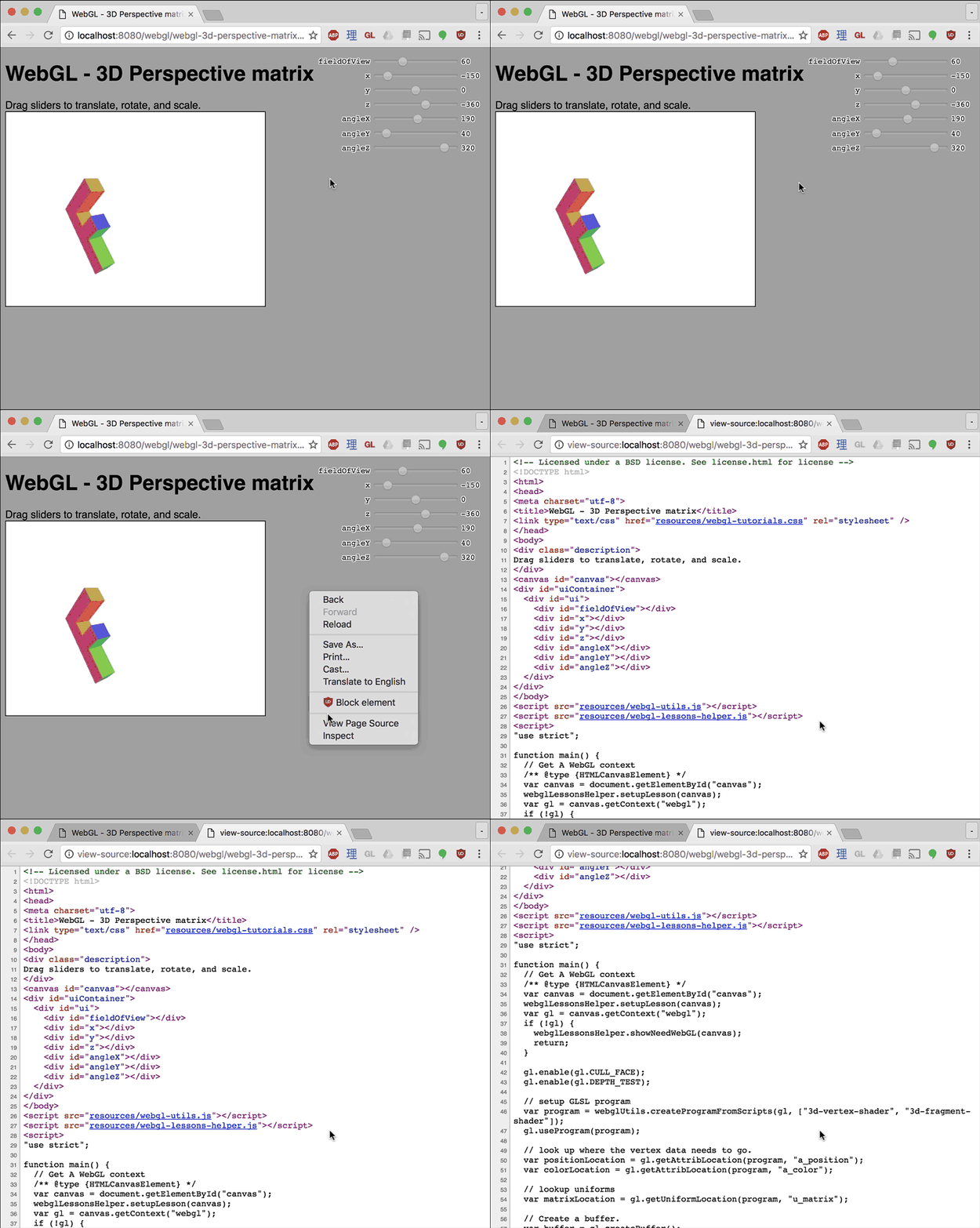
Also always remember you can inspect the code. You can usually just pick view source
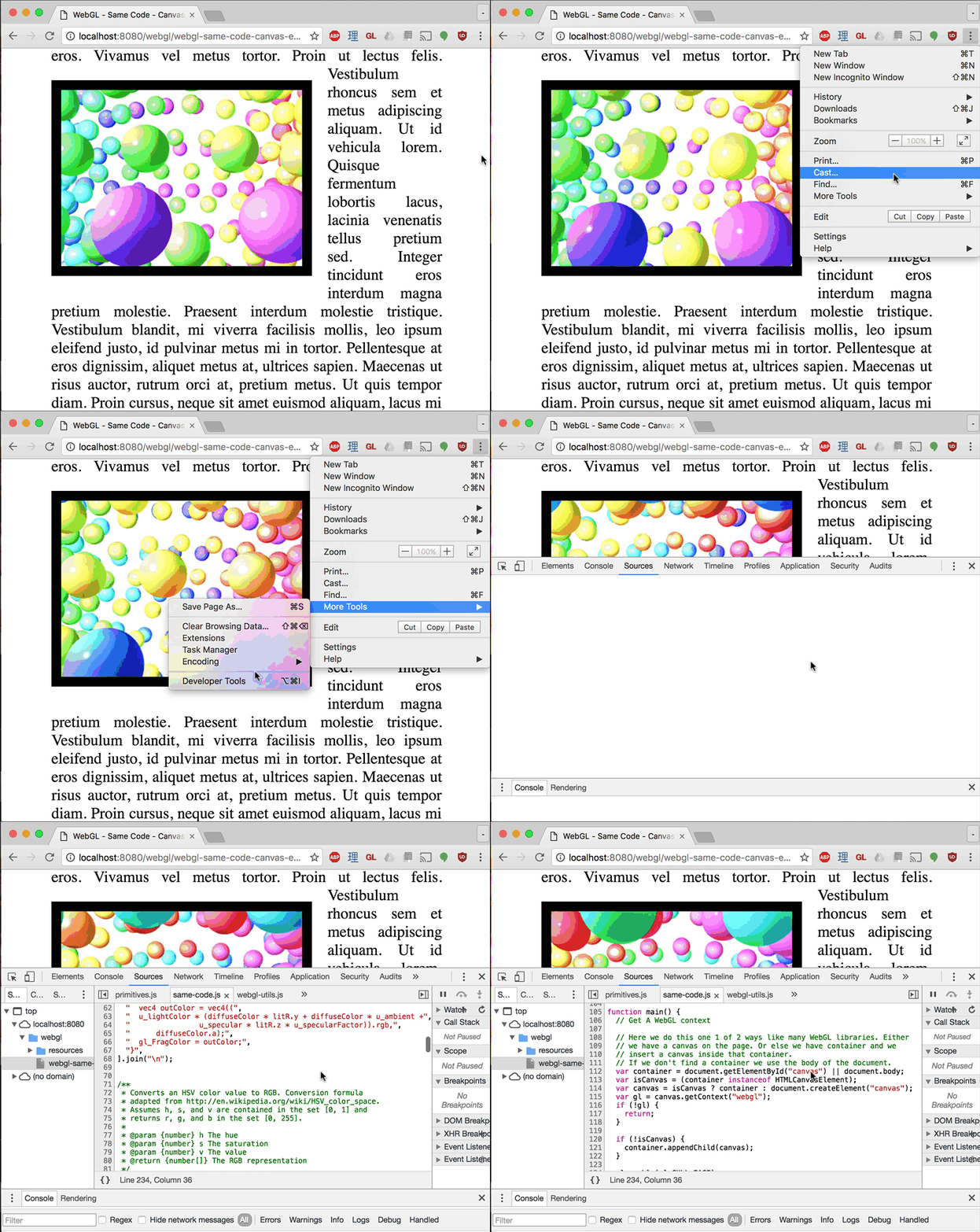
Even if you can't right click a page or if the source is in a separate file you can always view the source in the devtools
Get Started

Hopefully that helps you get started. Now back to the lessons.