


June 4, 2015
This post was migrated from its original location on the Substantial blog.
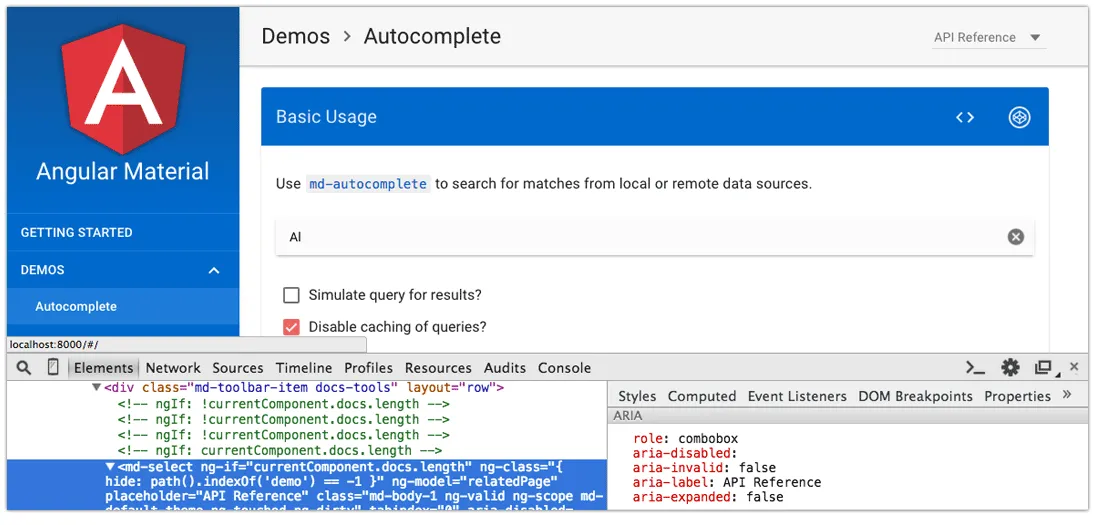
For 10 months, I contributed full-time as a developer and accessibility specialist on Angular Material, an official Google implementation of Material Design in AngularJS. The goal of Material Design is to create a cohesive design language across mobile and web platforms, focused on material as a metaphor. Angular Material provides a set of UI components and layout attributes in the Material Design style for use in Angular applications. In this post, I’ll detail some of the things I learned working on such a high-profile, open source framework.
The biggest thing that took getting used to was the sheer volume of activity on Github. As of this writing, Angular Material (part of the Angular organization) has 760 repository watches, 8600+ stars, 1300+ forks, and 1800+ issues closed in a year. As a team, we closed 368 issues in over 5 weeks in the 0.9 milestone alone. There is also a Google Groups forum with 400+ discussions and undoubtedly additional questions on Stack Overflow and Gitter.
With such an active community, there are many developers battle-testing the framework and providing feedback. For our team to communicate effectively, it requires patience, compassion and a deep understanding of the codebase and backlog. I quickly learned to request more details in Github issues to better frame the question, including things like:
- Can you provide a Codepen, JSBin or Plunker showing the issue so we can better help you debug?
- Which browser and platform?
- What are the steps to reproduce the problem?
- Can you ask questions in the forum? Github is reserved for bugs or feature requests.
Members of the community have generally been respectful of our time and they provide more details when requested. We look into every issue, no matter how big or small, which can be daunting: sometimes it feels like “death by a thousand Github Issues”. Angular Material has a few superstar contributors who help answer community questions and request more details, which is appreciated.
When triaging so many Github issues, it helps to prioritize them into upcoming milestones or file into the backlog, and chip away little by little. It’s a balancing act when it comes to simultaneously writing features and fixing bugs–too little of either can impact project quality and momentum. On Angular Material, we’ve found a good cadence alternating between feature milestones and bug fixing ones, but it’s impossible to please everyone at all times. We work hard to release well-factored and well-tested code on regular release cycles, moving toward a 1.0 release later this summer.
New development know-how
I have learned many things since becoming a framework developer, it’s astounding to think back to the before-time when I didn’t know about squashing Git commits or keeping a clean changelog. I was unaware of how global CSS styles could impact consumers of a framework, from text-rendering to typography defaults.
I had to figure out the development environment and what goes where for components and the documentation website: the former is packaged with the library, and the latter is not, but the distinction is not always obvious. Substantial developers Matt Findley and Adam Pearson both helped out on the project, and their contributions improved the Angular Material docs website.
In UI component architectures, I saw, first-hand, a balancing act of complexity. HTML APIs intentionally kept simple to ease the load on developers have to be transcluded (Angular term) into something more accessible, which ends up being way more complex under the hood. It also obfuscates what we really have to do for accessibility, which, in my opinion, has a negative impact on developer education. Despite the complexity, I’m proud of the progress we’ve made on this framework.
A note about testing
One of the biggest skills I gained on this project was integrating accessibility unit tests throughout the codebase. It propelled my work on ngAria, Angular’s accessibility module that we include as part of Angular Material, as well as an accessibility plugin I wrote for Protractor, the end-to-end testing framework. I learned how to write tests that ensure accessibility features added to a project won’t be unknowingly broken by other contributors. This is a knowledge area I will continue to grow throughout my entire career.
What this means for accessibility
Although it’s challenging to support every device and design scenario with a single UI framework–and there are infinite configurations–I am proud that Angular Material has prioritized accessibility support in components and the docs website.
The framework enforces labels for switches, radio buttons, icons and more: this ensures components will have adequate text alternatives for screen readers and other assistive technologies. We also use ARIA to fill the gap where custom HTML elements don’t have semantic meaning by themselves. Complex accessibility patterns such as chips, autocomplete and select were difficult to get right the first time, and they may still need some work. But keyboard and screen reader support already in the library means that accessibility will trickle down to every person building a website with Angular Material. As a developer focused on accessibility, this makes my job so worthwhile: adding it to a framework instead of a single website means I can have much a bigger impact.
Stepping back, a high-profile project like Angular saying that accessibility is important has made waves in the front-end developer community. Since presenting at ngEurope last October, I’ve seen technical conversations start to include accessibility more often. Doors have opened to other mainstream conferences like Fluent and JSConf, and development blog posts promote accessibility instead of anti-patterns (not all the time, but it’s getting better). With Angular 2 including accessibility from the start, I look forward to seeing developer education improve as time goes on. I’m optimistic that with the right role models and messaging, it can only get better.
Wrapping up
Since it’s my last week at Substantial, this is sort-of a bittersweet blog post to write. I got to spend time growing my skillset here, including monumental gains in Git and software testing. I also did some cutting-edge research on Shadow DOM accessibility, which ended up being a bigger topic than I realized at the time. I’m grateful to my fellow Substantialites for the time and support I’ve had here in the past 2 years.