


The state is information hidden inside a component. The component can modify its state, without parents knowing about it.
I prefer functional components because they are simple. To enable state management for functional components, you need useState() hook.
The guide step by step explains how to work with useState() hook. Moreover, I will present the common useState() pitfalls you must be aware of.
A stateless functional component doesn't have a state. Here's an example:
import React from 'react';
function Bulbs() {
return <div className="bulb-off" />;
}
You can try out the demo.
What about adding a button to switch on/off the bulb? To do so, you need a functional component with state, aka stateful functional component.
useState() is the right hook to implement the bulb switch state. Adding state to a functional component requires 4 steps: enabling the state, initializing, reading and updating.
To transform <Bulbs> into a stateful component, you would need to tell React about it.
Import the useState hook from the 'react' package, then make a call of useState() at the top of the component's function.
Let's make these change to <Bulbs> component:
import React, { useState } from 'react';
function Bulbs() {
... = useState(...);
return <div className="bulb-off" />;
}
useState() is called at the first line of Bulbs function (don't think about hook's parameters and returned value for now). It's important that calling the hook inside the component makes it a stateful functional component.
Having the state enabled, the next step is to initialize it.
The first argument of useState(initialState) is the initial state. Simple as is.
In the beginning, the bulb is switched off. Reflected into state it should be initialized with false:
import React, { useState } from 'react';
function Bulbs() {
... = useState(false);
return <div className="bulb-off" />;
}
useState(false) initializes the state with false.
Having the state enabled and initialized, how do you read it? Let's see what useState(false) returns.
When the hook useState(initialState) is invoked, it returns an array. The first item of this array is the state value:
const stateArray = useState(false);
stateArray[0]; // => the state value
Let's read state of <Bulbs> component:
import React, { useState } from 'react';
function Bulbs() {
const stateArray = useState(false);
return <div className={stateArray[0] ? 'bulb-on' : 'bulb-off'} />;
}
<Bulbs> component state is initialized with false, as demo shows.
useState(false) returns an array. The first item contains the state value, which currently is false (because the state's been initialized with false).
Let's use array destructuring to extract the state value into a variable on:
import React, { useState } from 'react';
function Bulbs() {
const [on] = useState(false);
return <div className={on ? 'bulb-on' : 'bulb-off'} />;
}
on state variable holds the state value.
Ok, the state's been enabled and initialized, and now you can read it. But how do you update it? Let's look again at what useState(initialState) returns.
As you know already, useState(initialState) returns an array where the first item is the state value. Luckily, the second item is a function that updates the state!
const [state, setState] = useState(initialState);
// changes state to `newState` and triggers re-rendering
setState(newState);
// after re-render `state` has the value of `newState`
To update the component's state invoke the updater function setState(newState) with the new state. The component re-renders and state receives the new value newState.
Let's update bulb switch state to true when the button On is clicked, and respectively false when Off is:
import React, { useState } from 'react';
function Bulbs() {
const [on, setOn] = useState(false);
const lightOn = () => setOn(true);
const lightOff = () => setOn(false);
return (
<>
<div className={on ? 'bulb-on' : 'bulb-off'} />
<button onClick={lightOn}>On</button>
<button onClick={lightOff}>Off</button>
</>
);
}
Open the demo, then click Off or On button. The bulb lights on or off depending on the clicked button.
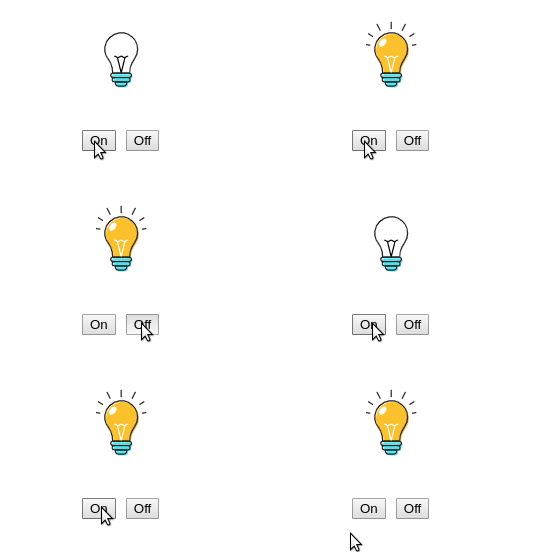
When On button is clicked, lightOn() handler updates the state to true: setOn(true). The same happens when Off is clicked, except that the state updates to false.
As soon as the state changes, React re-renders the component. on variable gets the new state value.
The state updates as a response to an event that provides some new information. Such events are a button click, an HTTP request completion, etc. Make sure to invoke the state updater function within a callback of an event or a callback of other hooks.
When the new state is calculated using the previous state, you can update the state with a callback:
const [state, setState] = useState(initialState);
// changes state to `newState` and triggers re-rendering
setState(prevState => nextState);
// after re-render `state` becomes `newState`
Here are some use cases:
// Toggle a boolean
const [toggled, setToggled] = useState(false);
setToggled(toggled => !toggled);
// Increase a counter
const [count, setCount] = useState(0);
setCount(count => count + 1);
// Add an item to array
const [items, setItems] = useState([]);
setItems(items => [...items, 'New Item']);
Let's implement the bulb component to switch on/off with a single button:
import React, { useState } from 'react';
function Bulbs() {
const [on, setOn] = useState(false);
const lightSwitch = () => setOn(on => !on);
return (
<>
<div className={on ? 'bulb-on' : 'bulb-off'} />
<button onClick={lightSwitch}>On/off</button>
</>
);
}
Open the demo, then click On/off button. The bulb light toggles on every click.
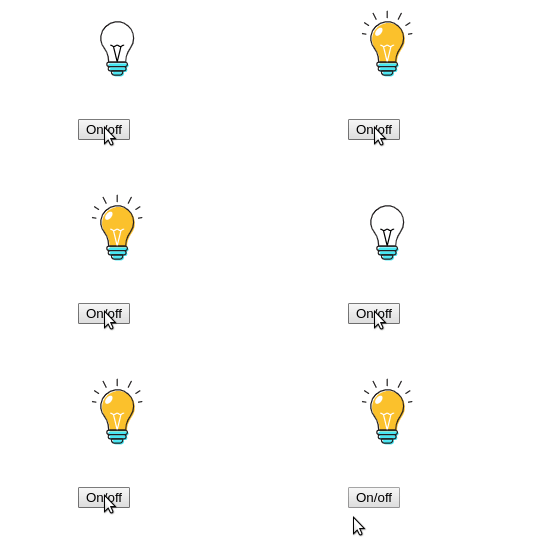
setOn(on => !on) updates the state using a function.
Call useState() hook to enable state in a functional component.
The first argument of the useState(initialValue) is the state's initial value.
[state, setState] = useState(initialValue) returns an array of 2 items: the state value and a state updater function.
Invoking the state updater function setState(newState) with the new value updates the state. Alternatively, you can invoke the state updater with a callback setState(prev => next), which returns the new state based on previous.
After the state updater is called, React makes sure to re-render the component so that the new state becomes actual.
That's the essence of how useState() hook works.
A functional component can have as many states as necessary by doing multiple calls of useState().
function MyComponent() {
const [state1, setState1] = useState(initial1);
const [state2, setState2] = useState(initial2);
const [state3, setState3] = useState(initial3);
// ...
}
Make sure that multiple calls of useState() are always in the same order between renderings (more on that in 4.1 Where to call useState()).
Let's add a button Add bulb and a new state holding the count of bulbs. When the button is clicked, a new bulb is added.
The new state count holds the number of bulbs, and is initialized with 1:
import React, { useState } from 'react';
function Bulbs() {
const [on, setOn] = useState(false);
const [count, setCount] = useState(1);
const lightSwitch = () => setOn(on => !on);
const addBulbs = () => setCount(count => count + 1);
const bulb = <div className={on ? 'bulb-on' : 'bulb-off'} />;
const bulbs = Array(count).fill(bulb);
return (
<>
<div className="bulbs">{bulbs}</div>
<button onClick={lightSwitch}>On/off</button>
<button onClick={addBulbs}>Add bulb</button>
</>
);
}
Open the demo, then click Add bulb button: the number of bulbs increases. Clicking On/off button switches on/off the bulbs.
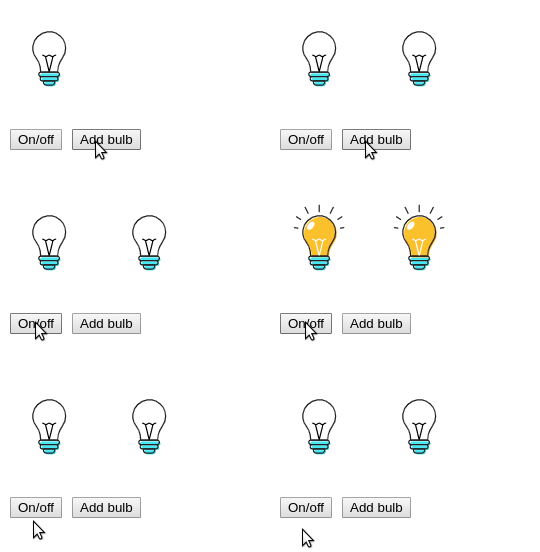
[on, setOn] = useState(false) manages the on/off state[count, setCount] = useState(1) manages the number of bulbs.Multiple states work correctly within one component.
Every time React re-renders the component, useState(initialState) is executed. If the initial state is a primitive value (number, boolean, etc) there are no performance issues.
When the initial state requires expensive performance-wise operation, use the lazy initialization of state by supplying a function as an argument to useState(computeInitialState).
Here's an example:
function MyComponent({ bigJsonData }) {
const [value, setValue] = useState(function getInitialState() {
const object = JSON.parse(bigJsonData); // expensive operation
return object.initialValue;
});
// ...
}
getInitialState() is executed just once, at the initial render, to get the initial state.
On later renderings of the component, getInitialState() is not invoked, skipping the expensive operation.
Now you have the first grasp of how to use useState().
Still, you have to be aware of common issues that you might encounter when using useState(). Let's continue with them.
When using useState() hook you have to follow the rules of hooks:
useState() in loops, conditions, nested functions, etc. On multiple useState() calls, the invocation order must be the same between renderings.useState() only inside the functional component or a custom hook.Let's follow examples of correct and incorrect usage of useState().
useState() is correctly called at the top level of functional component:
function Bulbs() {
// Good
const [on, setOn] = useState(false);
// ...
}
Multiple useState() calls are correctly invoked in the same order:
function Bulbs() {
// Good
const [on, setOn] = useState(false);
const [count, setCount] = useState(1);
// ...
useState() is correctly called at the top level of a custom hook:
function toggleHook(initial) {
// Good
const [on, setOn] = useState(initial);
return [on, () => setOn(!on)];
}
function Bulbs() {
const [on, toggle] = toggleHook(false);
// ...
}
useState() is incorrectly called within a condition:
function Switch({ isSwitchEnabled }) {
if (isSwitchEnabled) {
// Bad
const [on, setOn] = useState(false);
}
// ...
}
useState() is incorrectly called within a nested function:
function Switch() {
let on = false;
let setOn = () => {};
function enableSwitch() {
// Bad
[on, setOn] = useState(false);
}
return (
<button onClick={enableSwitch}>
Enable light switch state
</button>
);
}
A closure is a function that captures variables from the outer scopes.
Closures (e.g. event handlers, callbacks) might capture state variables from the functional component scope. Because state variables change between renderings, closures should capture variables with the latest state value.
Otherwise, if the closure captures outdated state values, you might encounter stale state problem.
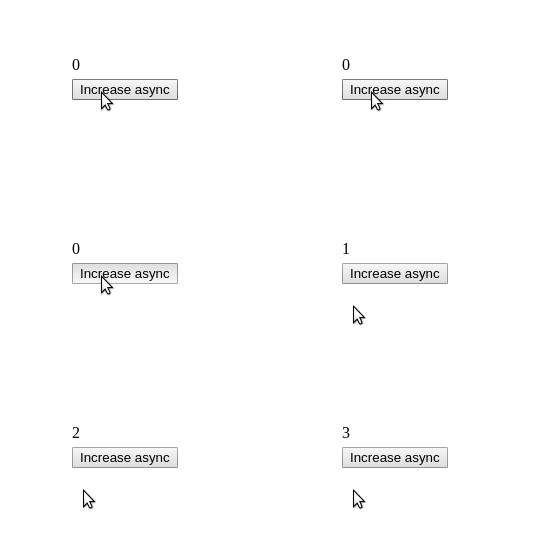
Let's see how a stale state manifests itself. A component <DelayedCount> should count the number of button clicks, but with a delay of 3 seconds.
Here's the first naive implementation:
function DelayedCount() {
const [count, setCount] = useState(0);
const handleClickAsync = () => {
setTimeout(function delay() {
setCount(count + 1);
}, 3000);
}
return (
<div>
{count}
<button onClick={handleClickAsync}>Increase async</button>
</div>
);
}
Open the demo. Click Increase async quickly a few times. count doesn't reflect the actual number of clicks, some clicks are "eaten".
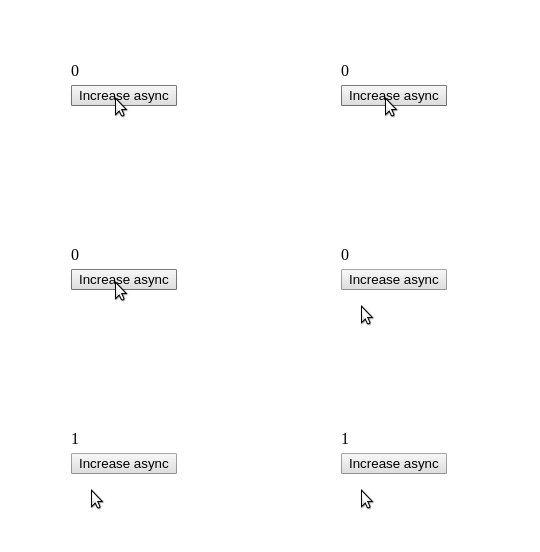
delay() is a stale closure that captures an outdated count variable from the initial render (when it was initialized with 0).
To fix the problem, let's use a functional way to update count state:
function DelayedCount() {
const [count, setCount] = useState(0);
const handleClickAsync = () => {
setTimeout(function delay() {
setCount(count => count + 1);
}, 3000);
}
return (
<div>
{count}
<button onClick={handleClickAsync}>Increase async</button>
</div>
);
}
Now setCount(count => count + 1) updates the count state correctly inside delay(). React makes sure the latest state value is supplied as an argument to the update state function. The stale closure is solved.
Open the demo. Click "Increase async" quickly a few times. When delay passes, the counter correctly reflects the number of clicks.
useState() is intended to manage simple state.
For complex state management, it's reasonable to stick to useReducer() hook. It provides better support for a state that requires multiple state operations.
Let's say you need to program a list of favorite movies. The user can add a movie, or delete an existing one.
A possible implementation of favorite movies list:
import React, { useState } from 'react';
function FavoriteMovies() {
const [movies, setMovies] = useState([{ name: 'Heat' }]);
const add = movie => setMovies([...movies, movie]);
const remove = index => {
setMovies([
...movies.slice(0, index),
...movies.slice(index + 1)
]);
}
return (
// Use add(movie) and remove(index)...
);
}
Open the demo.: add and remove your favorite movies.
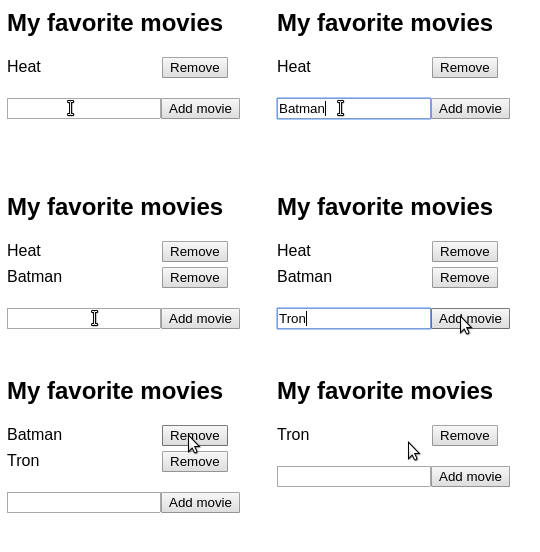
The state list requires several operations: adding and removing movies. The state management details clutter the component.
A better solution is to extract the complex state management into a reducer:
import React, { useReducer } from 'react';
function reducer(state, action) {
switch (action.type) {
case 'add':
return [...state, action.item];
case 'remove':
return [
...state.slice(0, action.index),
...state.slice(action.index + 1)
];
default:
throw new Error();
}
}
function FavoriteMovies() {
const [state, dispatch] = useReducer(reducer, [{ name: 'Heat' }]);
return (
// Use dispatch({ type: 'add', item: movie })
// and dispatch({ type: 'remove', index })...
);
}
reducer manages the state of movies. There are 2 action types:
"add" inserts a new movie into the list"remove" removes a movie by index from the listOpen the demo. and notice that component functionality hasn't changed. But this version of <FavoriteMovies> is easier to understand, because the state management's been extracted into the reducer.
A nice bonus: you can extract the reducer into a separated module and re-use it in other components. Plus, you can unit test the reducer even without a component!
That's the power of separation of concerns: the component renders UI and responses to events, while the reducer performs state operations.
Consider a scenario when you'd like to count how many times a component renders.
A naive implemenation would be to initialize countRender state, and update it on each render (with the help of useEffect() hook):
import React, { useState, useEffect } from 'react';
function CountMyRenders() {
const [countRender, setCountRender] = useState(0);
useEffect(function afterRender() {
setCountRender(countRender => countRender + 1);
});
return (
<div>I've rendered {countRender} times</div>
);
}
useEffect() calls afterRender() callback after every render. But as soon as countRender state updates, the component re-renders. This triggers another state update, and another re-render, and so on indefinitely.
Mutable reference useRef() holds mutable data that, when changed, doesn't trigger re-rendering.
Let's fix <CountMyRenders> to use a mutable reference:
import React, { useRef, useEffect } from 'react';
function CountMyRenders() {
const countRenderRef = useRef(1);
useEffect(function afterRender() {
countRenderRef.current++;
});
return (
<div>I've rendered {countRenderRef.current} times</div>
);
}
Open the demo and click a few times the button to trigger re-render.
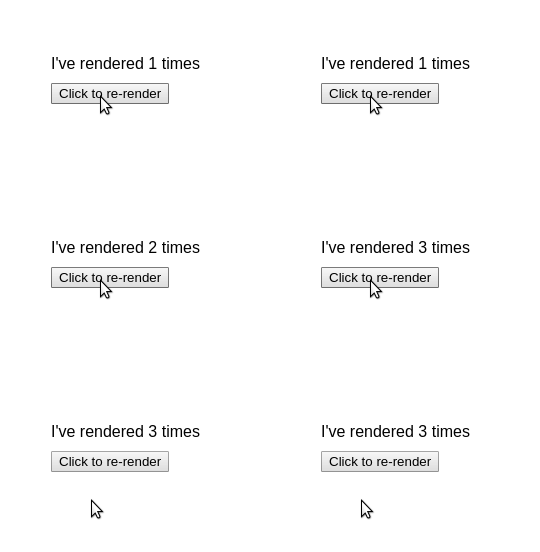
The value of countRenderRef mutable reference increments countRenderRef.current++ every time the component renders. What's important, changing the reference doesn't trigger component re-rendering.
To make functional components stateful, invoke useState() inside the body of the component's function.
The first argument of useState(initialState) is the initial state. The returned array has 2 items: the current state and state updater function.
const [state, setState] = useState(initialState);
To update the state, call the state updater function with the new state setState(newState). Alternatively, if you need to update the state based on the previous state, supply a callback function setState(prevState => newState).
You can have multiple states inside of a single component: call multiple times useState().
Lazy initialization is handy when the initial state calculation is expensive. Invoke useState(computeInitialState) with a callback that calculates the initial state, and this callback will execute only once, at initial render.
You have to make sure to follow the rules of hooks with useState().
Stale state happens when a closure captures outdated state variables. You can fix this by updating the state using a callback that calculates the new state based on the previous one.
Finally, you would use useState() to manages a simple state. To deal with the more complex state a wiser alternative is useReducer() hook.
此内容由惯性聚合(RSS阅读器)自动聚合整理,仅供阅读参考。 原文来自 — 版权归原作者所有。