


JavaScript's dynamic typing is good and bad at the same time. It's good because you don't have to indicate the variable's type. It's bad because you can never be sure about the variable's type.
typeof operator determines the 6 types in JavaScript:
typeof 10; // => 'number'
typeof 'Hello'; // => 'string'
typeof false; // => 'boolean'
typeof { a: 1 }; // => 'object'
typeof undefined; // => 'undefined'
typeof Symbol(); // => 'symbol'
As well, instanceof checks the constructor of an instance:
class Cat { }
const myCat = new Cat();
myCat instanceof Cat; // => true
But some behavior of typeof and instanceof can be confusing. The edge cases are wiser to know in advance.
This post describes the pitfalls and remedial workarounds of using typeof and instanceof.
typeof myObject === 'object' would tell you if myObject is an object type. Let's try that in an example:
const person = { name: 'batman' };
typeof person; // => 'object'
typeof person is 'object' because person holds a plain JavaScript object.
Variables that hold objects, sometimes, could be empty. In such case you would need null value. Here are a few use-cases:
null to skip indicating configuration objectsnull the variables that later will hold objects.nullFor example, str.match(regExp) method returns null if no regular expression matches occur:
const message = 'Hello';
message.match(/Hi/); // => null
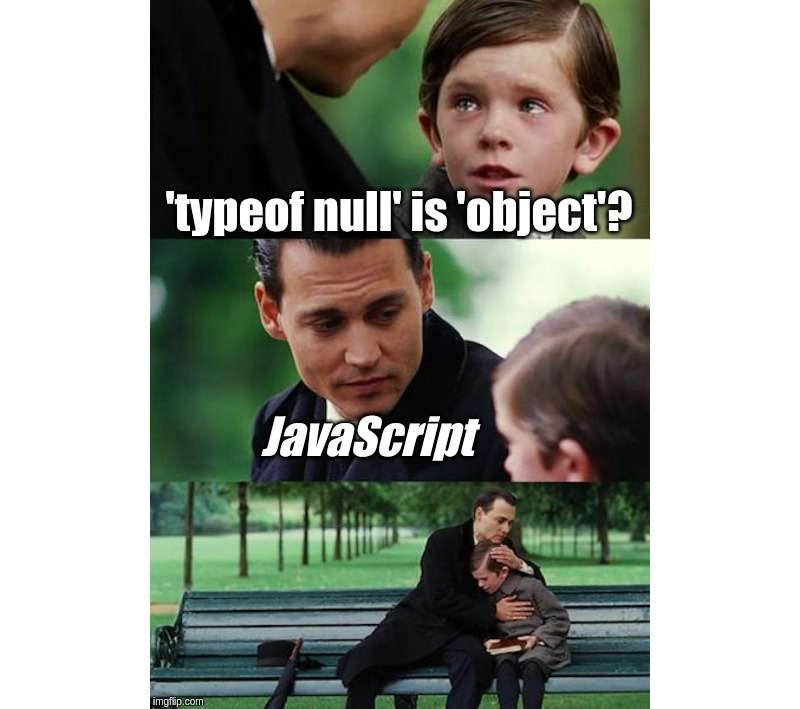
Can you use typeof to differentiate an existing object from a null missing object?
Unfortunately, you can't:
let myObject = null;
typeof myObject; // => 'object'
myObject = { prop: 'Value' };
typeof myObject; // => 'object'
typeof with an existing object and with null evaluates to 'object'.
"The history of typeof null" describes this bug in detail.
A good approach to detect if a variable has an object, and no null values, is this:
function isObject(value) {
return typeof value === 'object' && value !== null;
}
isObject({}); // => true
isObject(null); // => false
In addition to checking that value is an object: typeof value === 'object', you also explicitely verify for null: value !== null.
If you try to detect if a variable contains an array, the first temptation is to use typeof operator:
const colors = ['white', 'blue', 'red'];
typeof colors; // => 'object'
However, the type of the array is an 'object' too. While technically an array is an object, that's slightly confusing.
The correct way to detect an array is to use explicitely Array.isArray():
const colors = ['white', 'blue', 'red'];
const hero = { name: 'Batman' };
Array.isArray(colors); // => true
Array.isArray(hero); // => false
Array.isArray(colors) returns a boolean true, indicating that colors is an array.
undefined in JavaScript is a special value meaning uninitialized variable.
You can get an undefined value if you try to access an uninitialized variable, non-existing object property:
let city;
let hero = { name: 'Batman', villain: false };
city; // => undefined
hero.age; // => undefined
Accessing the uninitialized variable city and a non-existing property hero.age evaluates to undefined.
To check if a property exists, and undefined being falsy, you might have the tempration to use object[propName] in a condition:
function getProp(object, propName, def) {
// Bad
if (!object[propName]) {
return def;
}
return object[propName];
}
const hero = { name: 'Batman', villain: false };
getProp(hero, 'villain', true); // => true
hero.villain; // => false
object[propName] evaluates to undefined when propName doesn't exist in object. if (!object[propName]) { return def } guards for missing properties.
hero.villain property exists and is false. However, the function incorrectly returns true when accessing villan prop value: getProp(hero, 'villain', true).
undefined is a falsy value. As well as false, 0, '' and null.
Don't use falsy as a type check of undefined. Explicitly verify if the property exists in the object:
typeof object[propName] === 'undefined'propName in objectobject.hasOwnProperty(propName)Let's improve getProp() function:
function getProp(object, propName, def) {
// Better
if (!(propName in object)) {
return def;
}
return object[propName];
}
const hero = { name: 'Batman', villain: false };
getProp(hero, 'villain', true); // => false
hero.villain; // => false
if (!(propName in object)) { ... } condition correctly determines if the property exists.
I think it's better to avoid using logical operator || as a default mechanism. My reading flow breaks when I see it:
const hero = { name: 'Batman', villain: false };
const name = hero.name || 'Unknown';
name; // => 'Batman'
hero.name; // => 'Batman'
// Bad
const villain = hero.villain || true;
villain; // => true
hero.villain; // => false
hero has a property villain with value false. However the expression hero.villain || true evaluates to true.
The logical operator || used as a default mechanism to access properties fails when the property exists and has a falsy value.
To default when the property does not exists, better options are the new nullish coalescing operator:
const hero = { name: 'Batman', villan: false };
// Good
const villain = hero.villain ?? true;
villain; // => false
hero.villain; // => false
Or destructuring assignment:
const hero = { name: 'Batman', villain: false };
// Good
const { villain = true } = hero;
villain; // => false
hero.villain; // => false

The integers, floats, special numerics like Infinity, NaN are of the type number.
typeof 10; // => 'number'
typeof 1.5; // => 'number'
typeof NaN; // => 'number'
typeof Infinity; // => 'number'
NaN is a special numeric value created when a number cannot be created. NaN is an abbreviation of not a number.
A number cannot be created in the following cases:
// A numeric value cannot be parsed
Number('oops'); // => NaN
// An invalid math operation
5 * undefined; // => NaN
Math.sqrt(-1); // => NaN
// NaN as an operand
NaN + 10; // => NaN
Because of NaN, meaning a failed operation on numbers, the check of numbers validity requires an additional step.
Let's make sure that isValidNumber() function guards against NaN too:
function isValidNumber(value) {
// Good
return typeof value === 'number' && !isNaN(value);
}
isValidNumber(Number('Z99')); // => false
isValidNumber(5 * undefined); // => false
isValidNumber(undefined); // => false
isValidNumber(Number('99')); // => true
isValidNumber(5 + 10); // => true
In addition to typeof value === 'number', it's wise to verify !isNaN(value) for NaN.
Every object in JavaScript references a special function: the constructor of the object.
object instanceof Constructor is the operator that checks the constructor of an object:
const object = {};
object instanceof Object; // => true
const array = [1, 2];
array instanceof Array; // => true
const promise = new Promise(resolve => resolve('OK'));
promise instanceof Promise; // => true
Now, let's define a parent class Pet and its child class Cat:
class Pet {
constructor(name) {
this.name;
}
}
class Cat extends Pet {
sound = 'Meow';
}
const myCat = new Cat('Scratchy');
Now let's try to determine the instance of myCat:
myCat instanceof Cat; // => true
myCat instanceof Pet; // => true
myCat instanceof Object; // => true
instanceof operator says that myCat is an instance of Cat, Pet and even Object.
instanceof operator searches for object's constructor through the entire prototype chain. To detect exactly the constructor that has created the object look at the constructor property of the instance:
myCat.constructor === Cat; // => true
myCat.constructor === Pet; // => false
myCat.constructor === Object; // => false
Only myCat.constructor === Cat evaluates to true, indicating exactly the constructor of the myCat instance.
The operators typeof and instanceof perform the type checking in JavaScript. While they are generally simple to use, make sure to know the edge cases.
A bit unpexpected is that typeof null equals 'object'. To determine if a variable contains a non-null object, guard for null explicitely:
typeof myObject === 'object' && myObject !== null
The best way to check if the variable holds an array is to use Array.isArray(variable) built-in function.
Because undefined is falsy, you might be tempted to use it directly in conditionals. But such practice is error-prone. Better options are prop in object to verify the property existence, nullish coalescing object.prop ?? def or destructuring assignment { prop = def } = object to access potentially missing properties.
NaN is a special value of type number created by an invalid operation on numbers. To be sure that a variable has a "correct" number, it's wise to use a more detailed verification: !isNaN(number) && typeof number === 'number'.
Finally, remember that instanceof searches for the constructor of the instance through the prototype chain. Without knowing that, you could get a false-positive if you verify a child's class instance with the parent class.
What JavaScript type checking pitfalls do you know?
此内容由惯性聚合(RSS阅读器)自动聚合整理,仅供阅读参考。 原文来自 — 版权归原作者所有。