


When reading JavaScript code, have you ever had the feeling:
These are the signs of bad coding habits.
In this post, I describe 5 common bad coding habits in JavaScript. And importantly I will present my actionable recommendations on how to get rid of these habits.
JavaScript is a loosely typed language. If used correctly, this is a benefit because of the flexibility it gives you.
Most of the operators + - * / == (but not ===) when working with operands of different types use implicit conversion of types.
The statements if (condition) {...}, while(condition) {...} implicitly transform the condition to a boolean.
The following examples rely on the implicit conversion of types. I bet you feel the confusion:
console.log("2" + "1"); // => "21"
console.log("2" - "1"); // => 1
console.log('' == 0); // => true
console.log(true == []); // -> false
console.log(true == ![]); // -> false
Relying excessively on the implicit type conversion is a bad habit. First of all, it makes your code less stable in edge cases. Secondly, you increase the chance to introduce a bug that is difficult to reproduce and fix.
Let's implement a function that gets the property of an object. If the property does not exist, the function returns a default value:
function getProp(object, propertyName, defaultValue) {
if (!object[propertyName]) {
return defaultValue;
}
return object[propertyName];
}
const hero = {
name: 'Batman',
isVillian: false
};
console.log(getProp(hero, 'name', 'Unknown')); // => 'Batman'
getProp() reads the value of the name property, which is 'Batman'.
What about trying to access isVillian property:
console.log(getProp(hero, 'isVillian', true)); // => true
That's an error. Even if the hero's property isVillian is false, the function getProp() returns the incorrect true.
It happens because the verification of property existence relies on implicit conversion to a boolean by the if (!object[propertyName]) {...}.
These kind of errors are difficult to spot. To fix the function, verify explicitely the type of the value:
function getPropFixed(object, propertyName, defaultValue) {
if (object[propertyName] === undefined) {
return defaultValue;
}
return object[propertyName];
}
const hero = {
name: 'Batman',
isVillian: false
};
console.log(getPropFixed(hero, 'isVillian', true)); // => false
object[propertyName] === undefined verifies exactly if the property accessor evaluates to undefined.
Do you know other ways to verify the property existence in an object? If so, leave a comment below!
Side note: the section 4. suggests to avoid using directly undefined. So the above solution can be improved in favor of in operator:
function getPropFixedBetter(object, propertyName, defaultValue) {
if (!(propertyName in object)) {
return defaultValue;
}
return object[propertyName];
}
Here's my advice: whenever possible, do not use implicit type conversion. Instead, make sure that variables and function parameters always have the same type. Use explicit type conversion when necessary.
A list of best practices:
=== to perform comparisons==operand1 + operand2: both operands should be numbers or both strings- * / % **: both operands should be numbersif (condition) {...}, while (condition) {...}, etc statements: condition should be a booleanYou might say that this approach requires writing more code... You're right! But with an explicit approach, you control the behavior of your code. Plus, the explicitness increases readability.
What's interesting about JavaScript is its creators weren't expecting the language to become so popular.
The complexity of the applications built on JavaScript was increasing faster than the language evolution. This situation forced developers to use JavaScript hacks and workarounds, just to make things work.
A classic example is searching whether an array contains an item. I've never liked to use array.indexOf(item) !== -1 to check the presence of an item.
ECMAScript 2015 and beyond are way more powerful. You can safely refactor a lot of tricks by using new language features.
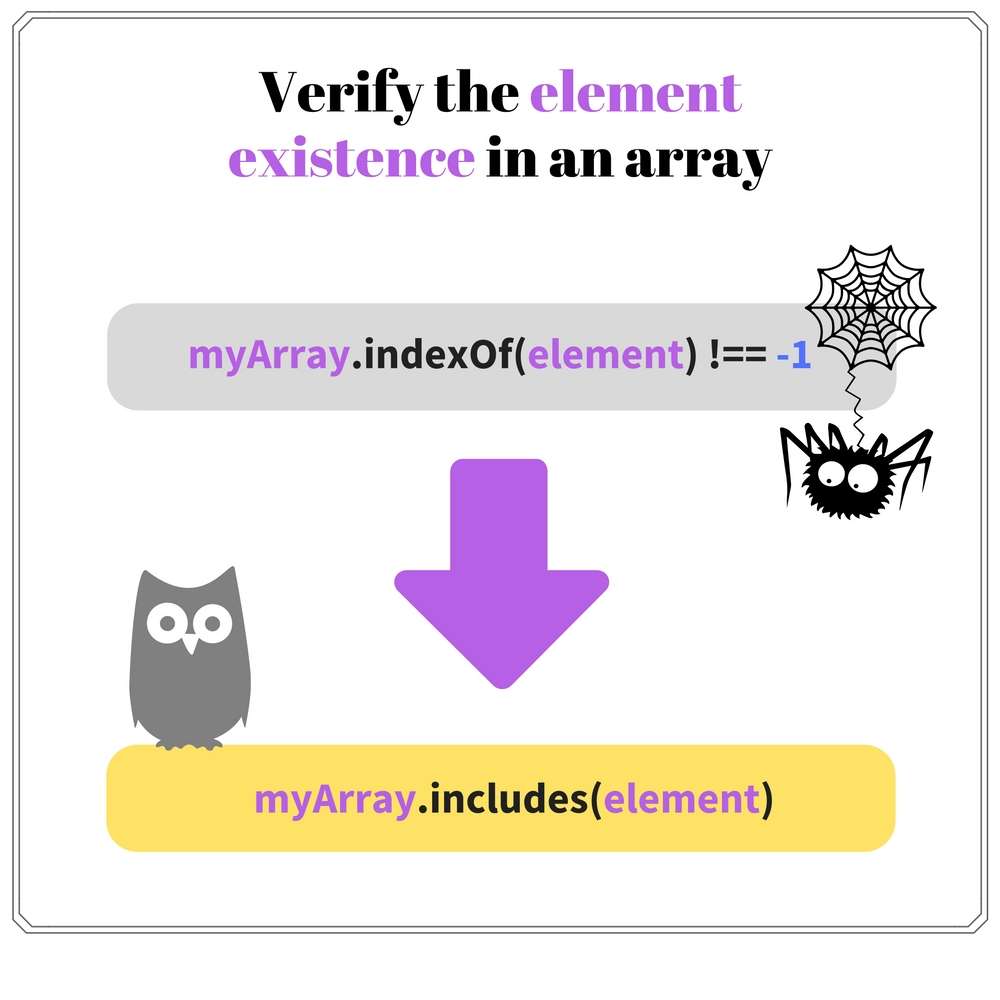
Refactor array.indexOf(item) !== -1 in favor of the new ES2015 method array.includes(item).
Follow my compiled list of refactorings to remove old hacks from your JavaScript code.
Before ES2015, JavaScript variables where function scoped. Because of that, you might developed a bad habit of declaring all the variables as function scoped.
Let's look at an example:
function someFunc(array) {
var index, item, length = array.length;
/*
* Lots of code
*/
for (index = 0; index < length; index++) {
item = array[index];
// Use `item`
}
return someResult;
}
The variables index, item and length are function scoped. But these variables pollute the function scope because they are necessary only inside the for() block scope.
With the introduction of block scope variables let and const, you should limit the life of your variables as much as possible.
Let's clean up the function scope:
function someFunc(array) {
/*
* Lots of code
*/
const length = array.length;
for (let index = 0; index < length; index++) {
const item = array[index];
// Use `item`
}
return someResult;
}
index and item variables are limited to for() cycle block scope. length was moved near the place of its usage.
The refactored code is easier to understand because the variables are not spread across the entire function scope. They exist near the place of usage.
Define the variables in the block scope they are used:
// Bad
let message;
// ...
if (notFound) {
message = 'Item not found';
// Use `message`
}
// Good
if (notFound) {
const message = 'Item not found';
// Use `message`
}
// Bad
let item;
for (item of array) {
// Use `item`
}
// Good
for (const item of array) {
// Use `item`
}
A variable not yet assigned with value is evaluated to undefined. For example:
let count;
console.log(count); // => undefined
const hero = {
name: 'Batman'
};
console.log(hero.city); // => undefined
count variable is defined, but not yet initialized with a value. JavaScript implicitly assigns to it undefined.
When accessing a non-existing property hero.city, undefined is returned also.
Why is using directly undefined a bad habit? Because when you start comparing against undefined, you're working with variables in an uninitialized state.
Variables, object properties, arrays must be initialized with values before using them!
JavaScript offers a lot of possibilities to avoid comparing with undefined.
// Bad
const object = {
prop: 'value'
};
if (object.nonExistingProp === undefined) {
// ...
}
// Good
const object = {
prop: 'value'
};
if ('nonExistingProp' in object) {
// ...
}
// Bad
function foo(options) {
if (object.optionalProp1 === undefined) {
object.optionalProp1 = 'Default value 1';
}
// ...
}
// Good
function foo(options) {
const defaultProps = {
optionalProp1: 'Default value 1'
};
options = {
...defaultProps,
...options
};
// ...
}
// Bad
function foo(param1, param2) {
if (param2 === undefined) {
param2 = 'Some default value';
}
// ...
}
// Good
function foo(param1, param2 = 'Some default value') {
// ...
}
null is an indicator of a missing object.
You should strive to avoid returning null from functions, and more importantly, call functions with null as an argument.
As soon as null appears in your call stack, you have to check for its existence in every function that potentially can access null. It's error-prone.
function bar(something) {
if (something) {
return foo({ value: 'Some value' });
} else {
return foo(null);
}
}
function foo(options) {
let value = null;
if (options !== null) {
value = options.value;
// ...
}
return value;
}
Try to write code that does not involve null. Possible alternatives are try/catch mechanism, the usage of default objects.
Tony Hoare, the inventor of ALGOL, once stated:
I call it my billion-dollar mistake... [...] I was designing the first comprehensive type system for references in an object-oriented language. [...] But I couldn’t resist the temptation to put in a null reference, simply because it was so easy to implement. This has led to innumerable errors, vulnerabilities, and system crashes, which have probably caused a billion dollars of pain and damage in the last forty years.
The post "The worst mistake of computer science" goes in-depth why null is damaging the quality of your code.
What could be more daunting than reading code that has a random coding style? You never know what to expect!
What if the codebase contains different coding styles of many developers? An assorted character graffiti wall.

The same coding style across the entire team and the application codebase is a requirement. It's a boost for the code readability.
Examples of useful coding styles:
But I'll be honest with you. I'm lazy. When I'm on a deadline, or I'm about to commit before going home - I might "forget" about styling my code.
“Myself lazy” says: leave the code as is, update it later. But later means never.
I recommend to automate the process of coding style verification:
Start with eslint-prettier-husky-boilerplate.
Writing quality and clean code requires discipline, overcome bad coding habits.
JavaScript is a permissive language, with a lot of flexibility. But you have to pay attention to what features you use. My recommendation is to avoid implicit type conversions and reduce the usage of undefined and null.
The language is evolving quite fast these days. Identify tricky code, and refactor it to use the latest JavaScript features.
A consistent coding style across the codebase benefits readability.
Good coding skills are always a win solution.
What other bad coding habits in JavaScript do you know?
此内容由惯性聚合(RSS阅读器)自动聚合整理,仅供阅读参考。 原文来自 — 版权归原作者所有。