


Content Security Policy can be used to generate reports describing attempts to attack your site. This post briefly explains how this works, and presents a simple example script that can be used to process these reports.
report-uri directive worksCSP violation reporting can be enabled by specifying one or more endpoints using the report-uri policy directive:
Content-Security-Policy: default-src self; report-uri /csp-hotline.phpNow, whenever someone visits your site, and his browser blocks scripts, styles, fonts, or other resources based on your CSP configuration, it makes an HTTP POST request to /csp-hotline.php passing along a JSON-formatted report of the violation.
The earlier CSP configuration example blocks any resources that are not on the same origin as the current document. Let’s say this policy is in effect on https://example.com. In that case, if an attempt is made to load a script from, say, http://evilhackerscripts.com, the browser POSTs the following data to https://example.com/csp-hotline.php:
{"csp-report":{"document-uri":"https://example.com/foo/bar","referrer":"https://www.google.com/","violated-directive":"default-src self","original-policy":"default-src self; report-uri /csp-hotline.php","blocked-uri":"http://evilhackerscripts.com"}}…which can be pretty-printed as:
{
	"csp-report": {
		"document-uri": "https://example.com/foo/bar",
		"referrer": "https://www.google.com/",
		"violated-directive": "default-src self",
		"original-policy": "default-src self; report-uri /csp-hotline.php",
		"blocked-uri": "http://evilhackerscripts.com"
	}
}
This data can then be processed by a server-side script (in this case, https://example.com/csp-hotline.php). I’d like to show you a minimal example of such a script.
Here’s a simple script that sends an email for each CSP violation that gets reported. I’m using PHP, but the example below should give you a good indication on how to implement this in your language of choice.
<?php // Note: this script requires PHP ≥ 5.4.

// Specify the email address that receives the reports.
define('EMAIL', 'mathias@example.com');
// Specify the desired email subject for violation reports.
define('SUBJECT', 'CSP violation');

// Send `204 No Content` status code.
http_response_code(204);

// Get the raw POST data.
$data = file_get_contents('php://input');
// Only continue if it’s valid JSON that is not just `null`, `0`, `false` or an
// empty string, i.e. if it could be a CSP violation report.
if ($data = json_decode($data)) {
	// Prettify the JSON-formatted data.
	$data = json_encode(
		$data,
		JSON_PRETTY_PRINT | JSON_UNESCAPED_SLASHES
	);
	// Mail the CSP violation report.
	mail(EMAIL, SUBJECT, $data, 'Content-Type: text/plain;charset=utf-8');
}

?>
This can easily be extended to write the report info to a log file, or to store it in a database.
To verify the script works as intended, either visit a page on your site that violates your CSP settings, or submit a dummy report through curl and see if you get an email or not:
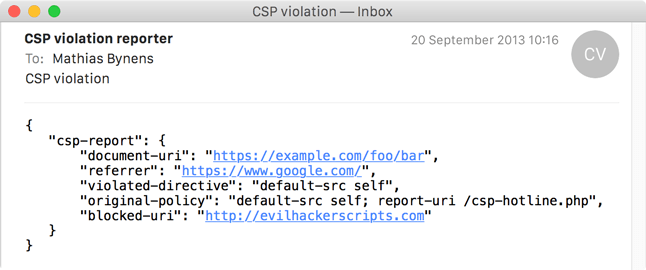
curl -H 'Content-Type: application/csp-report;charset=utf-8' --data '{"csp-report":{"document-uri":"https://example.com/foo/bar","referrer":"https://www.google.com/","violated-directive":"default-src self","original-policy":"default-src self; report-uri /csp-hotline.php","blocked-uri":"http://evilhackerscripts.com"}}' 'https://example.com/csp-hotline.php'The email messages sent by this script look something like this:
It’s possible to run CSP in “report-only” mode. In that case, CSP generates violation reports without actually blocking any content on your site. This gives you the opportunity to “dry-run” a CSP configuration, getting notified whenever a violation is encountered.
To enable “report-only” mode, simply send the Content-Security-Policy-Report-Only header instead of the Content-Security-Policy header:
Content-Security-Policy-Report-Only: default-src self; report-uri /csp-hotline.phpThe CSP header generator tool includes a checkbox to enable/disable report-only mode. Check it out!
此内容由惯性聚合(RSS阅读器)自动聚合整理,仅供阅读参考。 原文来自 — 版权归原作者所有。