


By default, composing a new email in Gmail results in an HTML email under the hood — even if you don’t use any formatting. Luckily, it’s possible to opt-out of that and use plain text email instead. In the ‘new email’ window, click the downwards arrow and check ‘Plain text mode’.
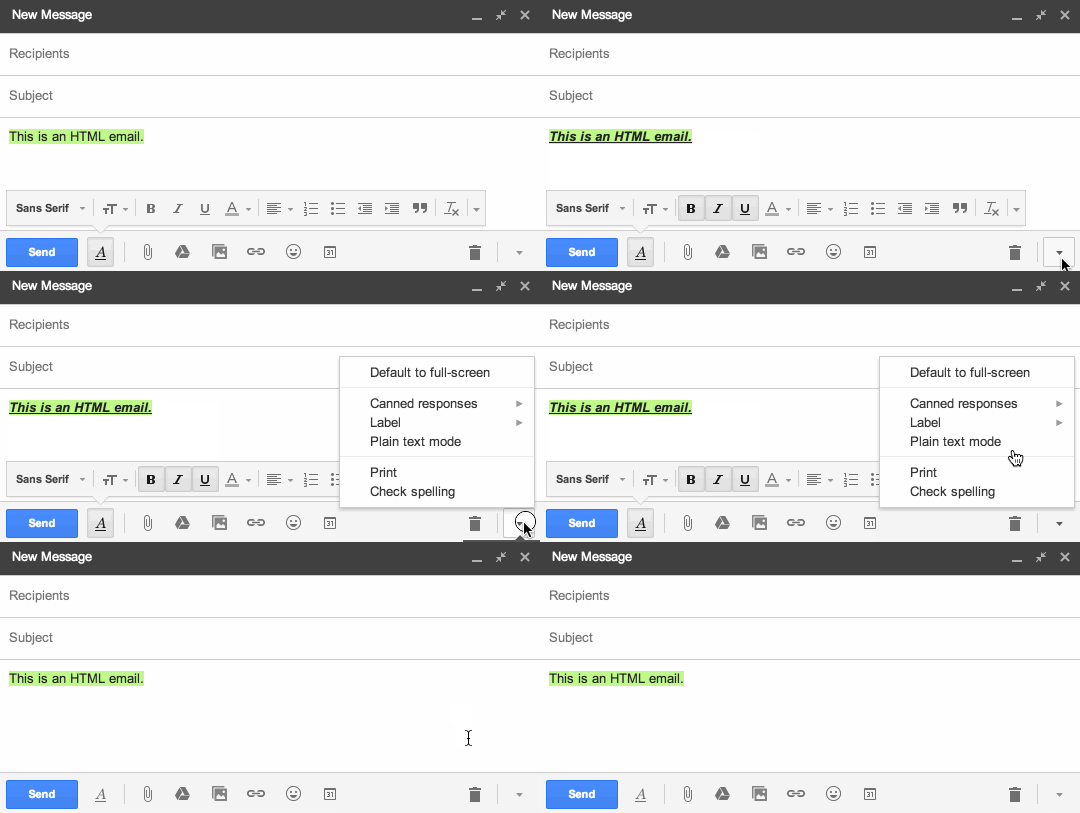
Gmail remembers your preference, so any new emails you compose after that are automatically in plain text mode, too.
Unfortunately, Gmail hard-wraps emails that are composed in plain text mode before sending them. If you would send this message, for example:
Lorem ipsum dolor sit amet, consectetuer adipiscing elit, sed diam nonummy nibh euismod tincidunt ut laoreet dolore magna aliquam erat volutpat. Ut wisi enim ad minim veniam, quis nostrud exerci tation ullamcorper suscipit lobortis nisl ut aliquip ex ea commodo consequat.
What would actually get sent is the following:
Lorem ipsum dolor sit amet, consectetuer adipiscing elit, sed diam
nonummy nibh euismod tincidunt ut laoreet dolore magna aliquam erat
volutpat. Ut wisi enim ad minim veniam, quis nostrud exerci tation
ullamcorper suscipit lobortis nisl ut aliquip ex ea commodo consequat.
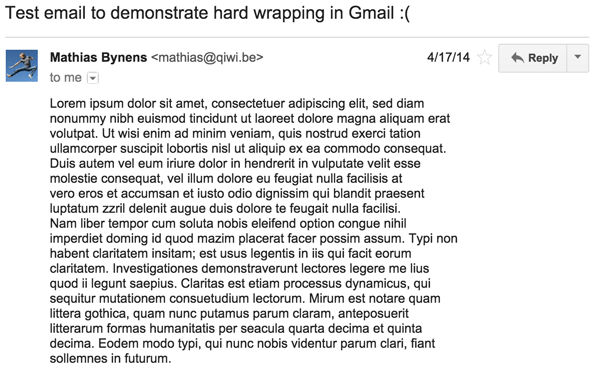
Here’s a screenshot of such an email, in Gmail:
And here’s what that same email looks like in another email client (in this case, OS X’s Mail.app):
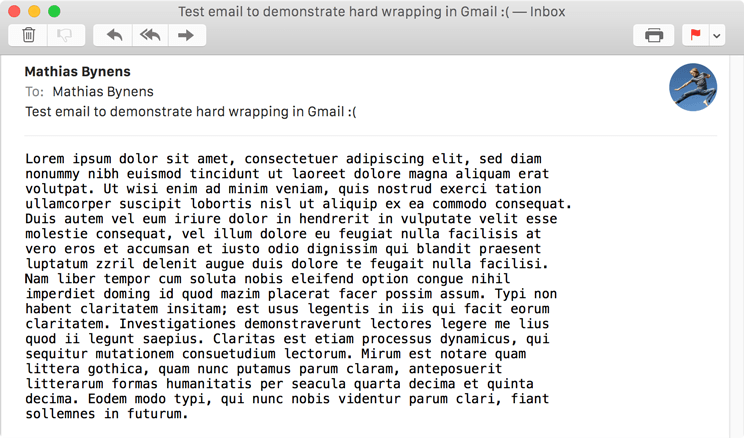
Instead of filling up the available screen width and letting the text flow naturally, the automatically inserted hard breaks ensure no line is longer than 78 characters. This is especially annoying when viewing such emails on small viewports, e.g. on a smartphone:
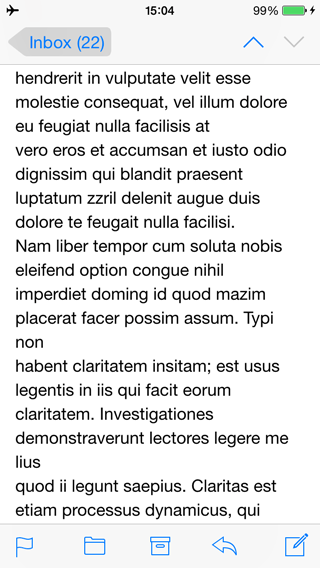
Combined with the auto-wrapping due to the small viewport, there are now two lines in the message with just one word on them.
This behavior annoys pretty much anyone who sends plain text emails from the Gmail web client.
Since I’m a Google Apps for Business customer, I get to file support tickets in hopes of getting issues like these fixed. So I did — I asked whether the hard-wrapping behavior for plain text emails could be disabled. After some painful back-and-forth, this was the response of the Google Enterprise Support team:
The 78 characters per line is not a limitation implemented by Google, but rather an internet standard for plain text messages (RFC 2822) recommended and promoted by the Internet Engineering Task Force (IETF).
It’s true that section 2.1.1 of RFC 2822 recommends a maximum of 78 characters per line (excluding the CRLF newline characters that end each line) in the source of email messages. But if this is what causes the broken behavior in Gmail, how come other mail clients don’t have the same issue? They have to respect the line length limit too, right?
Sure enough — the problem can be solved without violating any standards and without exceeding the 78-characters-per-line limit. It is perfectly possible to send non-hard-wrapped plain text emails by using the Quoted-Printable encoding as defined by RFC 2045. In fact, Gmail already kind of supports this: it’s capable of decoding and displaying Quoted-Printable-encoded emails flawlessly, and it encodes HTML emails with it before sending them — it just doesn’t do the same thing for plain text emails (yet).
Here’s what the source of a plain text email composed in Gmail looks like. Note that it contains hard line breaks to satisfy the 78-characters-per-line limit:
Content-Type: text/plain; charset=UTF-8

Lorem ipsum dolor sit amet, consectetuer adipiscing elit, sed diam
nonummy nibh euismod tincidunt ut laoreet dolore magna aliquam erat
volutpat. Ut wisi enim ad minim veniam, quis nostrud exerci tation
ullamcorper suscipit lobortis nisl ut aliquip ex ea commodo consequat.
With Quoted-Printable encoding, it could look like this instead:
Content-Type: text/plain; charset=UTF-8
Content-Transfer-Encoding: quoted-printable

Lorem ipsum dolor sit amet, consectetuer adipiscing elit, sed diam nonummy =
nibh euismod tincidunt ut laoreet dolore magna aliquam erat volutpat. Ut wi=
si enim ad minim veniam, quis nostrud exerci tation ullamcorper suscipit lo=
bortis nisl ut aliquip ex ea commodo consequat.
This way, the lines wrap nicely (no forced line breaks) when viewing the email in Gmail or in another mail client.
Dear Gmail team, please consider Quoted-Printable-encoding plain text emails composed using the Gmail web interface as shown in the above example, just like you do for HTML emails. That way, no hard-wrapping of the email’s actual contents is necessary. Thanks!
此内容由惯性聚合(RSS阅读器)自动聚合整理,仅供阅读参考。 原文来自 — 版权归原作者所有。