


You're a developer and you want to avoid shipping a broken login experience, so you're writing some tests to make sure you don't. Let's get a quick look at an example of such a form:
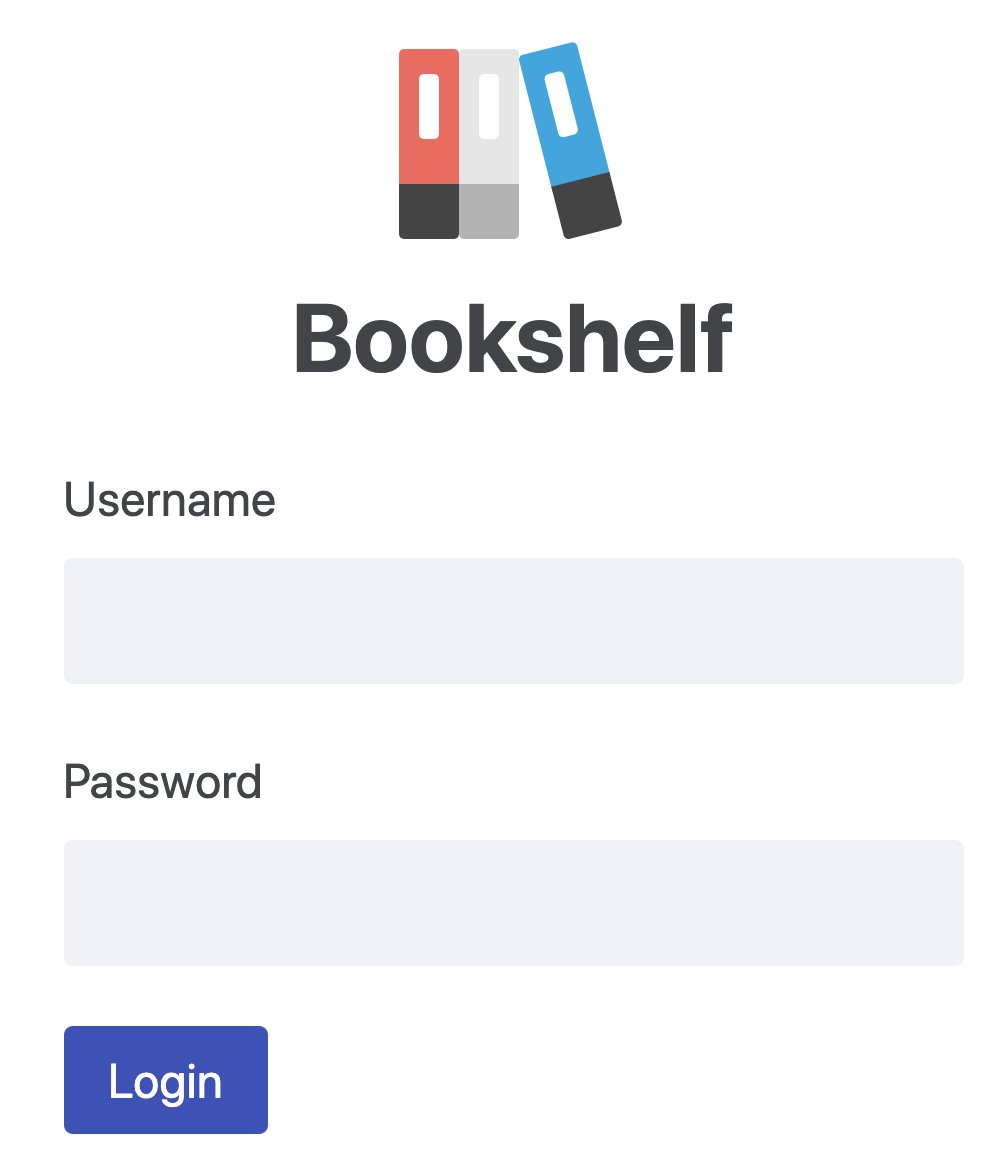
const form = (
	<form onSubmit={handleSubmit}>
		<div>
			<label htmlFor="username">Username</label>
			<input id="username" className="username-field" />
		</div>
		<div>
			<label htmlFor="password">Password</label>
			<input id="password" type="password" className="password-field" />
		</div>
		<div>
			<button type="submit" className="btn">
				Login
			</button>
		</div>
	</form>
)
Now, if we were to test this form, we'd want to fill in the username, password, and submit the form. To do that properly, we'd need to render the form and query the document to find and operate on those nodes. Here's what you might try to do to make that happen:
const usernameField = rootNode.querySelector('.username-field')
const passwordField = rootNode.querySelector('.password-field')
const submitButton = rootNode.querySelector('.btn')
And here's where the problem comes in. What happens when we add another button? What if we added a "Sign up" button before the "Login" button?
const form = (
	<form onSubmit={handleSubmit}>
		<div>
			<label htmlFor="username">Username</label>
			<input id="username" className="username-field" />
		</div>
		<div>
			<label htmlFor="password">Password</label>
			<input id="password" type="password" className="password-field" />
		</div>
		<div>
			<button type="submit" className="btn">
				Sign up
			</button>
			<button type="submit" className="btn">
				Login
			</button>
		</div>
	</form>
)
Whelp, that's going to break our tests. But that'd be pretty easy to fix right?
// change this:
const submitButton = rootNode.querySelector('.btn')
// to this:
const submitButton = rootNode.querySelectorAll('.btn')[1]
And we're good to go! Well, if we start using CSS-in-JS to style our form and no
longer need the username-field and password-field class names, should we
remove those? Or do we keep them because our tests use them? Hmmmmmmm..... 🤔
Given that "the more your tests resemble the way your software is used, the more confidence they can give you", it would be wise of us to consider the fact that our users don't care what our class names are.
So, let's imagine that you have a manual tester on your team and you're writing instructions for them to test the page for you. What would those instructions say?
username-field"Wait," they say. "How am I going to find the element with the class name
username-field?"
"Oh, just open your devtools and..."
"But our users wont do that. Why don't I just find the field that has a label
that says username?"
"Oh, yeah, good idea."
This is why Testing Library has the queries that it does. The queries help you to find elements in the same way that users will find them. These queries allow you to find elements by their role, label, placeholder, text contents, display value, alt text, title, test ID.
That's actually in the order of recommendation. There certainly are trade-offs with these approaches, but if you wrote out instructions for a manual tester using these queries, it would look something like this:
usernamepasswordsign inconst usernameField = rootNode.getByRole('textbox', { name: /username/i })
const passwordField = rootNode.getByLabelText('password')
const submitButton = rootNode.getByRole('button', { name: /sign in/i })
And that would help to ensure that you are testing your software as closely to how it's used as possible. Giving you more value from your test.
data-testid query?Sometimes you can't reliably select an element by any of the other queries. For
those, it's recommended to use data-testid (though you'll want to make sure
that you're not forgetting to use a proper role attribute or something first).
Many people who hit this situation, wonder why we don't include a
getByClassName query. What I don't like about using class names for my
selectors is that normally we think of class names as a way to style things. So
when we start adding a bunch of class names that are not for that purpose it
makes it even harder to know what those class names are for and when we
can remove class names.
And if we simply try to reuse class names that we're already just using for styling then we run into issues like the button up above. And any time you have to change your tests when you refactor or add a feature, that's an indication of a brittle test. The core issue is that the relationship between the test and the source code is too implicit. We can overcome this issue if we make that relationship more explicit.
If we could add some metadata to the element we're trying to select that would
solve the problem. Well guess what! There's actually an existing API for this!
It's data- attributes! For example:
function UsernameDisplay({ user }) {
	return <strong data-testid="username">{user.username}</strong>
}
And then our test can say:
const usernameEl = getByTestId('username')
This is great for
end to end tests
as well. So I suggest that you use it for that too! However, some folks have
expressed to me concern about shipping these attributes to production. If that's
you, please really consider whether it's actually a problem for you (because
honestly it's probably not as big a deal as you think it is). If you really want
to, you can compile those attributes away with
babel-plugin-react-remove-properties.
You'll find that testing your applications in a way that's similar to how your software is used makes your tests not only more resilient to changes, but also provide more value to you. If you want to learn more about this, then I suggest you read more in my blog post Testing Implementation Details.
I hope this is helpful to you. Good luck!
此内容由惯性聚合(RSS阅读器)自动聚合整理,仅供阅读参考。 原文来自 — 版权归原作者所有。