


Imagine we have this UI that renders a loading spinner until some data is loaded:
import * as React from 'react'
import * as api from './api'

function Course({ courseId }) {
	const [state, setState] = React.useState({
		loading: false,
		course: null,
		error: null,
	})

	const { loading, course, error } = state

	React.useEffect(() => {
		setState({ loading: true, course: null, error: null })
		api.getCourseInfo(courseId).then(
			(data) => setState({ loading: false, course: data, error: null }),
			(e) => setState({ loading: false, course: null, error: e }),
		)
	}, [courseId])

	return (
		<>
			<div role="alert" aria-live="polite">
				{loading ? 'Loading...' : error ? error.message : null}
			</div>
			{course ? <CourseInfo course={course} /> : null}
		</>
	)
}

function CourseInfo({ course }) {
	const { title, subtitle, topics } = course
	return (
		<div>
			<h1>{title}</h1>
			<strong>{subtitle}</strong>
			<ul>
				{topics.map((t) => (
					<li key={t}>{t}</li>
				))}
			</ul>
		</div>
	)
}

export default Course
Here's what that would render (I added a "Re-mount" button so you can try making it re-load. I also made it fail 50% of the time):
Let's talk about testing this component. I'm going to mock out the
api.getCourseInfo(courseId) call so we don't actually make any network
requests for this test. So here are some of the things we'll need to assert that
this component does:
Then there's the error case (like if the request fails):
Many people read that list of requirements for a component and turn those into individual test cases. Maybe you've read about a so-called "only one assertion per test best practice." Let's give that a try:
// 🛑 THIS IS AN EXAMPLE OF WHAT NOT TO DO...
import * as React from 'react'
import { render, wait, cleanup } from '@testing-library/react/pure'
import { getCourseInfo } from '../api'
import Course from '../course'

jest.mock('../api')

function buildCourse(overrides) {
	return {
		title: 'TEST_COURSE_TITLE',
		subtitle: 'TEST_COURSE_SUBTITLE',
		topics: ['TEST_COURSE_TOPIC'],
		...overrides,
	}
}

describe('Course success', () => {
	const courseId = '123'
	const title = 'My Awesome Course'
	const subtitle = 'Learn super cool things'
	const topics = ['topic 1', 'topic 2']

	let utils
	beforeAll(() => {
		getCourseInfo.mockResolvedValueOnce(
			buildCourse({ title, subtitle, topics }),
		)
	})

	afterAll(() => {
		cleanup()
		jest.resetAllMocks()
	})

	it('should show a loading spinner', () => {
		utils = render(<Course courseId={courseId} />)
		expect(utils.getByRole('alert')).toHaveTextContent(/loading/i)
	})

	it('should call the getCourseInfo function properly', () => {
		expect(getCourseInfo).toHaveBeenCalledWith(courseId)
	})

	it('should render the title', async () => {
		expect(await utils.findByRole('heading')).toHaveTextContent(title)
	})

	it('should render the subtitle', () => {
		expect(utils.getByText(subtitle)).toBeInTheDocument()
	})

	it('should render the list of topics', () => {
		const topicElsText = utils
			.getAllByRole('listitem')
			.map((el) => el.textContent)
		expect(topicElsText).toEqual(topics)
	})
})

describe('Course failure', () => {
	const courseId = '321'
	const message = 'TEST_ERROR_MESSAGE'

	let utils, alert
	beforeAll(() => {
		getCourseInfo.mockRejectedValueOnce({ message })
	})

	afterAll(() => {
		cleanup()
		jest.resetAllMocks()
	})

	it('should show a loading spinner', () => {
		utils = render(<Course courseId={courseId} />)
		alert = utils.getByRole('alert')
		expect(alert).toHaveTextContent(/loading/i)
	})

	it('should call the getCourseInfo function properly', () => {
		expect(getCourseInfo).toHaveBeenCalledWith(courseId)
	})

	it('should render the error message', async () => {
		await wait(() => expect(alert).toHaveTextContent(message))
	})
})
I definitely recommend against this approach to testing. There are a few problems with it:
act
warnings (for this particular example)It's notable that the first two points there are applicable regardless of what
you're testing. The third is a bit of an implementation detail between jest
and act.
Instead, I suggest that we combine the tests like so:
// ✅ This is an example of what to do
import { render, screen, wait } from '@testing-library/react'
import * as React from 'react'

import { getCourseInfo } from '../api'
import Course from '../course'

jest.mock('../api')

afterEach(() => {
	jest.resetAllMocks()
})

function buildCourse(overrides) {
	return {
		title: 'TEST_COURSE_TITLE',
		subtitle: 'TEST_COURSE_SUBTITLE',
		topics: ['TEST_COURSE_TOPIC'],
		...overrides,
	}
}

test('course loads and renders the course information', async () => {
	const courseId = '123'
	const title = 'My Awesome Course'
	const subtitle = 'Learn super cool things'
	const topics = ['topic 1', 'topic 2']

	getCourseInfo.mockResolvedValueOnce(buildCourse({ title, subtitle, topics }))

	render(<Course courseId={courseId} />)

	expect(getCourseInfo).toHaveBeenCalledWith(courseId)
	expect(getCourseInfo).toHaveBeenCalledTimes(1)

	const alert = screen.getByRole('alert')
	expect(alert).toHaveTextContent(/loading/i)

	const titleEl = await screen.findByRole('heading')
	expect(titleEl).toHaveTextContent(title)

	expect(screen.getByText(subtitle)).toBeInTheDocument()

	const topicElsText = screen
		.getAllByRole('listitem')
		.map((el) => el.textContent)
	expect(topicElsText).toEqual(topics)
})

test('an error is rendered if there is a problem getting course info', async () => {
	const message = 'TEST_ERROR_MESSAGE'
	const courseId = '321'

	getCourseInfo.mockRejectedValueOnce({ message })

	render(<Course courseId={courseId} />)

	expect(getCourseInfo).toHaveBeenCalledWith(courseId)
	expect(getCourseInfo).toHaveBeenCalledTimes(1)

	const alert = screen.getByRole('alert')
	expect(alert).toHaveTextContent(/loading/i)

	await wait(() => expect(alert).toHaveTextContent(message))
})
Now our tests are completely isolated, there are no longer shared mutable
variable references, there's less nesting so following the tests is easier, and
we will no longer get the act warning from React.
Yes, we've violated that "one assertion per test" rule, but that rule was originally created because testing frameworks did a poor job of giving you the contextual information you needed to determine what was causing your test failures. Now a test failure for these Jest tests will look something like this:
FAIL  src/__tests__/course-better.js
  ● course loads and renders the course information

    Unable to find an element with the text: Learn super cool things. This could be because the text is broken up by multiple elements. In this case, you can provide a function for your text matcher to make your matcher more flexible.

    <body>
      <div>
        <div
          aria-live="polite"
          role="alert"
        />
        <div>
          <h1>
            My Awesome Course
          </h1>
          <ul>
            <li>
              topic 1
            </li>
            <li>
              topic 2
            </li>
          </ul>
        </div>
      </div>
    </body>

      40 |   expect(titleEl).toHaveTextContent(title)
      41 |
    > 42 |   expect(getByText(subtitle)).toBeInTheDocument()
         |          ^
      43 |
      44 |   const topicElsText = getAllByRole('listitem').map(el => el.textContent)
      45 |   expect(topicElsText).toEqual(topics)

      at getElementError (node_modules/@testing-library/dom/dist/query-helpers.js:22:10)
      at node_modules/@testing-library/dom/dist/query-helpers.js:76:13
      at node_modules/@testing-library/dom/dist/query-helpers.js:59:17
      at Object.getByText (src/__tests__/course-better.js:42:10)
And in your terminal that'll all be syntax highlighted as well:
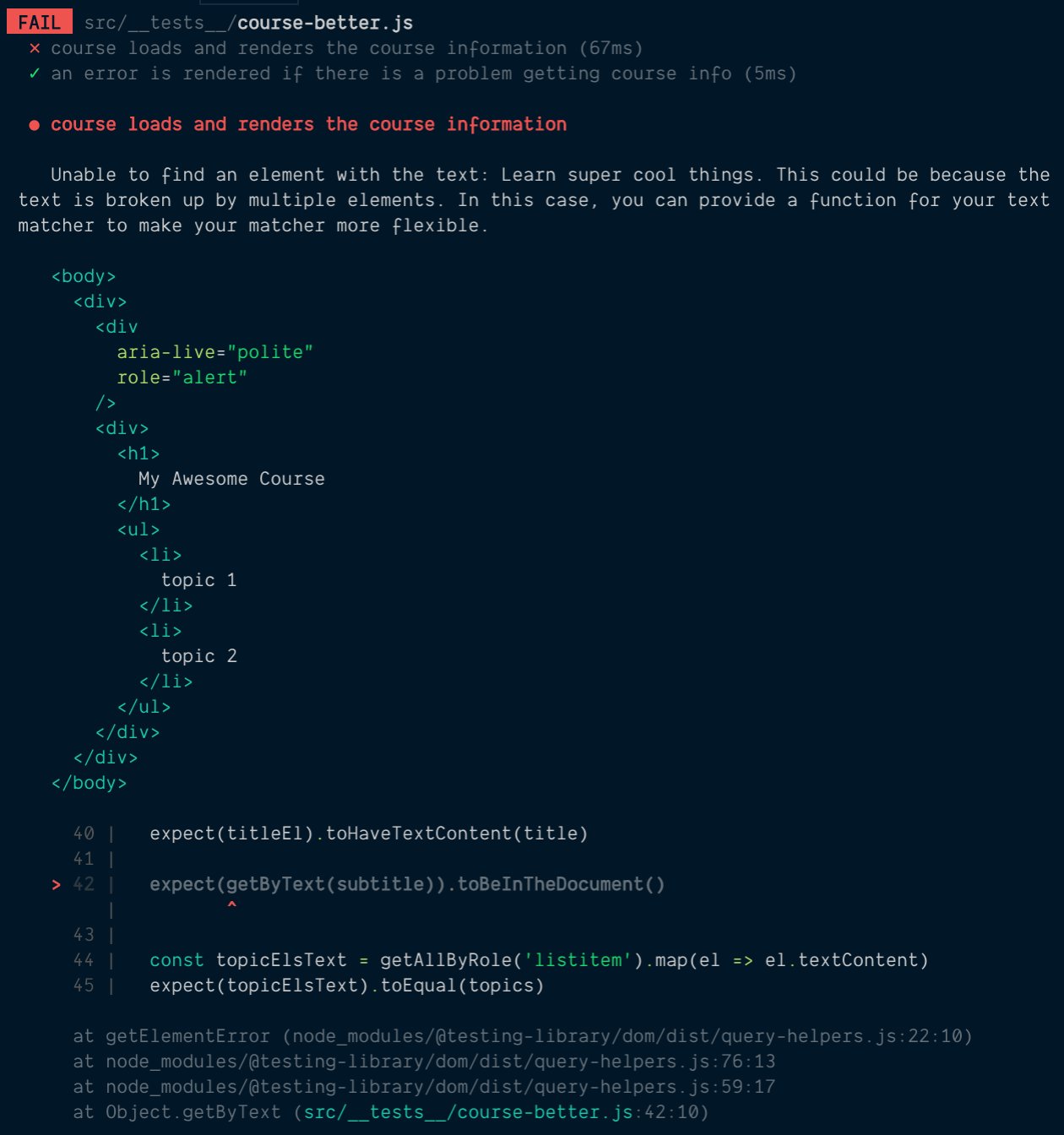
Thanks to our amazing tools, identifying which assertion resulted in the failure is trivial. I didn't even tell you what I broke, but I'll bet you'd know where to look if this happened to you! And you can avoid the issues described above. If you'd like to make things even more clear, you can add a code comment above the assertion to explain what is important about the assertion you're making.
Don't worry about having long tests. When you're thinking about your two users and avoid the test user, then your tests will often involve multiple assertions and that's a good thing. Don't arbitrarily separate your assertions into individual test blocks, there's no good reason to do so.
I should note that I wouldn't recommend rendering the same component multiple times in a single test block (re-renders are ok if you're testing what happens on prop updates for example).
The principle:
Think of a test case workflow for a manual tester and try to make each of your test cases include all parts to that workflow. This often results in multiple actions and assertions which is fine.
There's the old "Arrange" "Act" "Assert" model for structuring tests. I typically suggest that you have a single "Arrange" per test, and as many "Act" and "Asserts" as necessary for the workflow you're trying to get confidence about.
Find runnable code for these examples here
act warning, even though I'm using React Testing Library's utilities!React's act utility is built-into React Testing Library. There are very few
times you should have to use it directly if you're using
React Testing Library's async utilities:
jest.useFakeTimers()useImperativeHandle and calling functions directly that call
state updaters.Any other time, you should be covered by React Testing Library. If you're still
experiencing the act warning, then the most likely reason is something is
happening after your test completes for which you should be waiting.
Here's an example of a test (using the same example as above) suffering from this problem:
// 🛑 THIS IS AN EXAMPLE OF WHAT NOT TO DO...
test('course shows loading screen', () => {
	getCourseInfo.mockResolvedValueOnce(buildCourse())
	render(<Course courseId="123" />)
	const alert = screen.getByRole('alert')
	expect(alert).toHaveTextContent(/loading/i)
})
Here we're rendering the Course and just trying to verify that the loading
message shows up properly. The problem is when we render the <Course />
component, it immediately fires an async request. We're correctly mocking that
out (which we have to do, otherwise our test will actually make the request).
However, our test completes synchronously before the mocked out request has a
chance to resolve. When it finally does, our success handler is called which
calls the state updater function and we get the act warning.
There are three ways to fix this.
wait utility// 1. Wait for the promise to resolve
// ⚠️ this is an ok way to solve this problem, but there's a better way, read on
test('course shows loading screen', async () => {
const promise = Promise.resolve(buildCourse())
getCourseInfo.mockImplementationOnce(() => promise)
render(<Course courseId="123" />)
const alert = screen.getByRole('alert')
expect(alert).toHaveTextContent(/loading/i)
await act(() => promise)
})
This is actually not all that bad. I would recommend this if there are no observable changes to the DOM. I had a situation like this in a UI I built where I had implemented an optimistic update (meaning the DOM update happened before the request finished) and therefore had no way to wait for/assert on changes in the DOM.
// 2. Use React Testing Library's `wait` utility
test('course shows loading screen', async () => {
	getCourseInfo.mockResolvedValueOnce(buildCourse())
	render(<Course courseId="123" />)
	const alert = screen.getByRole('alert')
	expect(alert).toHaveTextContent(/loading/i)
	await wait()
})
This only really works if the mock you've created resolves immediately, which is
most likely (especially if you're using mockResolvedValueOnce). Here you don't
have to use act directly, but this test is basically just ignoring everything
that happened during that waiting time which is why I don't really recommend
this.
The last (and best) recommendation I have for you is to just include this assertion in the other tests of your component. There's not a whole lot of value out of keeping this assertion all by itself.
此内容由惯性聚合(RSS阅读器)自动聚合整理,仅供阅读参考。 原文来自 — 版权归原作者所有。