


If you do front-end web development and already use Chrome as your development browser, I encourage you to use Chrome Canary.
A new Chrome Canary build is available daily (we cut at 2am PST and take the best of last 40 revisions, to be specific). Running fresh builds gives you great goodies to look forward:
$_ (for the Console’s most recently evaluated result)about:flags)
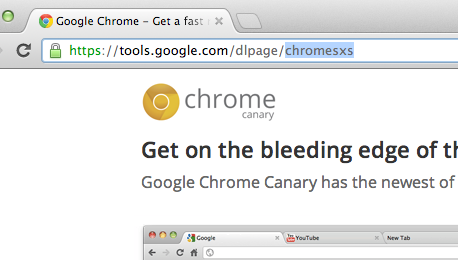
The other reason why Canary is great is because it can run side-by-side with your other Chrome install. In fact this is why the URL for Canary’s download page is “sxs”.
I recommend running Chrome Stable and Canary. That’s how most of the Chrome Developer Relations team does it. You never need to update your browser, you can watch the new stuff coming at you (and file bugs if it breaks) and still see what your users see.
Fun fact: when a feature lands in Canary, it’s only a short 11 week trip down to shipping to all 300+ million Chrome users on stable. That is, as long as everything is on schedule and the feature doesn’t need to bake a little longer on dev channel before making its way down. Given that, it’s a smart move as a dev team to watch as features (and sometimes bugs) trickle down to have time to adapt. When a new stable Chrome is ready, all users will have it within just a few days.
Canary is available for Mac and Windows, but sadly not Linux. :( But luckily there are packages that track the dev channel Chromium that’ll keep you up to date on a weekly basis, so you can have a pseudo-canary. If you need a one-off build of the freshest Chromium available, just go to download-chromium.appspot.com; it’ll detect your OS and serve up a build that’s less than a few hours old. Hotchachacha!
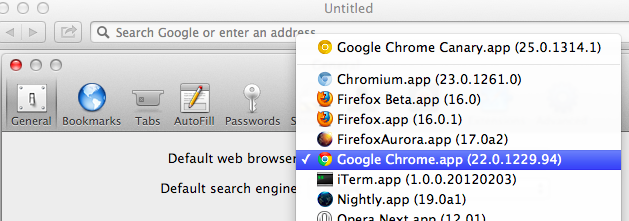 Protip: you can set Canary as your default browser : Canary itself doesn’t have a setting to let you do this, as its an edge release. (Read about how Chrome ensures the stability of the Canary build). However… if you open Safari’s preferences, Canary will be listed in the Default web browser choices, so you can choose it if you want all new links to open there.
Another small tip: sometimes your Chrome extensions affect your page inspection behavior is weird ways. Jump into incognito where extensions don’t run to get a clean look.
Running Canary regularly rocks, but so do edge versions of other browsers:
Oh right, call to action:

2012.11.02: Added CTA thanks to philip_roberts’ suggestion.
2013-03-15: Accurate data on when/how we cut Canary builds.
此内容由惯性聚合(RSS阅读器)自动聚合整理,仅供阅读参考。 原文来自 — 版权归原作者所有。