


Heads up: this feature is experimental. It's incoming, pretty great, and I'm excited about its potential, so I figured I'd just tell you about it now.
Let's say I ask you to pick up 200 stones and place them in the back of a truck. Let's say that each stone is the about size of a pebble, but stone number 154 is an enormous boulder. That boulder is going to take significantly more time to pick up than all the stones before or after it... That's probably not a huge shocker. That's also exactly what it can be like with image decoding on the web today.
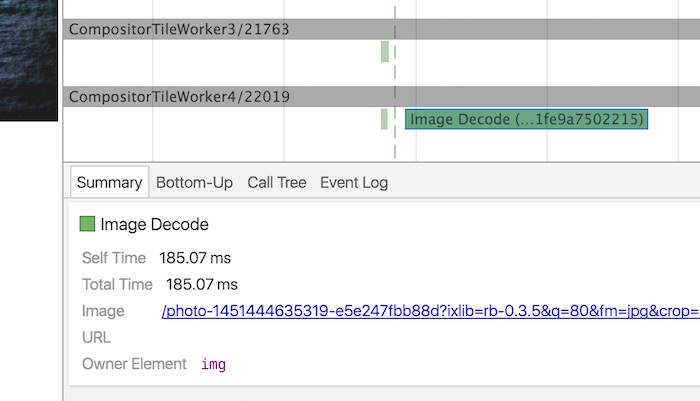
Compared to nearly all the other paint tasks (fill this thing red, draw text here) image decoding can be unwieldy, and it will block any other paint tasks on the same thread. It doesn't matter if everything else you need to have painted is lightweight, if there's one heavy task like image decoding right in the middle, then they'll just have to wait. Decoding big masthead images, or a heap of smaller images can all induce checkerboarding or jank, and there's nothing we developers can do about it.
Compared to nearly all the other paint tasks... image decoding can be unwieldy... and there's nothing we developers can do about it.
I wrote a post about this problem two and a bit years ago, and my solution then was to invite you to Hacksville (population: me... and you, I guess). The idea was to use a JavaScript-based image decoder in a worker. URLs would be shipped off to the worker, decoded by the JS-decoder, and the raw pixel data would get posted back to the main thread and drawn into a canvas.
I then summarily booted you out of Hacksville because, and I want to be super clear on this, it's a terrible idea. It's terrible because you have to manage a) image decoding, b) memory usage, c) image quality, and d) way more code. The upside is that images are decoded “out of flow” to the rest of the draw calls, and this means less time blocking paint, which in turn can reduce the chance of checkerboarding and jank.
Was the hack worth it? Not in my opinion. It's why I tried booting you out, see; I was trying to help.
The hack is back! #
So, what if the browser did the nasty stuff like memory management and image decoding, but we got the main benefit of decoding on a worker? Cool, because that's exactly what's createImageBitmap is for. It's available in Chrome Canary (with the “Enable experimental canvas features” flag enabled in about:flags), and it's already available in Firefox 42 onwards (well played, Mozilla!).
Right, let's just look at some code, because I don't know about you, but I've read enough words from me:
fetch(imageURL)  // Get the image as a blob.
  .then(response => response.blob())  // Decode the image.
  .then(blobData => createImageBitmap(blobData))  // Draw it to screen.
  .then(imageBitmap => {
    canvasContext.drawImage(imageBitmap, 0, 0);
  });
What's great about this is that createImageBitmap can run on the main thread. Alternatively it can run in a worker thread and, instead of drawing immediately with drawImage, we can use postMessage with a transferable to send it back to the main thread for handling later:
// In the worker.
fetch(imageURL) // ... Same as before
.then(imageBitmap => {
// Transfer the imageBitmap back to main thread.
self.postMessage({ imageBitmap }, [imageBitmap]);
}, err => {
self.postMessage({ err });
});
// In the main thread.
worker.onmessage = (evt) => {
if (evt.data.err)
throw new Error(evt.data.err);
canvasContext.drawImage(evt.data.imageBitmap, 0, 0);
}
It's great that we now have a way to decode images in a worker, but when that ImageBitmap arrives back into the main thread many of us would probably paint it into the canvas immediately. But what if the user is scrolling or there's something else keeping the main thread busy? Kind of checkerjank-inducing, which is exactly what we wanted to avoid.
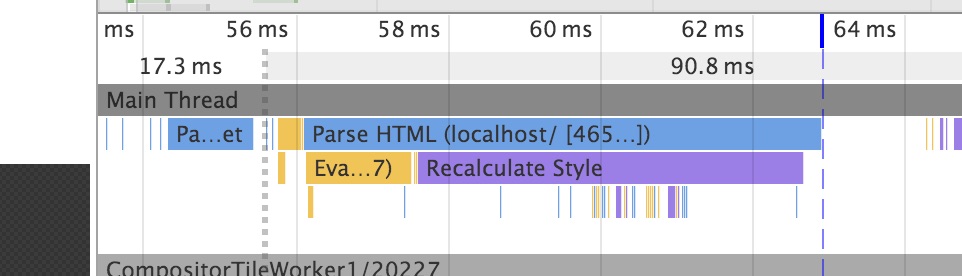
This is a great time to plug requestIdleCallback, because it's designed for such cases like this. Not familiar with requestIdleCallback? No worries, buddies, I have me an explainer over on Google Web Updates. Long story short, it's a good way to do the paint work without getting in the user's way!
If we assume that drawing the image will take, oh I dunno, 10 milliseconds, we can do something like this.
function drawImageToScreen(deadline) { // Make sure there's at least 10ms
// before committing to the work. If
// not then wait again.
if (deadline.timeRemaining() < 10)
return requestIdleCallback(drawImageToScreen);
canvasContext.drawImage(evt.data.imageBitmap, 0, 0);
}
// In the main thread.
worker.onmessage = (evt) => {
if (evt.data.err)
throw new Error(evt.data.err);
requestIdleCallback(drawImageToScreen);
}
Accessible, much? #
Well now, here's the rub. We've replaced the role traditionally held by good old <img> and replaced with a <canvas>, which changes how it behaves with screen readers. Going down this route requires adding additional attributes to account for that:
<canvas role="img" aria-label="This would be the alt text."></canvas>Weird thing about this, though, is that it doesn't behave as I'd expected. I have to thank Alice Boxhall for telling me about this, as I would have had no idea otherwise. Alice told me that if I did this I'd need to account for the case when the image is hidden.
It turns out that if you hide an <img> element it is removed from the accessibility tree in Chrome. If, on the other hand, you hide a <canvas> element that has a role attribute it will still be in the accessibility tree! I have no idea why a <canvas> is treated differently to an <img>, but there we go.
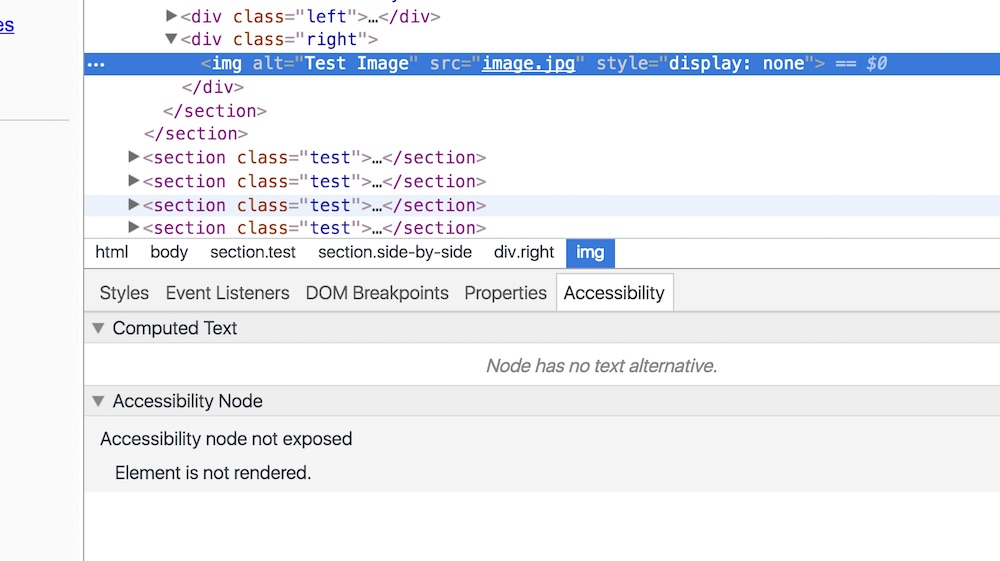
The picture above shows that an <img> isn't the accessibility tree when it's hidden. Not so the canvas with a role attribute:
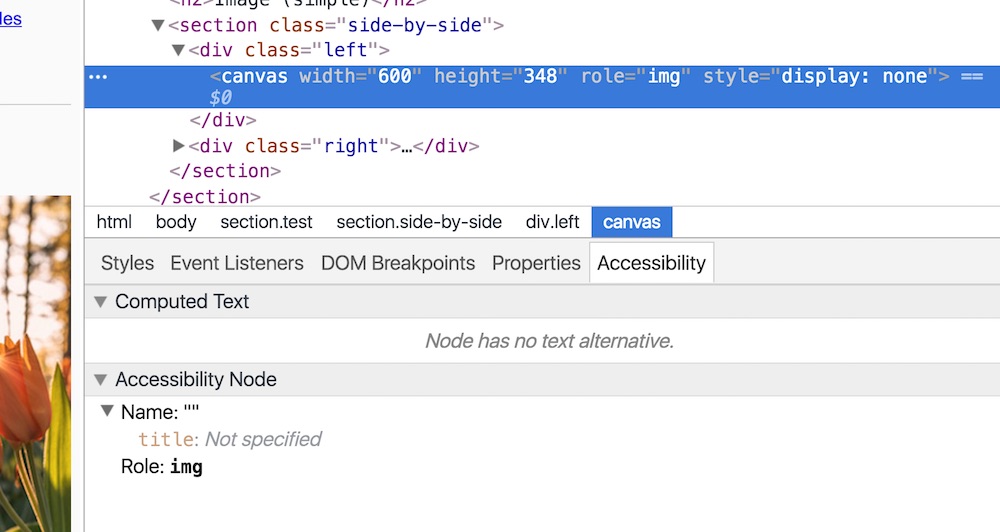
It's still in the accessibility tree! Weird, huh? Right, so with that in mind, here's another way to do the markup:
<div role="img" aria-label="This would be the alt text.">
  <canvas aria-hidden="true"></canvas>
</div>
This way you have something that acts as an image (it also has no children as far as the screen reader is concerned, which is important since a real <img> element wouldn't either), and will also be removed from and added to the accessibility tree when hidden and shown respectively. Canvas, role... bug? I dunno.
Sounds like an awfully good idea to make a library #
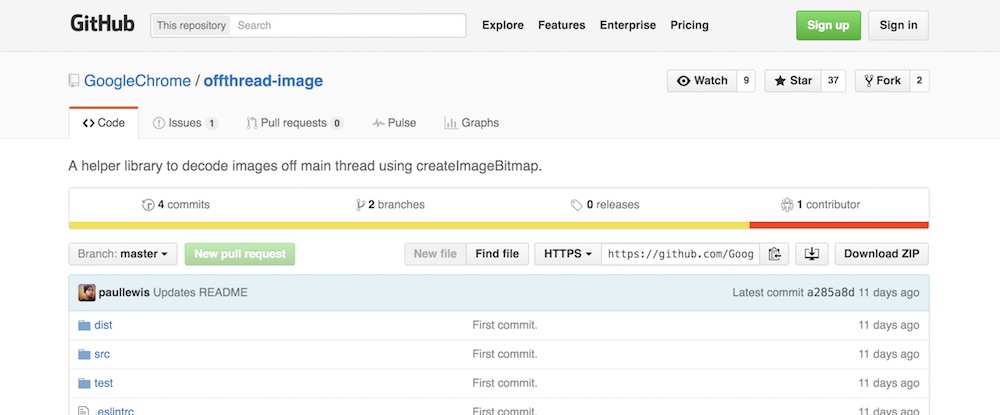
That's what I thought, anyway, and so I've made one, in case it's useful to you. I'm not going to go into the details all that much, since there's documentation and a breakdown of how to use it on the repo. Take a look and let me know what you think!
Conclusion #
we at least have a way to take our image-handling dune buggies offroad without things getting too dangerous.
So there you have it, there's now a standards-based way of achieving something I set out to solve a couple of years ago! Hurray!
Ultimately I hope the way image elements (and background-images, too, for that matter) are handled gets an upgrade at some point. I would still love to see something like display: optional or another way to say “this image is not essential, do not block other paint tasks on it”. Until then, we at least have a way to take our image-handling dune buggies offroad without things getting too dangerous. I dunno about you, but that's at a win in my book.