
惯性聚合 高效追踪和阅读你感兴趣的博客、新闻、科技资讯
阅读原文 在惯性聚合中打开

推荐订阅源

T
Threatpost
博客园 - 叶小钗
T
The Blog of Author Tim Ferriss
Recent Announcements
D
DataBreaches.Net
The Cloudflare Blog
阮一峰的网络日志
阮一峰的网络日志
罗磊的独立博客
奇客Solidot–传递最新科技情报
奇客Solidot–传递最新科技情报
N
Netflix TechBlog - Medium
Microsoft Azure Blog
Microsoft Security Blog
B
Blog
U
Unit 42
有赞技术团队
有赞技术团队
博客园 - 聂微东
GbyAI
GbyAI
宝玉的分享
宝玉的分享
F
Full Disclosure
freeCodeCamp Programming Tutorials: Python, JavaScript, Git & More
MyScale Blog
MyScale Blog
Jina AI
Jina AI
Martin Fowler
Martin Fowler
IT之家
IT之家
酷 壳 – CoolShell
酷 壳 – CoolShell
D
Docker
P
Proofpoint News Feed
A
About on SuperTechFans
I
InfoQ
博客园 - 【当耐特】
C
Check Point Blog
Threat Intelligence Blog | Flashpoint
P
Privacy & Cybersecurity Law Blog
T
Threat Research - Cisco Blogs
Y
Y Combinator Blog
Project Zero
Project Zero
WordPress大学
WordPress大学
小众软件
小众软件
AWS News Blog
AWS News Blog
博客园 - 司徒正美
T
The Exploit Database - CXSecurity.com
L
LINUX DO - 热门话题
I
Intezer
Engineering at Meta
Engineering at Meta
C
CXSECURITY Database RSS Feed - CXSecurity.com
J
Java Code Geeks
T
Tenable Blog
Cyber Security Advisories - MS-ISAC
Last Week in AI
Last Week in AI
C
CERT Recently Published Vulnerability Notes

Mozilla Services

The Future of Sync A New Policy for Mozilla Location Service Making Firefox Accounts more transparent in Firefox Upcoming WebPush Shield Study Account recovery keys in Firefox Accounts Changing your primary email in Firefox Accounts Why WebPush Doesn’t Allow Broadcast Managing Push Subscriptions Device management coming to your Firefox Account
Two-step authentication in Firefox Accounts
Vijay Budhra · 2018-05-22 · via Mozilla Services

Two-step authentication in Firefox Accounts

Starting on 5/23/2018, we are beginning a phased rollout to allow Firefox Accounts users to opt into two-step authentication. If you enable this feature, then in addition to your password, an additional security code will be required to log in.

We chose to implement this feature using the well-known authentication standard TOTP (Time-based One-Time Password). TOTP codes can be generated using a variety of authenticator applications. For example, Google Authenticator, Duo and Authy all support generating TOTP codes.

Additionally, we added support for single-use recovery codes in the event you lose access to the TOTP application. It is recommend that you save your recovery codes in a safe spot since they can be used to bypass TOTP.

To enable two-step authentication, go to your Firefox Accounts preferences and click “Enable” on the “Two-step authentication” panel.
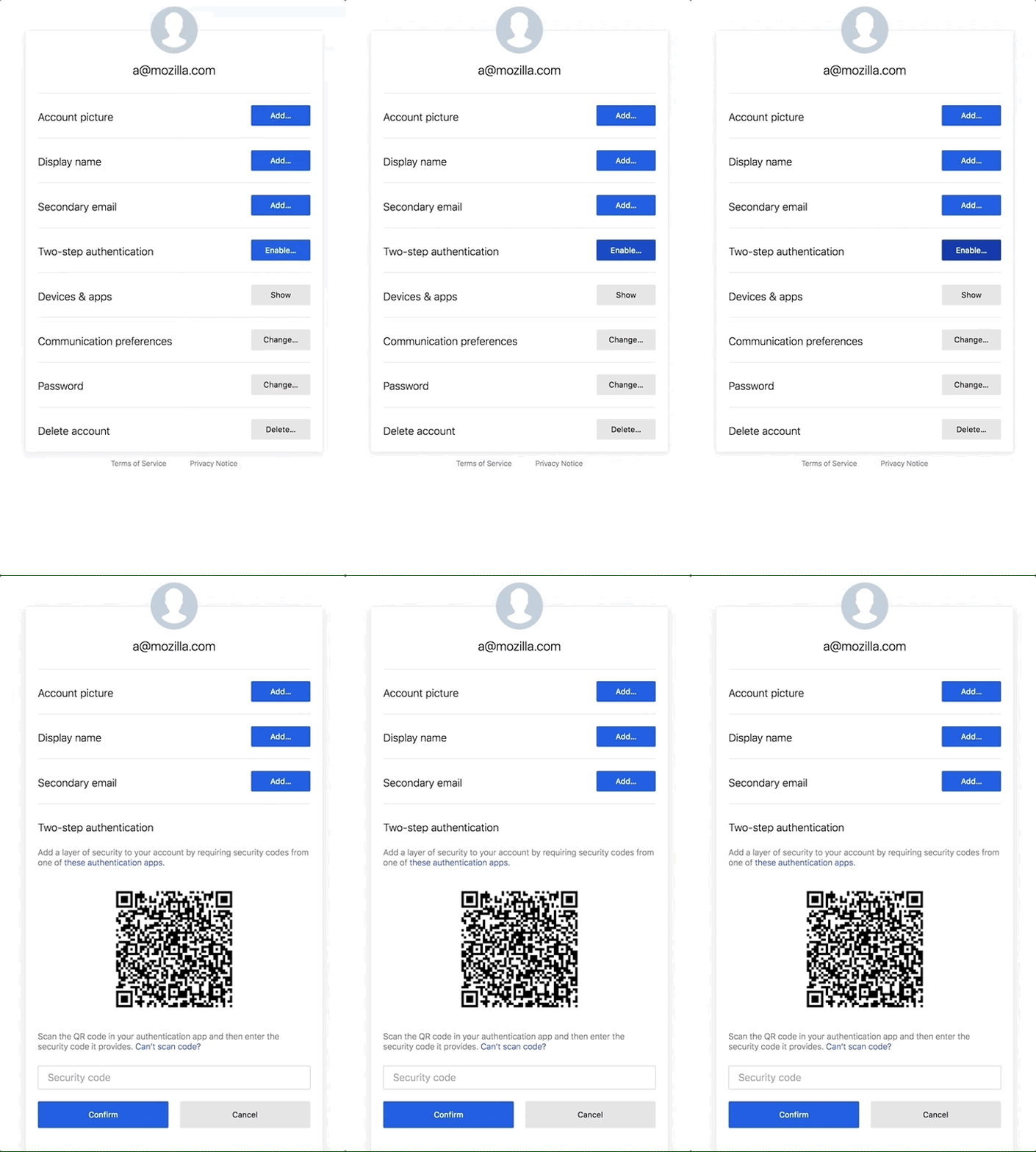
Note: If you do not see the Two-step authentication panel, you can manually enable it by following these instructions.

Using one of the authenticator applications, scan the QR code and then enter the security code it displays. Doing this will confirm your device, enable TOTP and show your recovery codes.
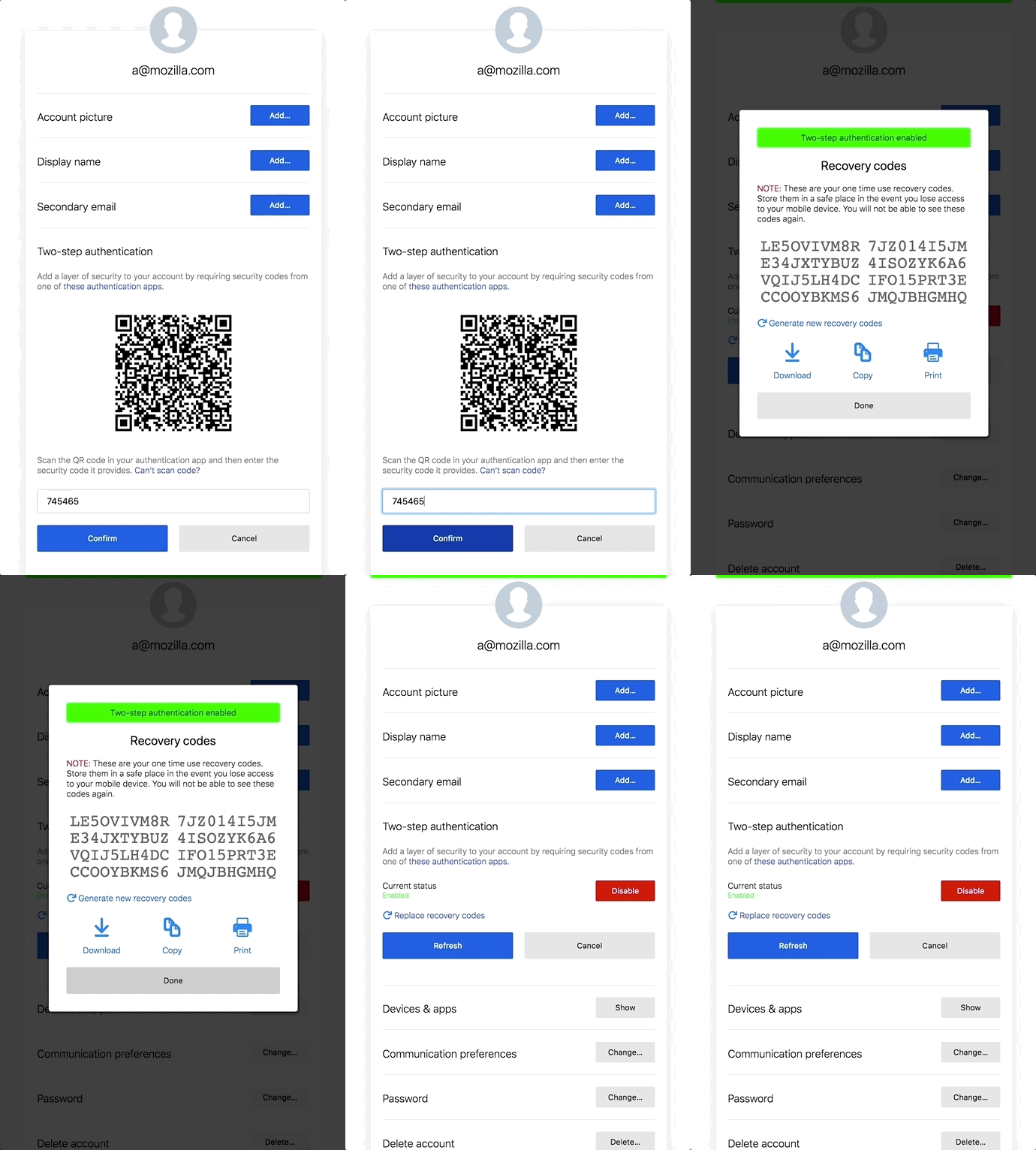
Note: After setup, make sure you download and save your recovery codes in a safe location! You will not be able to see them again, unless you generate new ones.

Once two-step authentication is enabled, every login will require a security code from your TOTP device.
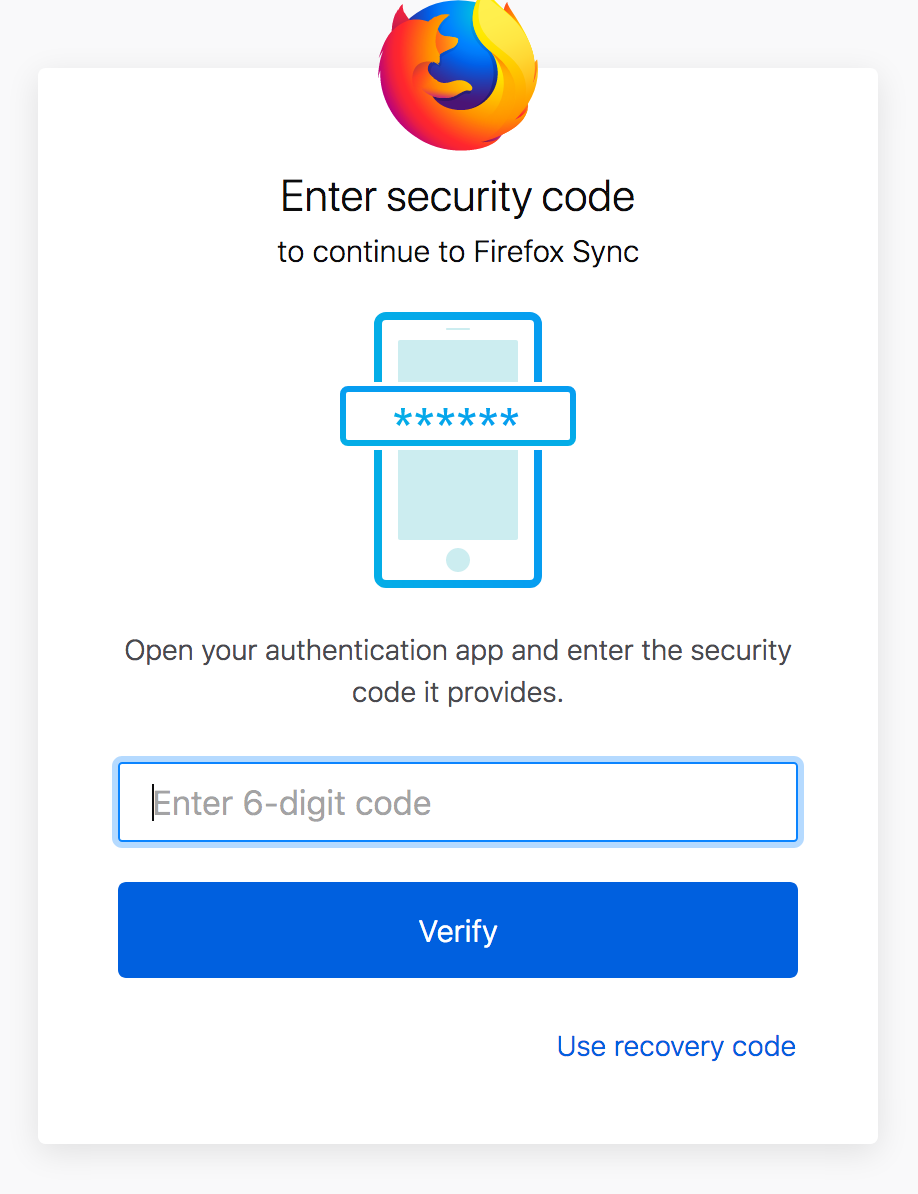
Thanks to everyone that helped to work on this feature including UX designers, engineers, quality assurance and security teams!