How we created a language learning app in 24 hours using AI that acts as a local native


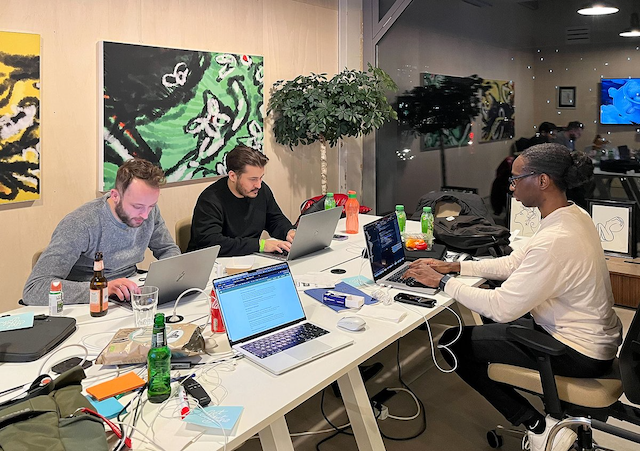
At Q42 we're all about hacking and creating something awesome using the latest tech (hence our annual w00tcamps and Tinker Fridays). With the introduction of ChatGPT we were completely overwhelmed and excited about the infinite applications we could create with it. That's why we joined the AI Hackathon in Amsterdam with a team of Q-ers this February. Our goal? To create an app that helps you learn a language by literally talking to an AI that acts as a local native from whatever country you want.
In this article, I will focus on the interesting challenges of prompt engineering we encountered during the 24-hour hackathon - and how this led to our victory.
T-24:00 - Introduction
The clock is ticking as we embark on the 24-hour challenge. But, first, the opening ceremony. There's really nothing like the experience of sitting through numerous pitches, gazing at a screen for what feels like forever, and hearing the same jokes repeated.

T-21:00 - Background
With three precious hours lost, we start setting up our game plan. We decide to go for an iOS app. It will require three core components: speech-to-text (STT), text-to-speech (TTS), and ChatGPT. Unfortunately, the ChatGPT API isn't yet available. However, luck is on our side. During one of our last Tinker Friday projects at Q42, we built a context-aware GPT-3 chat app which effectively does the same. A big help since we can reuse parts of that app.
T-17:00 - The Foundation: Real-time Speech Conversation 🗣️
By the 7th hour, the foundation of the app is established and we are able to have a real-time speech conversation with GPT-3. Now, a user can simply talk to their phone. First, the default iOS SDK converts speech to text. Next, the text is sent to GPT-3, together with the ongoing conversation, to get a response for the user. And finally, the response is read out to the user by the built-in TTS of iOS.
What follows are short dives into the prompt engineering process, you may skip if you like.
Prompt Challenge #1: Grading ✍️
This is a language-learning app, so after a conversation ends, the user should get feedback on their performance. Naturally, feedback consists of a grade and some tips. So let's start giving a grade based on the conversation. Initially, with my prompt, I got a reasonable grade for a conversation. But after running it several times with the exact same conversation, I notice that GPT-3 returns a different grade almost every time. Sometimes, a given sentence gets a 7 – Dutch scale is 1 to 10, where 10 is the highest – but the same sentence receives an 8 in a different run. I try different grading scales but to no avail, so unfortunately I have to let go of this one. The final prompt was this:
You're a French language expert. Given the following sentence: "Bonjour, je voudrais avoir un croissant", return only a grade from 1 to 10.Prompt Challenge #2: Report Card with Tips 🧐
So then I start looking at if we can give decent tips to the user on whatever they said during the conversation. I want GPT-3 to return something like this:
Instead of "Salut, je voudrais avoir un croissant", try saying "Bonjour, je voudrais avoir un croissant".
I, then create this prompt with excellent results.
Using the phrasing, "Instead of X, try saying Y", enumerate the three biggest grammatical mistakes, their correct versions in French, and their translations to French, made by the Client in the following conversation: “….”However, I notice that GPT-3 sometimes enumerates the tips with numbers or bullet point symbols which doesn't fit our UI. I want no symbols at all.
1. Instead of X, try saying Y
After failing several times trying to change the prompt entirely, I realise I could simply assist GPT-3 by providing it with the first part of the desired output. I simply append this to the original prompt.
Instead of saying
T-13:00 - The Foundation: Real-time Speech Conversation ⚒️
We're about to pass the halfway mark of the hackathon, and we continue building upon our foundation. Now, there is a report card screen as well, which we transition to smoothly after a conversation ends – GPT-3's assessment included. Next, it is time to give real-time feedback on whether the user's grammar is good.
Again, join me if you like, in a short dive into writing the prompt for this.
Prompt Challenge #3: Grammar Check ✅
I create the prompt below to return 'yes' when the grammar in the given sentence is correct else it's 'no'.
Is the following sentence correct grammatically: "". Answer only with yes or no.All works great, until I start talking in English to the AI. Earlier, I wrote a prompt so the AI acts as a local native from France and I expect to be assessed on my poor French skills right now. However, it tells me my grammar is correct. Why 😕? Well, turns out, I simply missed to specify what language I need to be assessed in. Simply adding that, does the trick.
Is the following sentence a correct grammatical phrase in French: "". Answer only with yes or no.T-10:00 - Sleep 😪
T-06:00 - Creating a Person 👩
After a short rest and 6 hours left on the clock, I want to create a specific scene for the user, in this case: "You enter a local French bakery and talk to the baker".
I start prompting to create a decent conversation between the customer (user) and the baker (AI).
The following is a conversation between a friendly baker and a customer. Your role is the baker, but you only speak French. You do not accept people speaking English to you. Often, natural conversations at a store consist of some small talk. Our conversation is still lacking this, though. So, I add some simple things that the customer and baker can have a chat about.
The baker has a dog that barks enthusiastically and has only three legs. The baker appreciates praise for his dog. What the baker doesn’t know is that a 10 euro bill fell on the floor, but if the customer points this out, the baker will appreciate it.The following is an excerpt of the user talking to the French baker about his/her dog.
Client: Merci! Votre chien est très joli, en plus! (Thank you! Your dog is very cute, too!)
Boulanger: Merci! Il est très gentil et même avec seulement trois pattes! (Thank you! He's very kind, and even with only three legs!)
Dope! Now, let's start visualising our French baker and his/her companion using Midjourney V4 (V5 wasn't available yet). In real life, talking to a local native in an unfamiliar language is scary and embarrassing. Hence, I figured to go for a warm and welcoming atmosphere to reduce the typical stress one would experience. Some attempts to create him/her:
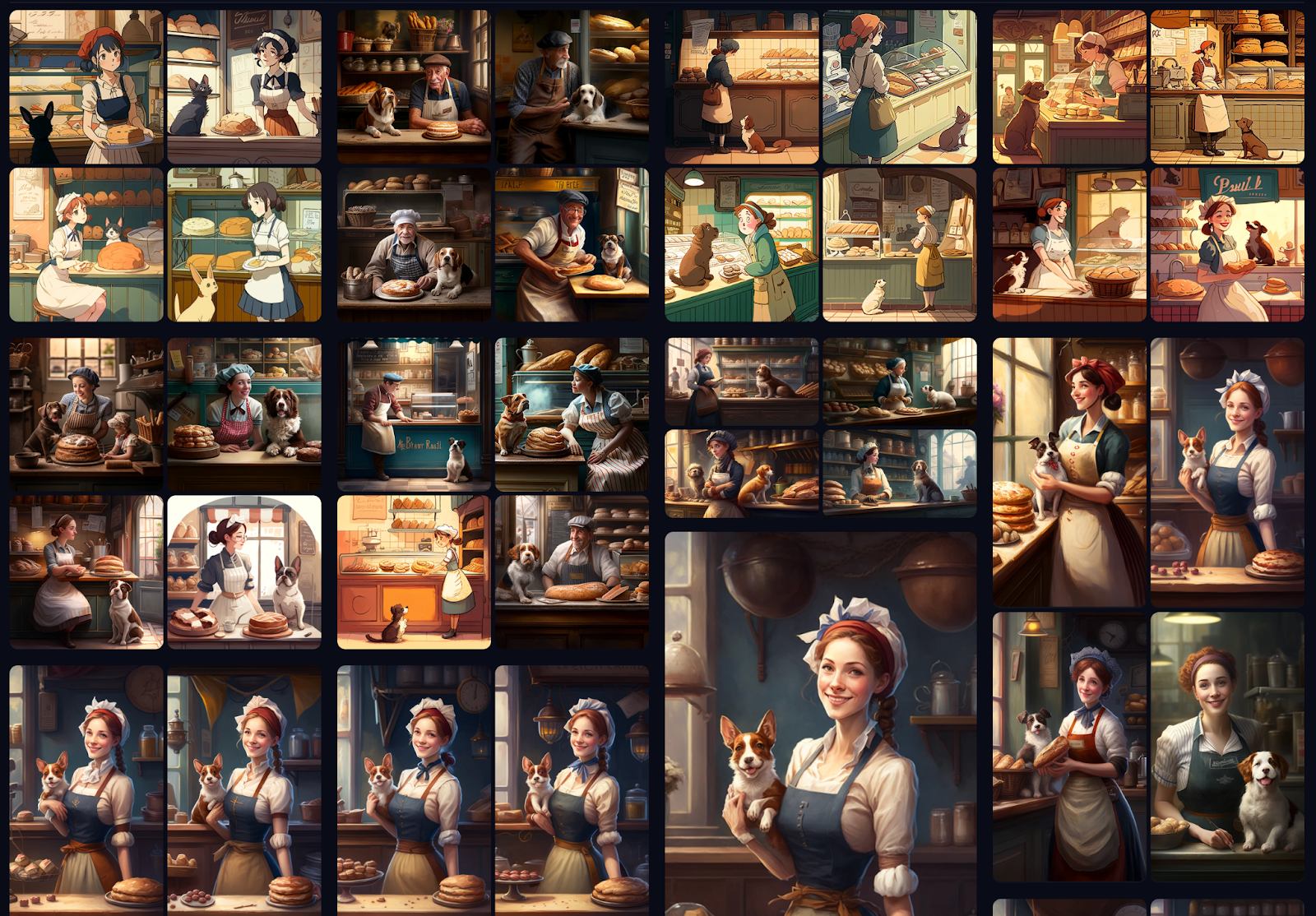
After quite some attempts this is the end result: Sophie, a young friendly lady, owner of a local French bakery along with her three-legged companion.
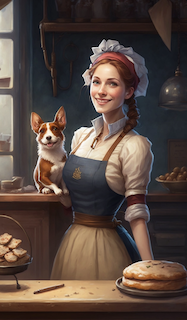
This is the final prompt I use in Midjourney.
A beautiful smiling friendly French baker in a French baking shop with a beautiful dog sitting beside the counter, super detailed, concept art --aspect 4:7Last but not least, we need a good voice. The built-in TTS voices iOS provides out of the box don't sound great, so I decide to research several TTS vendors. Ultimately, I end up using Azure TTS, in particular, the Neural voices sound almost like a real human.
How can I help you in French
T-03:00 - Perfecting the App 💯
As we enter the last 3 hours, it is time to perfect the experience and prepare the demo. Let's upgrade our UI. First a new start screen introducing the user to our local French baker, the surroundings, and what objectives and bonus objectives there are.
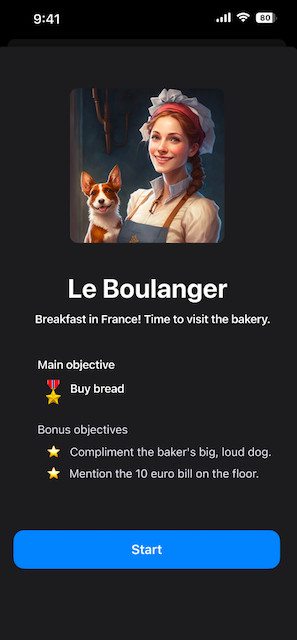
Up next, the screen about where the conversation takes place. Let's add some visual feedback below the user input, so they know whether a bonus objective is completed and whether their grammar is correct.
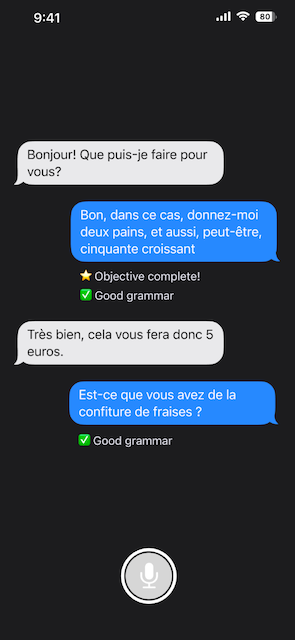
Meanwhile, the demo is being prepped in Apple iMovie because none of our laptops has anything better right now. 😅
T-00:00 - Demo 🎬
Every team has to show and pitch their final product to the jury in 45 seconds. Here is ours:
0:00
/
T+03:00 - Victory! 🏆
After a long wait, the jury has made their decision. Our product, Unscripted, wins the Best in Education award!
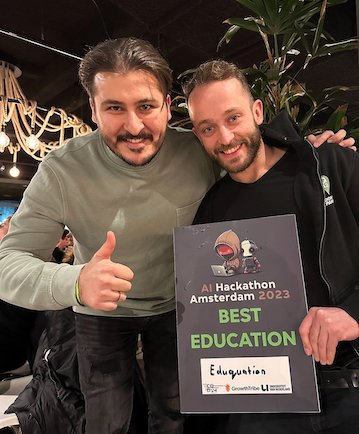
And so
concludes this exhilarating 24-hour race against the clock to create an AI-powered language-learning app. As you can see, GPT-3, ChatGPT, and LLMs in general are extremely powerful models: from generating engaging conversations to providing insightful feedback for the user. At the same time, writing prompts to obtain consistent and desired results from these models still requires tweaking and tinkering.
As for the journey of Unscripted, it doesn't end here – we plan to refine the app further and make it available in the App Store. A huge thank you to our incredible team of Q-ers: Daniello, Furkan, Leonard, and Taco! I can't wait to see where this adventure takes us next! 🧙♂️
Finally, we're super excited about what this technology enables one to achieve in such a short amount of time, which says a lot about the accessibility of AI models. If you have an application in mind which involves AI, we encourage you to get started! And if you need help, feel free to drop us a message!
P.S.
For the sake of the story we created an illustration for this article using Midjourney. As you can see, it's less subtle, vivid, narrative and fun than the other illustrations on our Engineering Blog. Those are made by Emanuel Bagilla, one of Holland's most productive illustrators. We really love how Emanuel knows how to visualise a technical subject in a clear style. So, you'll definitely keep seeing his work in future articles on our blog!