







Every developer has tools they rely on daily. The workflows they’ve built around them, the ways they’ve learned to move faster, debug smarter, and write better code – that kind of hands-on experience can be hard to put into words.
We’re collaborating with LinkedIn to make it easier for you to showcase your expertise with JetBrains IDEs on the world’s largest professional network. You can now connect your IDE to LinkedIn and let your real tool usage speak for itself.
IntelliJ IDEA, PyCharm, WebStorm, PhpStorm, Rider, GoLand, CLion, RustRover, and RubyMine are already supported via a free plugin, while support for DataGrip is coming soon.
In this blog post, we’ll explain what LinkedIn connected apps are, what they mean for your profile, and how to get started.
What this is about
Building on early collaboration with Descript, Duolingo, Lovable, Relay.app, and Replit, LinkedIn is expanding the range of apps you can feature on your LinkedIn profile, turning real-world product usage into a credible, visible signal of practical tool experience. We’re glad to join forces with them to bring this to JetBrains IDE users.
“We’re building new ways for members to show real, credible proof of what they’re capable of, right on their LinkedIn profile. And for the brands behind these tools, there’s no better endorsement than a customer who’s actively using and loving your product.”
– Dan Shapero, CEO of LinkedIn
Connected apps let you link the tools you use in your daily work directly to your LinkedIn profile, where they appear prominently, helping you stand out to your professional network. Once connected, each app generates a simple statement based on how you actually use it. Unlike manually added skills, this is based on real usage and updates automatically as your experience evolves.
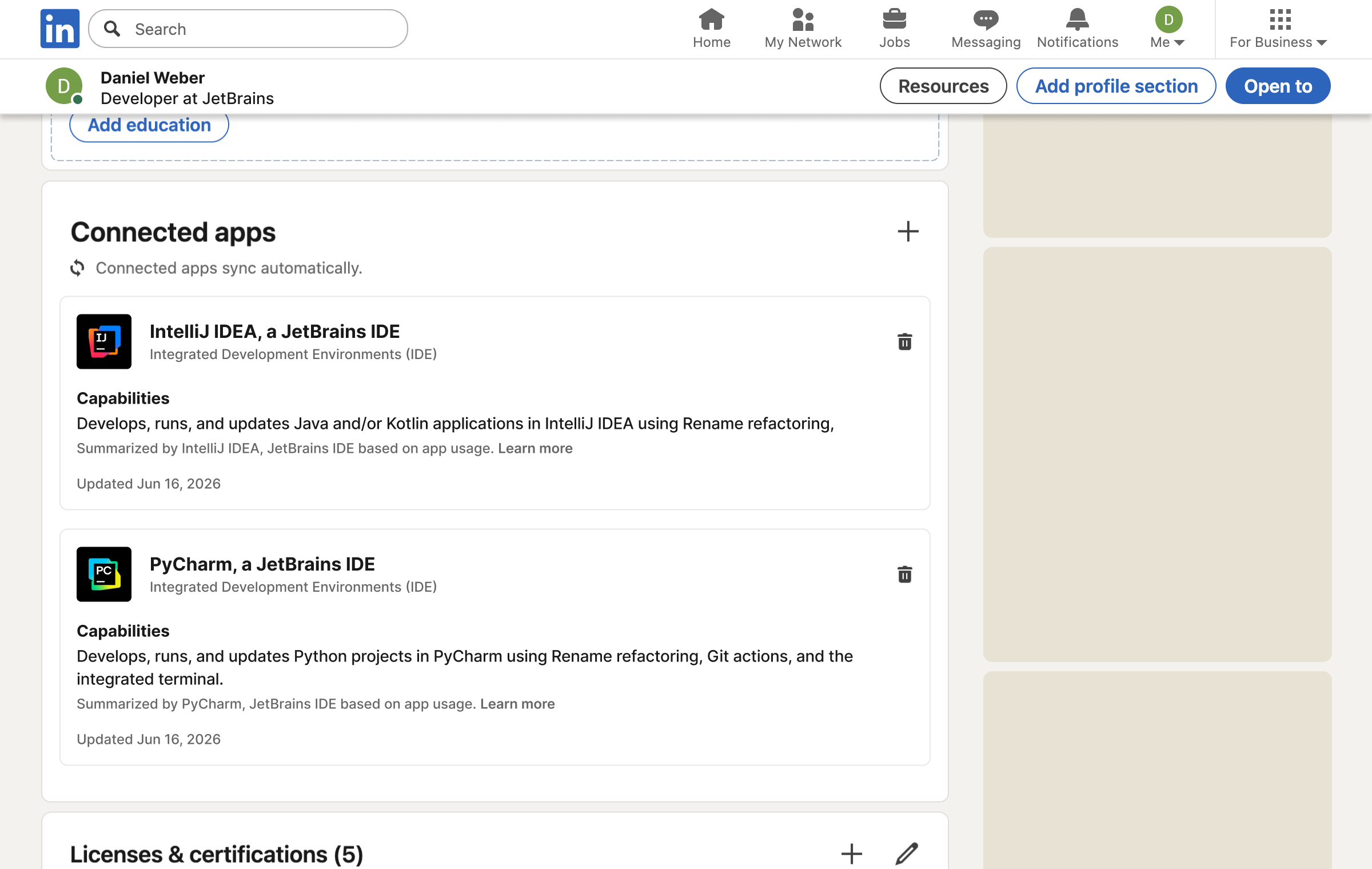
How to get started
Open your JetBrains IDE, go to Settings | Plugins, search for the LinkedIn Connected Apps plugin under the Marketplace tab, and install it.
Once installed, the plugin starts collecting data locally about how you use your IDE. Depending on your usage history, you may receive an initial statement right away, which will then be updated once the plugin has collected enough data to better reflect your real IDE expertise.
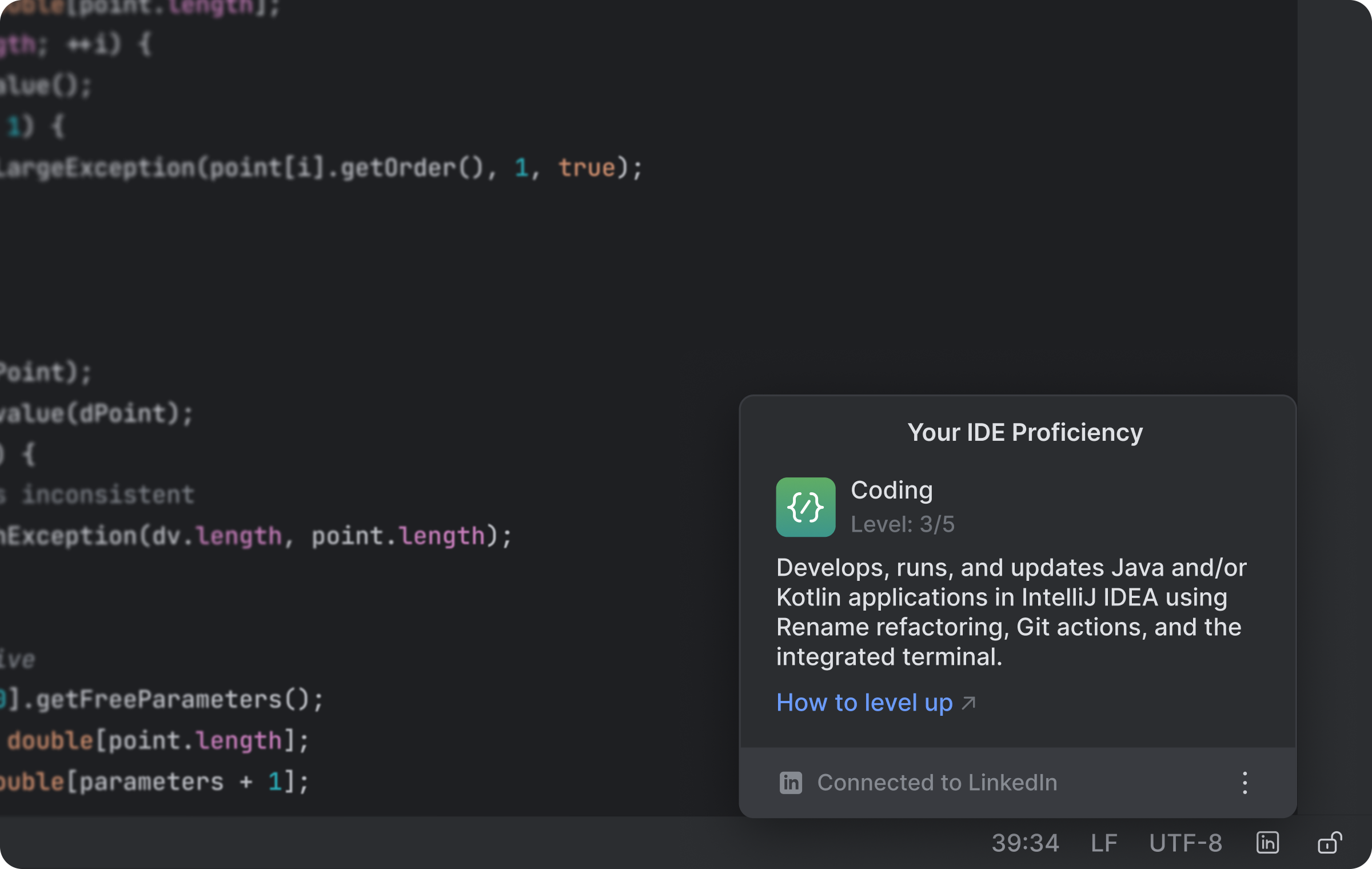
Your IDE usage data stays on your machine. When you are ready, you can connect your LinkedIn account and share your IDE expertise badge there. If you keep the plugin installed, your badge will update automatically as your IDE usage evolves.
The plugin is free for all JetBrains IDE users.
What’s included in this release
This is the first version of the integration, delivered as a standalone plugin rather than being built directly into the IDE. It covers IntelliJ IDEA, PyCharm, WebStorm, GoLand, PhpStorm, Rider, CLion, RustRover, and RubyMine; DataGrip is not yet supported.
Usage is detected within the IDE itself, so if you use AI features via an external tool or terminal, those won’t be reflected yet.
How your IDE expertise is determined
The model is intentionally simple for now. It is designed to represent your practical use of JetBrains tools, not to rank developers or certify skill levels. Our goal was to provide a solid starting point, but we know there’s more to capture about how developers work with their IDEs.
Statements map to different levels of experience and are generated based on how you interact with your IDE – from writing and editing code using basic features to working with debugging tools, version control, and AI-assisted workflows. For more information, see our documentation.
What’s coming next
We’re already working on the next version, planned for later this year. We’ll focus on improving how IDE usage, including AI feature usage, is represented, expanding support to DataGrip, and making the overall experience feel more integrated.
FAQ
Which JetBrains IDEs are supported?
IntelliJ IDEA, PyCharm, WebStorm, GoLand, PhpStorm, Rider, CLion, RustRover, and RubyMine. Support for DataGrip is coming soon.
Why isn’t DataGrip supported yet?
DataGrip is designed for working with databases and includes workflows that differ from our other IDEs. We plan to support it soon.
Can I connect multiple IDEs?
Yes, if you use multiple supported JetBrains IDEs, you can connect each of them. You’ll get a badge for all connected IDEs.
Note: If you use multiple JetBrains accounts across different IDE instances but link them all to the same LinkedIn profile, IDE usage statements from each account will be displayed on that LinkedIn profile.
Do I need to keep the plugin installed after connecting?
You can share your IDE usage statement once and then remove the plugin, but note that it must remain installed if you want to track your ongoing progress and have any changes reflected on LinkedIn.
Is this feature free?
Yes, it’s available to all JetBrains IDE users at no cost.
Is this a certification?
Connected apps reflect real IDE usage and are designed to showcase applied experience, not to act as a formal certification or skill ranking. Certifications, degrees, and licenses remain important markers of professional achievement. Connected apps on LinkedIn add a different kind of signal: partner-validated tool usage that reflects practical work and can update over time.
What data is shared with LinkedIn and JetBrains?
Only the information required to represent your connected account and IDE usage statement.
Will this help me get hired?
Having connected apps on your LinkedIn profile is extra proof of your practical experience with leading tools. While connected apps make your expertise visible, they are just one part of your profile. Think of it as a way to let your tooling speak for itself.
Give it a try and let us know what you think in the comments below. We’re continuing to develop this integration, and your feedback will help shape what comes next.
Subscribe to JetBrains Blog updates