惯性聚合 高效追踪和阅读你感兴趣的博客、新闻、科技资讯
阅读原文 在惯性聚合中打开

推荐订阅源

Hacker News - Newest:
Hacker News - Newest: "LLM"
Webroot Blog
Webroot Blog
S
Security @ Cisco Blogs
H
Heimdal Security Blog
cs.CV updates on arXiv.org
www.infosecurity-magazine.com
N
News and Events Feed by Topic
H
Hacker News: Front Page
K
KPMG report finds enterprise disconnect between AI and its ROI | CIO
cs.AI updates on arXiv.org
Application and Cybersecurity Blog
SecWiki News
SecWiki News
N
News | PayPal Newsroom
T
Tor Project blog
W
WeLiveSecurity
A
Arctic Wolf
Security Archives - TechRepublic
S
Secure Thoughts
月光博客
月光博客
AWS News Blog
AWS News Blog
D
Docker
C
CERT Recently Published Vulnerability Notes
MyScale Blog
MyScale Blog
Google Online Security Blog
大猫的无限游戏
大猫的无限游戏
T
The Blog of Author Tim Ferriss
I
InfoQ
人人都是产品经理
人人都是产品经理
Recent Announcements
Google DeepMind News
Hacker News: Ask HN
Hacker News: Ask HN
Blog — PlanetScale
Blog — PlanetScale
博客园 - 【当耐特】
Engineering at Meta
Engineering at Meta
Stack Overflow Blog
Stack Overflow Blog
Recorded Future
Recorded Future
罗磊的独立博客
Exploit-DB.com RSS Feed
T
The Exploit Database - CXSecurity.com
D
DataBreaches.Net
S
Security Affairs
WordPress大学
WordPress大学
T
Threatpost
Microsoft Security Blog
V
Vulnerabilities – Threatpost
The Hacker News
The Hacker News
S
SegmentFault 最新的问题
B
Blog RSS Feed
Project Zero
Project Zero
P
Proofpoint News Feed

过千帆

使用PHP空间和天翼云盘搭建私人云盘 《捉弄》契诃夫 C#中的属性 C#中的时间戳 IQueryable 和 IEnumerable 的区别 SQL Server中LIKE和PATINDEX的用法 int.TryParse非预期执行引发的思考 《要过不好不坏的生活》李娟 郎咸平:资本主义精神与社会主义改革
使用Github Actions来完成有道云笔记每日签到
2020-08-30 · via 过千帆

前言

项目地址:https://github.com/BlueHtml/Note163Checkin

该项目使用Github Actions来完成有道云笔记每日签到,每天定时运行,无需服务器。

一、Fork 仓库

打开https://github.com/BlueHtml/Note163Checkin点击右上角的Fork Fork

二、添加 Secret

Settings->Secrets->New secret,添加以下Secret:

  • Conf:其值如下:
      {
      	"Users": [{
      			"Task": "CC", //自定义名字,选填
      			"Username": "abc@163.com", //账号
      			"Password": "aaa" //密码
      		}, {
      			"Task": "MM",
      			"Username": "123@163.com",
      			"Password": "111"
      		}
      	],
      	"ScKey": "", //server酱sckey,不填不开启
      	"ScType": "Failed" //通知类型. Always:始终通知; Failed:失败时通知; 不填/其他:不通知;
      }
    

步骤图示如下: 添加Secret

三、启用 Action

点击Actions,再点击I understand my workflows, go ahead and enable them 启用Action

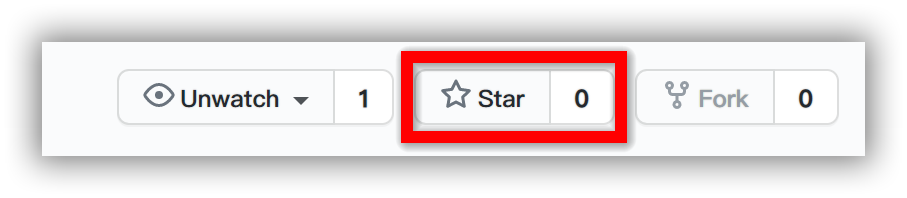
注意:Fork 的仓库上的 GitHub Actions 的定时任务不会自动执行,必须要手动触发一次后才能正常工作。

所以 Fork 之后,点击自己仓库右上角的StarStar你的仓库,这是为了触发 Github Action 第一次执行,之后就会自动执行定时任务。 Star
四、查看运行结果

Actions->Run->build,能看到下图,表示运行成功(注意:由于 .NET Core会输出默认日志,请滚动到最下面查看实际运行结果查看Action运行记录

注意事项

24小时内频繁登录可能会触发验证,程序就会登录失败。此时需要在网页上手动登录一次(需要输入验证码),登录成功后再次运行本程序即可。

每天运行一次,在上午9:00-9:45之间。

也可以点击右上角的Star手动运行。 Star

参考

参考了以下项目:


本文会经常更新,请阅读原文: https://blog.guoqianfan.com/2020/08/30/note163-checkin-with-github-actions/ ,以避免陈旧错误知识的误导,同时有更好的阅读体验。

如果你想持续阅读我的最新博客,请点击 RSS 订阅,或者前往 博客园 关注我的主页

知识共享许可协议 本作品采用 知识共享署名-非商业性使用-相同方式共享 4.0 国际许可协议 进行许可。欢迎转载、使用、重新发布,但务必保留文章署名 过千帆(包含链接: https://blog.guoqianfan.com ),不得用于商业目的,基于本文修改后的作品务必以相同的许可发布。如有任何疑问,请 与我联系 。