gitea 已经支持自己的 CI 工具: gitea actions,兼容 github actions。
之前使用drone搭配gitea进行自动化,效果还可以,但是终究不是官方支持。
而最新的 gitea 1.21 之后的版本,开始支持actions功能,使用方式更贴近github actions。
这里做一个简单部署说明,具体的用法可以看官方文档以及github actions的用法。
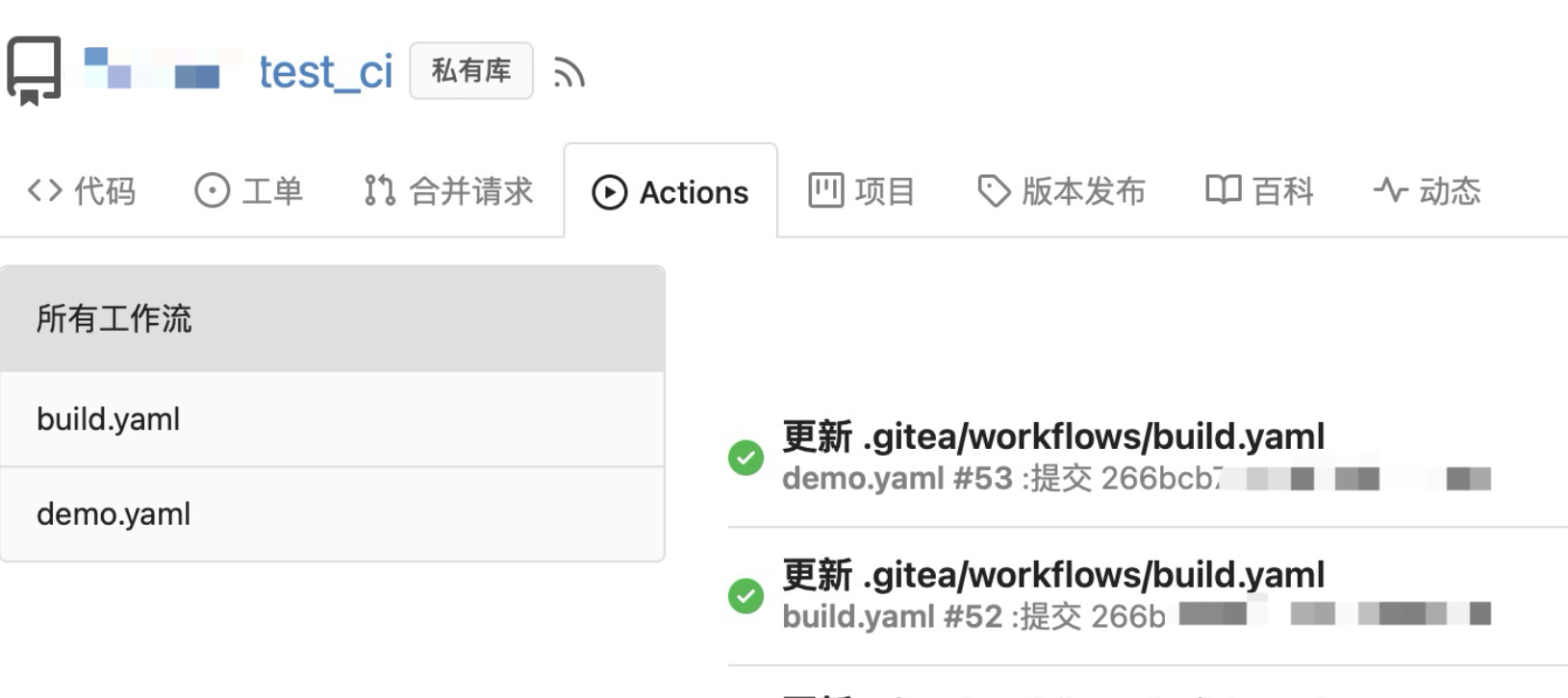
效果
注意事项
- 注意
gitea与gitea runner之间的网络互通问题。
- 部署时候,需要先启动
gitea,配置完成之后,拿到gitea runner的注册TOKEN。
- 如果外部端口与内部端口不一致,
nginx 部分请加上对应的端口监听。
- 需要给
gitea runner设置container network,名字查看 docker network ls。
gitea runner 建议设置 ENV RUNNER_TOOL_CACHE: /toolcache 方便缓存工具链。docker启动的gitea runner 不建议设置 GITEA_RUNNER_LABELS ,会导致不起作用。
将两个配置配好之后,执行启动命令,即可。
gitea/gitea/conf/app.ini 配置启用 actions
1
2
3
| [actions]
ENABLED=true
DEFAULT_ACTIONS_URL=github
|
启动 GITEA 并获取runner token
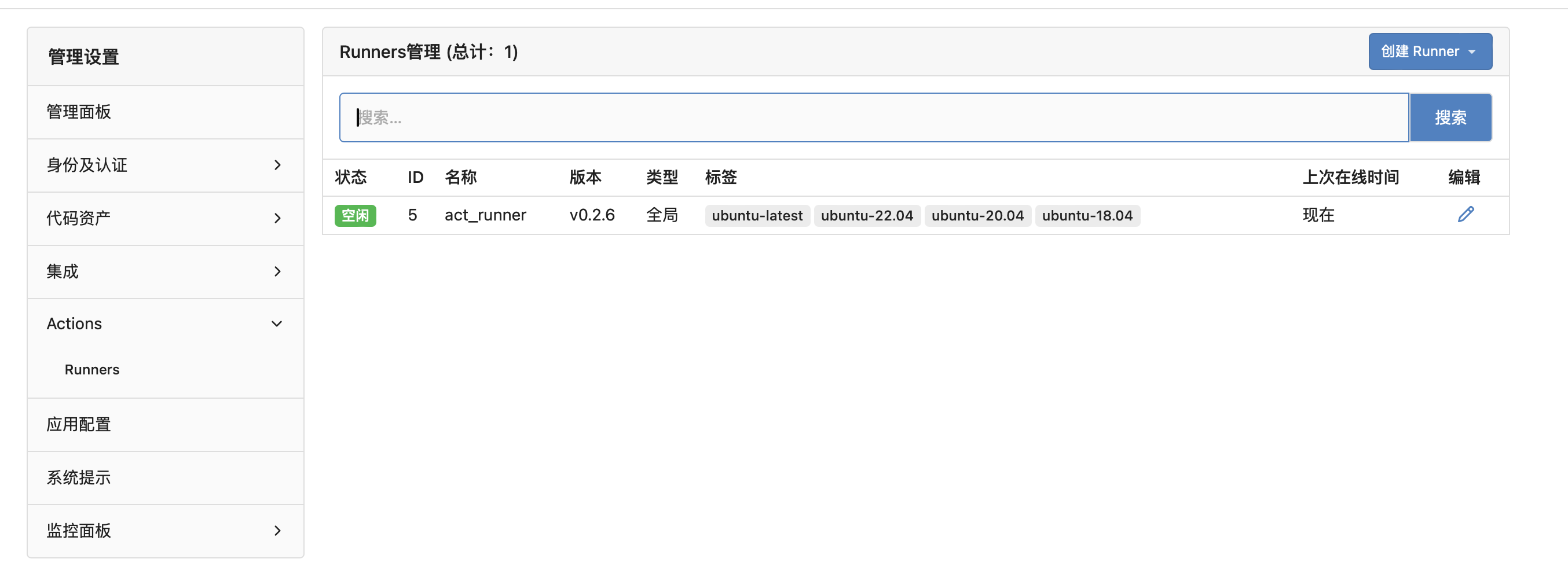
执行 docker compose up -d gitea,正常配置完成之后,进去管理后台-》Actions-》Runners里面点击创建Runners获得Token,再将Token填入docker-compose.yaml对应配置项目,即可使用。
docker-compose.yaml 配置参数
1
2
3
4
5
6
7
8
9
10
11
12
13
14
15
16
17
18
19
20
21
22
23
24
25
26
27
28
29
30
31
32
33
34
35
36
37
38
39
40
41
42
43
44
45
46
47
48
49
50
51
52
53
54
55
56
57
58
59
60
61
62
63
64
65
66
| version: "3"
services:
reverseproxy:
image: nginx:alpine
container_name: reverseproxy
restart: always
ports:
- 10080:80
dns:
- 101.101.101.101
- 8.8.8.8
- 114.114.114.114
volumes:
- ./nginx/conf.d/:/etc/nginx/conf.d/
- ./nginx/pem/:/pem/
networks:
gitea_net:
aliases:
- 定义内部域名例如:git.example.com
depends_on:
- gitea
gitea:
image: gitea/gitea:latest
container_name: gitea
dns:
- 101.101.101.101
- 8.8.8.8
- 114.114.114.114
environment:
- APP_NAME=当前的gitea名
- RUN_MODE=prod
- ROOT_URL=外部访问的地址
restart: always
networks:
- gitea_net
volumes:
- ./gitea:/data
act_runner:
image: gitea/act_runner
container_name: act_runner
dns:
- 101.101.101.101
- 8.8.8.8
- 114.114.114.114
restart: always
depends_on:
- gitea
- reverseproxy
networks:
- gitea_net
environment:
CONFIG_FILE: /config.yaml
GITEA_INSTANCE_URL: "gitea 的访问地址,也可以是内部的"
GITEA_RUNNER_REGISTRATION_TOKEN: "从启动的 Gitea 里面拿"
GITEA_RUNNER_NAME: "act_runner"
volumes:
- ./act_runner/config.yaml:/config.yaml
- ./act_runner/data:/data
- ./act_runner/cache:/root/.cache
- /var/run/docker.sock:/var/run/docker.sock
networks:
gitea_net:
|
gitea runner.conf 配置
路径:act_runner/config.yaml
1
2
3
4
5
6
7
8
9
10
11
12
13
14
15
16
17
18
19
20
21
22
23
24
25
26
27
28
29
30
31
32
33
34
35
36
37
38
39
40
41
42
43
44
45
46
47
48
49
50
51
52
53
54
55
56
57
58
59
60
61
62
63
64
65
66
67
68
69
70
71
72
73
74
75
76
77
78
79
80
81
82
83
84
85
86
87
88
|
log:

  level: info

runner:

  file: .runner

  capacity: 4

  envs:
    RUNNER_TOOL_CACHE: /toolcache


  env_file: .env


  timeout: 3h

  insecure: false

  fetch_timeout: 5s

  fetch_interval: 2s


  labels: []

cache:

  enabled: true


  dir: ""


  host: ""


  port:


  external_server: ""

container:


  network: "实际 network 名字"

  privileged: false

  options:


  workdir_parent:


  valid_volumes: []


  docker_host: ""

  force_pull: false

host:


  workdir_parent:
|



