
惯性聚合 高效追踪和阅读你感兴趣的博客、新闻、科技资讯
阅读原文 在惯性聚合中打开

推荐订阅源

Forbes - Security
Forbes - Security
大猫的无限游戏
大猫的无限游戏
让小产品的独立变现更简单 - ezindie.com
Jina AI
Jina AI
美团技术团队
博客园 - 聂微东
博客园 - 叶小钗
Security Latest
Security Latest
Threat Intelligence Blog | Flashpoint
博客园_首页
Spread Privacy
Spread Privacy
J
Java Code Geeks
雷峰网
雷峰网
宝玉的分享
宝玉的分享
C
Cyber Attacks, Cyber Crime and Cyber Security
P
Privacy International News Feed
C
CXSECURITY Database RSS Feed - CXSecurity.com
T
Threat Research - Cisco Blogs
The Hacker News
The Hacker News
量子位
L
LINUX DO - 热门话题
freeCodeCamp Programming Tutorials: Python, JavaScript, Git & More
G
GRAHAM CLULEY
D
Darknet – Hacking Tools, Hacker News & Cyber Security
月光博客
月光博客
腾讯CDC
Last Week in AI
Last Week in AI
人人都是产品经理
人人都是产品经理
酷 壳 – CoolShell
酷 壳 – CoolShell
T
Tor Project blog
罗磊的独立博客
V
Vulnerabilities – Threatpost
Apple Machine Learning Research
钛媒体:引领未来商业与生活新知
钛媒体:引领未来商业与生活新知
有赞技术团队
有赞技术团队
Project Zero
Project Zero
Hugging Face - Blog
Hugging Face - Blog
爱范儿
爱范儿
奇客Solidot–传递最新科技情报
奇客Solidot–传递最新科技情报
T
Tenable Blog
MyScale Blog
MyScale Blog
T
The Exploit Database - CXSecurity.com
GbyAI
GbyAI
博客园 - 【当耐特】
O
OpenAI News
Schneier on Security
S
Secure Thoughts
cs.CL updates on arXiv.org
S
Securelist
博客园 - 司徒正美

OpenRouter Blog

Choosing the Optimal Image Input Detail Level in LLMs — OpenRouter Blog DeepSeek V4 Is Earning Agentic Token Share — OpenRouter Blog The Open Weight Models that Matter: June 2026 — OpenRouter Blog The OpenRouter MCP Server — OpenRouter Blog Introducing the Unified Image API — OpenRouter Blog The AI Governance Checklist That Maps to Your Stack — OpenRouter Blog Enforce AI Data Residency at the Routing Layer — OpenRouter Blog OpenRouter vs Portkey: Routing Network vs Control Plane — OpenRouter Blog OpenRouter vs LiteLLM: Managed vs Self-Hosted Gateway — OpenRouter Blog Connect OpenClaw to OpenRouter: One Key, Failover, Free Models — OpenRouter Blog Connect SillyTavern to OpenRouter: Setup, Models, Fixes — OpenRouter Blog A Robot is Sprinting Towards You: Do You Want it Running on Claude or Grok? Kilo Code + OpenRouter: Setup, Routing, and Free Models — OpenRouter Blog Codex CLI with OpenRouter: config.toml Setup and Models — OpenRouter Blog Claude Code with OpenRouter: Setup, Models, and Costs — OpenRouter Blog How to Use OpenRouter With Any Coding Agent or AI Tool — OpenRouter Blog Subagent: Let Your Model Delegate the Busywork — OpenRouter Blog Free LLM API in 2026: 13 Options Ranked and Compared — OpenRouter Blog How to Enforce Agentic AI Governance at the API Layer — OpenRouter Blog Keep Your Agent Running When Models Disappear — OpenRouter Blog Hermes Agent + OpenRouter: Setup, Model Choice & Routing Config — OpenRouter Blog Lowest-Cost LLM Inference: The Complete OpenRouter Guide — OpenRouter Blog How OpenRouter Model Routing Works: Providers, Fallbacks & Auto Router — OpenRouter Blog OpenRouter Failover: Provider Failover vs Model Fallbacks Explained — OpenRouter Blog Surpassing Frontier Performance with Fusion — OpenRouter Blog Dinner is Served — OpenRouter Blog LLM Gateway: What It Is and How to Choose One — OpenRouter Blog Advisor: Give Any Model a Lifeline to a Smarter One — OpenRouter Blog Gemini 2.5 Flash API - Pricing, Quickstart & Provider Comparison — OpenRouter Blog EU AI Act & Colorado ADMT Compliance: Human Oversight for AI Agents — OpenRouter Blog May Release Spotlight — OpenRouter Blog Guardrails: Protect your Agents, Data, and Costs — OpenRouter Blog OpenRouter Raises $113M Series B — OpenRouter Blog Human-in-the-Loop Tools for the Agent SDK — OpenRouter Blog Consistent Web Search and Fetch Across Every Model — OpenRouter Blog GPT-5.5 Price Increase: What It Actually Costs — OpenRouter Blog New Audio APIs for Speech and Transcription — OpenRouter Blog Response Caching: Zero Cost for Identical Requests — OpenRouter Blog April Release Spotlight — OpenRouter Blog Create OpenRouter Accounts via CLI with Stripe Projects — OpenRouter Blog Opus 4.7 Agent SDK: Building Multi-turn Agent Workflows on OpenRouter — OpenRouter Blog Build Your Own Harness with the Agent SDK — OpenRouter Blog Announcing Video Generation — OpenRouter Blog Auto Exacto: Adaptive Quality Routing, On by Default — OpenRouter Blog February Release Spotlight — OpenRouter Blog OpenRouter Outages on February 17 and 19, 2026 — OpenRouter Blog January Release Spotlight — OpenRouter Blog Distillable Models and Synthetic Data Pipelines with NeMo Data Designer — OpenRouter Blog December Release Spotlight — OpenRouter Blog Response Healing: Reduce JSON Defects by 80%+ — OpenRouter Blog The 2025 State of AI Report — OpenRouter Blog Is Implicit Caching Prompt Retention? — OpenRouter Blog Provider Variance: Introducing Exacto — OpenRouter Blog 1 million free BYOK requests per month — OpenRouter Blog The First-Ever Image Model Is Up on OpenRouter — OpenRouter Blog GPT-5 is now live — OpenRouter Blog Audio Inputs and PDF URLs for Apps — OpenRouter Blog Presets: How To Seamlessly Transfer Model Configurations Across Apps — OpenRouter Blog New Privacy-Focused Provider Drop: Venice — OpenRouter Blog Use OpenRouter Models in Cursor: Try it with Moonshot AI Updates to Our Free Tier: Sustaining Accessible AI for Everyone — OpenRouter Blog New Stealth Model: "Cypher Alpha" — OpenRouter Blog Introducing Presets: Manage LLM Configs from Your Dashboard! — OpenRouter Blog Dev & BYOK Updates: Uptime API + Smarter Key Management — OpenRouter Blog Simplifying Our Platform Fee — OpenRouter Blog GIF Prompts, Omni Search, Tool Caching, and BYOK Flags — OpenRouter Blog New Features: Reasoning Streams, Crypto Invoices, End-User IDs & More — OpenRouter Blog Passkeys, DevEx Upgrades, and a New Guide for TypeScript Agents — OpenRouter Blog New Provider Drop: Cerebras Is Here — OpenRouter Blog Better Insights, Faster Metrics, and New Developer Power Tools — OpenRouter Blog Privacy Clarity, New Providers, OAuth Upgrade, and Gemini Gets Parallel Tools — OpenRouter Blog Universal PDF Support — OpenRouter Blog Smarter Charts, Inline SVGs, and Live Usage Accounting — OpenRouter Blog Quasar Alpha and Optimus Alpha Reveal — OpenRouter Blog "Stealth" model: Optimus Alpha — OpenRouter Blog “Stealth” model: Quasar Alpha — OpenRouter Blog Never Pay for Empty AI Responses Again — OpenRouter Blog Deep Research & Many New Models — OpenRouter Blog Introducing Nitro and Floor Price Shortcuts — OpenRouter Blog Introducing Cloudflare as a new provider — OpenRouter Blog Reasoning Tokens for Thinking Models — OpenRouter Blog Introducing Web Search via the API — OpenRouter Blog Standardized finish reasons — OpenRouter Blog Happy New Year! Introducing a new Auto Router — OpenRouter Blog Holiday launches: Web Search & Price Cuts — OpenRouter Blog Bring Your Own API Keys — OpenRouter Blog Crypto Payments API — OpenRouter Blog Structured Outputs & Free Gemini Flash 2.0 — OpenRouter Blog Price Drops and Llama 3.3 70b — OpenRouter Blog Author Pages & Amazon Nova — OpenRouter Blog
Introducing Workspaces — OpenRouter Blog
OpenRouter · 2026-04-22 · via OpenRouter Blog

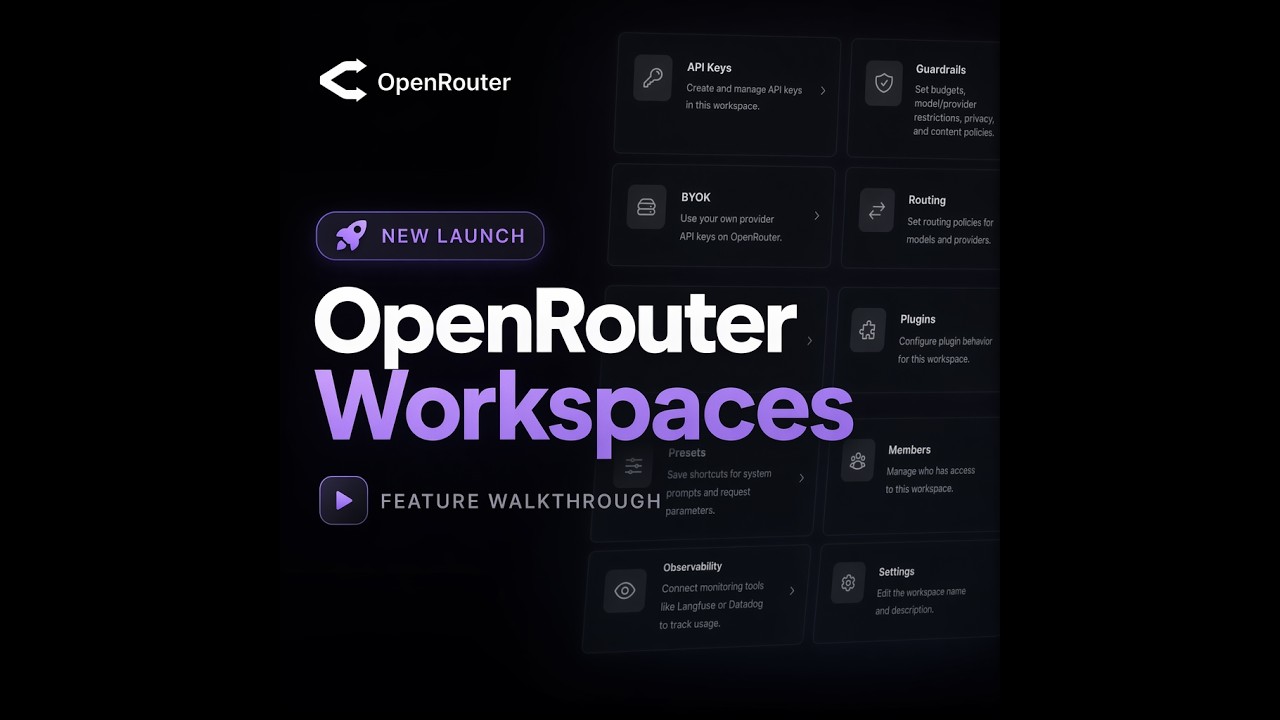
We launched workspaces to organize your OpenRouter projects into separate environments, each with its own api keys, routing defaults, guardrails and observability.

Workspaces give you organization, flexibility, and control. Consider them if you are:
  • a developer building multiple distinct projects on one OpenRouter account
  • an enterprise shipping across multiple teams
  • an agent with multiple environments, e.g. staging and production

Watch the Workspaces launch video

Separate workspaces for projects, teams, or agents

Each workspace has independent settings for:

SettingDescription
API keysCreate and manage keys scoped to a workspace.
GuardrailsSet policies that govern all keys and members in the workspace, within your account-level restrictions.
BYOKBring your own provider keys per workspace or share across workspaces.
RoutingOptimize provider routing for cost, latency, throughput, or tool-calling quality.
PresetsSave shortcuts for system prompts, model configs, and request parameters.
PluginsConfigure different default plugin behavior for API requests in each workspace.
ObservabilityConnect different integrations per workspace, or send all traces to the same integration.
MembersControl which team members have access to each workspace.

Your existing OpenRouter setup lives in a Default workspace. If you don’t need multiple workspaces, just keep working as usual.

To create a new workspace, navigate to your home dashboard, click the workspace picker → Create Workspace → name it and add a description. You can also create and manage workspaces programmatically using the management API.

See more detail in our docs.

Account level visibility, billing, and controls

Some of your OpenRouter settings will still matter for all of your workspaces. Think of them like global account settings. Here’s what’s shared across workspaces:

  • Activity & Logs: View everything, with optional workspace filtering.
  • Credits & Billing: One bill across all workspaces.
  • Organization: Manage roles and workspace assignments.
  • Management Keys: API keys for cross-workspace configuration.
  • Privacy: Top-level restrictions apply to all workspaces and can’t be overridden at the workspace level.

Frequently Asked Questions

1. What can my workspace members see about a workspace?

Within a workspace, members can create and manage their own API keys, and view other members and their roles. Members can belong to multiple workspaces. All org members automatically have access to the Default workspace. At the account level, members can view Activity and Logs.

2. What can my organization admins see? What can they edit?

Org admins have admin permissions across all workspaces: they can view and manage everything in every workspace, including API keys, guardrails, BYOK, routing, presets, plugins, observability, members, and settings. Only org admins can create or delete workspaces and control members’ access to each workspace. At the account level, org admins manage billing and credits, organization membership and roles, management API keys, and account-level data policies and allowed providers/models.

3. Can management keys be used across workspaces?

Yes. Management keys operate at the account level and can be used to perform administrative actions across all workspaces via the management API.

4. Can workspaces have different data policies?

Workspaces inherit account-level data policies and allowed providers/models. Within those constraints, each workspace can set more granular guardrails to further restrict API key and member activity. The account-level policy is the ceiling; individual workspaces can only be more restrictive.

5. What happens when I remove someone from a workspace?

When a member is removed from a workspace, they lose access to it. Before removing them, you must first delete any API keys they created in that workspace. Their access to other workspaces is unaffected. Note: all org members retain access to the Default workspace as long as they remain in the org.

6. Is my chatroom/fusion usage in a workspace?

Yes. All chatroom and fusion usage is in the Default workspace.

Tell us what you’re building and any questions or feedback: we’re on X, Discord, and LinkedIn.