



惯性聚合 高效追踪和阅读你感兴趣的博客、新闻、科技资讯
阅读原文 在惯性聚合中打开

推荐订阅源

Know Your Adversary
Know Your Adversary
云风的 BLOG
云风的 BLOG
Recent Announcements
F
Fortinet All Blogs
B
Blog
罗磊的独立博客
宝玉的分享
宝玉的分享
Vercel News
Vercel News
Martin Fowler
Martin Fowler
N
Netflix TechBlog - Medium
P
Proofpoint News Feed
T
Threatpost
Security Latest
Security Latest
钛媒体:引领未来商业与生活新知
钛媒体:引领未来商业与生活新知
Stack Overflow Blog
Stack Overflow Blog
I
Intezer
P
Privacy International News Feed
D
Docker
月光博客
月光博客
博客园 - 三生石上(FineUI控件)
M
MIT News - Artificial intelligence
cs.CV updates on arXiv.org
Recent Commits to openclaw:main
Threat Intelligence Blog | Flashpoint
Cyber Security Advisories - MS-ISAC
L
Lohrmann on Cybersecurity
Google DeepMind News
The Last Watchdog
The Last Watchdog
A
Arctic Wolf
IT之家
IT之家
S
SegmentFault 最新的问题
S
Securelist
博客园 - 叶小钗
N
News and Events Feed by Topic
F
Full Disclosure
Security Archives - TechRepublic
Engineering at Meta
Engineering at Meta
Hacker News: Ask HN
Hacker News: Ask HN
博客园 - Franky
GbyAI
GbyAI
AI
AI
Y
Y Combinator Blog
WordPress大学
WordPress大学
Latest news
Latest news
Microsoft Security Blog
人人都是产品经理
人人都是产品经理
N
News | PayPal Newsroom
The Cloudflare Blog
www.infosecurity-magazine.com
I
InfoQ

Kreya Blog

The new HTTP QUERY method explained Kreya 1.20 - What's New The Hidden Cost of Cloud-First API Clients Testing REST APIs with Kreya How to call Google Cloud APIs with Kreya Getting Started with GraphQL in Kreya gRPC in the browser: gRPC-Web under the hood Postman vs Kreya Virtual Scrolling: Rendering millions of messages without lag Calling Auth0 Secured APIs with Kreya gRPC deep dive: from service definition to wire format Looking back on 2025 Transfering files with gRPC Catching API regressions with snapshot testing 5 Best API Testing Tools Kreya 1.18 - What's New Comparing the privacy of popular API clients Demystifying the protobuf wire format - Part 2 Import HAR Files in Kreya: Debug APIs & gRPC-Web
Kreya 1.19 and 1.19.1 - What's New
Silvan · 2026-02-25 · via Kreya Blog

Kreya 1.19 is here, and in the meantime we have already released 1.19.1. Together they bring GraphQL, OAuth 2.0 Device Flow, and a set of polish improvements across the CLI and UI.

GraphQL support

GraphQL operations allow you to execute queries, mutations, and subscriptions against a GraphQL API. Add a new operation by clicking the icon. Next, choose a descriptive name for your operation and hit enter.
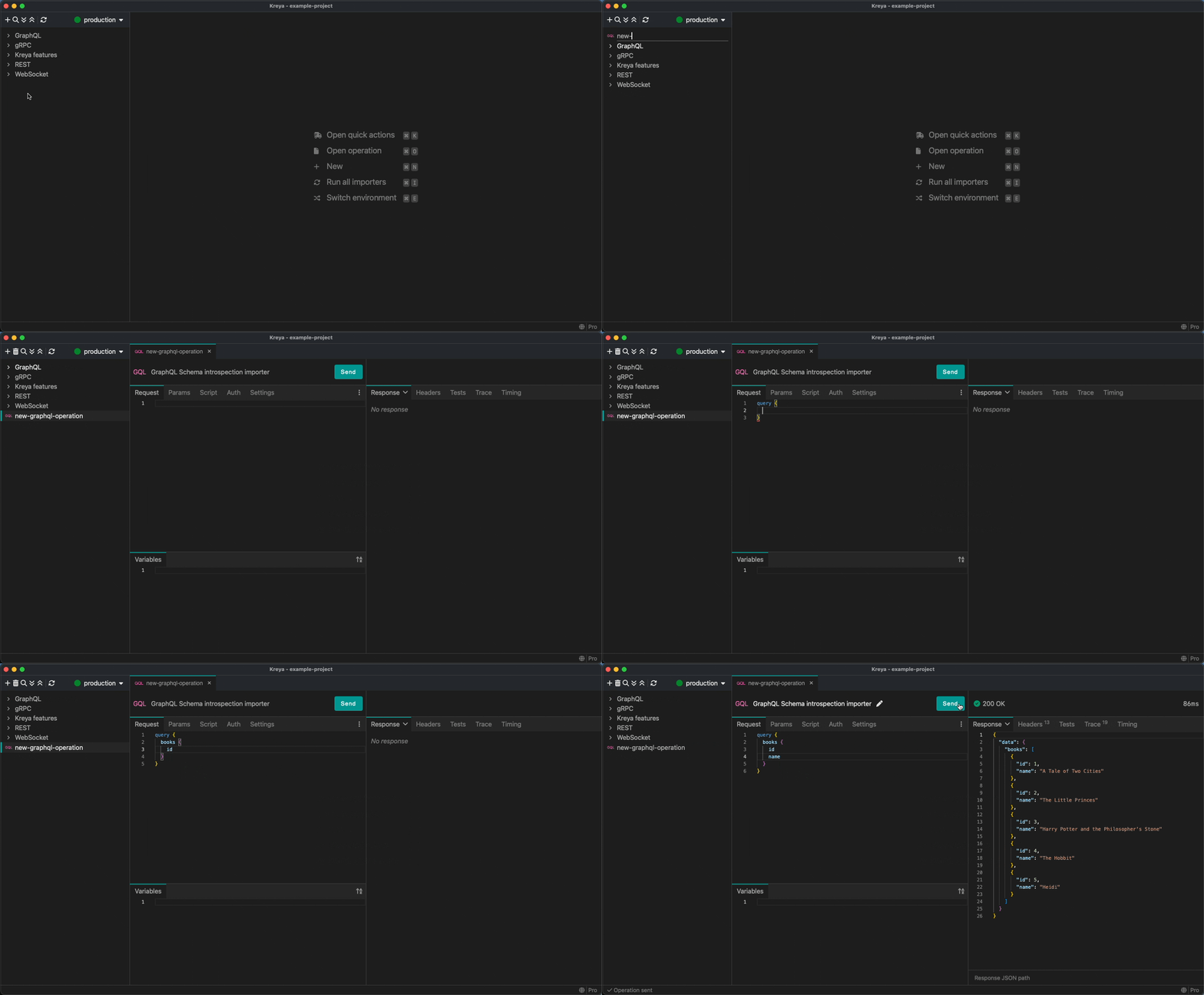
An animation showcasing creating a GraphQL operation

You can also enter variables for your query in the "Variables" tab in JSON format. These variables can be used in your query with the $ prefix (e.g. $bookId).

If you don't have a GraphQL API yet, you can experiment with some GraphQL operations in our example project, which you can pull from GitHub.

OAuth 2.0 Device Flow

We have added support for the OAuth 2.0 Device Authorization Grant (formerly known as the Device Flow) that enables devices with no browser or limited input capability to obtain an access token. To use this, create a new authentication in Project > Authentication and select the Grant type Device code.

You can then choose this new authentication for an operation. Pressing the Update button will start the Device Flow.
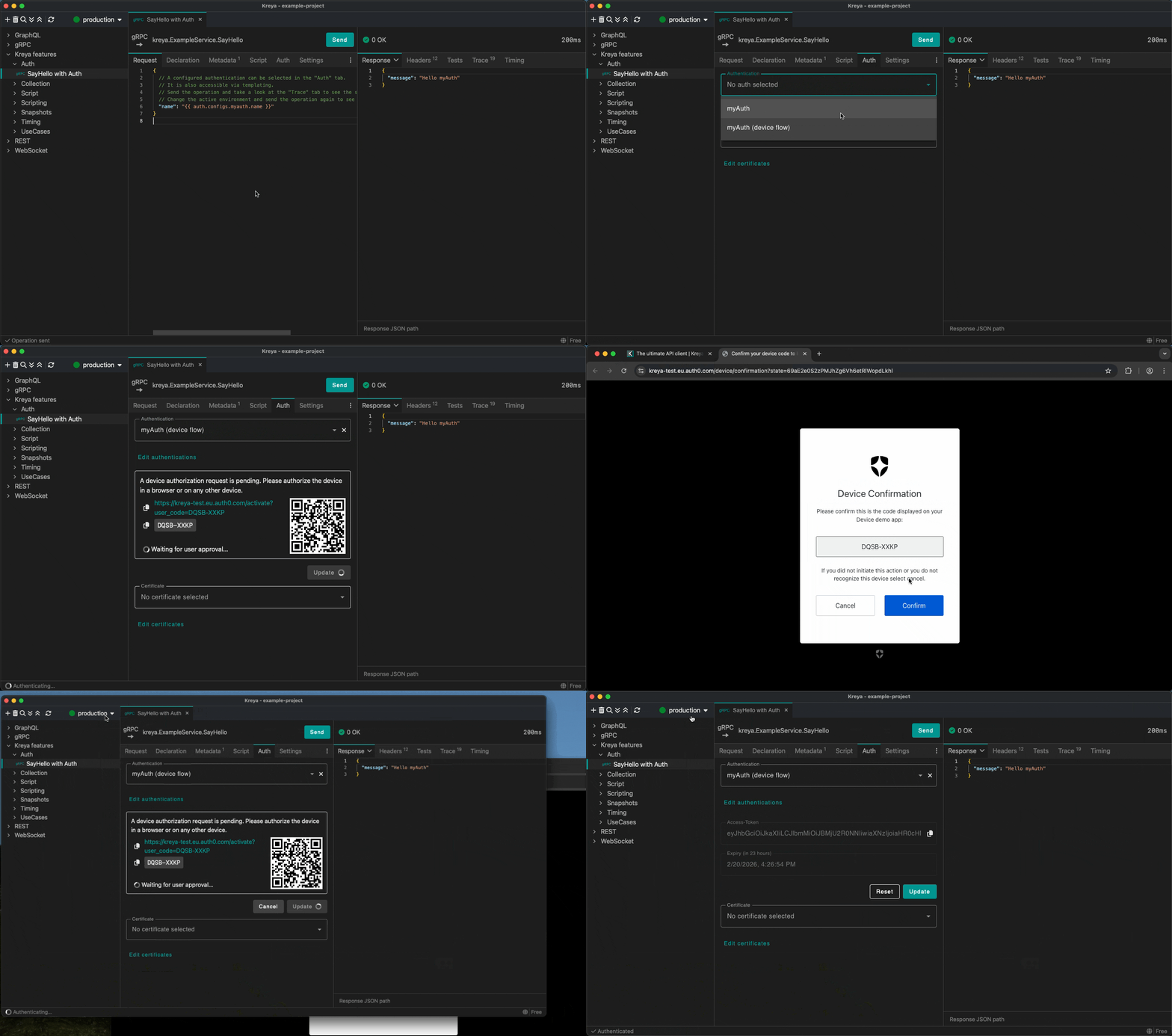
An animation showcasing using the new device flow auth

UI improvements

Recent projects are searchable

You can now search for recent projects in the launch window. Start typing the name of the project you are looking for, and a list of matching projects will appear.
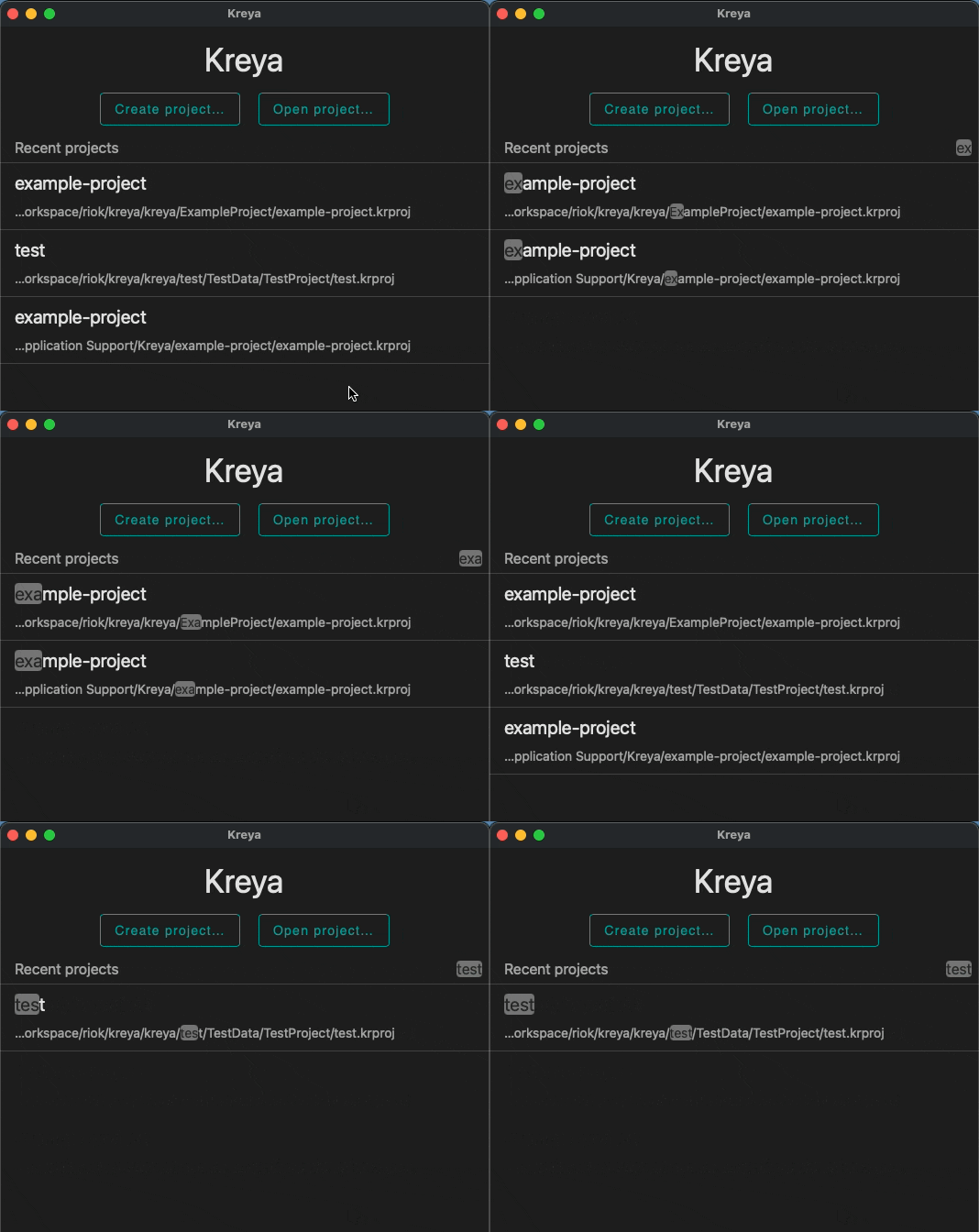
An animation showcasing searching for recent projects

Create a new project

You can now create a new project directly from the application menu. Select Kreya > New project... and enter the necessary project information.
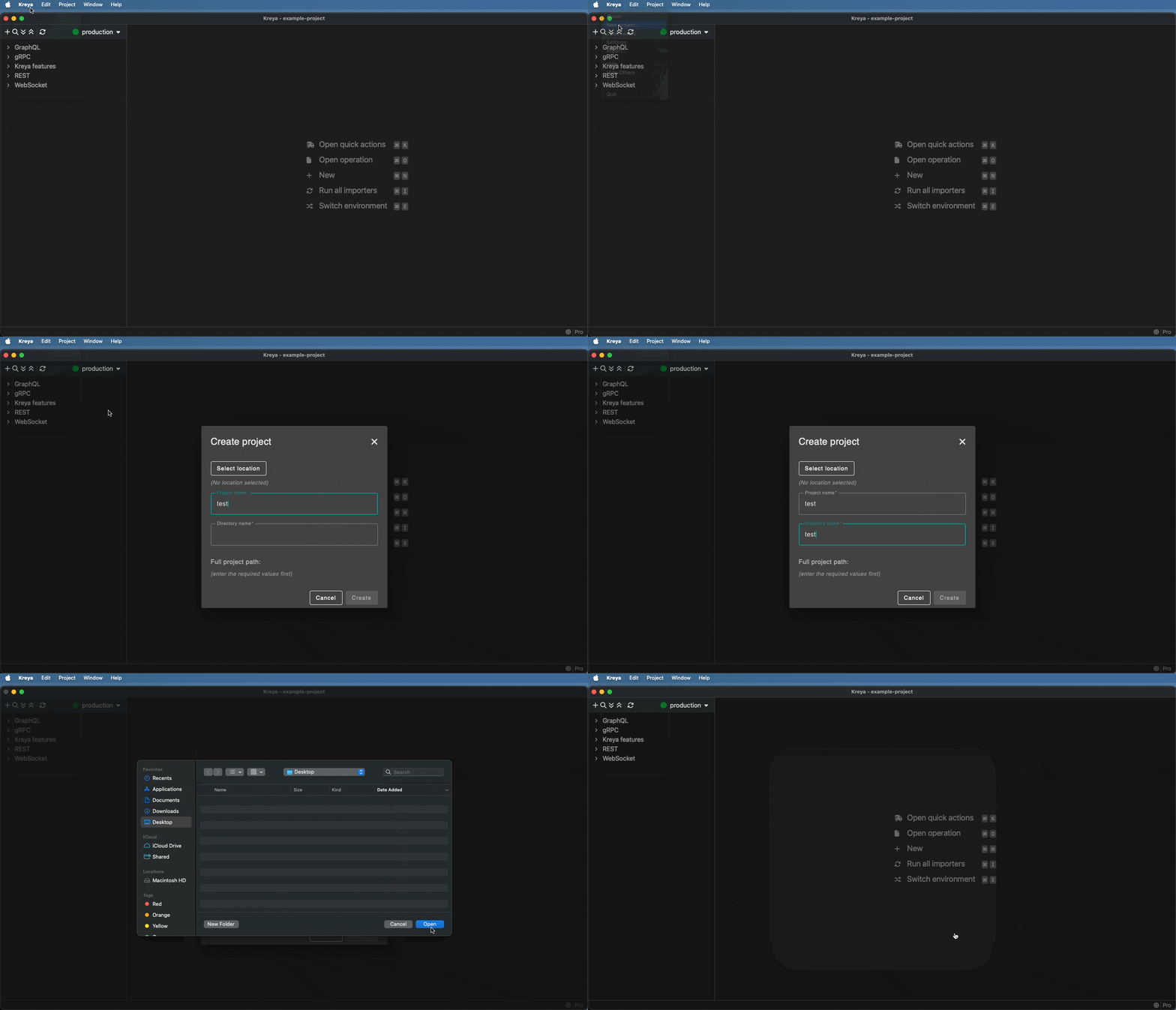
An animation showcasing creating a new project

Importer type selection

The process of selecting an importer type has been simplified. Choose your type at the top of the page and enter the required importer information.
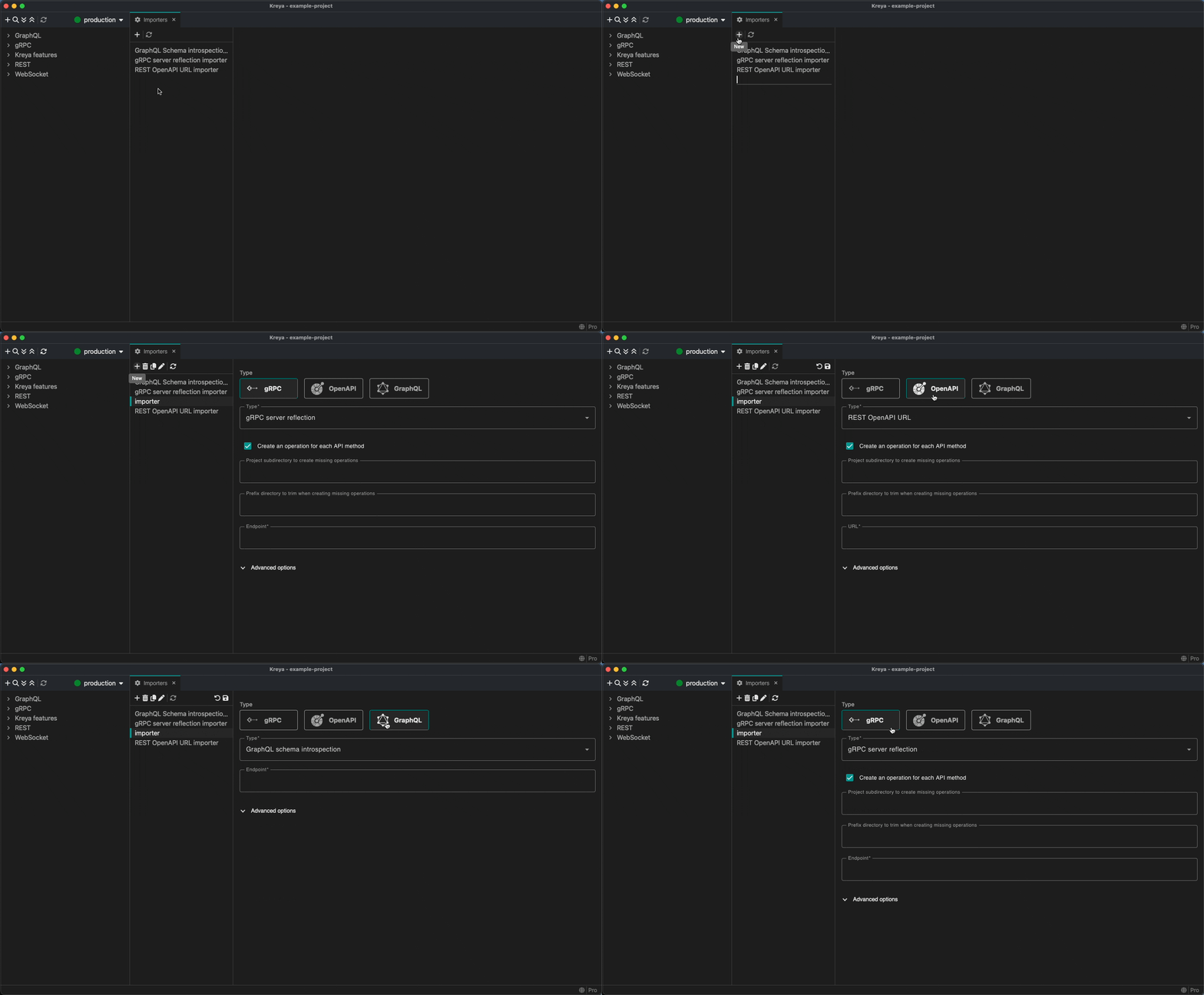
An animation showcasing selecting the importer type

Operation actions

We have moved all operation-related actions into the operation header. Actions such as 'Change gRPC method', 'Reset operation' and 'History' can now be found there.
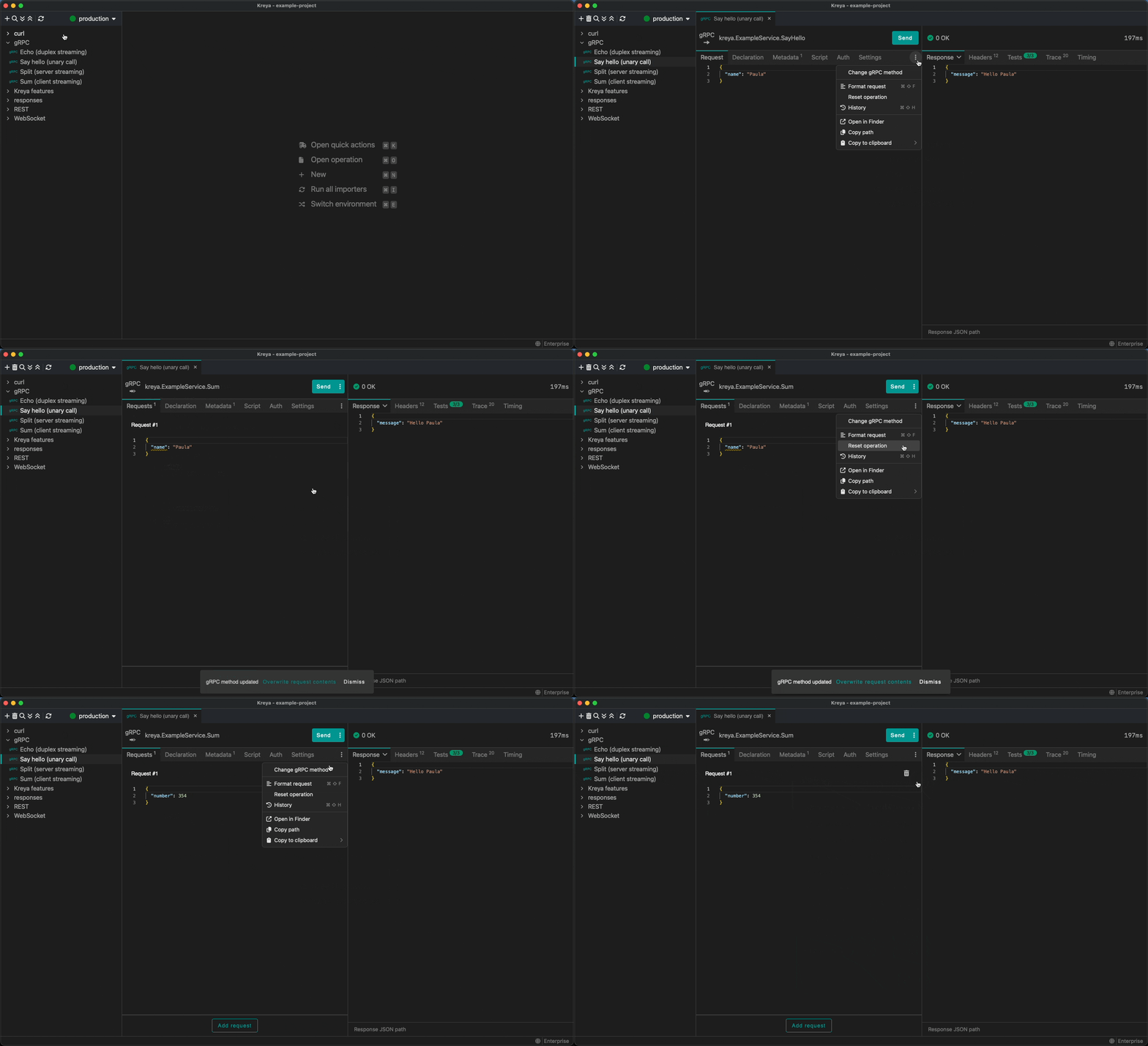
An animation showcasing using the new operation actions

Inline create operation

We have optimized the process of creating an operation in Kreya. First, you enter the name, and then you can select the gRPC method in the operation header.
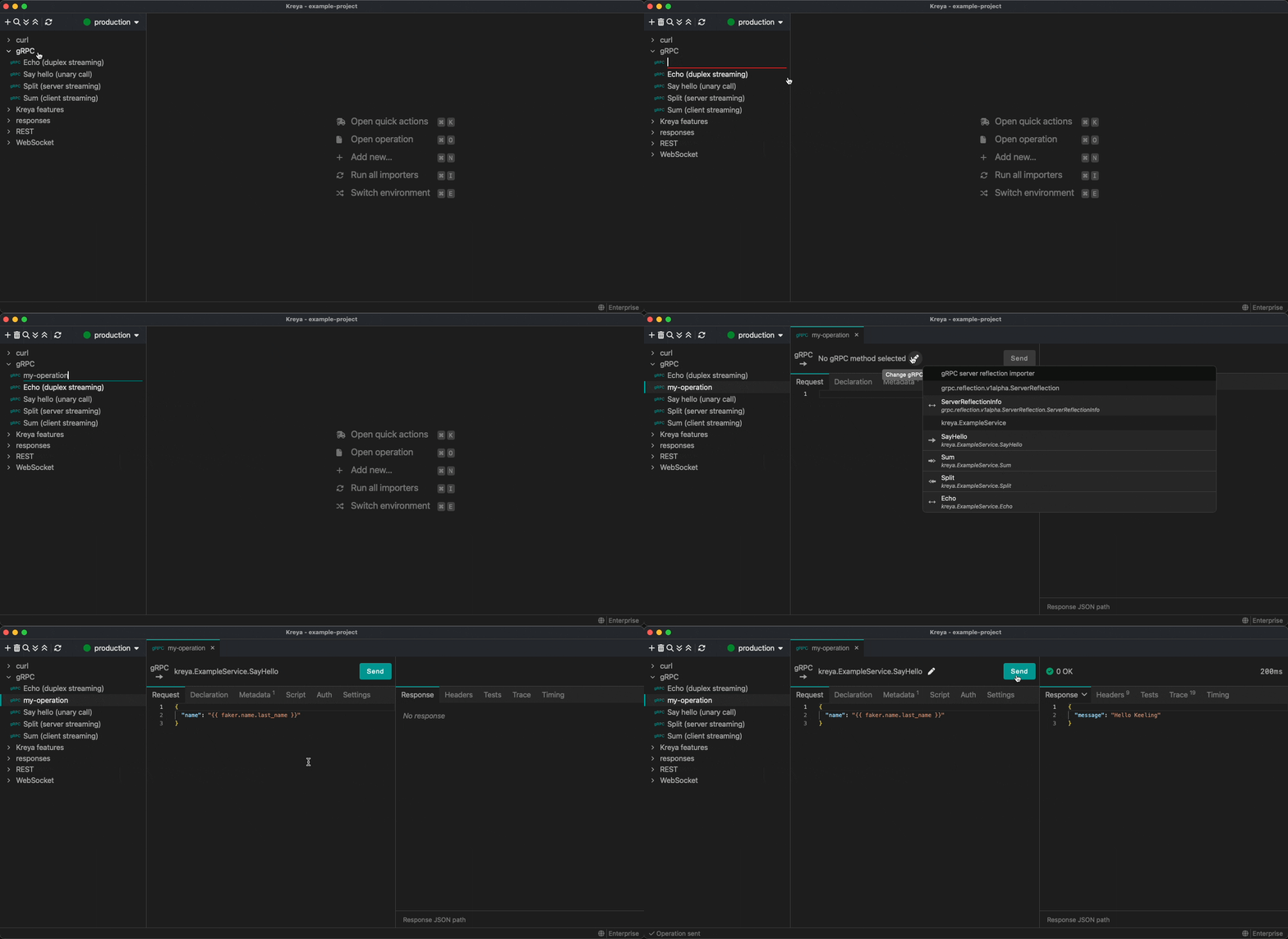
An animation showcasing creating an gRPC operation inline

The same applies to REST operations if you have imported API definitions. You can also select a template in the operation header.
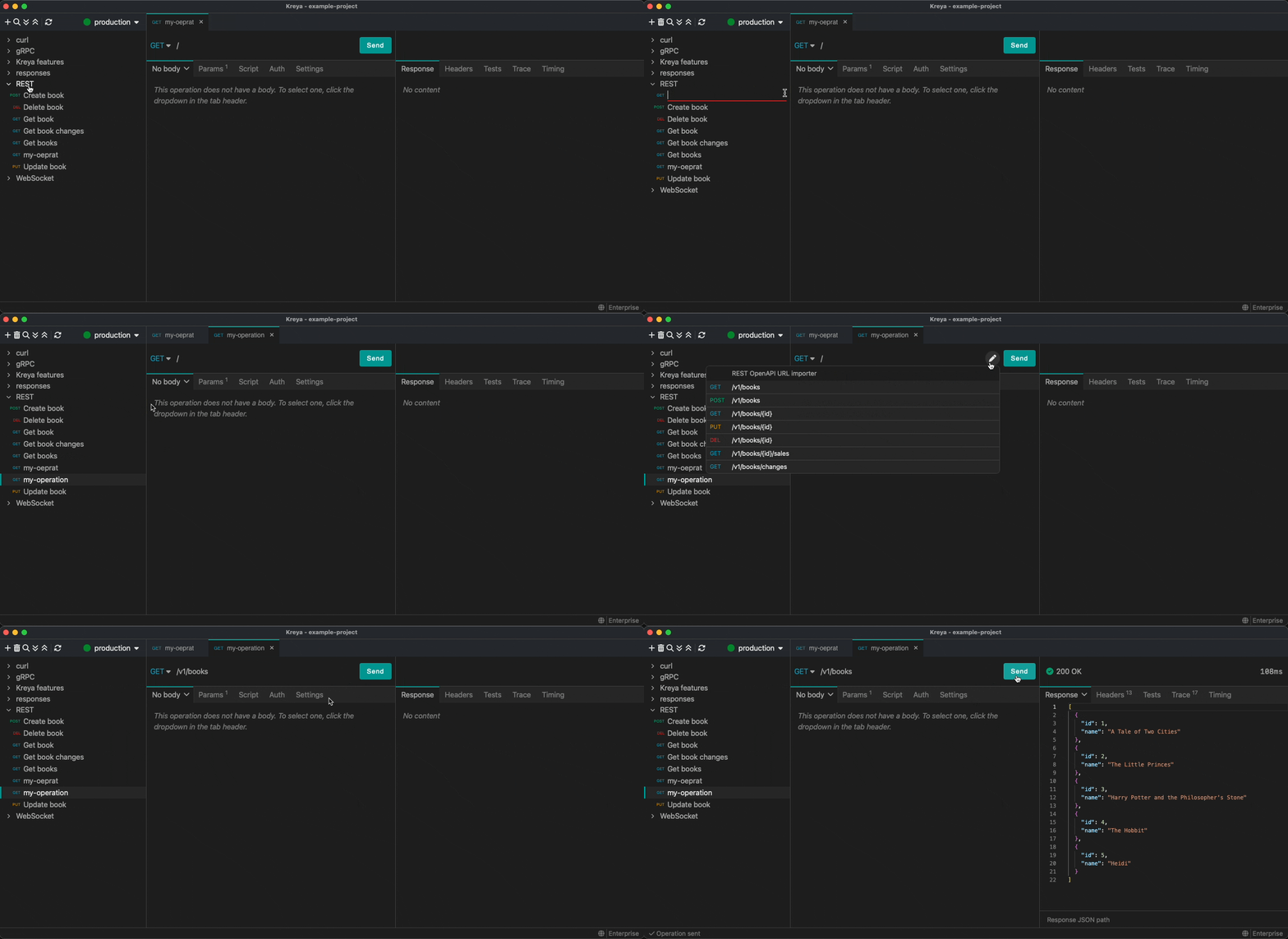
An animation showcasing creating an REST operation inline

Insomnia collection v5 import support

We have added support for importing Insomnia collection v5 files. In the application menu, select Kreya > Import, then select Insomnia collection (v5) and your file.
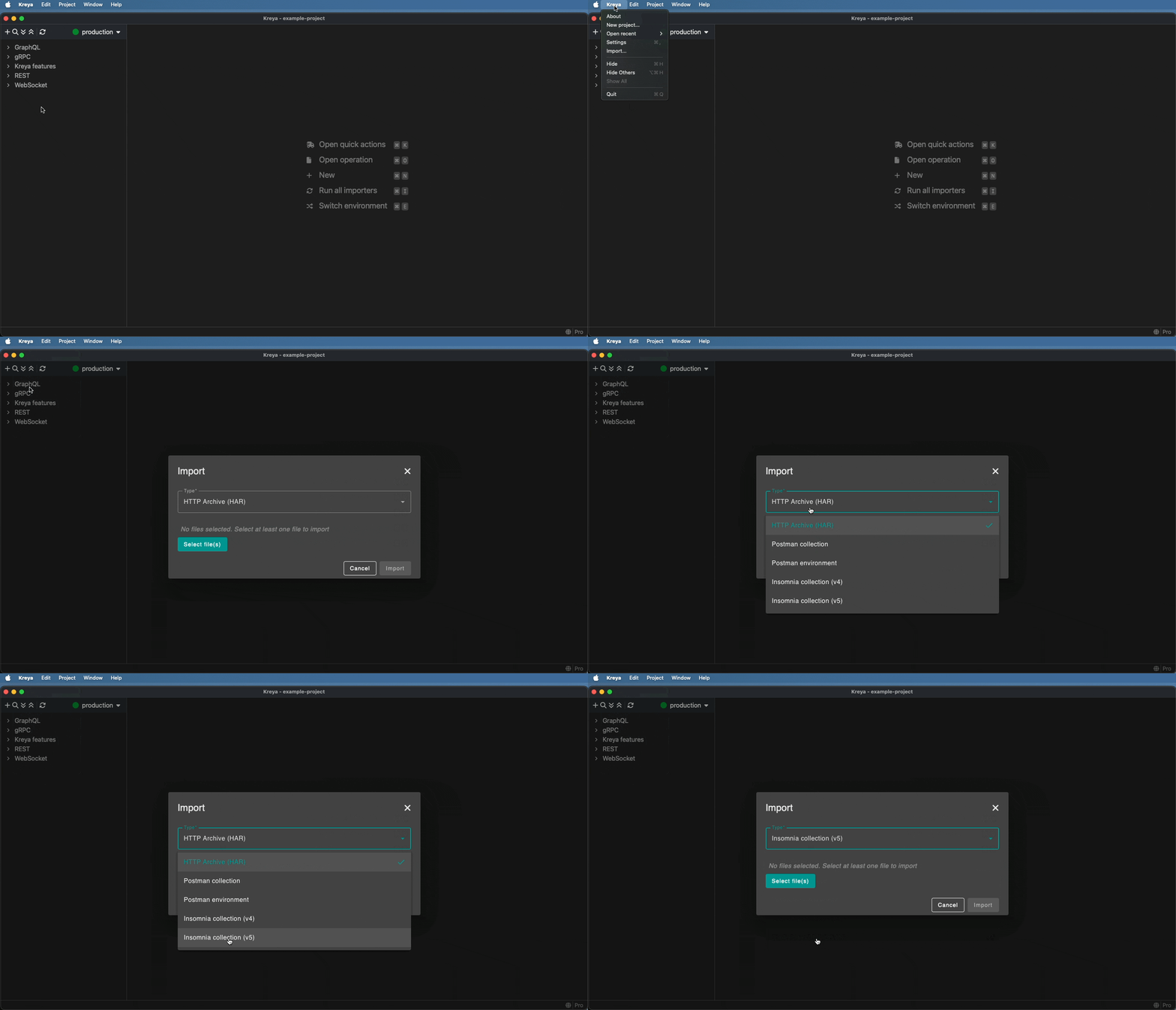
An animation showcasing importing an Insomnia collection v5

And more

There are other notable improvements:

  • gRPC v1 reflection support in addition to v1alpha
  • Session cookies support
  • Simplified test scripting

Kreya 1.19.1

Version 1.19.1 focuses on polish and quality-of-life improvements across the CLI, UI, and platform integrations.

CLI

  • Added the --relative-to option for CLI path resolution relative to the project or current working directory. See relative path resolution.
  • Added the filename to the JUnit reporter output
  • Automatically detect Kreya projects in parent directories
  • Show correct default values in the CLI help output

Kreya UI

  • gRPC: Improved fallback to the v1alpha server reflection importer
  • Added a Copy as kreyac option to the operation context menu to copy the operation as a kreyac command.
  • Added quick actions to open settings tabs, clear all cookies and clear all user variables
  • Added a word wrap option to all editors with horizontal scrolling

Release notes and feedback

For a full list of new features and bugfixes, see the release notes.

If you have feedback or questions, please contact us or report an issue.

Stay tuned! 🚀