
惯性聚合 高效追踪和阅读你感兴趣的博客、新闻、科技资讯
阅读原文 在惯性聚合中打开

推荐订阅源

V
Vulnerabilities – Threatpost
奇客Solidot–传递最新科技情报
奇客Solidot–传递最新科技情报
WordPress大学
WordPress大学
Apple Machine Learning Research
OSCHINA 社区最新新闻
OSCHINA 社区最新新闻
月光博客
月光博客
P
Palo Alto Networks Blog
大猫的无限游戏
大猫的无限游戏
量子位
S
Secure Thoughts
博客园 - 【当耐特】
V
Visual Studio Blog
腾讯CDC
爱范儿
爱范儿
Webroot Blog
Webroot Blog
The Register - Security
cs.AI updates on arXiv.org
D
Darknet – Hacking Tools, Hacker News & Cyber Security
Latest news
Latest news
Y
Y Combinator Blog
T
The Blog of Author Tim Ferriss
Cloudbric
Cloudbric
T
Troy Hunt's Blog
S
Security @ Cisco Blogs
B
Blog RSS Feed
I
Intezer
S
SegmentFault 最新的问题
N
News and Events Feed by Topic
云风的 BLOG
云风的 BLOG
C
CXSECURITY Database RSS Feed - CXSecurity.com
freeCodeCamp Programming Tutorials: Python, JavaScript, Git & More
Hacker News: Ask HN
Hacker News: Ask HN
Google DeepMind News
TaoSecurity Blog
TaoSecurity Blog
H
Hackread – Cybersecurity News, Data Breaches, AI and More
Schneier on Security
cs.CV updates on arXiv.org
Recorded Future
Recorded Future
Google DeepMind News
Forbes - Security
Forbes - Security
雷峰网
雷峰网
博客园 - 司徒正美
C
Cisco Blogs
S
Securelist
L
LINUX DO - 最新话题
P
Proofpoint News Feed
Blog — PlanetScale
Blog — PlanetScale
J
Java Code Geeks
N
News | PayPal Newsroom
N
News and Events Feed by Topic

Rat's Blog - ssh

Linux VPS安装Google Authenticator实现SSH登陆二次验证 - Rat's Blog Xshell 6官方永久免费版,可解决评估期已过的提示问题 - Rat's Blog 一款全新且强大的SSH客户端:FinalShell - Rat's Blog 一款非常好用的Web端SSH工具:GateOne安装教程 - Rat's Blog JuiceSSH/Termius:安卓/IOS平台上好用且免费的SSH客户端 - Rat's Blog Linux VPS服务器SSH端口一键修改脚本 - Rat's Blog SSH密钥安装器升级,一键安装VPS密钥安全登录 - Rat's Blog 为Linux VPS配置SSH-KEY登录并禁用root密码 - Rat's Blog Ubuntu 安装Fail2ban服务来防止暴力破解FTP/SSH - Rat's Blog
一个可以在浏览器上运行的SSH客户端:WebSSH2安装教程 - Rat's Blog
博主: Rat's · 2018-01-05 · via Rat's Blog - ssh

说明:我们登录VPS都会使用XshellPutty客户端,当然这里指的是Windows电脑的用户,不过好像在MAC电脑上登录有点麻烦,有的手机也不好操作,这里就需要使用到本文介绍的WebSSH客户端了,可以直接在浏览器里打开使用,有时候还是挺方便的。

截图
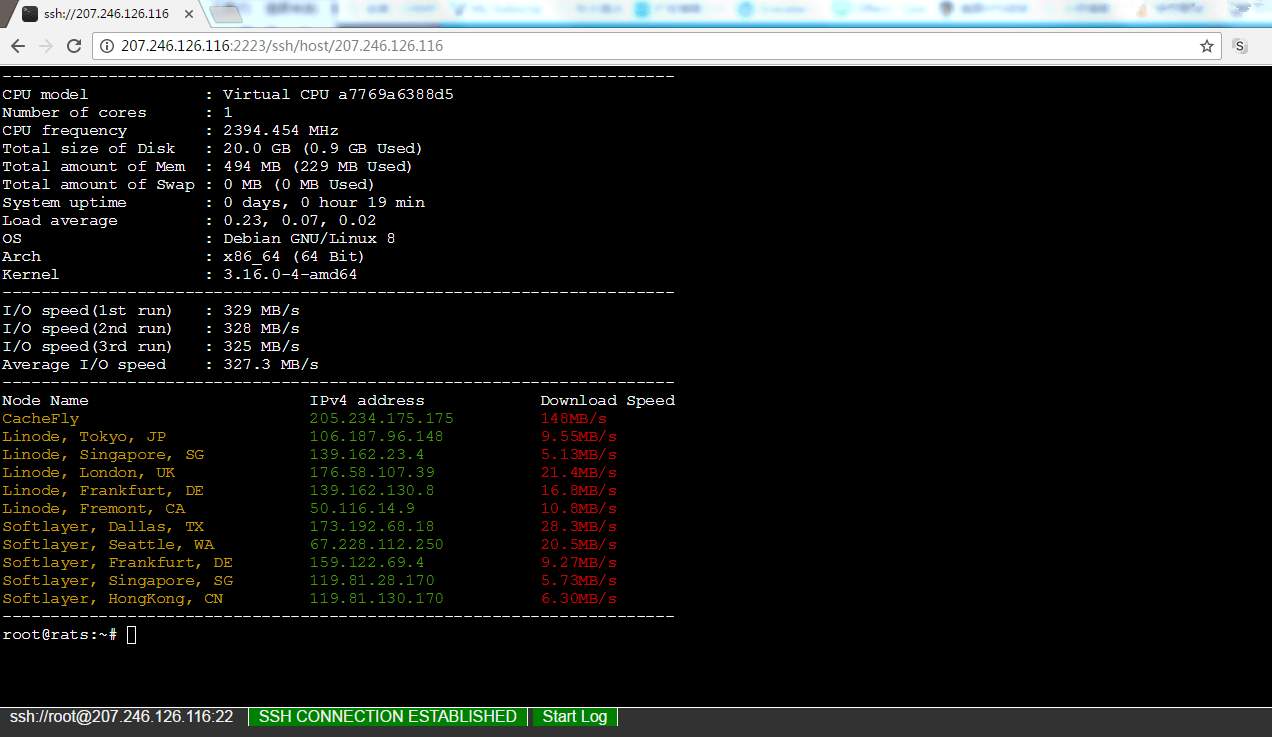
请输入图片描述

安装

1、安装NPM
教程查看:Debian/Ubuntu/CentOS安装最新版的Node.js和NPM教程

2、安装Webssh2

apt-get -y install git  #debian/ubuntu系统
yum -y install git  #centos系统
git clone https://github.com/billchurch/WebSSH2
cd WebSSH2
npm install --production

3、运行Webssh2
这里需要使用到screen,让Webssh2程序在后台一直运行即可。
使用命令:

yum install screen  #centos系统
apt-get install screen  #debian/ubuntu系统
screen -S Webssh2
cd WebSSH2
npm start

然后在浏览器打开http://IP:Port/ssh/host/IP即可使用。也可以通过修改config.json中的listen.port修改端口。


版权声明:本文为原创文章,版权归 Rat's Blog 所有,转载请注明出处!

本文链接:https://www.moerats.com/archives/467/

如教程需要更新,或者相关链接出现404,可以在文章下面评论留言。

Vultr新用户注册送100美元/16个机房按小时计费,支持支付宝,【点击查看】。