



Using Google reCAPTCHA on your website requires you to get a site key and a secret key. In this guide, we explain how to get the site key and secret key for your site.
Follow the steps below in order to get the keys:
- Go to the Google reCAPTCHA admin link from your browser: https://www.google.com/recaptcha/admin
- Log in to your Google account. This will redirect you to the dashboard.
- If you have previously generated keys for a site, then here you can view stats for that site. To add a new site, click on the “+” button on the top right side.

- Here, you need to provide “Label”, select “reCAPTCHA type” and add “Domains”.
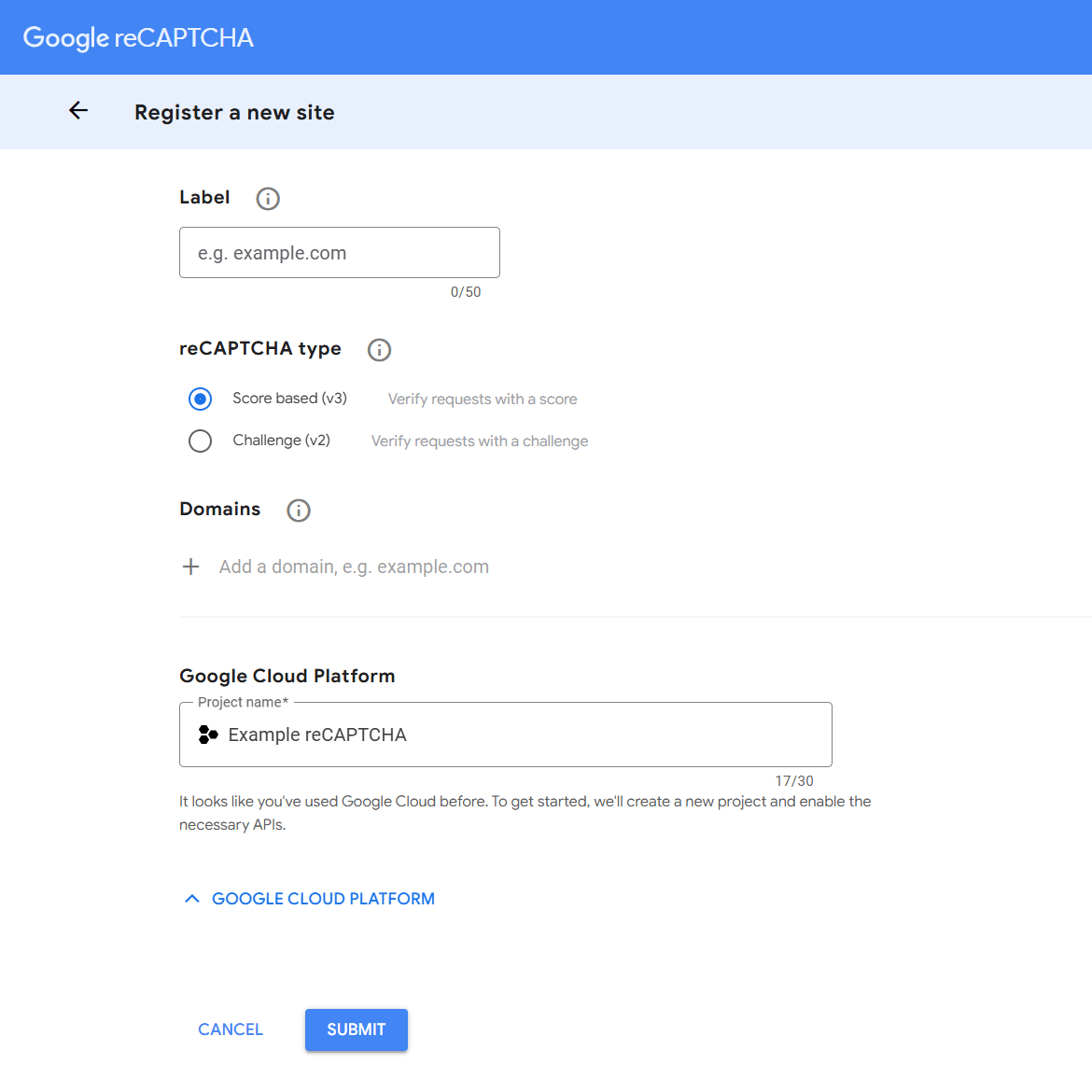
- After, you need to provide “Project name” for “Google Cloud Platform”, accept the terms of service, and then click on the “Submit” button to register for a new site.
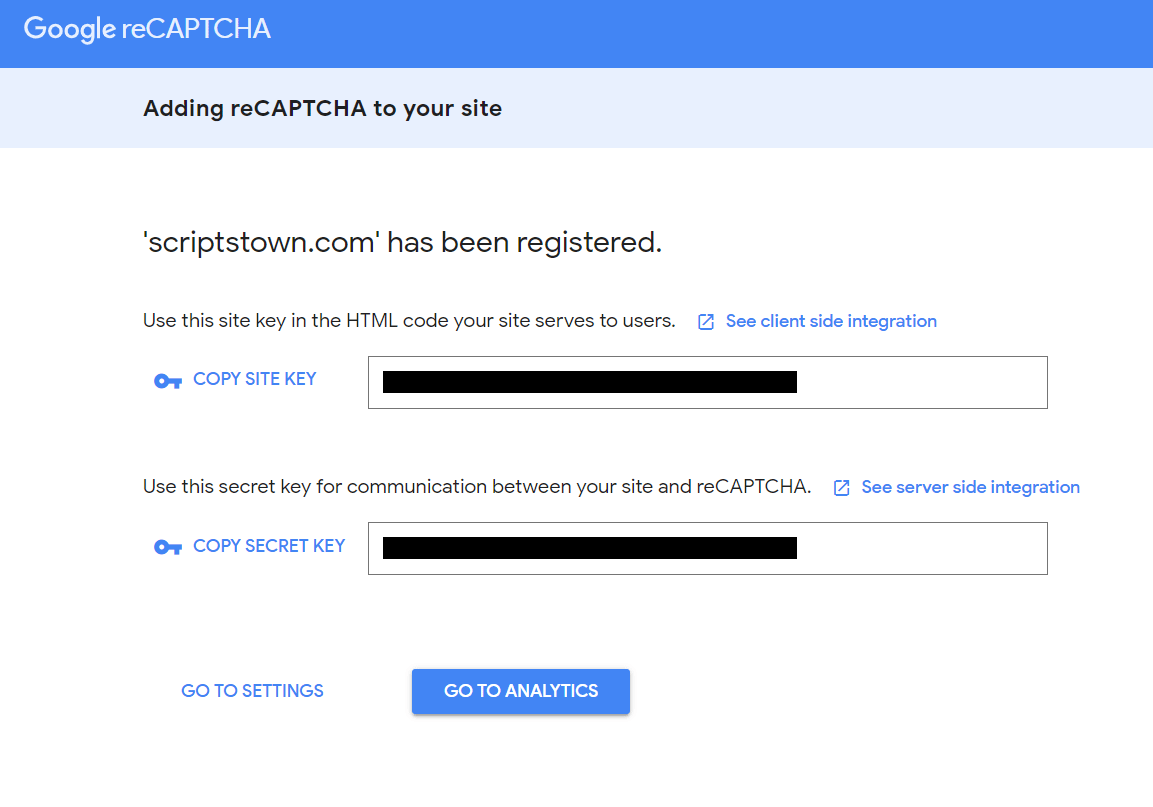
- Now, you can copy the “Site Key” and “Secret Key” for this new site.
Note: If you use Google reCAPTCHA v3 for a period of time and in the future, it keeps on returning missing-input-response or 0.1 scores. Then, you will probably need to re-create the reCAPTCHA v3 keys.
We also have the premium plugin Login Security Pro with advanced security features for a WordPress site in case you want to check that out.
If you face any issues when generating or using the site and secret keys on your website, then you may contact us. We will respond back to your email as soon as possible.