






A system monitor is often neglected as a run-of-the mill utility app in the desktop experience – a source of important performance data but an afterthought in UI and UX design.
And that’s exactly why the new COSMIC System Monitor was given the same attention to form and function that we’ve devoted to the rest of the DE.
Users can find it in the COSMIC Store by searching for “COSMIC System Monitor.” It's available now in System76’s Pop!_OS and other distributions.
The new monitor – built with our Rust-based libcosmic toolkit – is unquestionably COSMIC. From fonts and navigation to color schemes, COSMIC System Monitor provides a familiar tableau for users and the assurance that the app is an extension of the DE itself.
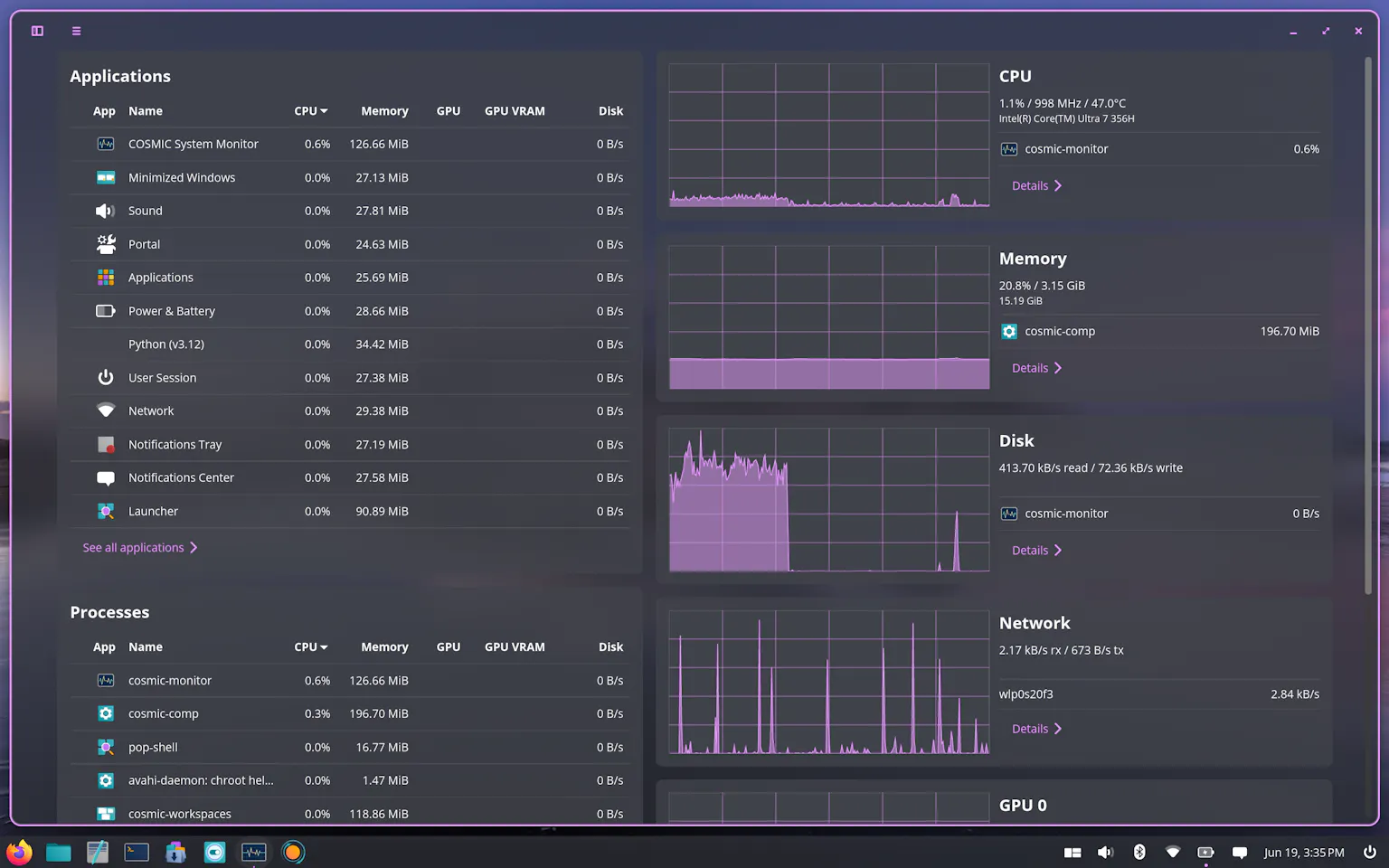
The system monitor’s dashboard (above) consolidates the Applications, Processes, CPU, Memory, GPU, Disk, and Network performance data displays into an integrated, space-efficient layout. Each type of monitored data is structured for at-a-glance review with no tabs to navigate and the top usage process visible for each resource.
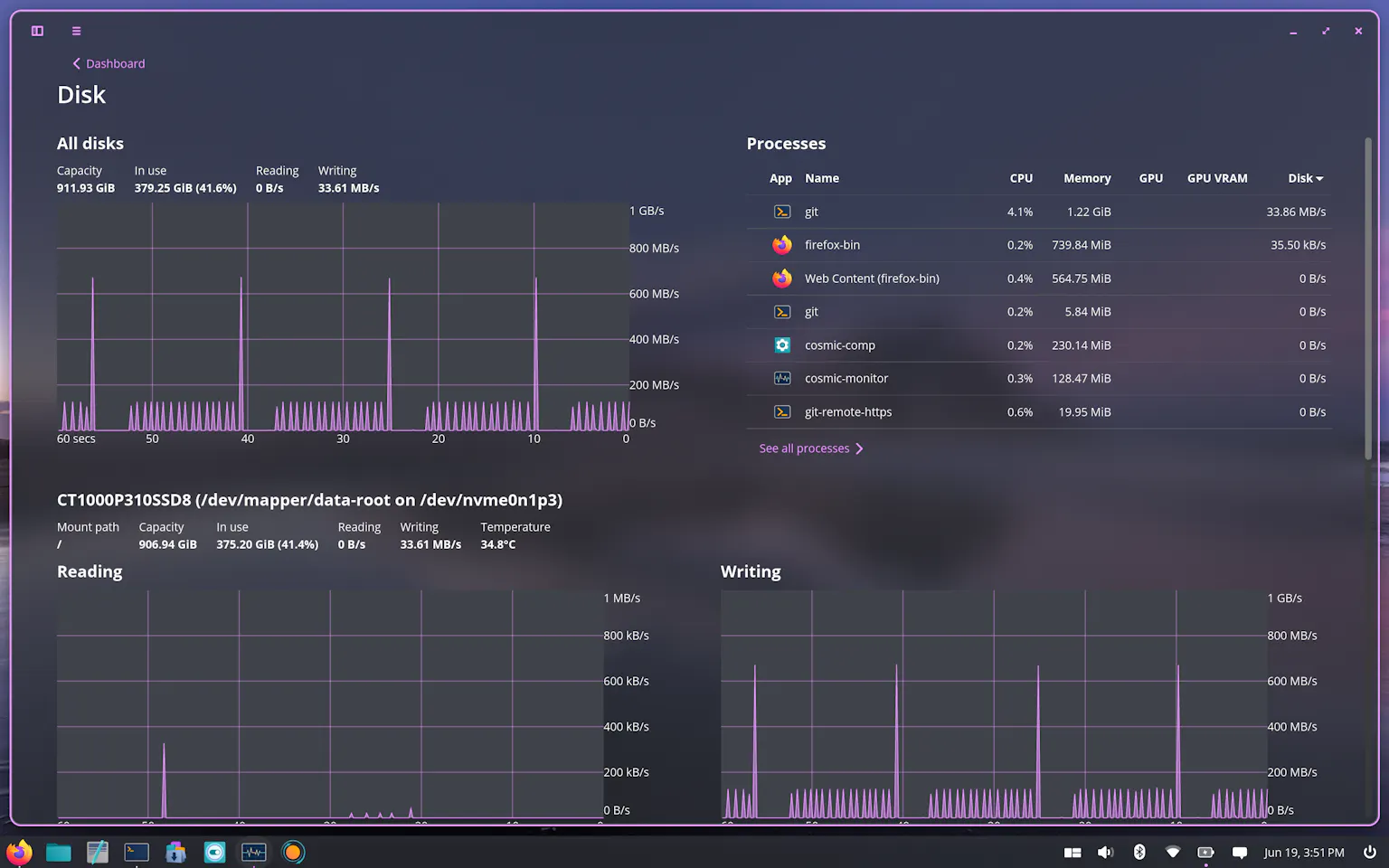
The information-rich detail pages (above) include both charts and top processes using the resource, giving the charts additional context. Together with the consolidated dashboard, the COSMIC System Monitor is an ideal diagnostic solution for:
We believe our newest COSMIC app is a logical next step in the evolution of our DE, and we invite you to try it out. As always, we welcome your feedback!
System76 is the only open-source computing company building a full-stack Linux ecosystem – from hardware and open firmware to operating system and desktop environment. System76 combines in-house manufacturing, repairable design, privacy-respecting Pop!_OS, and the COSMIC desktop experience for a customizable, out-of-the-box Linux experience that scales to meet the user’s needs.
此内容由惯性聚合(RSS阅读器)自动聚合整理,仅供阅读参考。 原文来自 — 版权归原作者所有。